OBD2 tools on OBD2shop.co.uk https://blog.dnevnik.hr/obd2shop
srijeda, 02.04.2025.
Fixed: Super MB Pro M6/SD C4 Benz Software Login Failure
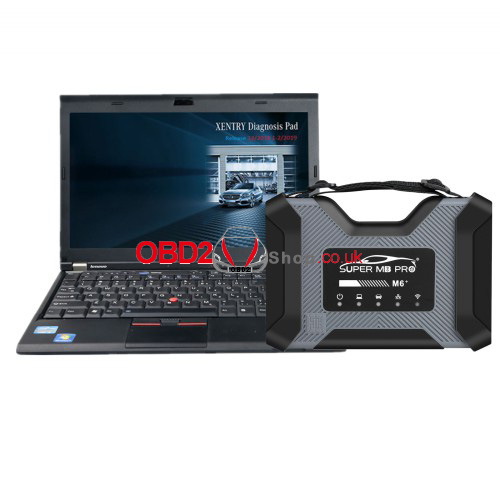
Problem: I have a customer with a Super MB Pro M6 (purchased from the inside, as usual). And today, April 1st, the XENTRY program won't open! I enter the username and password as usual, but the program won't open!
Can you help us?
Solution
A file in MB Pro M6 or SD C4 has expired, and the Mercedes-Benz software cannot be logged in.
Simply replace the "offline.properties" file in the following two paths to resolve the problem:
C:ProgramDataMercedes-BenzconfigXD_DT
C:ProgramDataMercedes-BenzconfigXD_MB
(Note: Both paths should be replaced.)
Replaced file free download:
https://mega.nz/file/0pUlHYoR#w0g2PQNbCg-NjuLB_7404StTG2NBEm0Gu0QOJFml1tE
Techical Support
Email: Sales@OBD2shop.co.uk
WhatsApp: +86 13983755934
Telephone: +86 13983755934
WeChat: +86 13983755934
Skype: OBD2tool.co.uk
www.obd2shop.co.uk
Oznake: super mb pro m6
petak, 13.01.2023.
Solved: Super MB Pro M6 + SSD (749/701) Network Problem
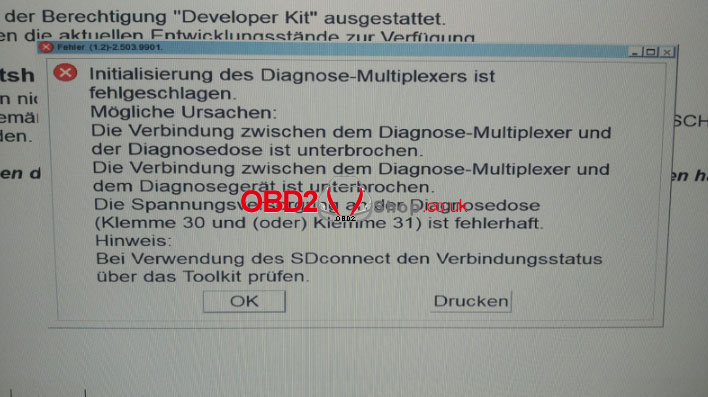
Problem: Super MB Pro M6 + V2022.12 WIN10 SSD has met network problem, it gave the error as below:
"Initialisierung des Diagnose-Multiplexers ist fehlgeschlagen.
Mogliche Ursachen:
Die Verbindung zwischen dem Diagnose-Multiplexer und der Diagnosedose ist unterbrochen.
Die Verbindung zwischen dem Diagnose-Multiplexer und dem Diagnosegerat ist unterbrochen.
Die Spannungsversorgung an der Diagnosedose (Klemme 30 und (oder)Klemme 31) ist fehlerhaft.
Hinweis:
Bei Verwendung des SDconnect den Verbindungsstatus uber das Toolkit prufen".
(Initialization of the diagnostic multiplexer is failed.
Possible causes:
The connection between the diagnostic multiplexer and the diagnostic socket is interrupted.
The connection between the diagnostic multiplexer and the diagnostic device is interrupted.
The power supply at the diagnostic socket(terminal 30 and (or) terminal 31) is faulty.
Notice:
The connection status when using the SDconnect check via the toolkit.)
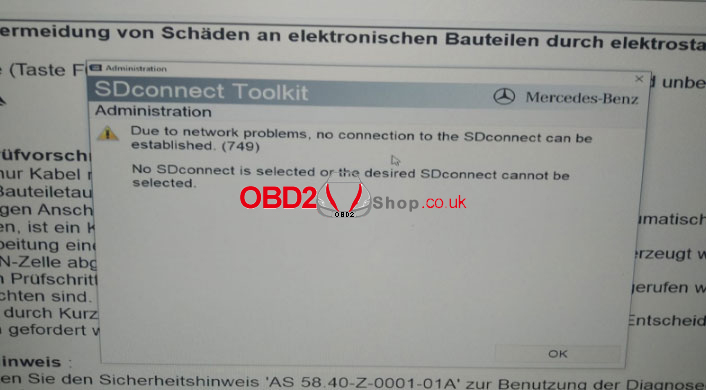
"Due to network problem, no connection to the SDconnect can be established(749)".
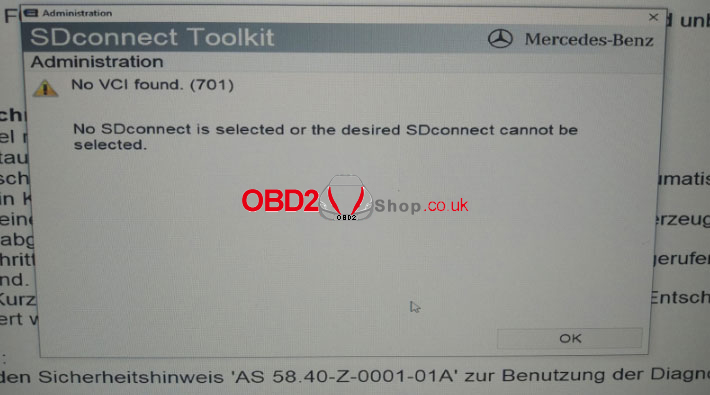
"No VCI found.(701)
No SDconnect is selected or the desired SDconnect cannot be selected".
Solution
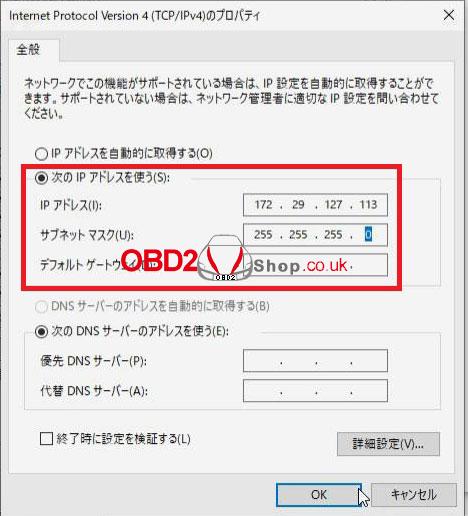
MB Star Diagnostic Tool needs to revise IP when connecting via network. Please follow the steps below to fix the problem.
Selected "Use the following IP address(S)"
IP Address(I): 172.29.127.113
Subnet mask(U): 255.255.255.0
Technical Support
www.obd2shop.co.uk
Oznake: super mb pro m6

| < | siječanj, 2026 | |||||
| P | U | S | Č | P | S | N |
| 1 | 2 | 3 | 4 | |||
| 5 | 6 | 7 | 8 | 9 | 10 | 11 |
| 12 | 13 | 14 | 15 | 16 | 17 | 18 |
| 19 | 20 | 21 | 22 | 23 | 24 | 25 |
| 26 | 27 | 28 | 29 | 30 | 31 | |
Svibanj 2026 (1)
Siječanj 2026 (19)
Prosinac 2025 (22)
Studeni 2025 (21)
Listopad 2025 (20)
Rujan 2025 (21)
Kolovoz 2025 (8)
Srpanj 2025 (13)
Lipanj 2025 (9)
Svibanj 2025 (12)
Travanj 2025 (10)
Ožujak 2025 (12)
Veljača 2025 (14)
Siječanj 2025 (8)
Prosinac 2024 (6)
Studeni 2024 (6)
Listopad 2024 (4)
Rujan 2024 (7)
Kolovoz 2024 (14)
Srpanj 2024 (12)
Lipanj 2024 (10)
Svibanj 2024 (13)
Travanj 2024 (12)
Ožujak 2024 (11)
Veljača 2024 (2)
Siječanj 2024 (10)
Prosinac 2023 (8)
Studeni 2023 (6)
Listopad 2023 (7)
Rujan 2023 (9)
Kolovoz 2023 (6)
Srpanj 2023 (10)
Lipanj 2023 (4)
Veljača 2023 (8)
Siječanj 2023 (14)
Prosinac 2022 (13)
Studeni 2022 (14)
Listopad 2022 (18)
Rujan 2022 (9)
Kolovoz 2022 (16)
Srpanj 2022 (11)
Lipanj 2022 (14)
Svibanj 2022 (13)
Travanj 2022 (12)
Ožujak 2022 (12)
Veljača 2022 (13)
Siječanj 2022 (10)
Srpanj 2021 (1)
Dnevnik.hr
Gol.hr
Zadovoljna.hr
Novaplus.hr
NovaTV.hr
DomaTV.hr
Mojamini.tv