OBD2 tools on OBD2shop.co.uk https://blog.dnevnik.hr/obd2shop
petak, 28.11.2025.
BMW G/U FGB Key Adding with KD-MAX & BDC03 Clip
Using the Keydiy KD-MAX with the BDC03 specific dismantling-free clip makes BMW G/U chassis key programming much more convenient and efficient. This guide walks you through the complete process of adding an FGB key to a BMW BDC3 module.
Required Tools:
Keydiy KD-MAX
BDC03 Specific Dismantling-Free Clip
Cable Series – Specific Cable for BDC03 Clip
KD FGB57 PCB Board
Original Key
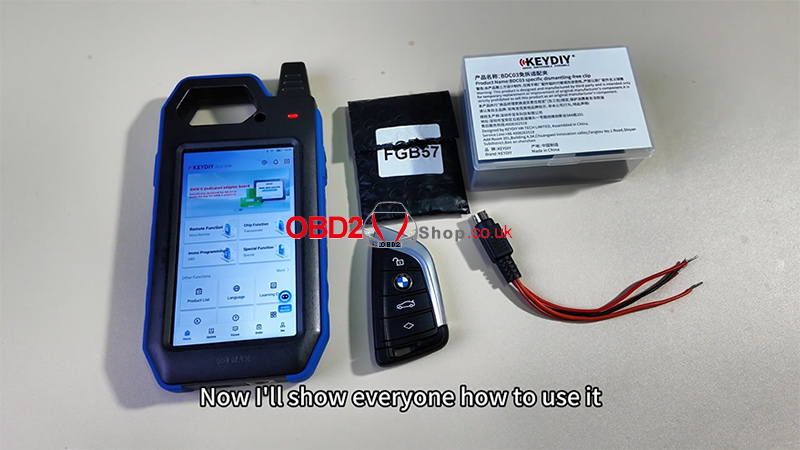
Step 1: Prepare the BDC03 Clip
Remove the BDC03 dismantling-free clip from the package.
Turn on the four switches on the clip.
Note the four wire definitions and connect the wires in sequence.
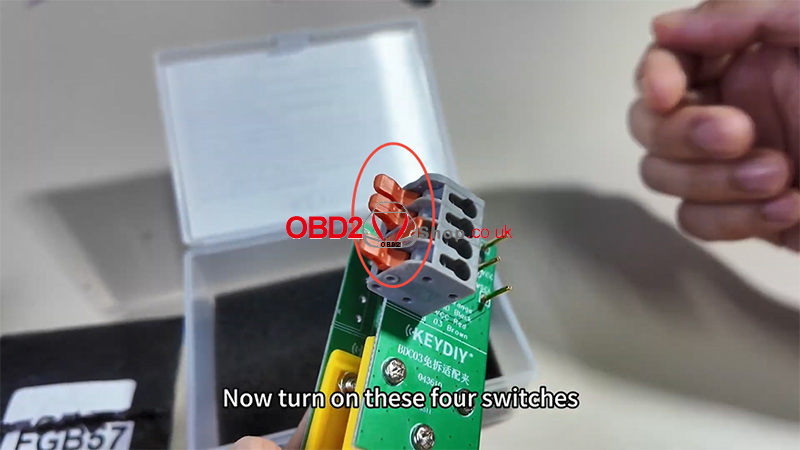
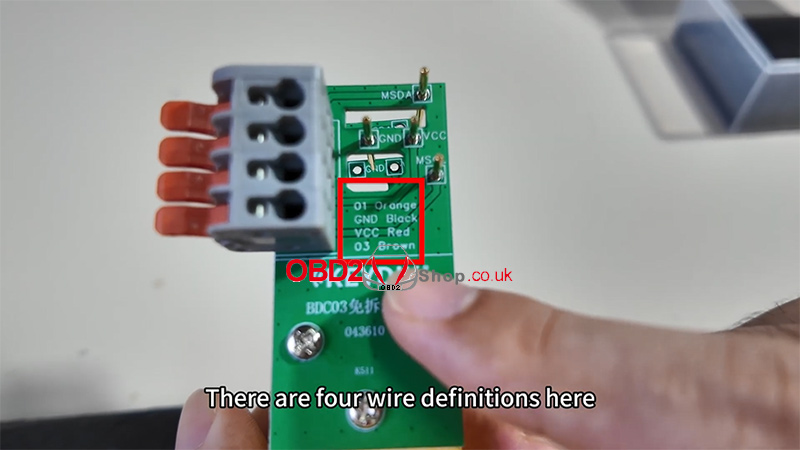
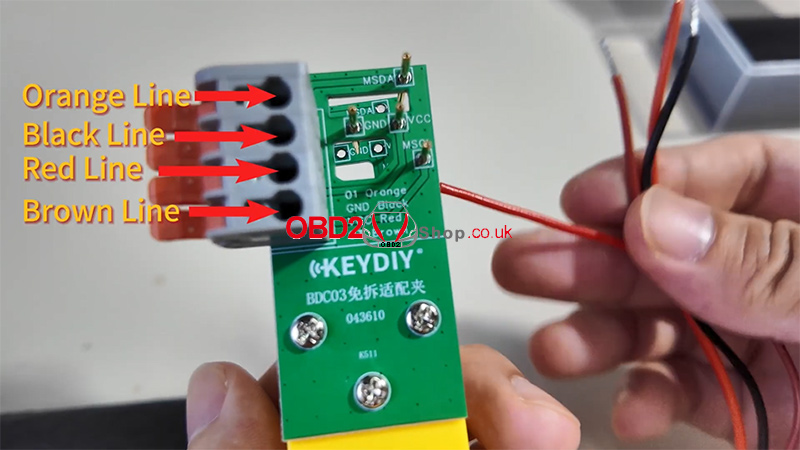
Step 2: Connect to the Original Key
Remove the back cover of the original BMW key.
Attach the BDC03 dismantling-free clip to the back of the key.
Connect the Cable Series BDC03-specific cable to KD-MAX, then plug it into the KD-MAX device.
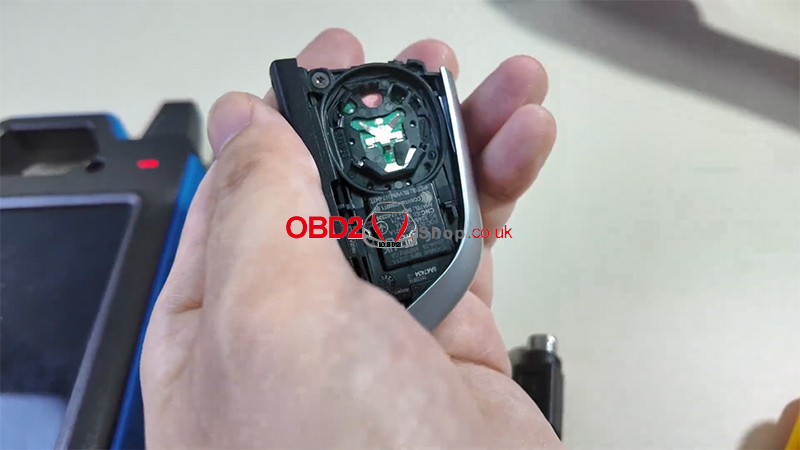
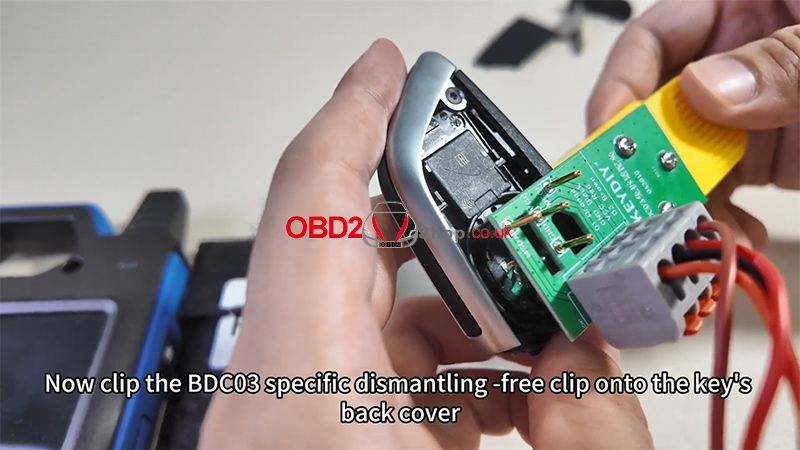
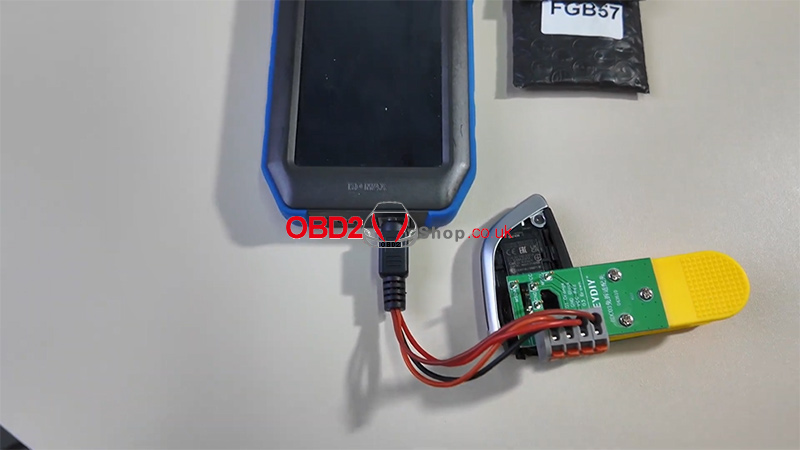
Step 3: Read the Chip Data with KD-MAX
On the KD-MAX, select [Remote Function].
Scroll down and choose [Smart Key Clone].
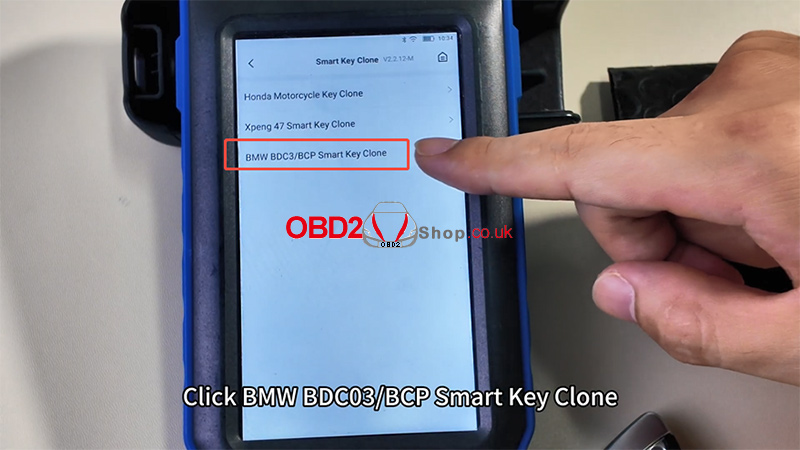
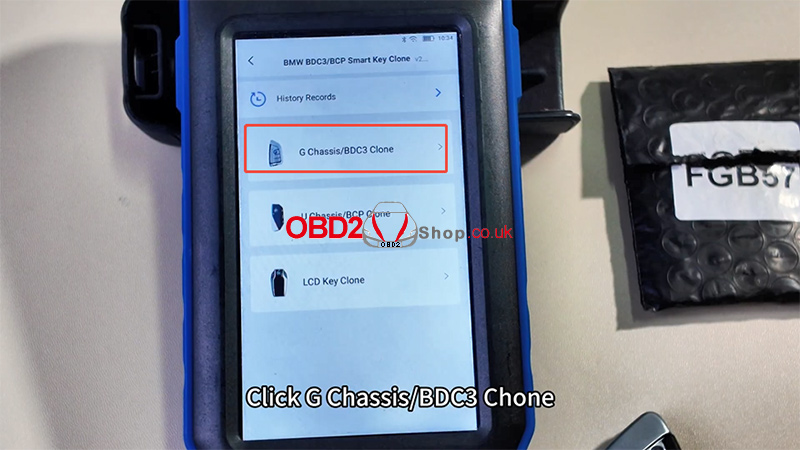
Select [BMW BDC03/BCP Smart Key Clone] ’ [G Chassis/BDC3 Clone].
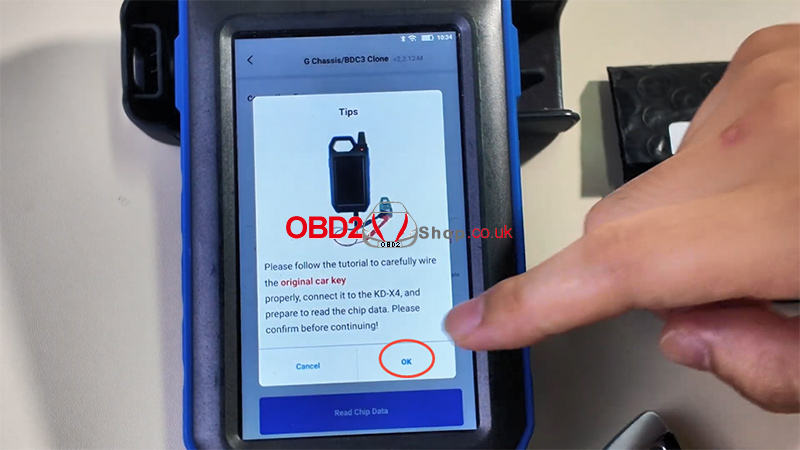
Tap [Read Chip Data], then confirm with OK.
Wait for the data to be read.
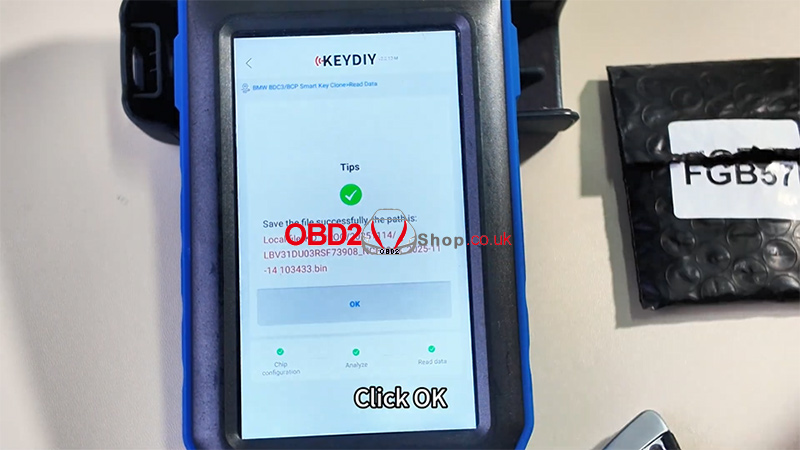
Once complete, save the file when prompted.
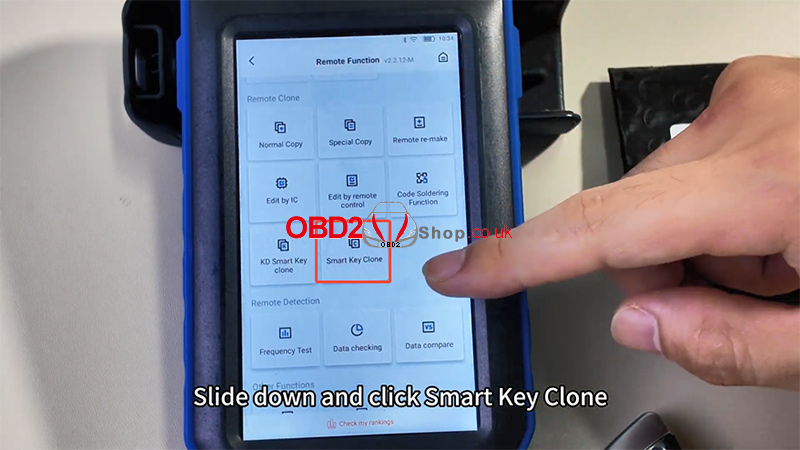
Step 4: Generate the New FGB Key
Place the FGB57 PCB in the KD-MAX induction area.
Select [KD-FGB Type] ’ [KD-FGB Remote].
Generate the key—once successful, you can install the PCB into the key shell and use it normally.
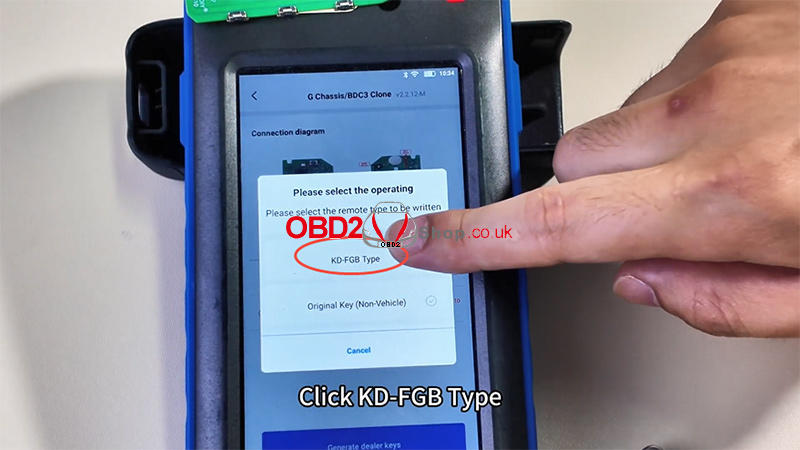
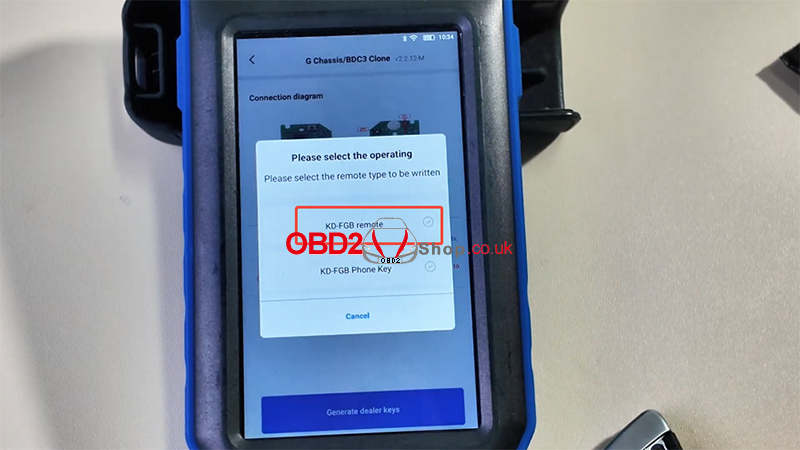
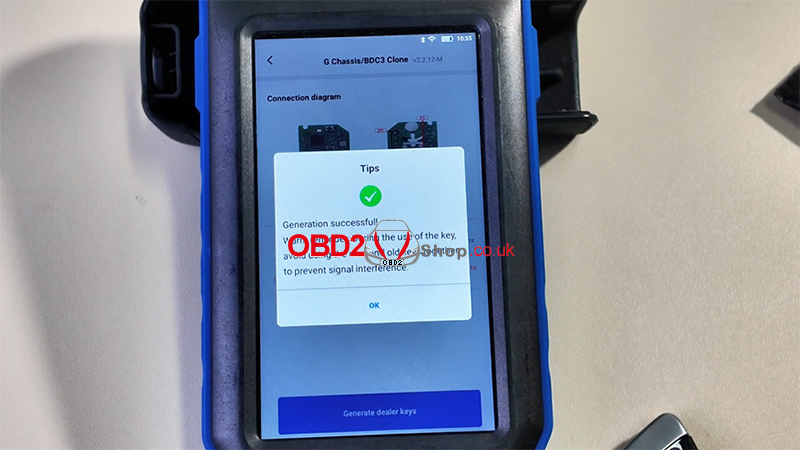
For a full demonstration, watch the video tutorial:
https://youtu.be/js42LdCMSWM
www.obd2shop.co.uk
Oznake: keydiy kd max
utorak, 04.11.2025.
Guide: How to Add a Key to BMW BDC3 Using Keydiy KD-MAX
This guide provides step-by-step instructions for cloning a smart key for the BMW BDC3 using the Keydiy KD-MAX system.
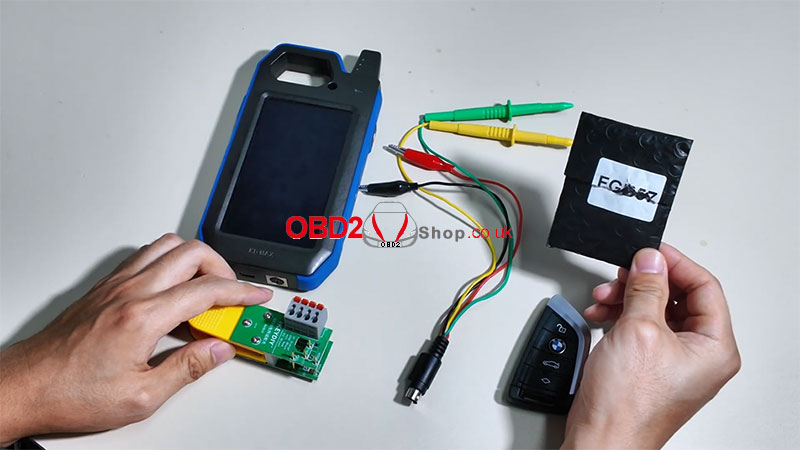
Required Tools:
Keydiy KD-MAX
Unlocking cable
BDC03 solder-free dismantling clip
KD FGB57 Board
Original key
Step 1: Initial Setup
Power on the KD-MAX device.
Navigate to:
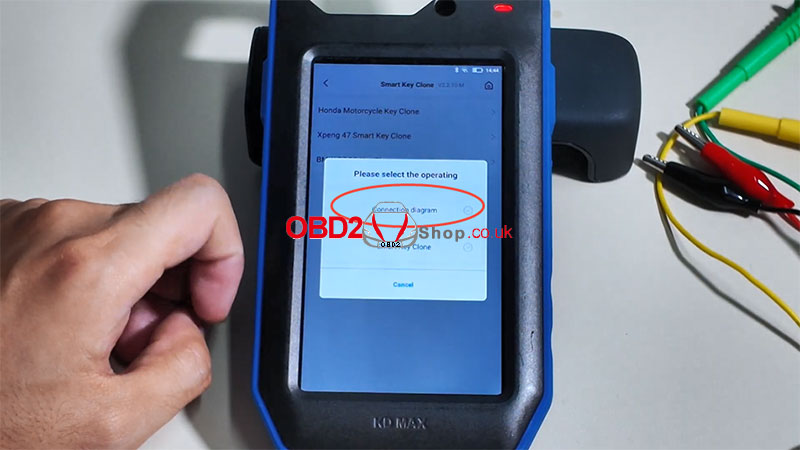
[Remote Function] ’ [Smart Key Clone] ’ [BMW BDC3 Key Clone]
Select [Connection diagram] to view the correct wiring setup for the KD BDC03 solder-free adapter clip.
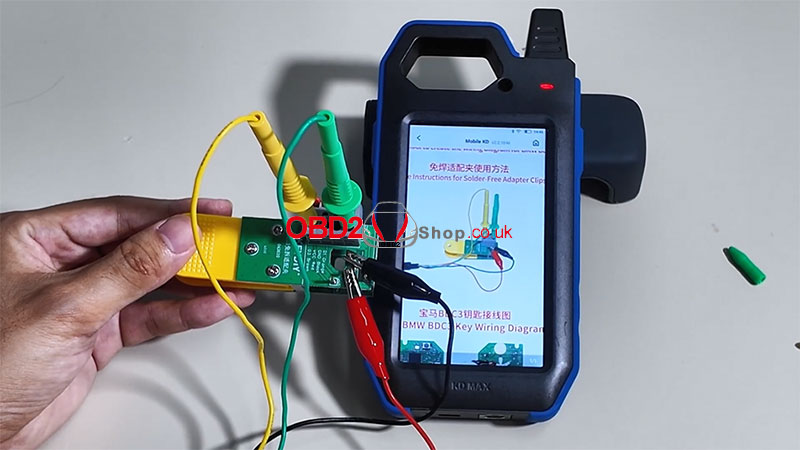
Step 2: Prepare the Original Key
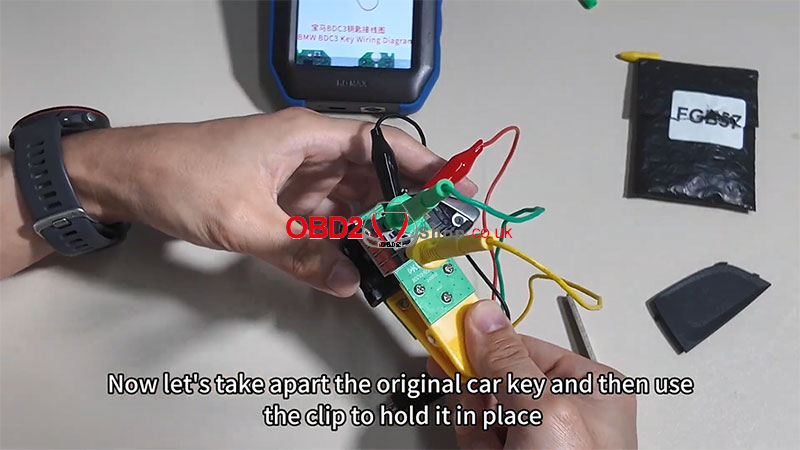
Disassemble the original car key.
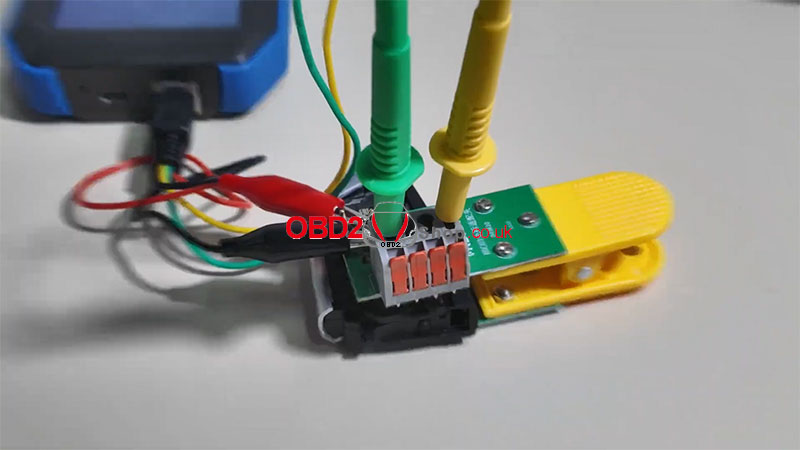
Secure the key using the BDC03 clip.
Connect the clip to the KD-MAX device.
Step 3: Read Chip Data
From the main menu, select [BMW BDC3 Key Clone] again.
Choose [Smart Key Clone] ’ [Read Chip Data] ’ [Start Execution]
Wait for the data to be read.
File saved successfully!
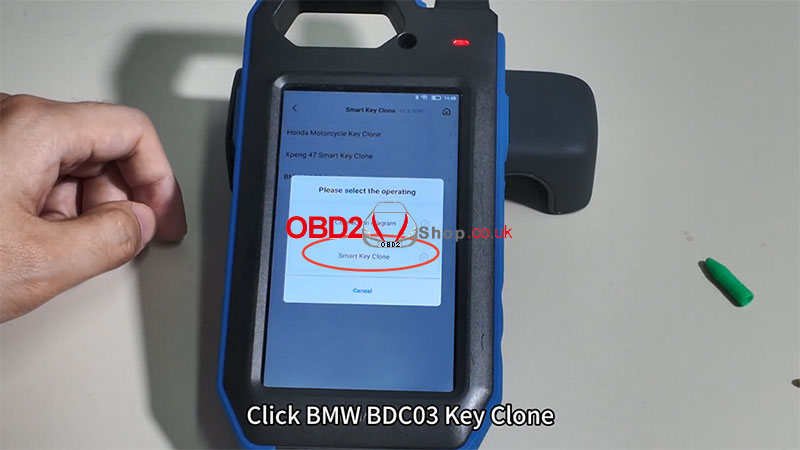
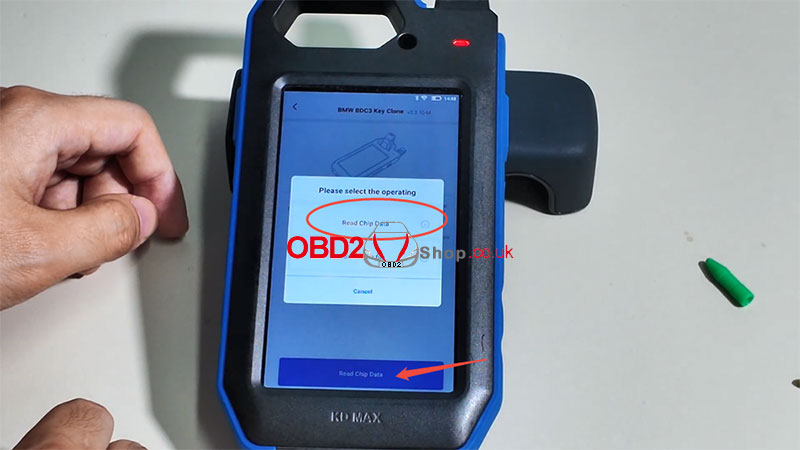
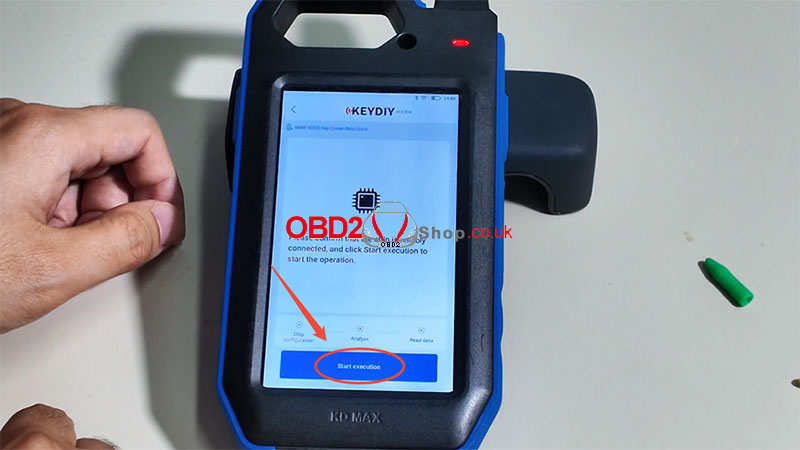
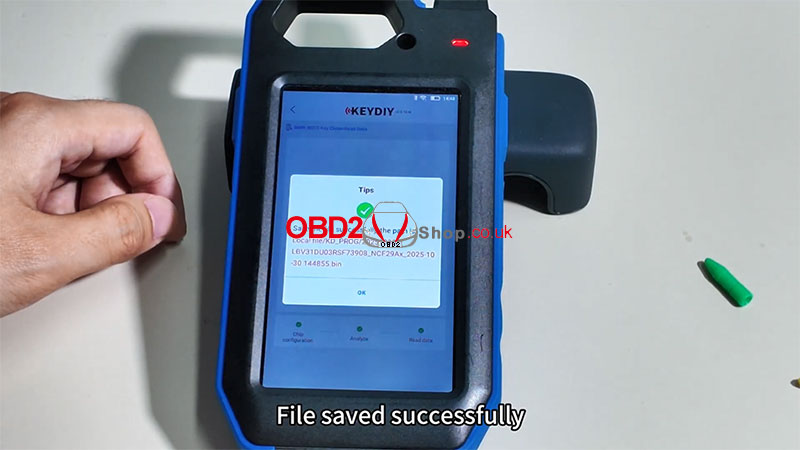
Step 4: Generate New Key Data
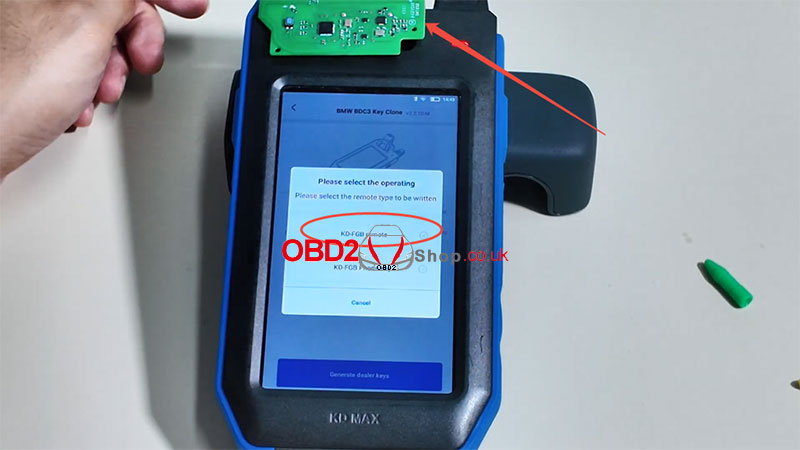
Remove the original car remote and place the KD FGB57 Board on the KD-MAX induction area.
Select [KD-FGB Remote].
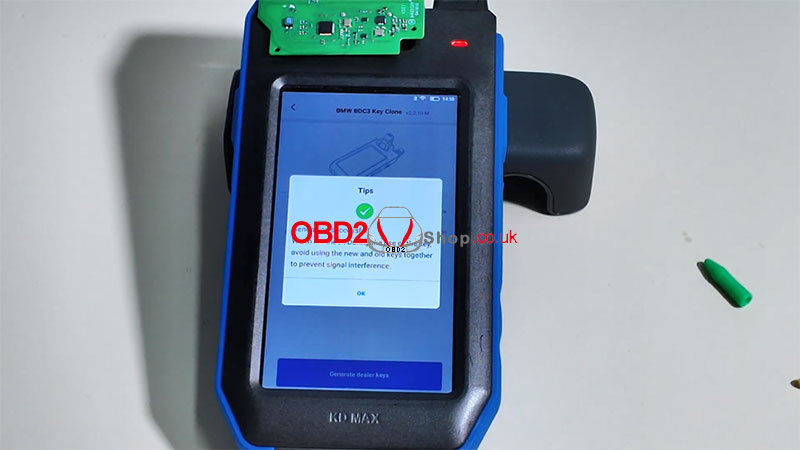
The system will begin generating data.
Generation successful!
Step 5: Final Assembly
Reassemble the new key into its housing.
The key is now ready for use with the vehicle.
Additional Resources:
For a visual demonstration, watch the tutorial video:
https://youtu.be/z_xlzcO58sI
For more tools and accessories, visit:
www.obd2shop.co.uk
Oznake: keydiy kd max

| < | siječanj, 2026 | |||||
| P | U | S | Č | P | S | N |
| 1 | 2 | 3 | 4 | |||
| 5 | 6 | 7 | 8 | 9 | 10 | 11 |
| 12 | 13 | 14 | 15 | 16 | 17 | 18 |
| 19 | 20 | 21 | 22 | 23 | 24 | 25 |
| 26 | 27 | 28 | 29 | 30 | 31 | |
Svibanj 2026 (1)
Siječanj 2026 (19)
Prosinac 2025 (22)
Studeni 2025 (21)
Listopad 2025 (20)
Rujan 2025 (21)
Kolovoz 2025 (8)
Srpanj 2025 (13)
Lipanj 2025 (9)
Svibanj 2025 (12)
Travanj 2025 (10)
Ožujak 2025 (12)
Veljača 2025 (14)
Siječanj 2025 (8)
Prosinac 2024 (6)
Studeni 2024 (6)
Listopad 2024 (4)
Rujan 2024 (7)
Kolovoz 2024 (14)
Srpanj 2024 (12)
Lipanj 2024 (10)
Svibanj 2024 (13)
Travanj 2024 (12)
Ožujak 2024 (11)
Veljača 2024 (2)
Siječanj 2024 (10)
Prosinac 2023 (8)
Studeni 2023 (6)
Listopad 2023 (7)
Rujan 2023 (9)
Kolovoz 2023 (6)
Srpanj 2023 (10)
Lipanj 2023 (4)
Veljača 2023 (8)
Siječanj 2023 (14)
Prosinac 2022 (13)
Studeni 2022 (14)
Listopad 2022 (18)
Rujan 2022 (9)
Kolovoz 2022 (16)
Srpanj 2022 (11)
Lipanj 2022 (14)
Svibanj 2022 (13)
Travanj 2022 (12)
Ožujak 2022 (12)
Veljača 2022 (13)
Siječanj 2022 (10)
Srpanj 2021 (1)
Dnevnik.hr
Gol.hr
Zadovoljna.hr
Novaplus.hr
NovaTV.hr
DomaTV.hr
Mojamini.tv