OBD2 tools on OBD2shop.co.uk https://blog.dnevnik.hr/obd2shop
ponedjeljak, 10.03.2025.
2M2 TANK 2 Pro CNC Query Ford FO21/HU198T All Keys Lost
How do I query Ford FO21 or HU198T all keys lost with 2M2 TANK 2 Pro CNC key cutting machine? This is a tutorial that shows the procedure step by step.
Here we have the key number: 30757.
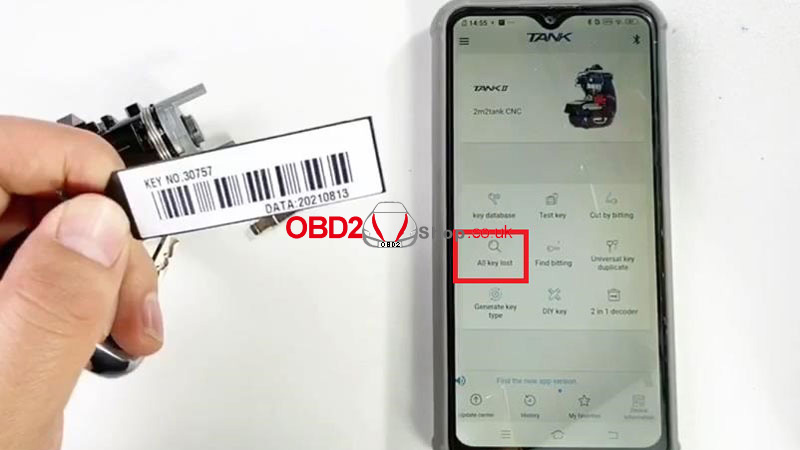
Open 2M2 TANK 2 APP.
All keys lost >> Ford >> Input pin code: 30757 >> Search >> HU198T >> Cut
Follow the instructions to fix the blank key on the clamp.
Continue >> Cut
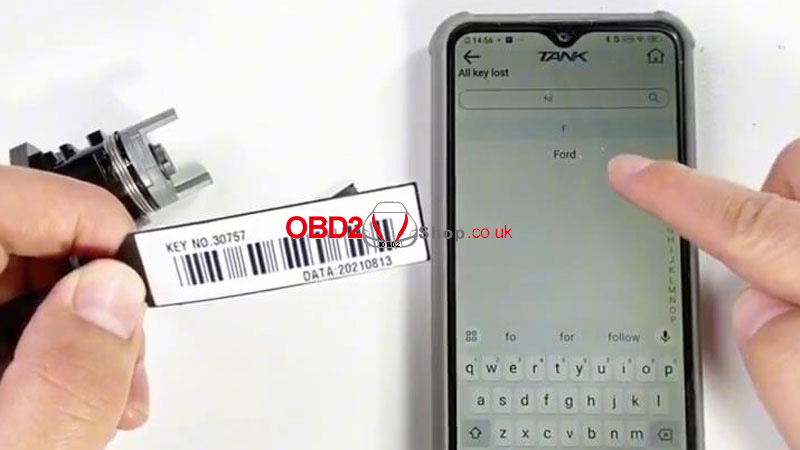
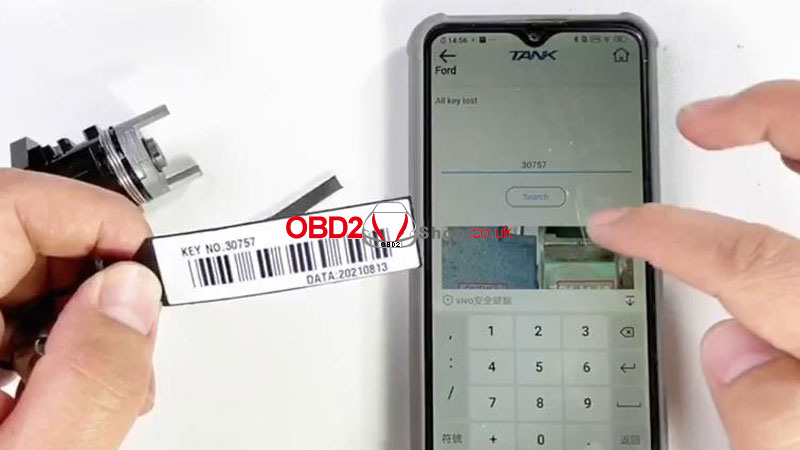
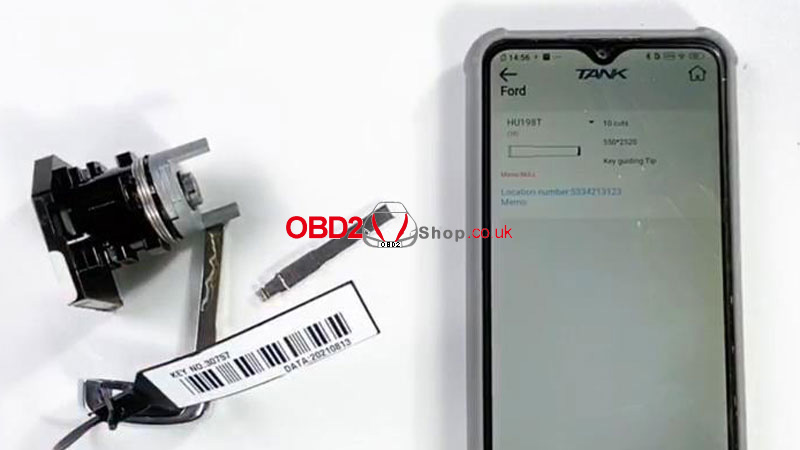
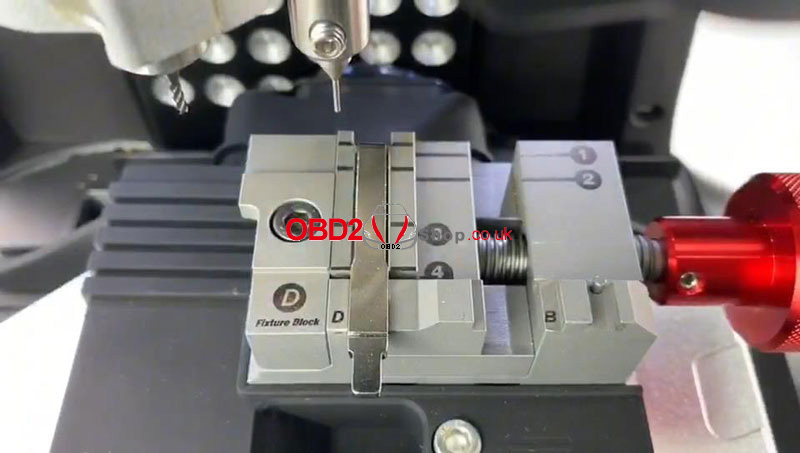
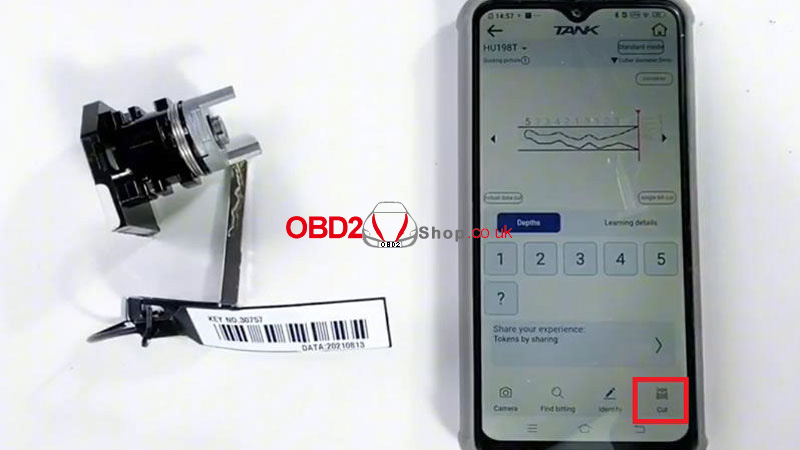
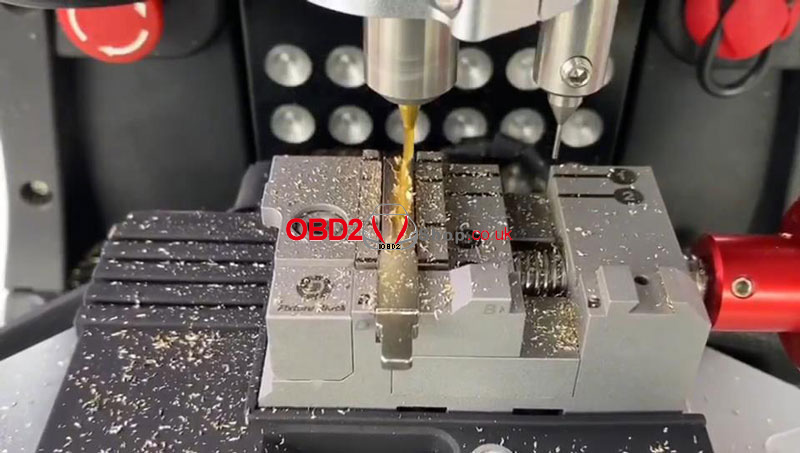
The 2M2 TANK machine will start to cut keys automatically...
Just wait until the processing is finished.
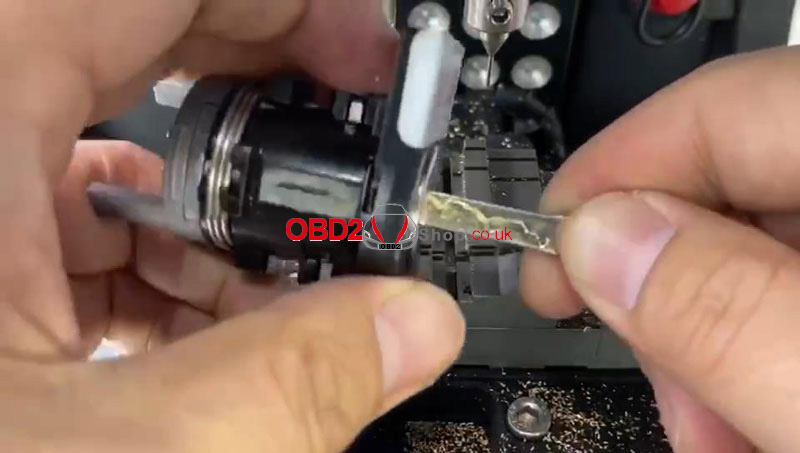
After key cutting is completed, take it out for a try.
It can successfully work.
Done.
www.obd2shop.co.uk
Oznake: 2m2 tank 2 pro cnc
četvrtak, 13.02.2025.
How to Install the cutter and probe of 2M2 Tank 2 Pro
This post will guide you on installing the cutter and probe of the 2m2 tank 2 Pro CNC key cutting machine.
First, connect the machine by Bluetooth.
The green color means the Bluetooth connection is ok.

Click [Device information] >> [Cutting set], choose more options, then select the cutter 2.0MM.
Notice: Do you start the process of changing the cutter?
We click "OK" to continue.


Then we follow the instructions and attach the cutter 2.0 onto the top.
The installation method of probe 1.0 is the same.
We can see the cutter is low and the probe is high.

Click "OK".


The application says to let the probe touch the clamp.
Loosen the screw and pull the probe till touch the clamp.
Installation of cutter and probe is finished.


Video guides:
https://youtu.be/PqVKqRfolEk
www.obd2shop.co.uk
Oznake: 2m2 tank 2 pro cnc
srijeda, 29.01.2025.
How to Cut Key by Picture with 2M2 TANK 2 Pro CNC?
This is a tutorial on how to cut keys by picture with a 2M2 TANK 2 Pro CNC Key Cutting Machine. Here's taking the Mitsubishi key as an example.
Connect the 2M2 TANK to app via Bluetooth.
Cut by bitting >> Search GM18R
Follow the guide instructions to install the key blade.
It's important to pay more attention to the details, the key has to be flat.

Click "Continue" when it's ready.
Camera >> Album >> Select the key picture
We have to enlarge the key picture, and let the key width align with the edge of the frame.
Pay attention to the read-line position.
This key has a shoulder, please enlarge it more with the "+" button.
Lock the picture after aligning.
Move every point to the edge of the key.
If all are finished, please click OK.


The key bittings appeared, click "Cut >> Continue".
The Key Cutting Machine will automatically start to cut.
It'll take almost 40s to cut this key...
Key cutting was successfully done.

www.obd2shop.co.uk
Oznake: 2m2 tank 2 pro cnc

| < | siječanj, 2026 | |||||
| P | U | S | Č | P | S | N |
| 1 | 2 | 3 | 4 | |||
| 5 | 6 | 7 | 8 | 9 | 10 | 11 |
| 12 | 13 | 14 | 15 | 16 | 17 | 18 |
| 19 | 20 | 21 | 22 | 23 | 24 | 25 |
| 26 | 27 | 28 | 29 | 30 | 31 | |
Svibanj 2026 (1)
Siječanj 2026 (19)
Prosinac 2025 (22)
Studeni 2025 (21)
Listopad 2025 (20)
Rujan 2025 (21)
Kolovoz 2025 (8)
Srpanj 2025 (13)
Lipanj 2025 (9)
Svibanj 2025 (12)
Travanj 2025 (10)
Ožujak 2025 (12)
Veljača 2025 (14)
Siječanj 2025 (8)
Prosinac 2024 (6)
Studeni 2024 (6)
Listopad 2024 (4)
Rujan 2024 (7)
Kolovoz 2024 (14)
Srpanj 2024 (12)
Lipanj 2024 (10)
Svibanj 2024 (13)
Travanj 2024 (12)
Ožujak 2024 (11)
Veljača 2024 (2)
Siječanj 2024 (10)
Prosinac 2023 (8)
Studeni 2023 (6)
Listopad 2023 (7)
Rujan 2023 (9)
Kolovoz 2023 (6)
Srpanj 2023 (10)
Lipanj 2023 (4)
Veljača 2023 (8)
Siječanj 2023 (14)
Prosinac 2022 (13)
Studeni 2022 (14)
Listopad 2022 (18)
Rujan 2022 (9)
Kolovoz 2022 (16)
Srpanj 2022 (11)
Lipanj 2022 (14)
Svibanj 2022 (13)
Travanj 2022 (12)
Ožujak 2022 (12)
Veljača 2022 (13)
Siječanj 2022 (10)
Srpanj 2021 (1)
Dnevnik.hr
Gol.hr
Zadovoljna.hr
Novaplus.hr
NovaTV.hr
DomaTV.hr
Mojamini.tv