OBD2 tools on OBD2shop.co.uk https://blog.dnevnik.hr/obd2shop
ponedjeljak, 05.01.2026.
DIAGXT T80 Universal Oscilloscope: User Manual Guide
The DIAGXT T80 Universal Oscilloscope combines powerful waveform acquisition with integrated CAN analysis, making it an essential tool for automotive diagnostics and general signal testing. Here's a quick overview of its main functions.
Main Features
lUniversal Oscilloscope: Capture and analyze electrical waveforms.
lCAN Analysis: Decode and record CAN bus data in real time.
lWaveform & CAN Data Storage: Save, name, and review captures easily.
lUser-Friendly Interface: Intuitive controls for quick setup and operation.
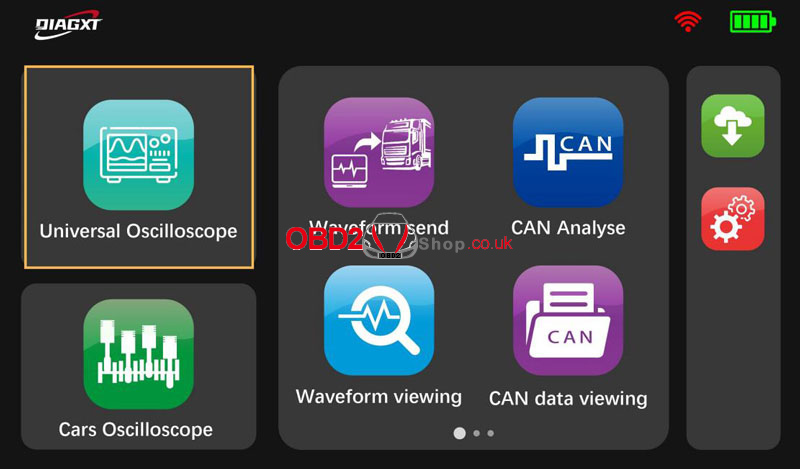
How to Use DIAGXT T80Universal Oscilloscope?
` Tap "Universal Oscilloscope" to enter the waveform capture interface.
a Stop/Start: Tap to pause or resume signal capture.
b Save: Save waveforms with custom file names (letters, numbers, and symbols supported).
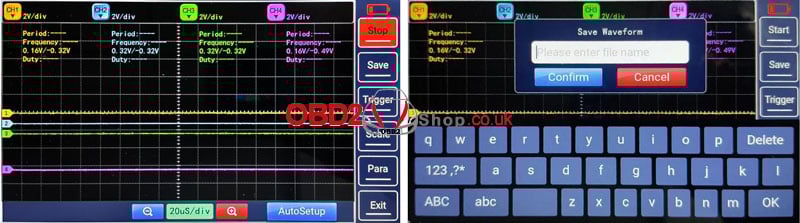
1. Core Functions
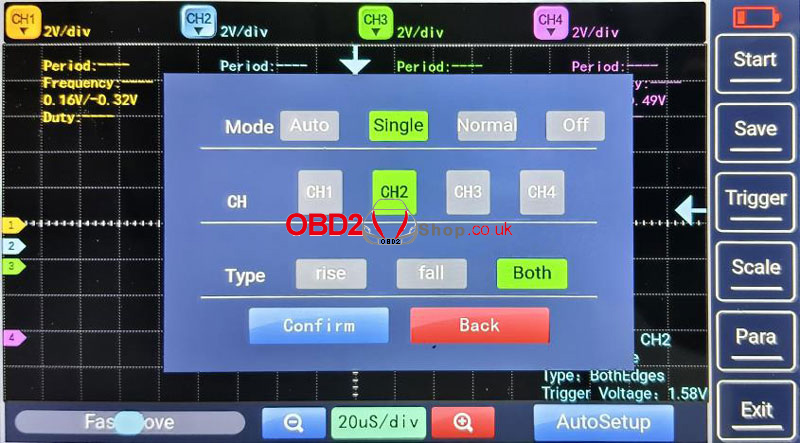
lTrigger
Adjust the trigger level to stabilize the waveform display. Choose from:
Auto: Automatic triggering for general use.
Normal: Captures only when trigger conditions are met.
Single: Captures a single sweep for one-time events.
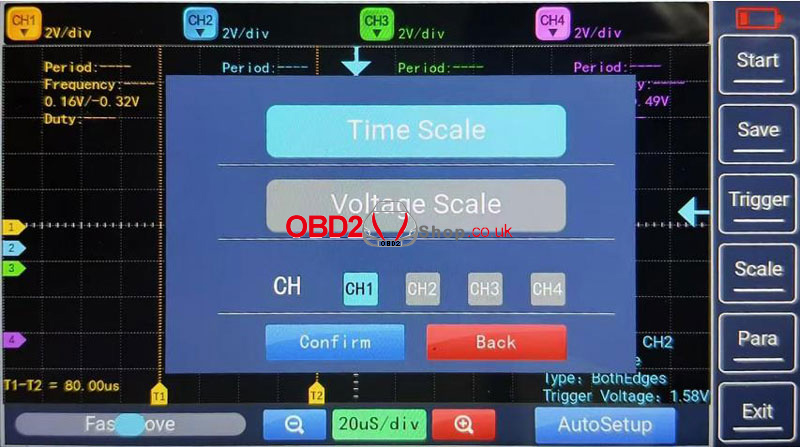
lScaling
Time Scale: Measure period, frequency, pulse width, and rise/fall time.
Voltage Scale: Measure amplitude, peak-to-peak, RMS, and DC offset.
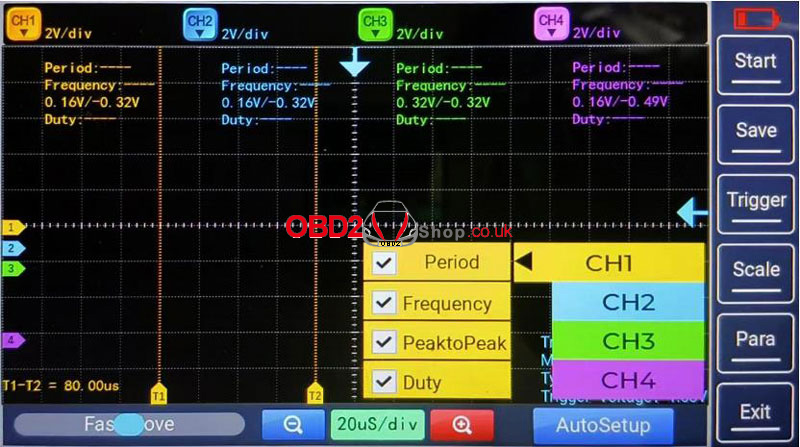
lParameter Measurement
View key metrics for each channel:
Period & Frequency
Peak-to-Peak Voltage
Duty Cycle
lAuto Setup
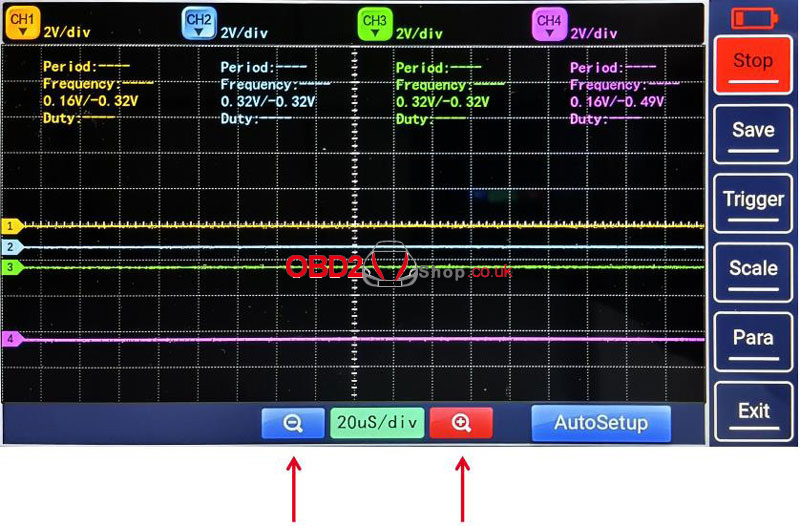
Tap AutoSet for automatic vertical/horizontal scaling—ideal for quick signal viewing. Manual tuning may be needed for low-frequency or noisy signals.
lTime Base Adjustment
Adjust the horizontal time scale (e.g., from 1 ms/div to 10 ms/div) for detailed signal inspection.
2. Waveform Adjustments
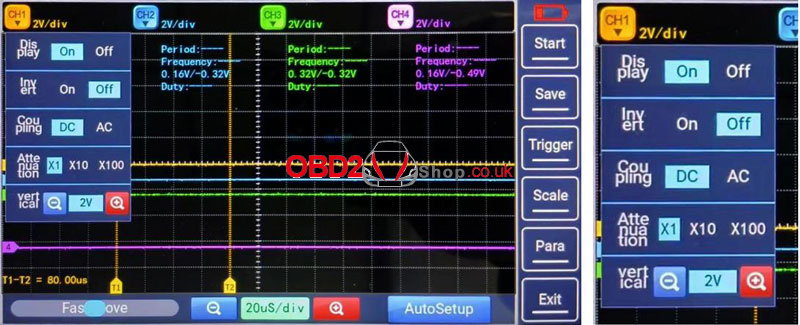
` Display: Show or hide selected channels.
a Invert: Flip the waveform 180° vertically.
b Coupling:
DC Coupling: Shows both AC and DC components.
AC Coupling: Blocks DC to focus on AC signals.
c Probe Attenuation: Set attenuation ratio (e.g., 10:1, 100:1) to match your probe.
d Vertical Scale: Adjust volts per division for optimal waveform height.
3. Navigation & Exit
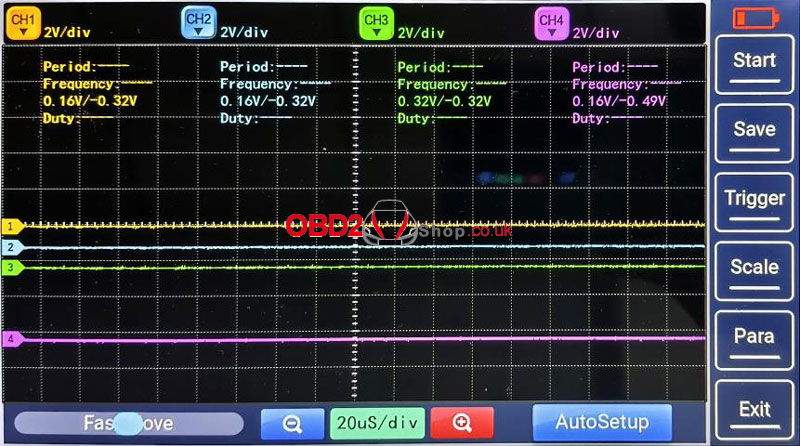
Fast Move: Use the progress bar to quickly scroll through captured waveforms.
Exit: Stops acquisition and returns to the main menu.
The DIAGXT T80 Automotive Oscilloscope offers a reliable, all-in-one solution for waveform analysis and CAN diagnostics. Its blend of automatic setup, flexible triggering, and easy file management makes it suitable for both beginners and experienced technicians.
www.obd2shop.co.uk
Oznake: diagxt t80

| < | siječanj, 2026 | |||||
| P | U | S | Č | P | S | N |
| 1 | 2 | 3 | 4 | |||
| 5 | 6 | 7 | 8 | 9 | 10 | 11 |
| 12 | 13 | 14 | 15 | 16 | 17 | 18 |
| 19 | 20 | 21 | 22 | 23 | 24 | 25 |
| 26 | 27 | 28 | 29 | 30 | 31 | |
Svibanj 2026 (1)
Siječanj 2026 (19)
Prosinac 2025 (22)
Studeni 2025 (21)
Listopad 2025 (20)
Rujan 2025 (21)
Kolovoz 2025 (8)
Srpanj 2025 (13)
Lipanj 2025 (9)
Svibanj 2025 (12)
Travanj 2025 (10)
Ožujak 2025 (12)
Veljača 2025 (14)
Siječanj 2025 (8)
Prosinac 2024 (6)
Studeni 2024 (6)
Listopad 2024 (4)
Rujan 2024 (7)
Kolovoz 2024 (14)
Srpanj 2024 (12)
Lipanj 2024 (10)
Svibanj 2024 (13)
Travanj 2024 (12)
Ožujak 2024 (11)
Veljača 2024 (2)
Siječanj 2024 (10)
Prosinac 2023 (8)
Studeni 2023 (6)
Listopad 2023 (7)
Rujan 2023 (9)
Kolovoz 2023 (6)
Srpanj 2023 (10)
Lipanj 2023 (4)
Veljača 2023 (8)
Siječanj 2023 (14)
Prosinac 2022 (13)
Studeni 2022 (14)
Listopad 2022 (18)
Rujan 2022 (9)
Kolovoz 2022 (16)
Srpanj 2022 (11)
Lipanj 2022 (14)
Svibanj 2022 (13)
Travanj 2022 (12)
Ožujak 2022 (12)
Veljača 2022 (13)
Siječanj 2022 (10)
Srpanj 2021 (1)
Dnevnik.hr
Gol.hr
Zadovoljna.hr
Novaplus.hr
NovaTV.hr
DomaTV.hr
Mojamini.tv