OBD2 tools on OBD2shop.co.uk https://blog.dnevnik.hr/obd2shop
subota, 11.10.2025.
Xhorse Dolphin XP-005 Probe Short Circuit Troubleshooting
If your Xhorse Dolphin XP-005 displays "ERROR CODE: 57, Probe short circuit, please check probe electrical conductivity", please follow this guide. Often, cleaning the probes and performing the built-in self-test via the "Electrical Conductivity Measurement" function can resolve the issue. If the problem persists, you may need to perform the following manual inspection for abnormal conductivity in the probe and milling cutter.
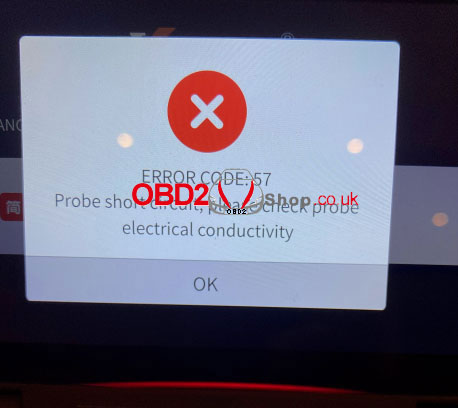
Inspection Method
1. Remove the Rear Cover
Carefully separate the rear cover, paying close attention to the internal wiring harness to avoid damage.
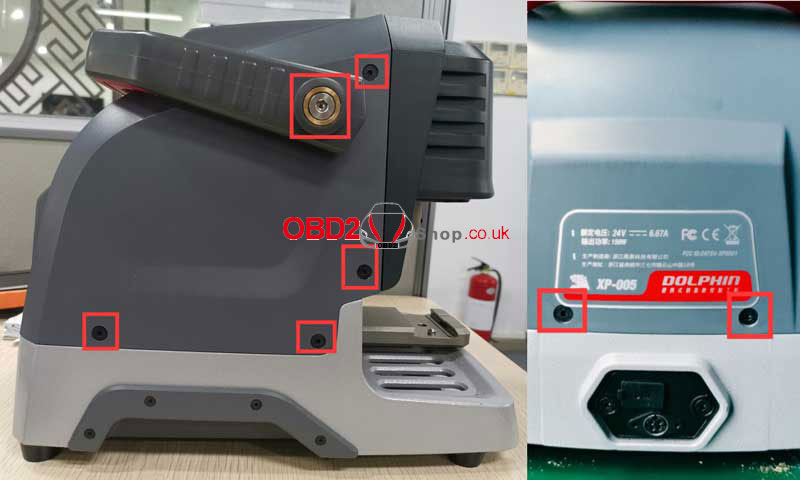
2. Disassemble Internal Components
* Remove the Phillips screws securing the wire harness.
* Remove the rubber pellets to access the screws hidden beneath them.
* Use a HEX screwdriver to remove the long strip component.
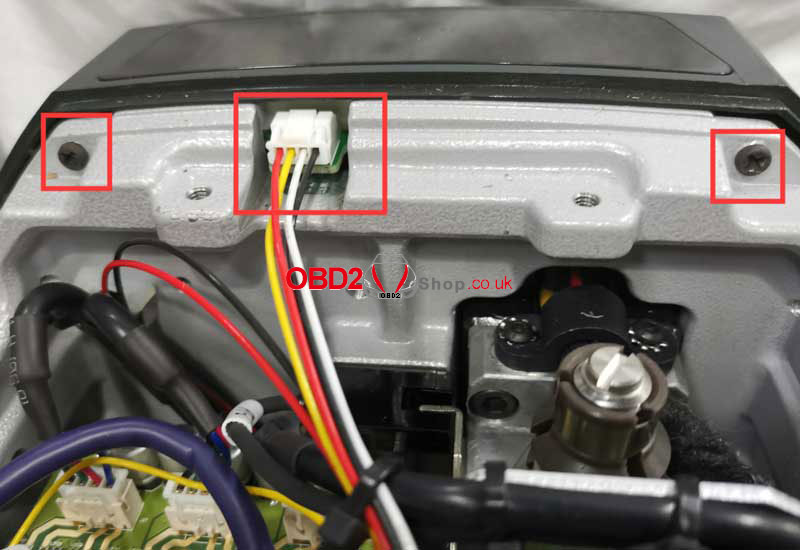
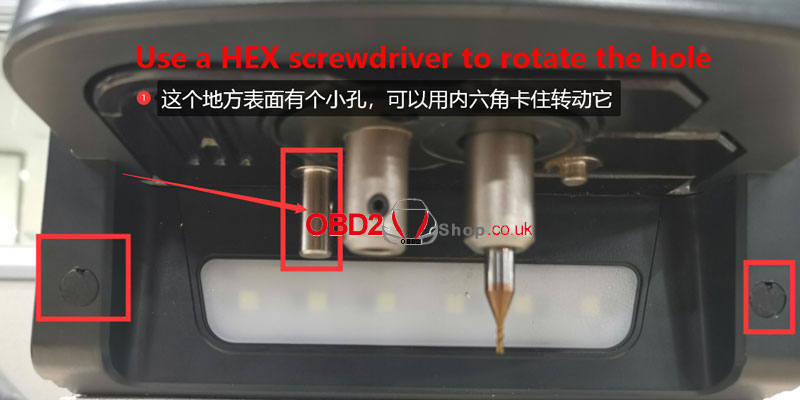
3. Access the Z-Axis and Probe Area
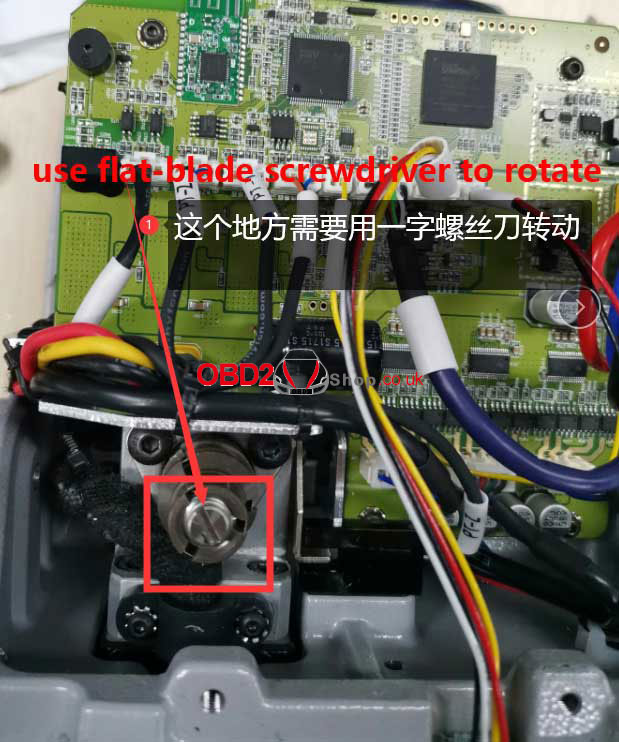
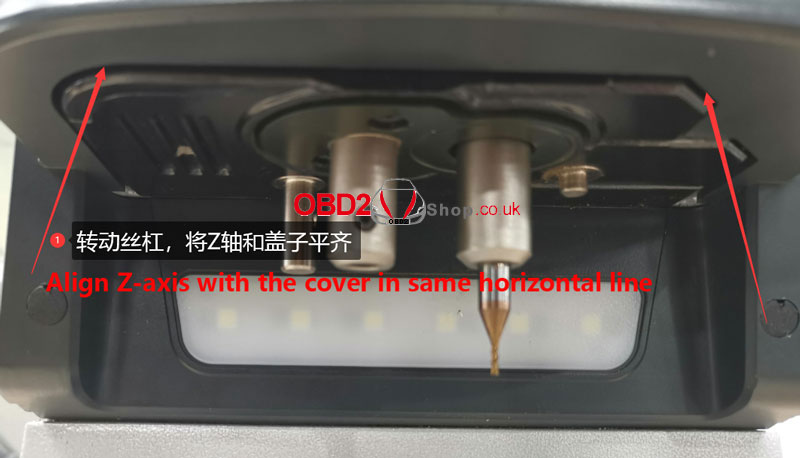
* Use a flat-blade screwdriver to manually rotate the lead screw. Adjust the Z-axis until its cover is aligned horizontally.
* Once aligned, remove the Z-axis housing. Install the probe in its slot next to the housing.
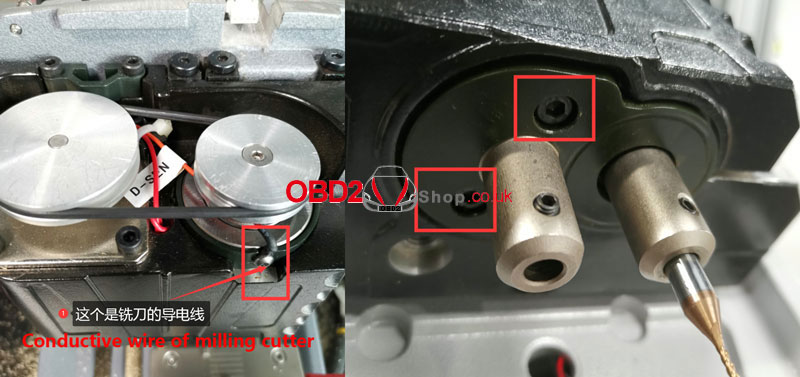
* Remove the screws indicated in the guide.
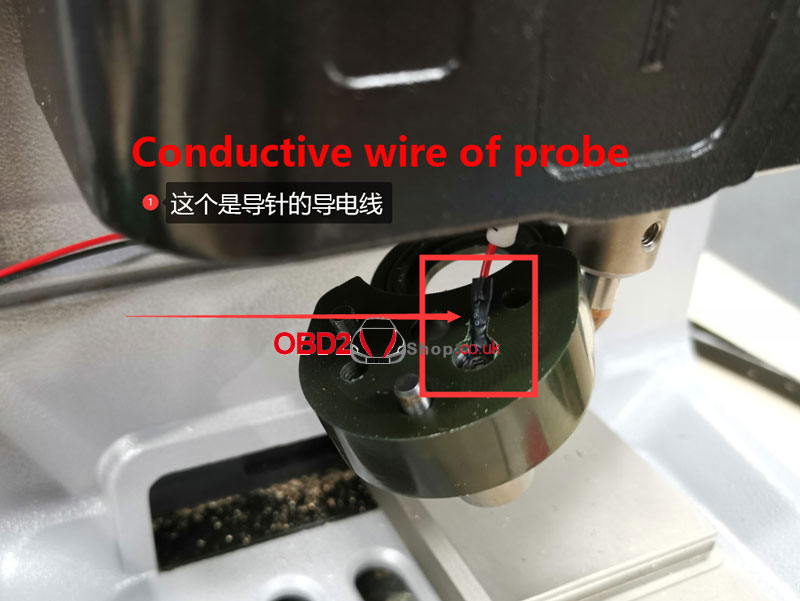
* Note: Be cautious of the small conductive wire inside the probe assembly.
4. Check for Conductivity and Short Circuits
Inspect the wiring for the probe and milling cutter to check for proper conductivity or potential short circuits. This check should be performed with the wires connected to the main board. Alternatively, you can plug the main board cable back in temporarily to assist with detection.
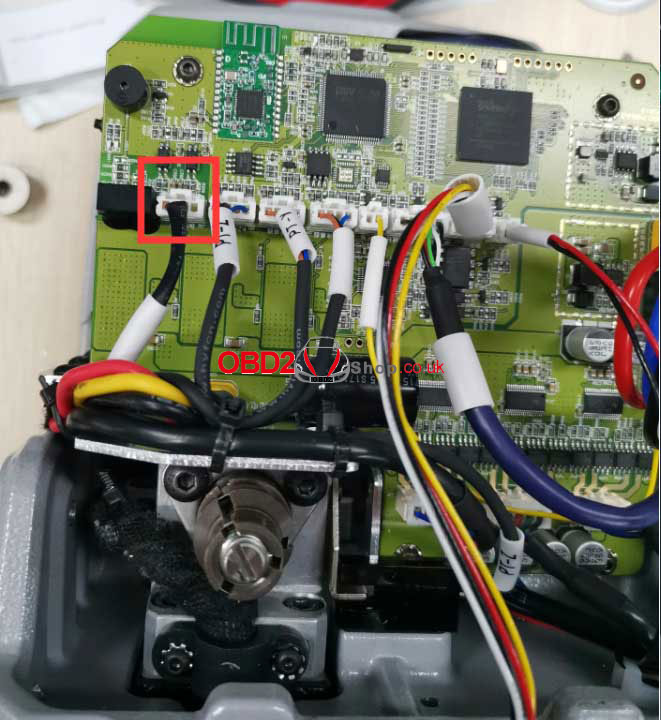
5. Inspect the Milling Cutter Shaft and Bearing
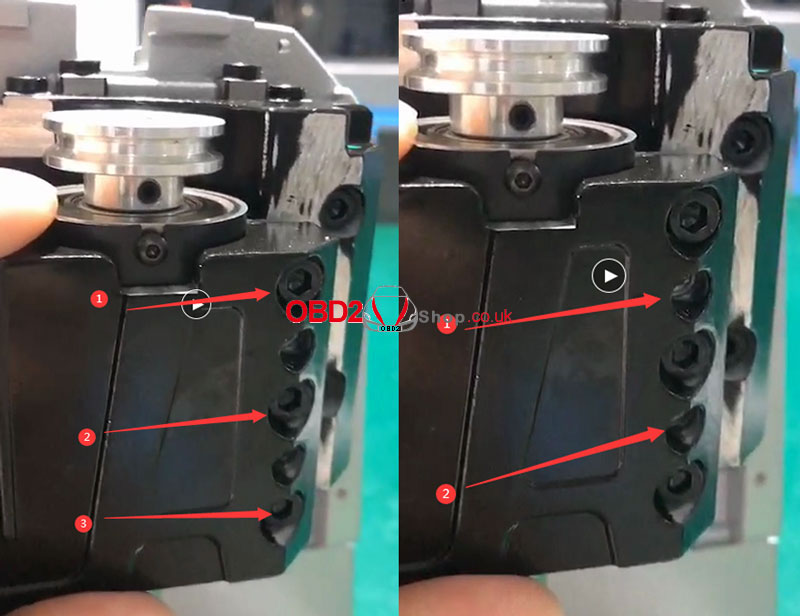
* Loosen the two Z-axis screws. Push these screws inward until a gap appears, which allows the shaft to be removed.
* Press on the milling cutter hole position and push it upward. Observe the internal white paper disc:
* If the paper is broken, the component needs to be replaced.
* If the paper is intact, check the bearing hole for any accumulated iron scraps or debris that could cause a short.
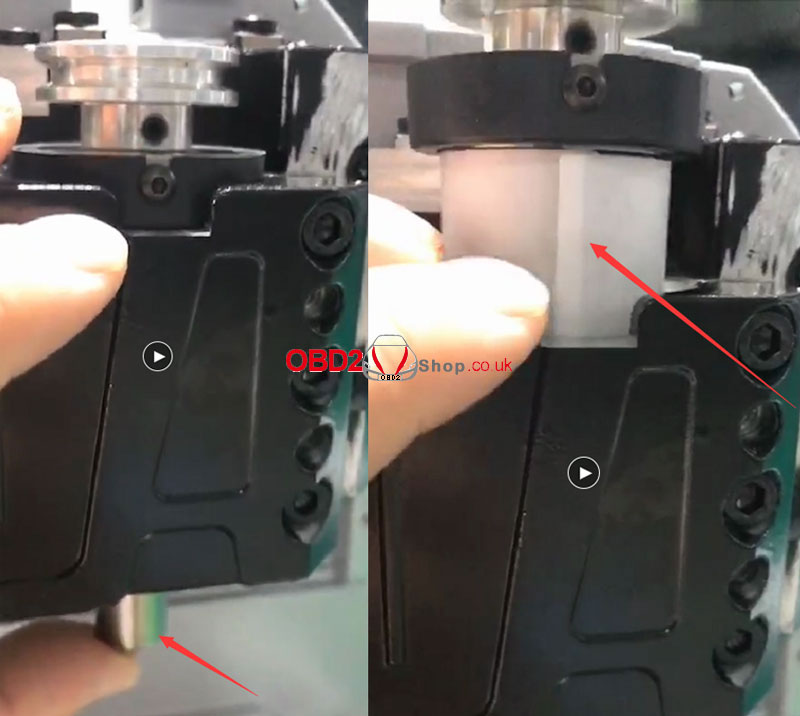
We hope this self-inspection guide is helpful. For further assistance, please feel free to contact us.
www.obd2shop.co.uk
Oznake: xhorse dolphin xp005
četvrtak, 04.09.2025.
Cutting VW Beetle HU66 Keys with Xhorse Dolphin XP005
This guide shows you how to use the Xhorse Dolphin XP005 Key Cutting Machine to cut a HU66 key for a 2000 Volkswagen Beetle in an All Keys Lost (AKL) situation.
We’ll also connect the VVDI Key Tool Max with the Dolphin XP005 for operation. Alternatively, you can control the process directly via the Xhorse App installed on a smartphone.
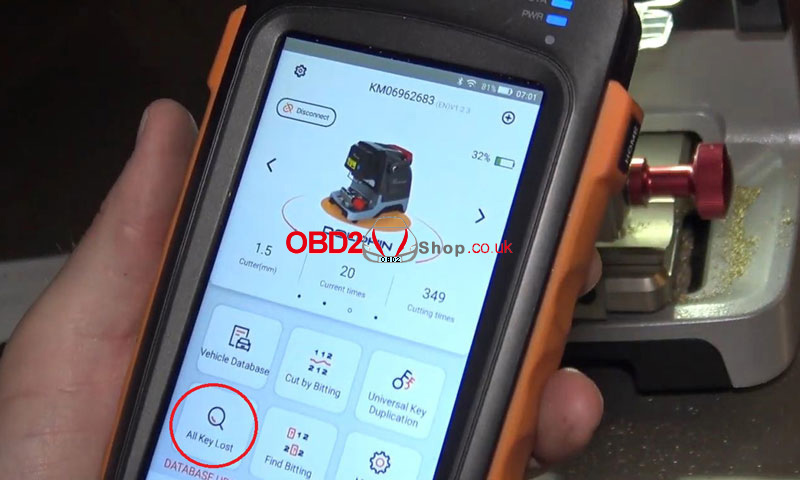
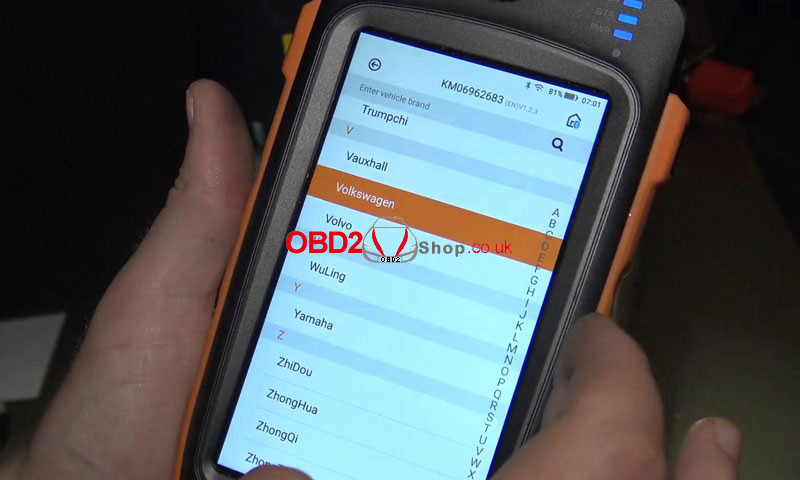
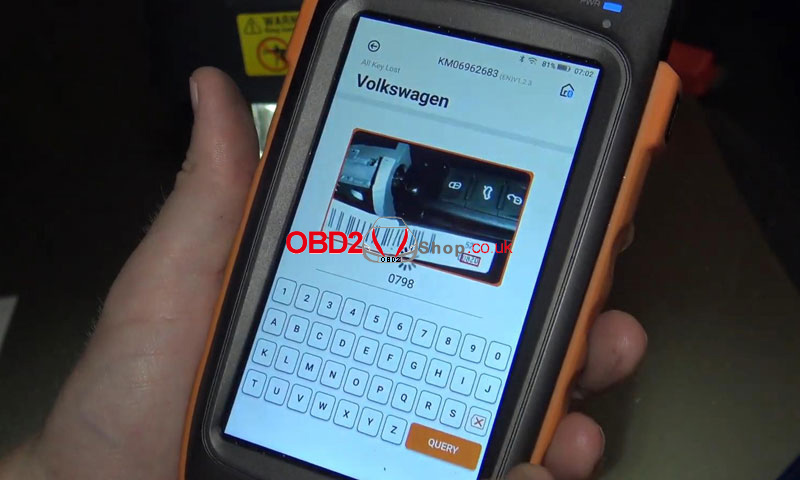
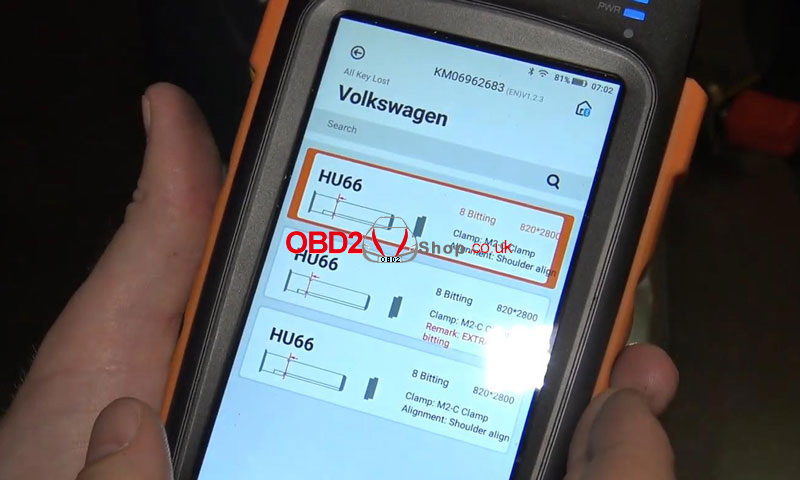
Step 1: Select Key and Enter Code
From the main menu, select All Keys Lost ’ Volkswagen
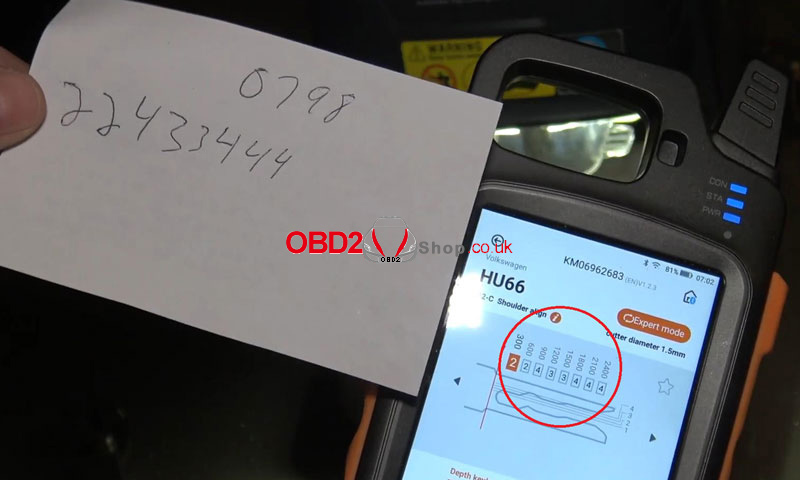
Enter the key code: 0798
Select HU66, 8 bitting, 820×2800
Step 2: Set Up the Key Blank
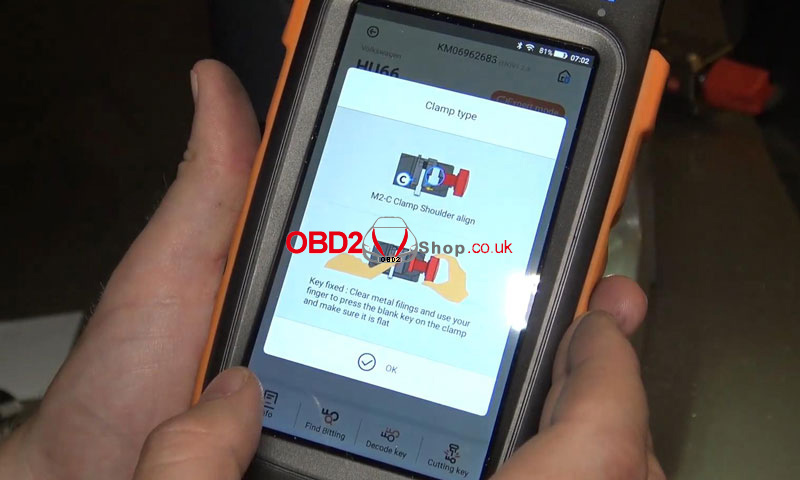
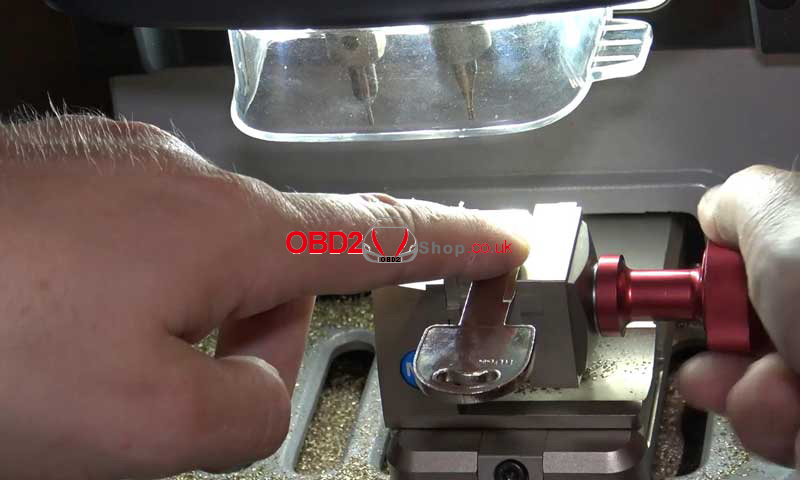
Install the M2-C clamp with the shoulder aligned as prompted
Place the HU66 key blank flat and secure it in the clamp
Press “OK” to confirm
Step 3: Decode and Verify Bitting
The decoded bitting code is: 22433444
Always double-check the code for accuracy before proceeding
Step 4: Begin Cutting
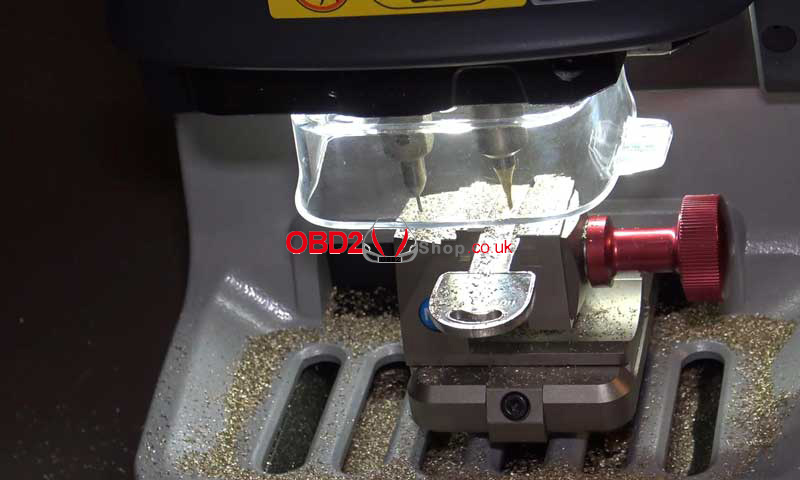
Select Cutting Key ’ Continue
The Dolphin XP005 will start cutting the first side automatically
Step 5: Flip and Cut the Second Side
Once the first side is complete, clean any metal debris
Remove the key, flip it over, and reposition it flat in the clamp
Press Cutting Key ’ Continue again
The machine will proceed to cut the reverse side
Step 6: Test the Key
After cutting is complete, test the key in the vehicle’s lock
The key turns smoothly and operates perfectly
Image 9
Done!
The HU66 key has been successfully cut for the 2000 Volkswagen Beetle using the Xhorse Dolphin XP005 key cutting machine.
www.obd2shop.co.uk
Oznake: xhorse dolphin xp005

| < | siječanj, 2026 | |||||
| P | U | S | Č | P | S | N |
| 1 | 2 | 3 | 4 | |||
| 5 | 6 | 7 | 8 | 9 | 10 | 11 |
| 12 | 13 | 14 | 15 | 16 | 17 | 18 |
| 19 | 20 | 21 | 22 | 23 | 24 | 25 |
| 26 | 27 | 28 | 29 | 30 | 31 | |
Svibanj 2026 (1)
Siječanj 2026 (19)
Prosinac 2025 (22)
Studeni 2025 (21)
Listopad 2025 (20)
Rujan 2025 (21)
Kolovoz 2025 (8)
Srpanj 2025 (13)
Lipanj 2025 (9)
Svibanj 2025 (12)
Travanj 2025 (10)
Ožujak 2025 (12)
Veljača 2025 (14)
Siječanj 2025 (8)
Prosinac 2024 (6)
Studeni 2024 (6)
Listopad 2024 (4)
Rujan 2024 (7)
Kolovoz 2024 (14)
Srpanj 2024 (12)
Lipanj 2024 (10)
Svibanj 2024 (13)
Travanj 2024 (12)
Ožujak 2024 (11)
Veljača 2024 (2)
Siječanj 2024 (10)
Prosinac 2023 (8)
Studeni 2023 (6)
Listopad 2023 (7)
Rujan 2023 (9)
Kolovoz 2023 (6)
Srpanj 2023 (10)
Lipanj 2023 (4)
Veljača 2023 (8)
Siječanj 2023 (14)
Prosinac 2022 (13)
Studeni 2022 (14)
Listopad 2022 (18)
Rujan 2022 (9)
Kolovoz 2022 (16)
Srpanj 2022 (11)
Lipanj 2022 (14)
Svibanj 2022 (13)
Travanj 2022 (12)
Ožujak 2022 (12)
Veljača 2022 (13)
Siječanj 2022 (10)
Srpanj 2021 (1)
Dnevnik.hr
Gol.hr
Zadovoljna.hr
Novaplus.hr
NovaTV.hr
DomaTV.hr
Mojamini.tv