OBD2 tools on OBD2shop.co.uk https://blog.dnevnik.hr/obd2shop
četvrtak, 05.02.2026.
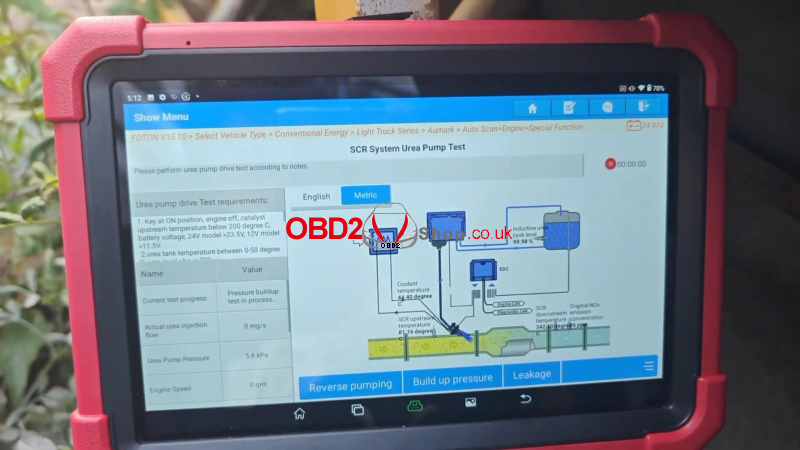
LAUNCH X431 PAD5: Foton Pilot SCR Urea Pump Test Tutorial
This guide provides a straightforward, step-by-step walkthrough for performing an SCR System Urea Pump Test using the LAUNCH X431 PAD V Elite. The example below demonstrates the procedure on a 2019 Foton Pilot light truck.
Vehicle Preparation
Before beginning, please make sure:
lYour device has activated Heavy Duty Module Authorization.
lYour LAUNCH X431 PAD5is connected to the vehicle's OBDII port, and the ignition is in the ON position.
Step 1: Vehicle Identification
Navigate through the menus to identify the specific vehicle system:
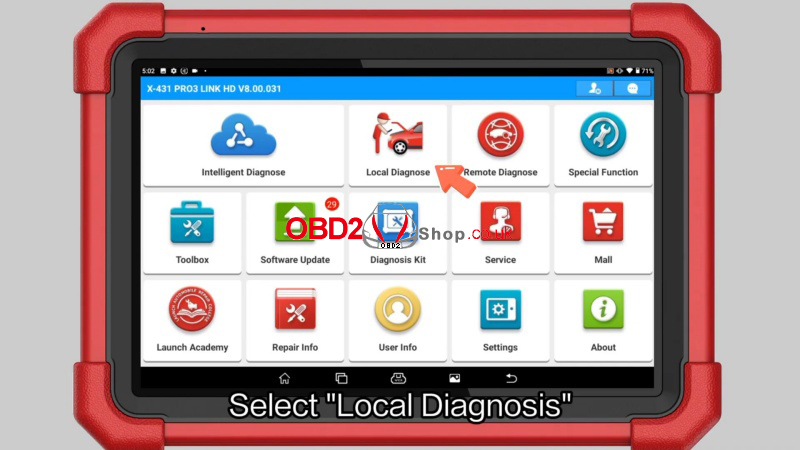
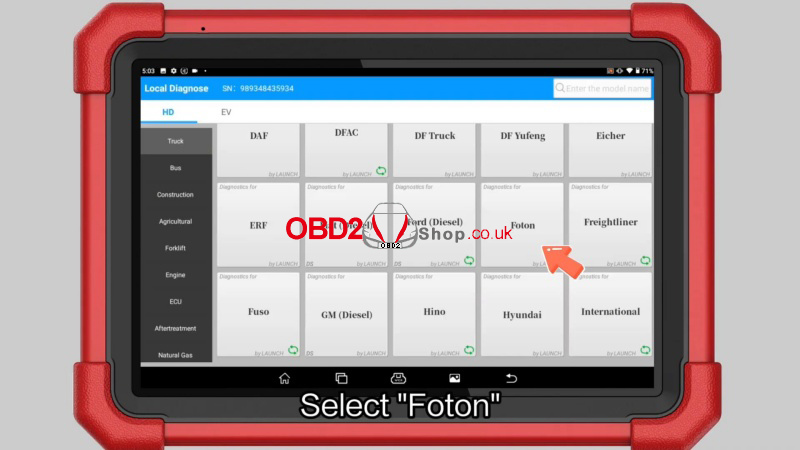
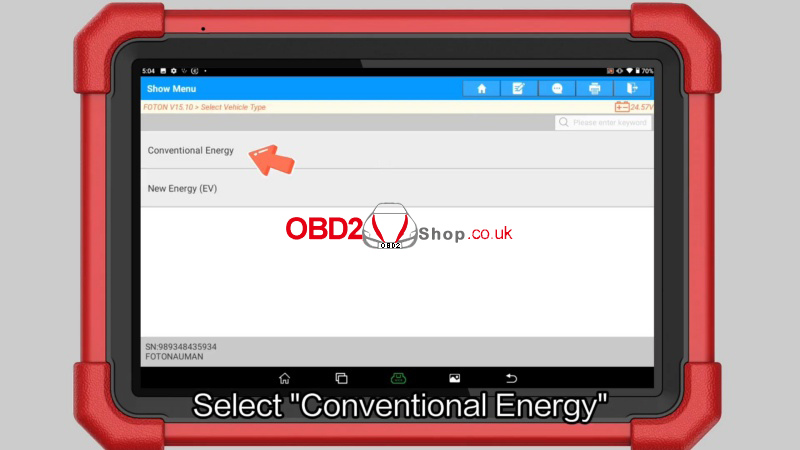
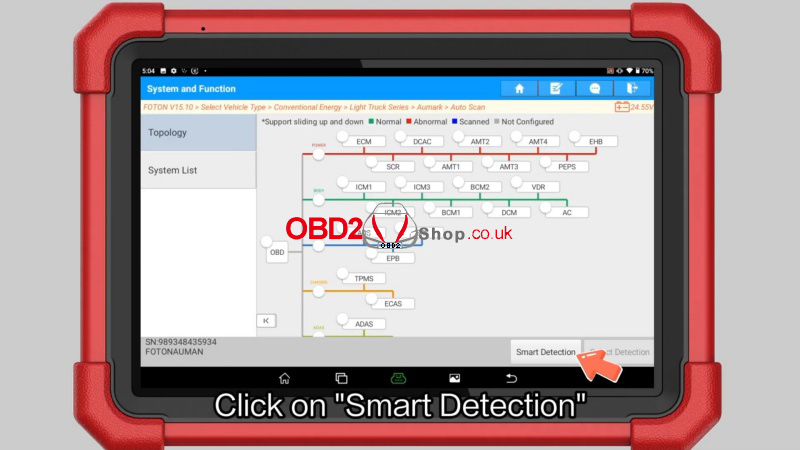
1. Local Diagnose >> Foton >> OK >> Select Vehicle Type >> Conventional Energy >> Light Truck Series >> Aumark >> Auto Scan >> Smart Detection >> System List >> Engine
2. Click "OK" to determine vehicle information.
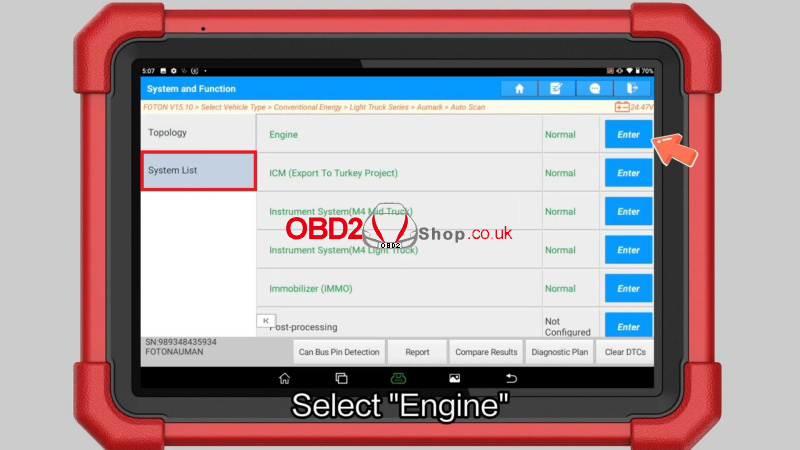
Step 2: Accessing the Urea Pump Test
1. Once the Engine Control Module is active, select "Special Function".
2. Choose "SCR System Urea Pump Test" from the functional list.
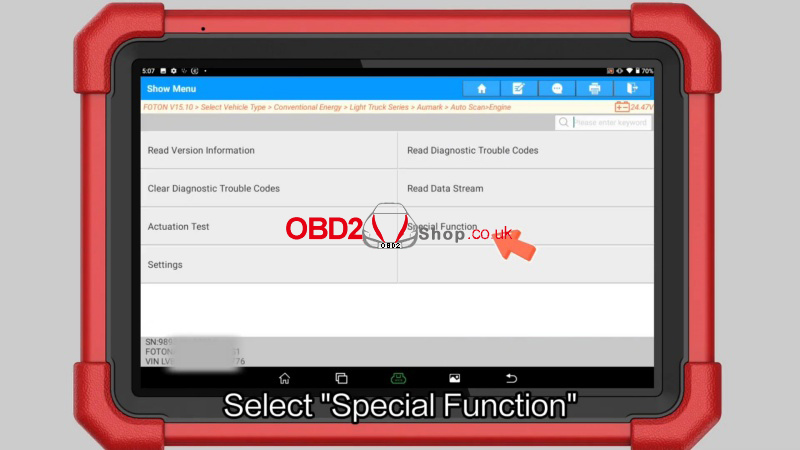
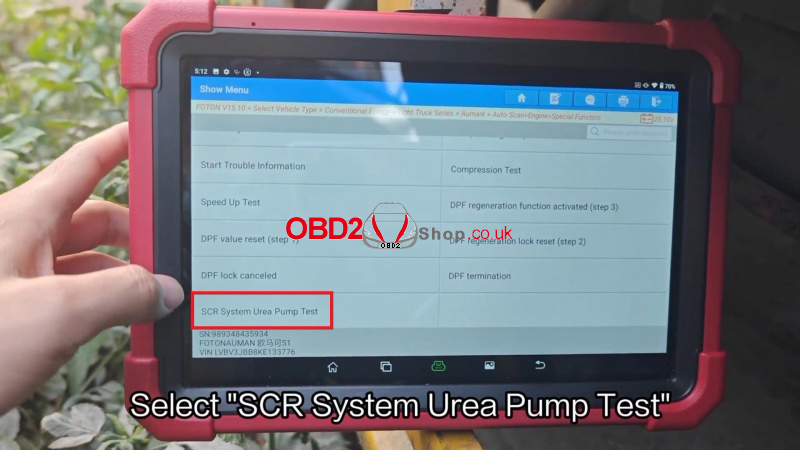
Step 3: Execution and Verification
1. Click on "Small injection" to initiate the test and observe the urea pump's status.
2. Verify Operation: You should clearly hear the audible sound of the urea pump operating.
3. Once the status is confirmed, the operation is complete.
Note: This procedure ensures the Selective Catalytic Reduction (SCR) system is delivering urea correctly, which is vital for emissions compliance and engine performance.
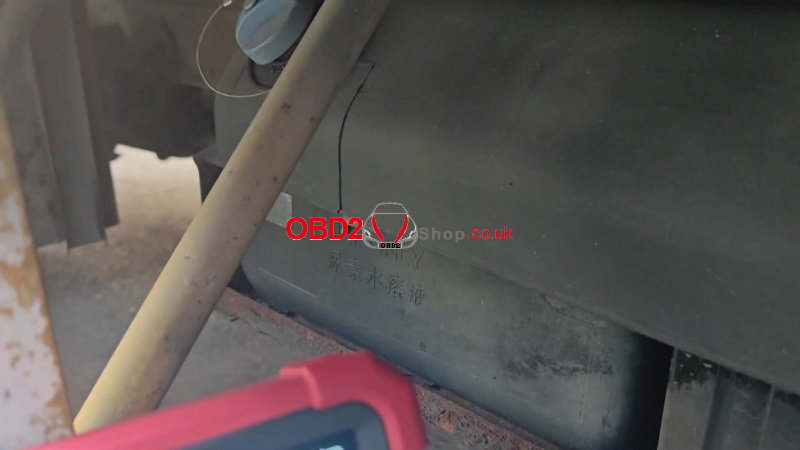
Technical Support & Action
Need professional assistance or the latest diagnostic updates? Visit www.obd2shop.co.uk for expert technical support and the best deals on authentic LAUNCH X431 PAD V Elite tools. Upgrade your workshop efficiency today!
Oznake: launch x431 pad 5 elite

| < | veljača, 2026 | |||||
| P | U | S | Č | P | S | N |
| 1 | ||||||
| 2 | 3 | 4 | 5 | 6 | 7 | 8 |
| 9 | 10 | 11 | 12 | 13 | 14 | 15 |
| 16 | 17 | 18 | 19 | 20 | 21 | 22 |
| 23 | 24 | 25 | 26 | 27 | 28 | |
Svibanj 2026 (1)
Veljača 2026 (4)
Siječanj 2026 (19)
Prosinac 2025 (22)
Studeni 2025 (21)
Listopad 2025 (20)
Rujan 2025 (21)
Kolovoz 2025 (8)
Srpanj 2025 (13)
Lipanj 2025 (9)
Svibanj 2025 (12)
Travanj 2025 (10)
Ožujak 2025 (12)
Veljača 2025 (14)
Siječanj 2025 (8)
Prosinac 2024 (6)
Studeni 2024 (6)
Listopad 2024 (4)
Rujan 2024 (7)
Kolovoz 2024 (14)
Srpanj 2024 (12)
Lipanj 2024 (10)
Svibanj 2024 (13)
Travanj 2024 (12)
Ožujak 2024 (11)
Veljača 2024 (2)
Siječanj 2024 (10)
Prosinac 2023 (8)
Studeni 2023 (6)
Listopad 2023 (7)
Rujan 2023 (9)
Kolovoz 2023 (6)
Srpanj 2023 (10)
Lipanj 2023 (4)
Veljača 2023 (8)
Siječanj 2023 (14)
Prosinac 2022 (13)
Studeni 2022 (14)
Listopad 2022 (18)
Rujan 2022 (9)
Kolovoz 2022 (16)
Srpanj 2022 (11)
Lipanj 2022 (14)
Svibanj 2022 (13)
Travanj 2022 (12)
Ožujak 2022 (12)
Veljača 2022 (13)
Siječanj 2022 (10)
Dnevnik.hr
Gol.hr
Zadovoljna.hr
Novaplus.hr
NovaTV.hr
DomaTV.hr
Mojamini.tv