OBD2 tools on OBD2shop.co.uk https://blog.dnevnik.hr/obd2shop
srijeda, 26.11.2025.
How to Change the Language on Your OBDSTAR ODO Master
The OBDSTAR ODO Master supports multiple languages, giving users worldwide a more comfortable and efficient operating experience. Supported languages include English, Italian, Russian, German, Spanish, French, Polish, and Portuguese.
If you want to switch the device to your preferred language, just follow the simple steps below.
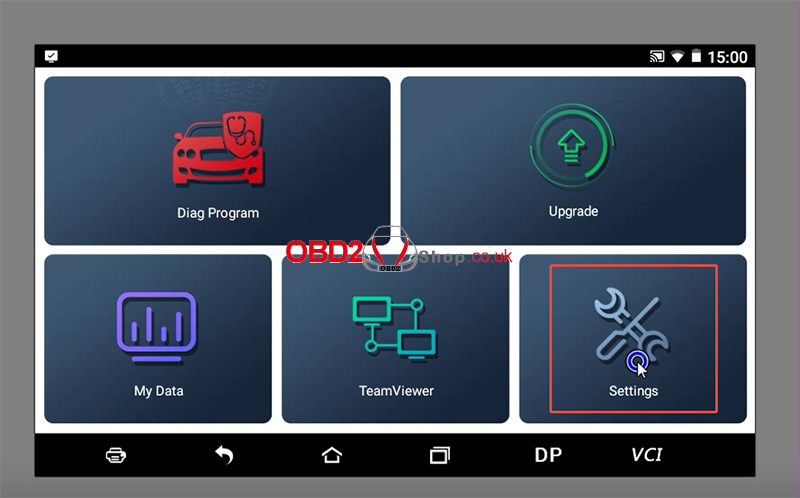
Step 1: Access the Language Menu
On your ODO Master Tablet, navigate to the main menu and select [Settings], then choose [Language].
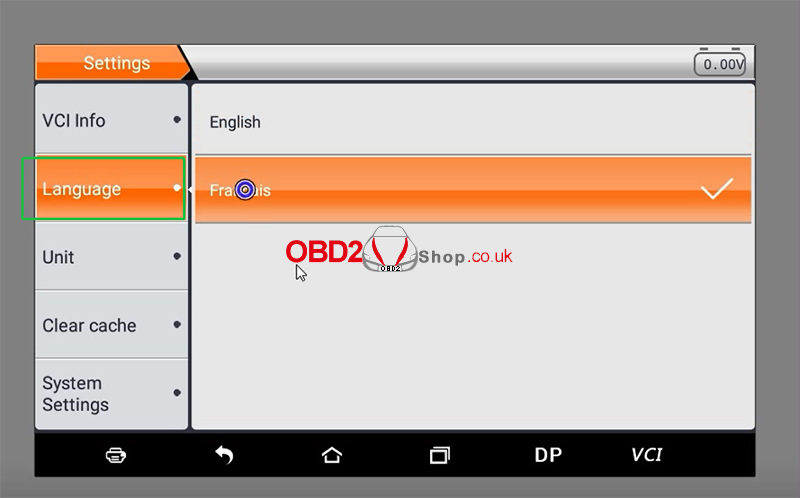
Step 2: Select Your Preferred Language
You will now see a list of all available languages. Simply tap on the one you wish to use.
Step 3: Update the Software (Recommended)
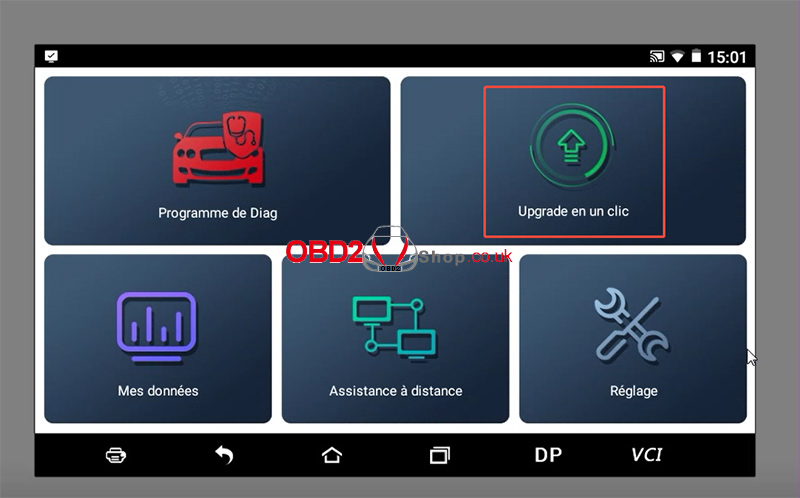
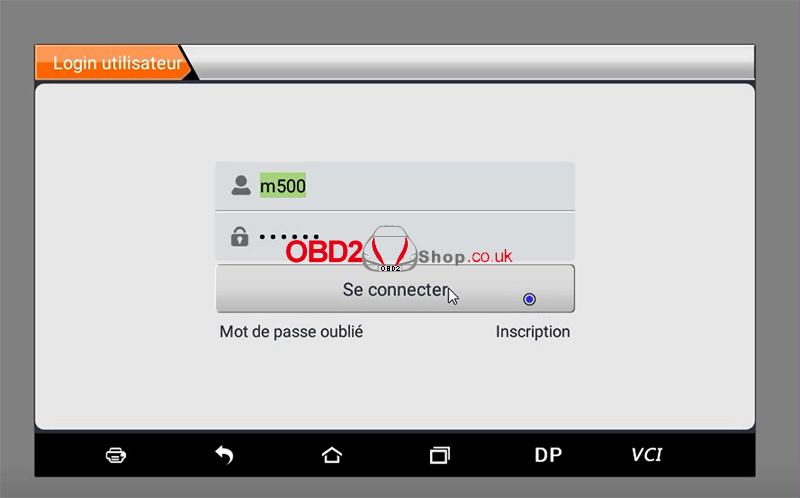
After the language has been successfully changed, it is highly recommended to go back to the main menu, select [Upgrade], and then log in to update the software. This ensures all menu items and resources are fully translated for your new language setting.
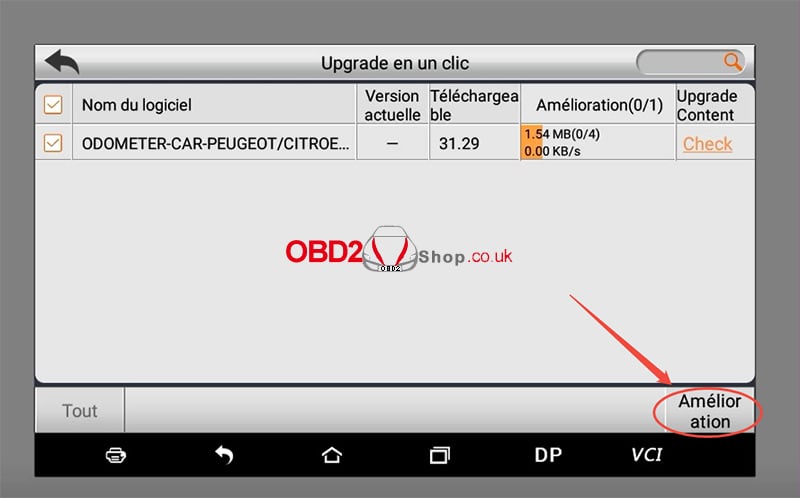
And that's it! Your OBDSTAR ODO Master is now set up in your preferred language, making your diagnostics work smoother and more intuitive.
If the language won't switch, try restarting the device. If the problem persists, our support team is here to help.
www.obd2shop.co.uk
Oznake: obdstar odomaster

| < | studeni, 2025 | > | ||||
| P | U | S | Č | P | S | N |
| 1 | 2 | |||||
| 3 | 4 | 5 | 6 | 7 | 8 | 9 |
| 10 | 11 | 12 | 13 | 14 | 15 | 16 |
| 17 | 18 | 19 | 20 | 21 | 22 | 23 |
| 24 | 25 | 26 | 27 | 28 | 29 | 30 |
Svibanj 2026 (1)
Siječanj 2026 (19)
Prosinac 2025 (22)
Studeni 2025 (21)
Listopad 2025 (20)
Rujan 2025 (21)
Kolovoz 2025 (8)
Srpanj 2025 (13)
Lipanj 2025 (9)
Svibanj 2025 (12)
Travanj 2025 (10)
Ožujak 2025 (12)
Veljača 2025 (14)
Siječanj 2025 (8)
Prosinac 2024 (6)
Studeni 2024 (6)
Listopad 2024 (4)
Rujan 2024 (7)
Kolovoz 2024 (14)
Srpanj 2024 (12)
Lipanj 2024 (10)
Svibanj 2024 (13)
Travanj 2024 (12)
Ožujak 2024 (11)
Veljača 2024 (2)
Siječanj 2024 (10)
Prosinac 2023 (8)
Studeni 2023 (6)
Listopad 2023 (7)
Rujan 2023 (9)
Kolovoz 2023 (6)
Srpanj 2023 (10)
Lipanj 2023 (4)
Veljača 2023 (8)
Siječanj 2023 (14)
Prosinac 2022 (13)
Studeni 2022 (14)
Listopad 2022 (18)
Rujan 2022 (9)
Kolovoz 2022 (16)
Srpanj 2022 (11)
Lipanj 2022 (14)
Svibanj 2022 (13)
Travanj 2022 (12)
Ožujak 2022 (12)
Veljača 2022 (13)
Siječanj 2022 (10)
Srpanj 2021 (1)
Dnevnik.hr
Gol.hr
Zadovoljna.hr
Novaplus.hr
NovaTV.hr
DomaTV.hr
Mojamini.tv