OBD2 tools on OBD2shop.co.uk https://blog.dnevnik.hr/obd2shop
četvrtak, 28.08.2025.
Xhorse FT-OBD Mini: Toyota Key Programming Guide
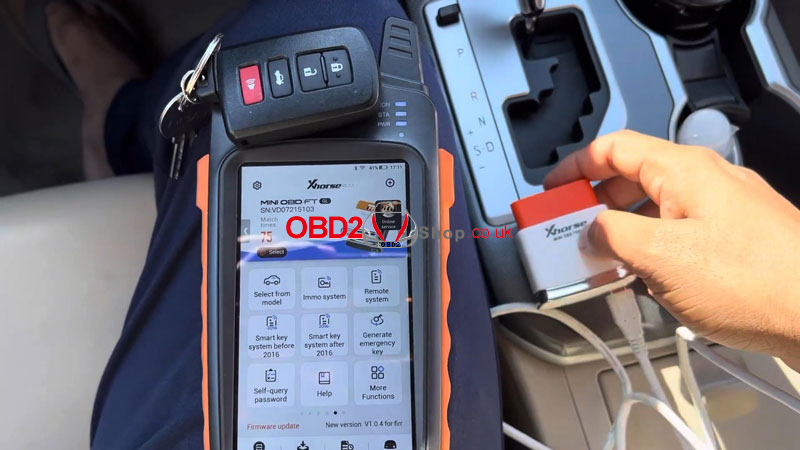
In this guide, we’ll show you how to add and delete smart keys on a 2017 Toyota Camry using the Xhorse FT-OBD Mini Tool, working together with VVDI Key Tool Max or Key Tool Max Pro.
Since we have the original working key, the process is straightforward. Let’s get started.
Step 1: Connect and Enter Programming Menu
1. Connect the Toyota Mini Tool to the vehicle’s OBD port.
2. On the VVDI Key Tool Max / Max Pro, navigate to:
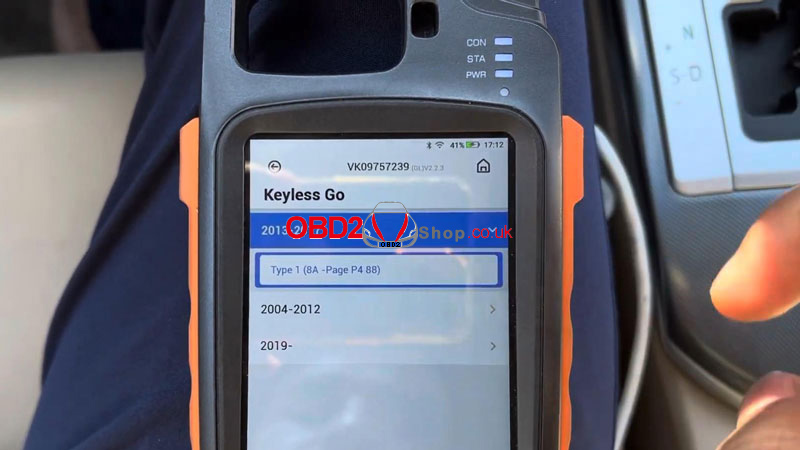
Select from Model ’ Camry ’ Keyless Go ’ 2013–2017 ’
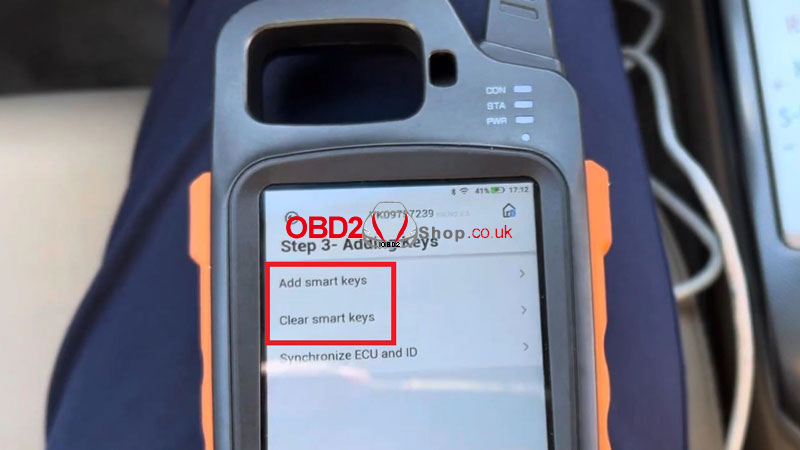
Type 1 (8A – Page P4 88) ’ Step 3 – Adding Keys ’ Start Execute ’ Clear Smart Keys
Step 2: Clear Existing Smart Keys
Follow the on-screen instructions:
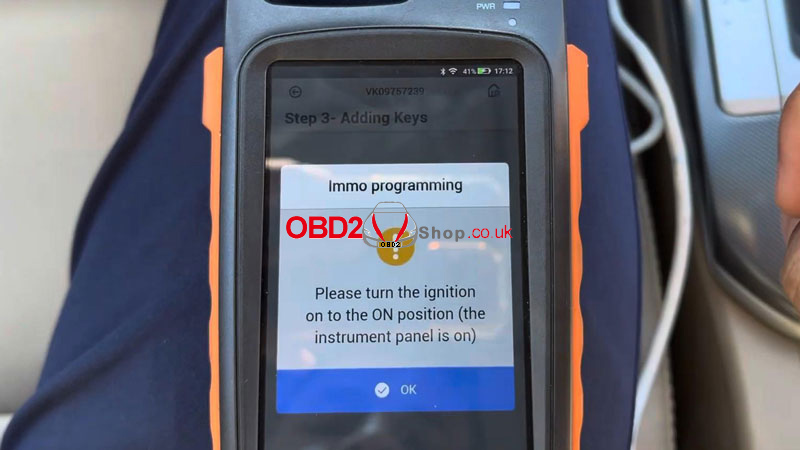
Turn the ignition ON (instrument panel lights up).
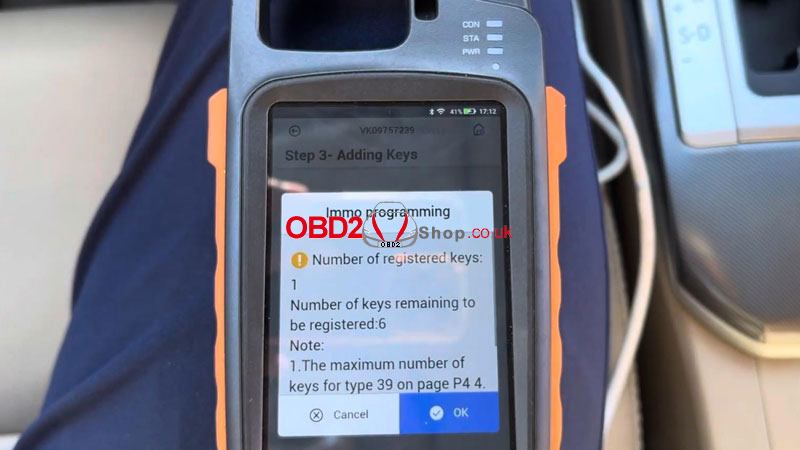
The system will display:
Number of registered keys: 1
Number of keys remaining to be registered: 6
Press OK.
Next:
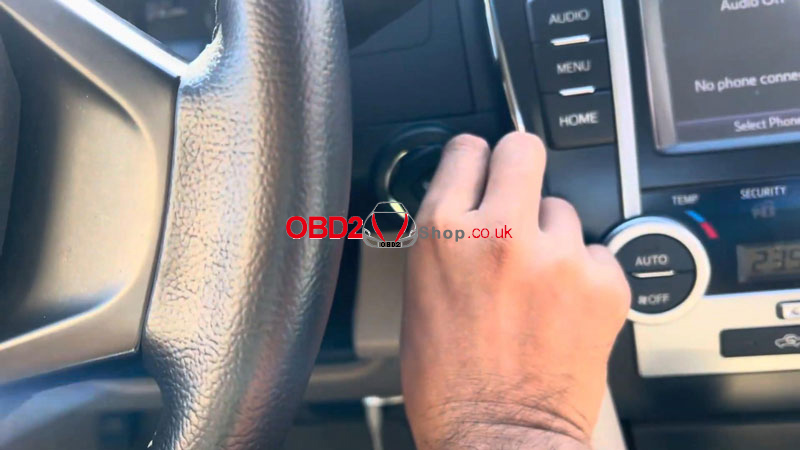
Touch the IGNITION (IG) switch with a registered key (logo side facing the switch).
Complete the operation within 30 seconds after pressing OK.
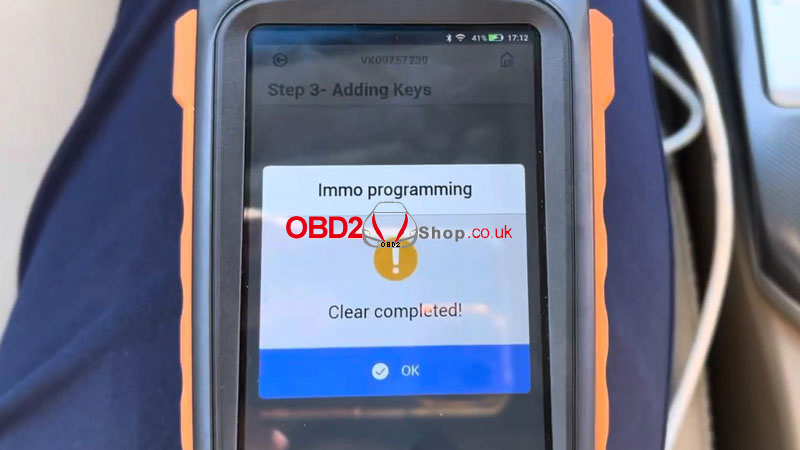
Once finished, you’ll see:
Clear completed!
Step 3: Add a New Smart Key
Now select "Add Smart Keys."
1. Turn the ignition ON again.
2. Press OK.
3. Within 30 seconds, touch the IG switch with a registered key using the marked surface.
The system will display:
Key detected, programming…
Keep the key touching the ignition switch.
Wait until the registration process is fully completed.
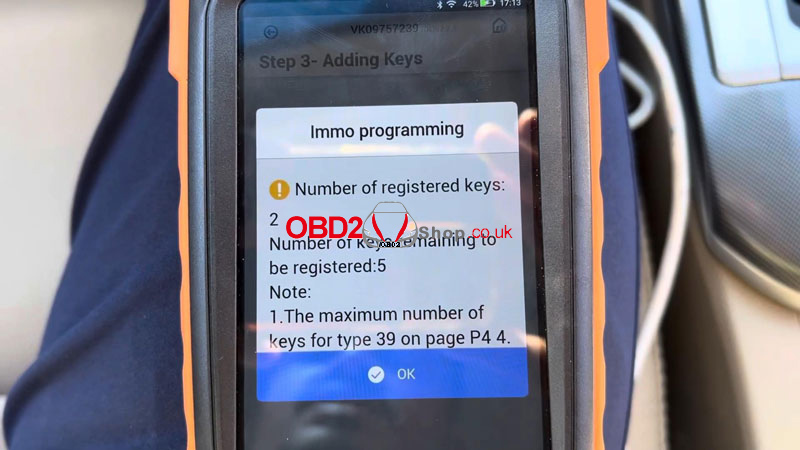
After successful programming:
Number of registered keys: 2
Number of keys remaining to be registered: 5
The matching is completed.
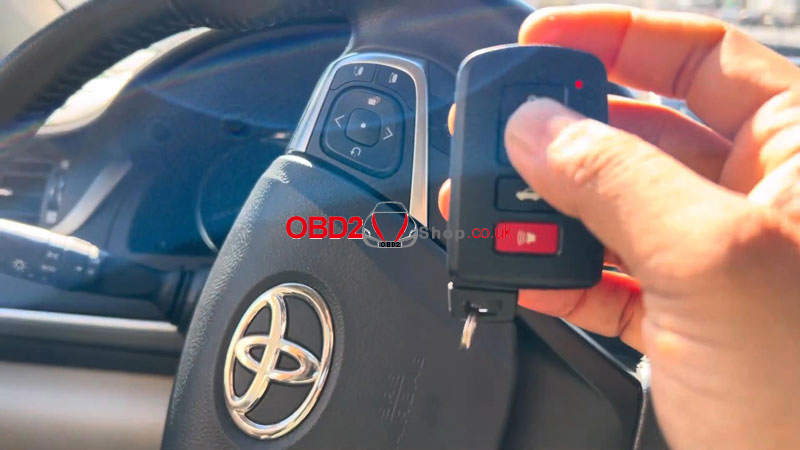
Final Check
1. Turn the ignition OFF.
2. Test both smart keys:
Remote functions work normally
Vehicle starts successfully
Key adding and deletion completed.
www.obd2shop.co.uk
Oznake: ft obd mini tool

| < | kolovoz, 2025 | > | ||||
| P | U | S | Č | P | S | N |
| 1 | 2 | 3 | ||||
| 4 | 5 | 6 | 7 | 8 | 9 | 10 |
| 11 | 12 | 13 | 14 | 15 | 16 | 17 |
| 18 | 19 | 20 | 21 | 22 | 23 | 24 |
| 25 | 26 | 27 | 28 | 29 | 30 | 31 |
Svibanj 2026 (1)
Siječanj 2026 (19)
Prosinac 2025 (22)
Studeni 2025 (21)
Listopad 2025 (20)
Rujan 2025 (21)
Kolovoz 2025 (8)
Srpanj 2025 (13)
Lipanj 2025 (9)
Svibanj 2025 (12)
Travanj 2025 (10)
Ožujak 2025 (12)
Veljača 2025 (14)
Siječanj 2025 (8)
Prosinac 2024 (6)
Studeni 2024 (6)
Listopad 2024 (4)
Rujan 2024 (7)
Kolovoz 2024 (14)
Srpanj 2024 (12)
Lipanj 2024 (10)
Svibanj 2024 (13)
Travanj 2024 (12)
Ožujak 2024 (11)
Veljača 2024 (2)
Siječanj 2024 (10)
Prosinac 2023 (8)
Studeni 2023 (6)
Listopad 2023 (7)
Rujan 2023 (9)
Kolovoz 2023 (6)
Srpanj 2023 (10)
Lipanj 2023 (4)
Veljača 2023 (8)
Siječanj 2023 (14)
Prosinac 2022 (13)
Studeni 2022 (14)
Listopad 2022 (18)
Rujan 2022 (9)
Kolovoz 2022 (16)
Srpanj 2022 (11)
Lipanj 2022 (14)
Svibanj 2022 (13)
Travanj 2022 (12)
Ožujak 2022 (12)
Veljača 2022 (13)
Siječanj 2022 (10)
Srpanj 2021 (1)
Dnevnik.hr
Gol.hr
Zadovoljna.hr
Novaplus.hr
NovaTV.hr
DomaTV.hr
Mojamini.tv