OBD2 tools on OBD2shop.co.uk https://blog.dnevnik.hr/obd2shop
četvrtak, 20.11.2025.
FAW R7F7010643 Airbag ECU Repair Guide with OBDSTAR P50
This guide walks you through the complete process of repairing and clearing crash data from the encrypted FAW airbag control module with part number R7F7010643. The procedure uses the OBDSTAR P50 along with the MP001 and RH850/V850 adapter kits.
What You Will Need:
OBDSTAR P50 (or KeyMaster G3)
High-power DC regulated power supply
Main cable
Jumper wires
MP001 Multifunctional Programmer
RH850/V850 Adapter Kit
FAW R7F7010643 Airbag ECU
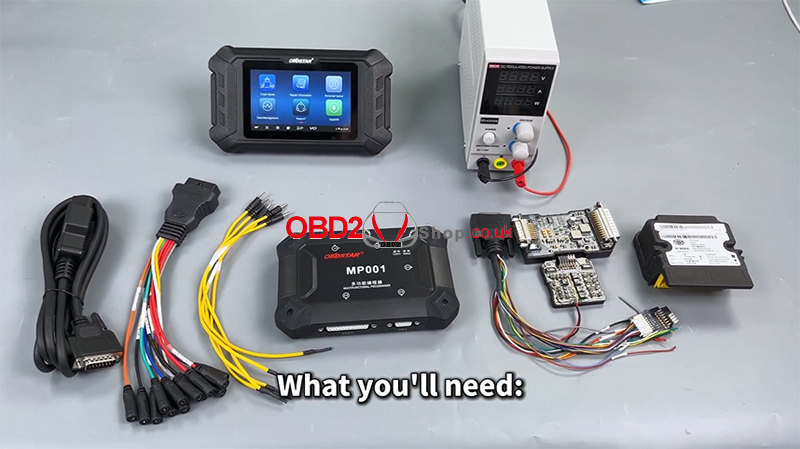
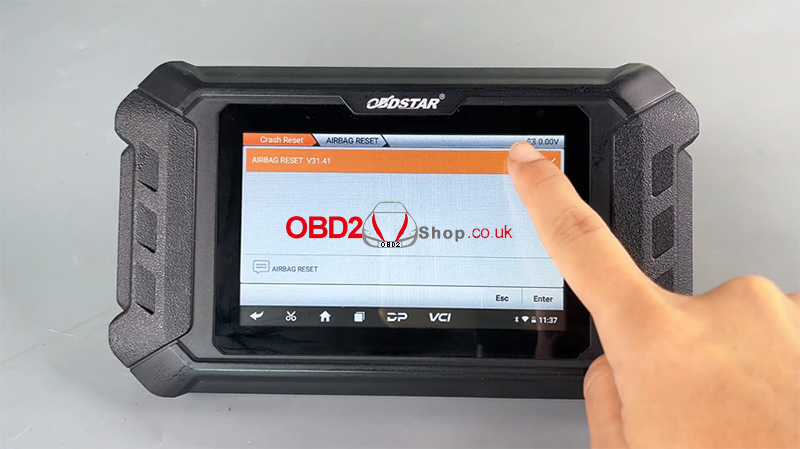
Step 1 — Update Software and Enter Crash Reset Menu
Before starting, ensure that the OBDSTAR P50 software is fully updated.
Navigate to:
[Crash Reset] ’ [AIRBAG RESET]
Use the search icon (top-right) to quickly locate the correct airbag control module number.
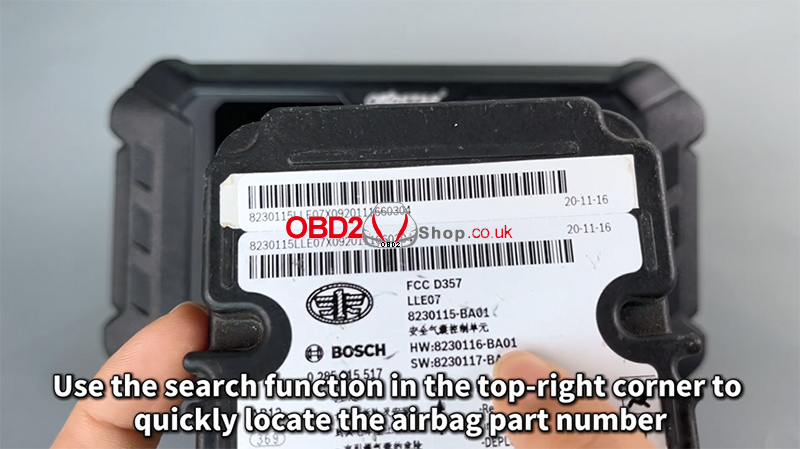
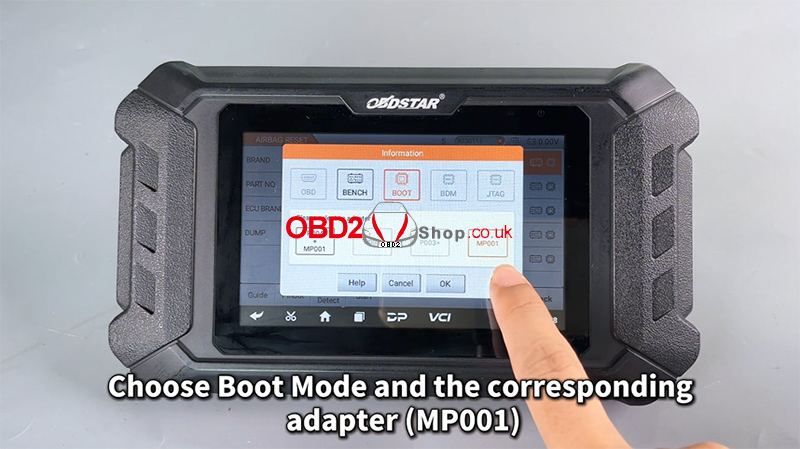
Step 2 — Select Boot Mode and Check Wiring Guide
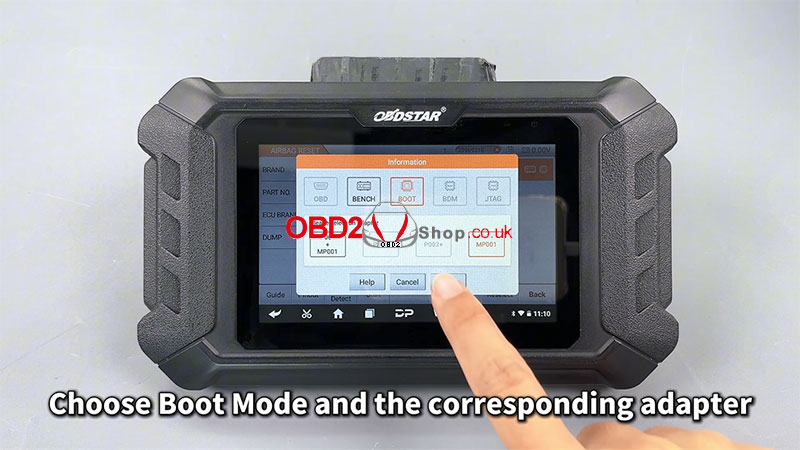
Tap Start, then choose Boot Mode and the correct adapter (MP001).
This function requires an online server connection—make sure your internet is stable.
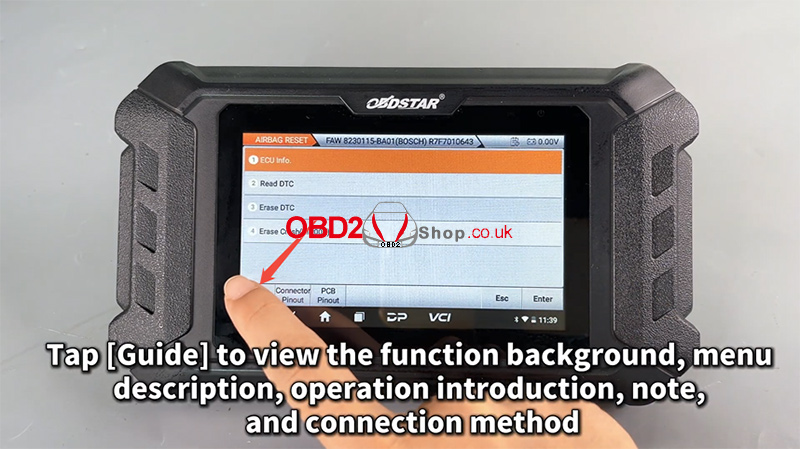
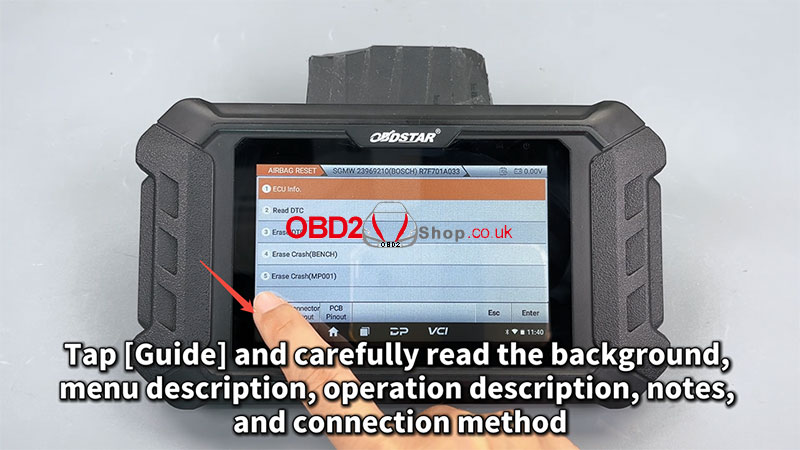
Tap [Guide] to view detailed information about the function background, menu descriptions, operation introduction, notes, and connection methods.
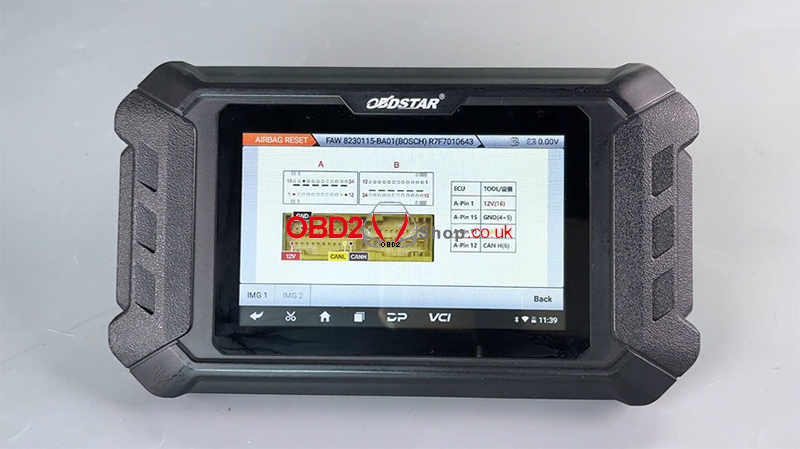
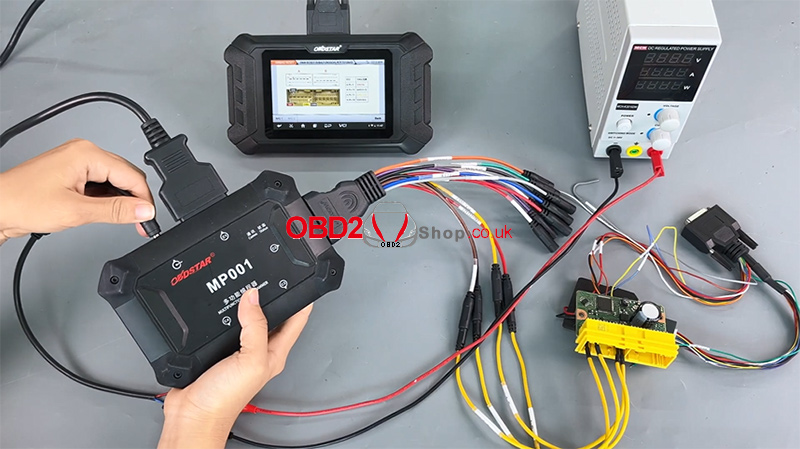
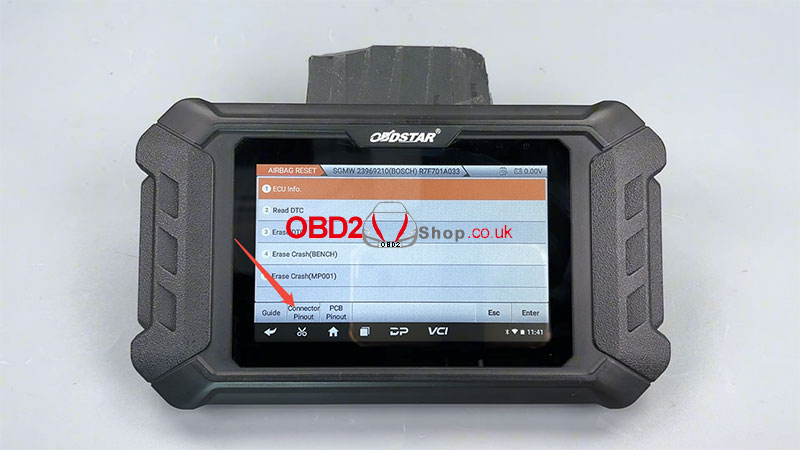
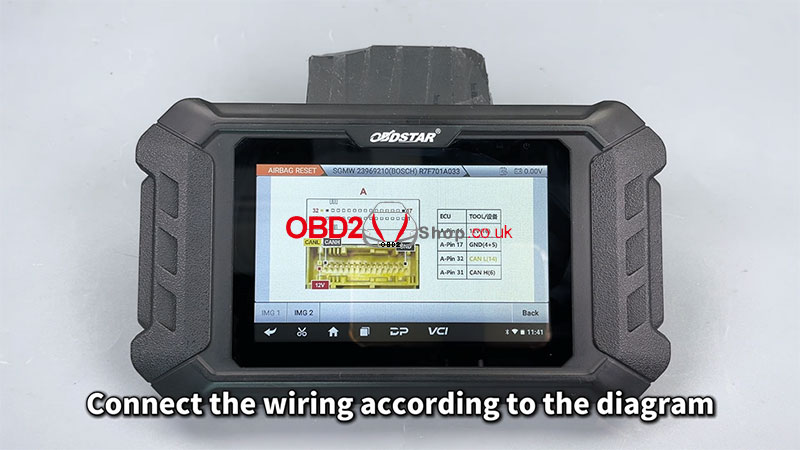
Next, open [Connector Pinout] and follow the wiring diagram to make the proper cable connections.
Step 3 — Read ECU Info and DTCs
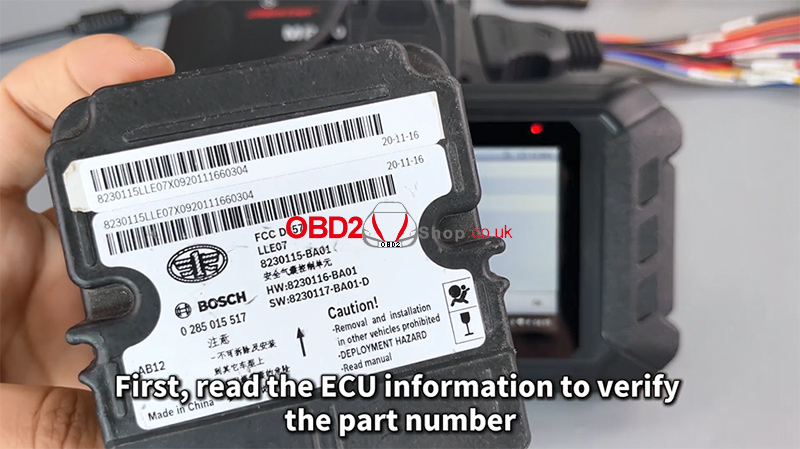
Click [ECU Info] to confirm the airbag ECU part number.
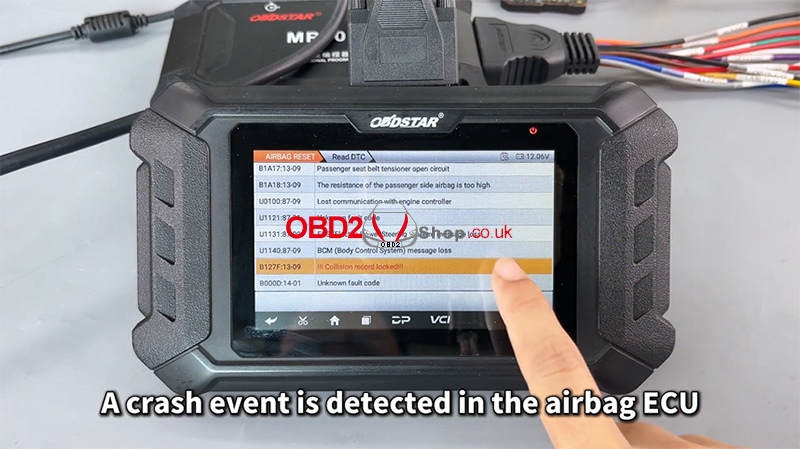
Then select [Read DTC] to check the fault codes.
A crash event will be detected.
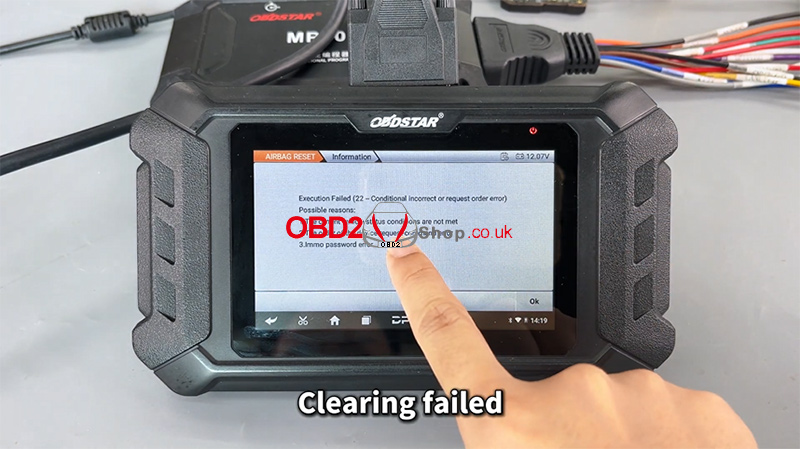
Attempting to erase DTC will fail because crash data is stored.
Step 4 — Read All Data (Crash Records)
Since crash data cannot be cleared directly, you must first read all module data.
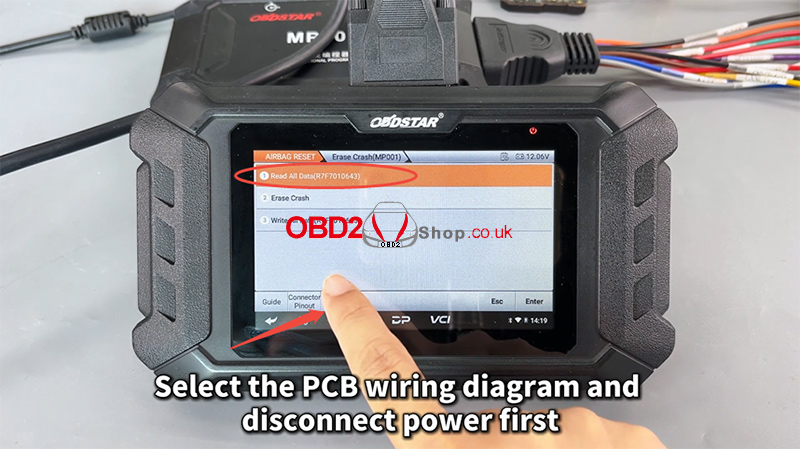
Go to: [Erase Crash (MP001)] ’ [Read All Data (R7F7010643)]
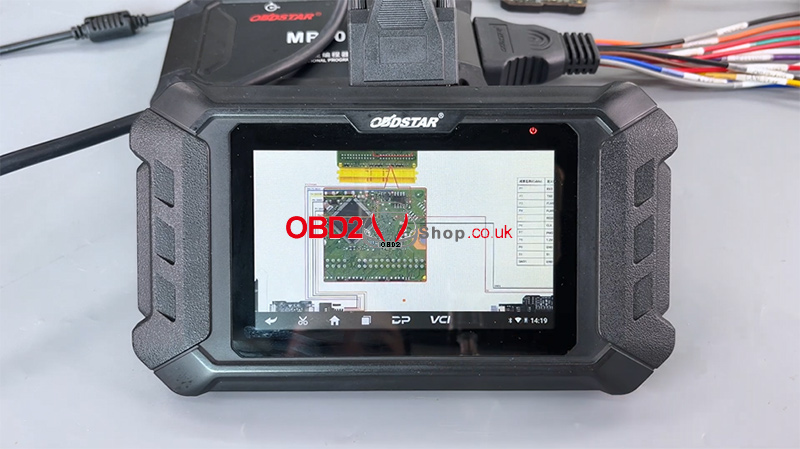
Select the PCB wiring diagram and disconnect the power before changing the adapter.
Replace the MP001 with the RH850/V850 Adapter.
Open the airbag module casing and solder the wires according to the PCB diagram.
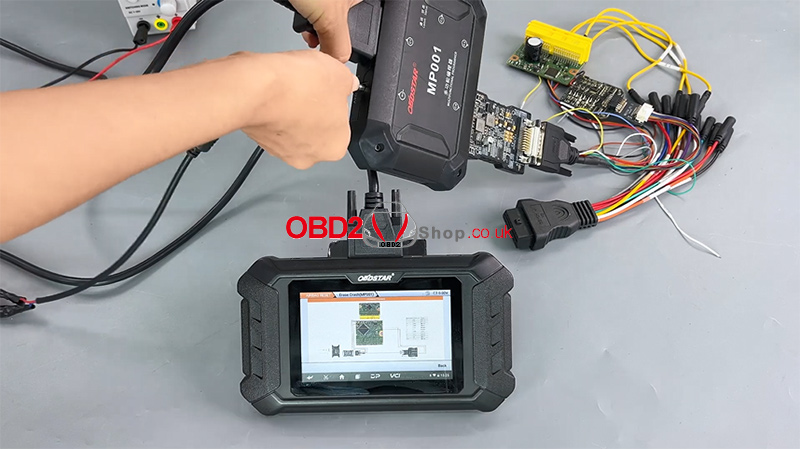
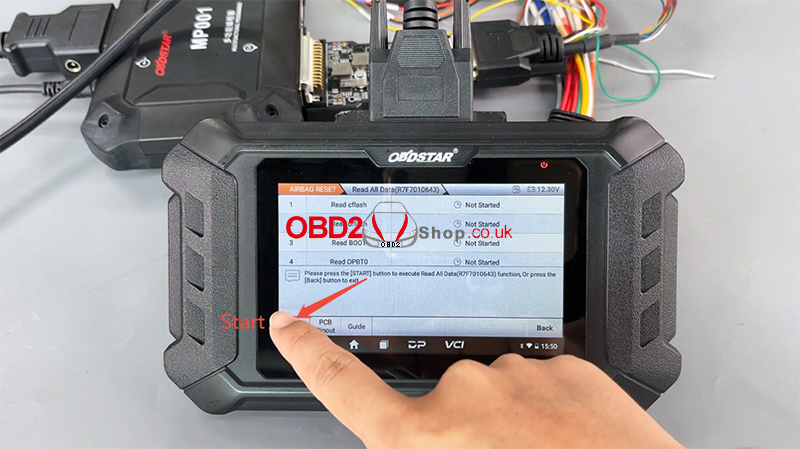
Tap [Read All Data (R7F7010643)] ’ [Start]
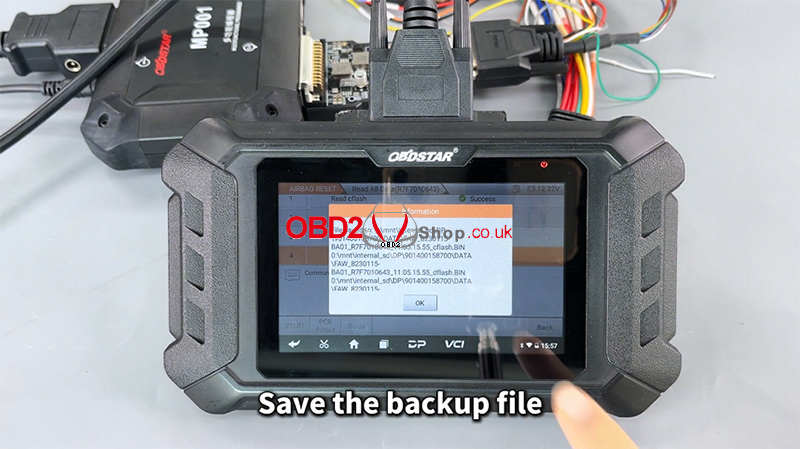
Wait for communication to complete, then save the backup file.
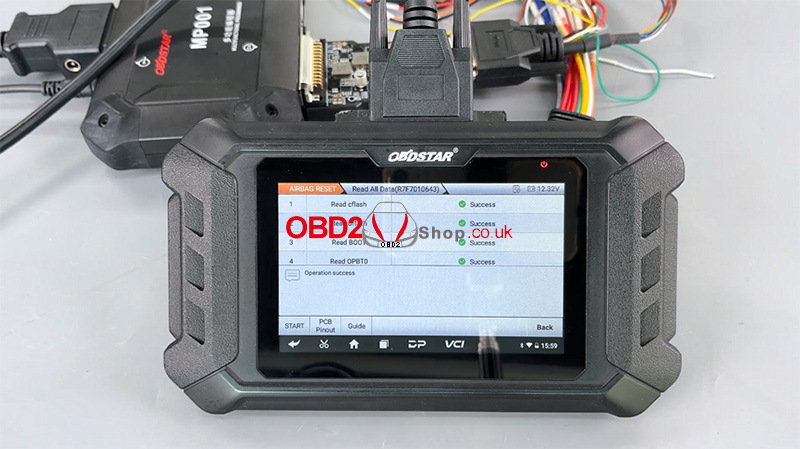
Operation successful.
Step 5 — Erase Crash Data
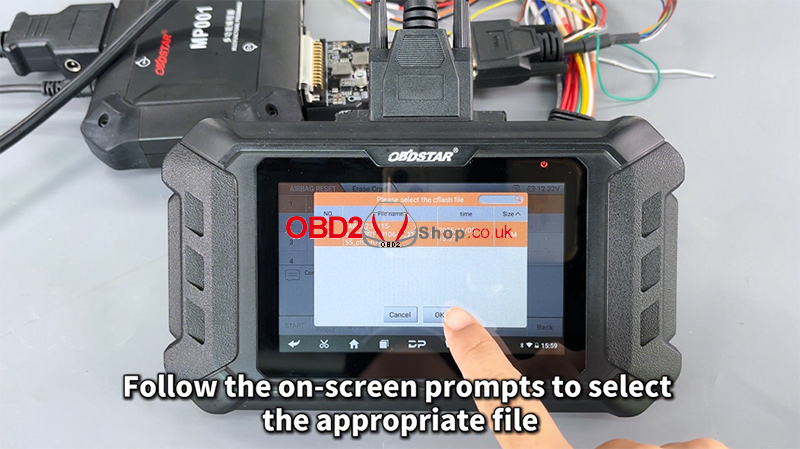
Choose [Erase Crash], then follow the prompts to select the correct data file.
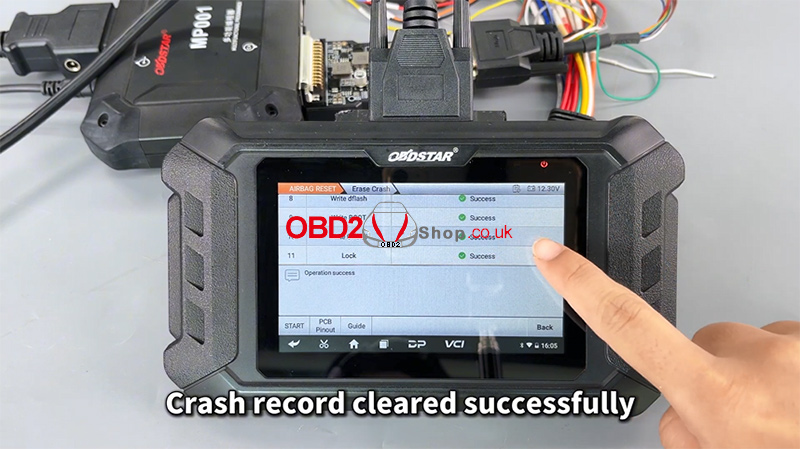
The tool will erase crash information from the file.
Crash record cleared successfully.
Step 6 — Reassemble and Clear DTCs
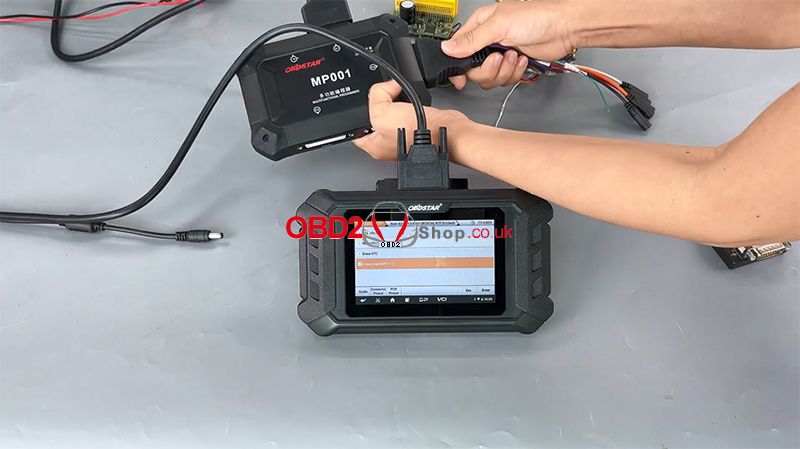
Reconnect everything and switch the device back to Diagnostic Mode.
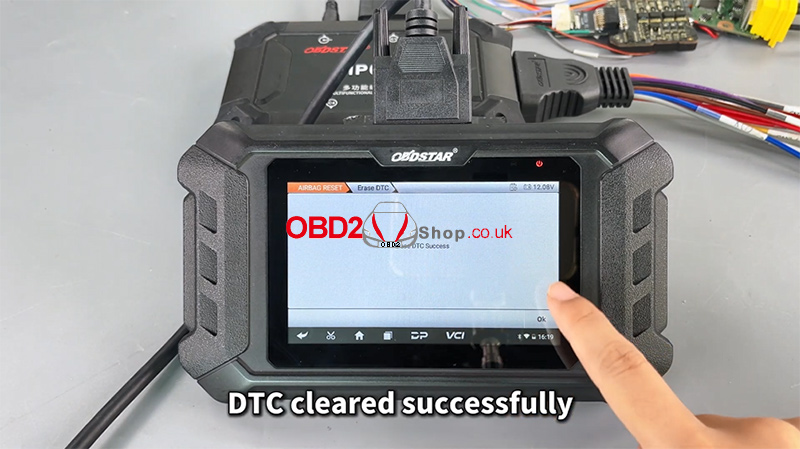
Select [Erase DTC] again.
This time, the DTC clears successfully.
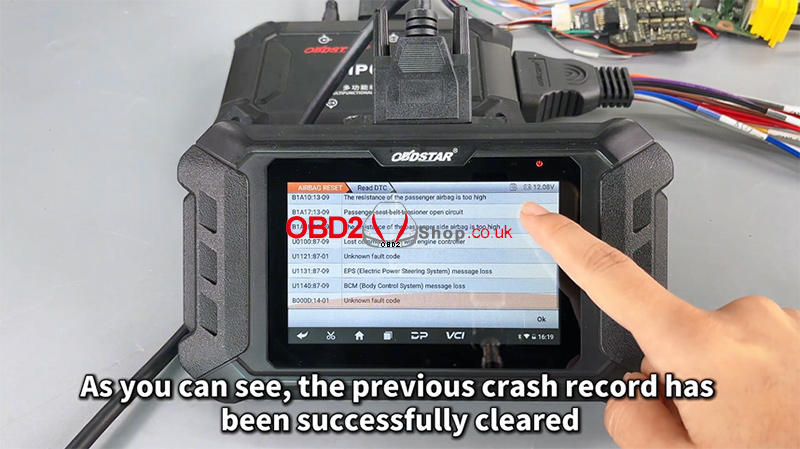
A final [Read DTC] confirms that the previous crash record is gone.
Full video tutorial:
https://youtu.be/WUlJv23JpqM
For more tools and guides, visit:
www.obd2shop.co.uk
Oznake: obdstar p50
četvrtak, 30.10.2025.
Resetting SGMW R7F701A033 Airbag ECU with OBDSTAR P50
This article provides a step-by-step guide on how to reset the crash data for an SGMW R7F701A033 encrypted Airbag ECU using OBDSTAR P50. This procedure is necessary when standard diagnostic tools cannot clear crash-related fault codes.
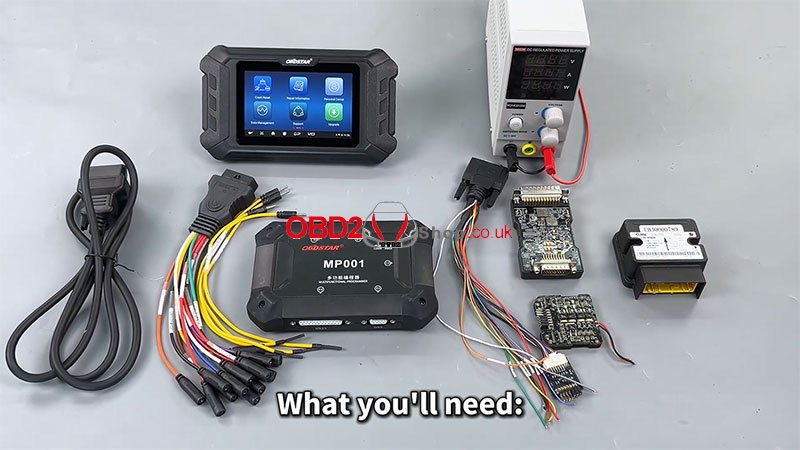
Required Tools & Equipment
P50 or Keymaster G3
High-power DC regulated power supply
MP001 multi-function programmer
RH850/V850 adapter kit
Main cable and jumper
SGMW R7F701A033 airbag module
Pre-Operation Preparation
1. Software Upgrade: Ensure your diagnostic tool's software is updated to the latest version.
2. Navigation: From the main menu, select [Crash Reset] and then [AIRBAG RESET].
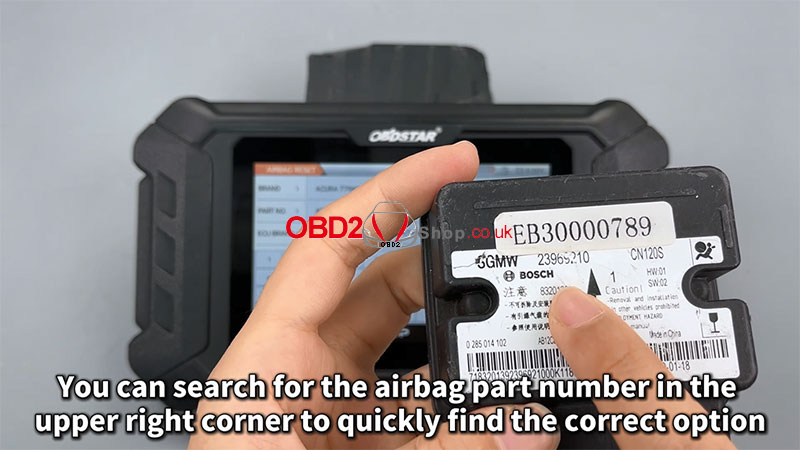
3. Model Selection: You can quickly locate the correct option by searching for the airbag ECU part number in the upper-right corner search bar.
4. Initial Setup: Select the correct Boot Mode and the corresponding RH850 adapter.
Critical Preliminary Step: Review the Guide
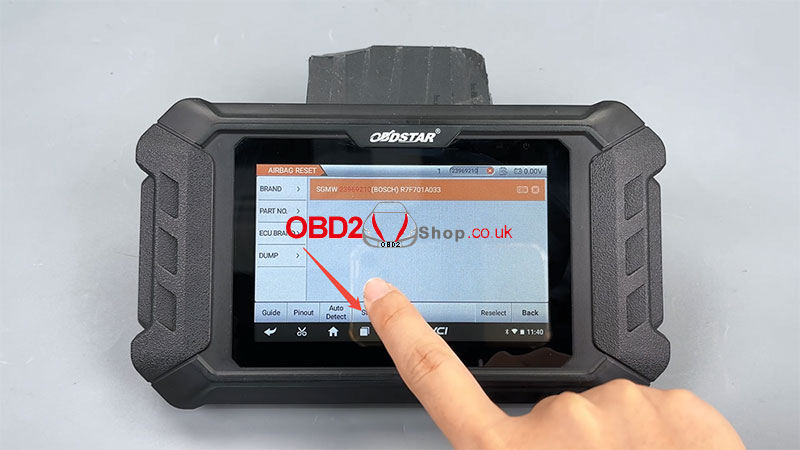
Before any physical work, carefully review the built-in instructions.
Tap the [Guide] button.
Thoroughly read all sections: Background, Menu Description, Operation Description, Notes, and Connection Method.
This information is crucial for a successful and safe reset.
Hardware Connection & Wiring
1. Click [Connector Pinout].
2. Important: This specific ECU has multiple wiring methods. You must follow the pinout diagram that matches the function you are performing.
3. Connect the wires from your programmer to the ECU's circuit board precisely as shown in the diagram.
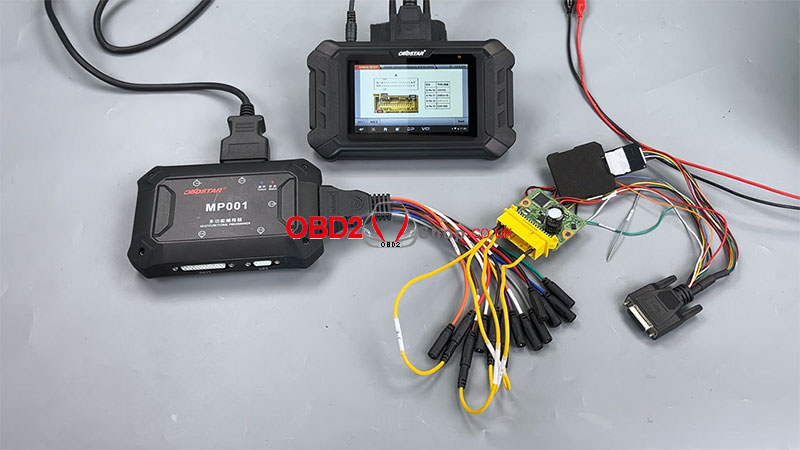
Step-by-Step Reset Procedure
Phase 1: Initial Diagnostics & Preparation
1. ECU Information: Click [ECU Info] to read and verify the ECU's part number.
2. Check for DTCs: Select [Read DTC]. You will see a persistent crash-related fault code.
3. Attempt Erasure: Choose [Erase DTC]. This will fail, confirming the need for a physical reset.
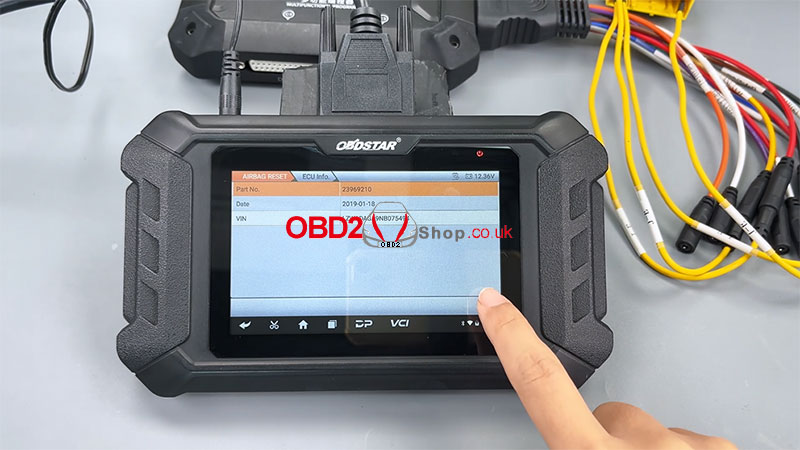
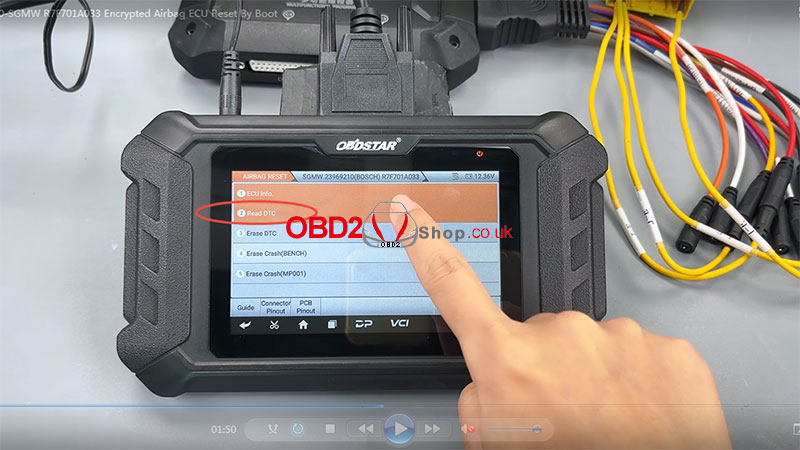
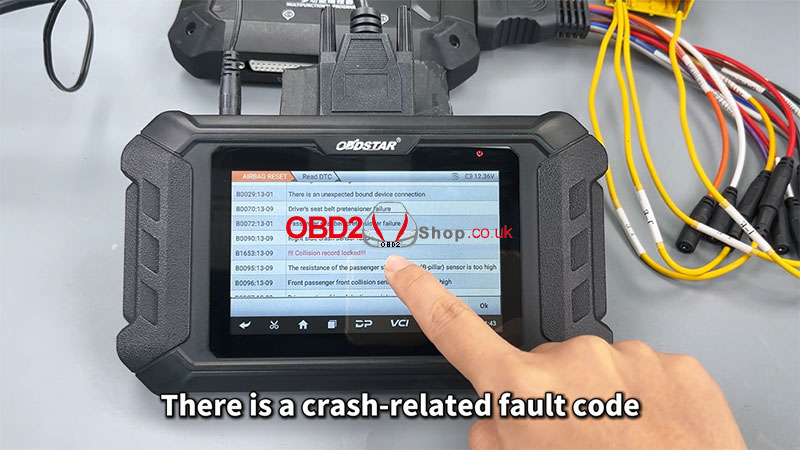
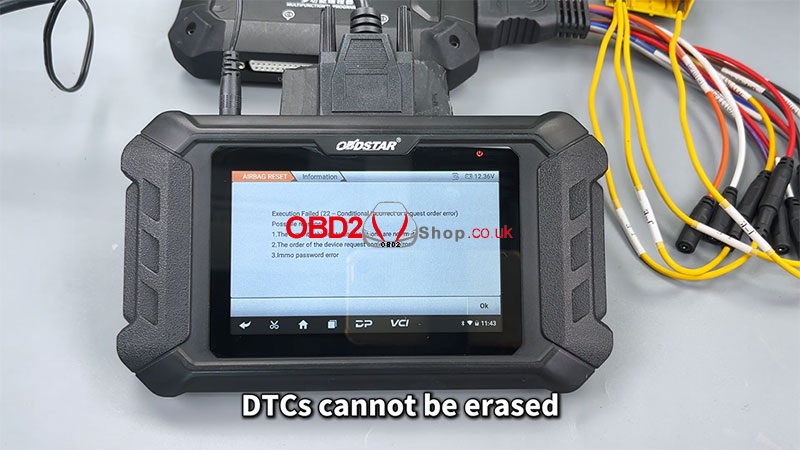
Phase 2: Physical Access & Data Backup
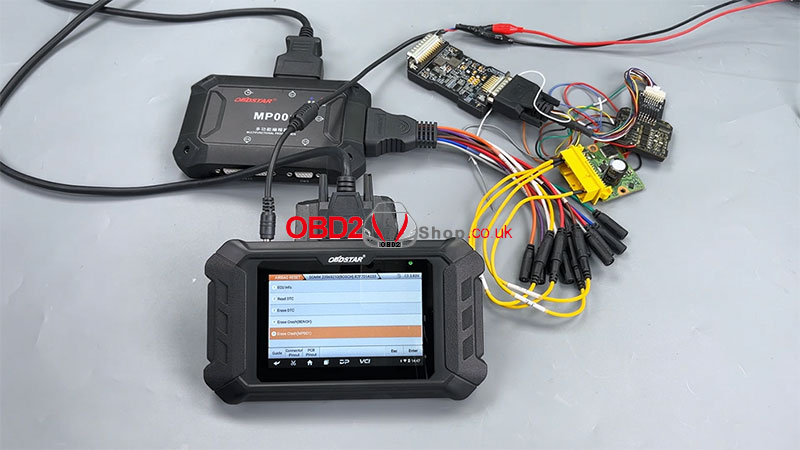
1. Initiate Crash Erase: Select the [Erase Crash (MP001)] function.
2. Power Down: Tap [PCB Pinout] to view the diagram, then disconnect power to the ECU.
3. Disassemble: Remove the cover of the airbag ECU to access the main printed circuit board (PCB).
4. Adapter & Wiring: Replace the standard adapter with the RH850 adapter. Solder the wires to the ECU's PCB as shown in the diagram.
5. Read All Data: Tap [Read All Data (R7F701A033)] and then [START].
6. Connect Programmer: Connect the MP001 programmer to the diagnostic device. An "Upgrade successful" message will appear.
7. Acknowledge Risk: A warning will appear: "Continuing with the risk of locking the MCU, do you want to continue?" Proceed with caution.
8. Create Backup: The tool will read the ECU's memory. It is critical to save the backup file when prompted. Wait for the "Operation success" message.
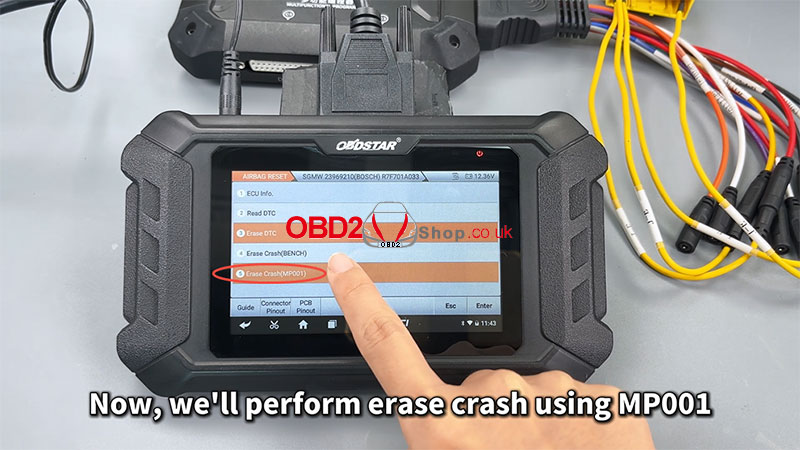
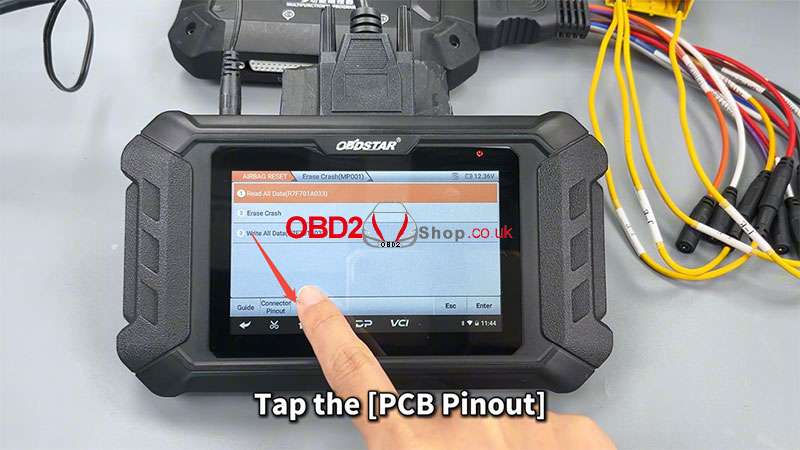
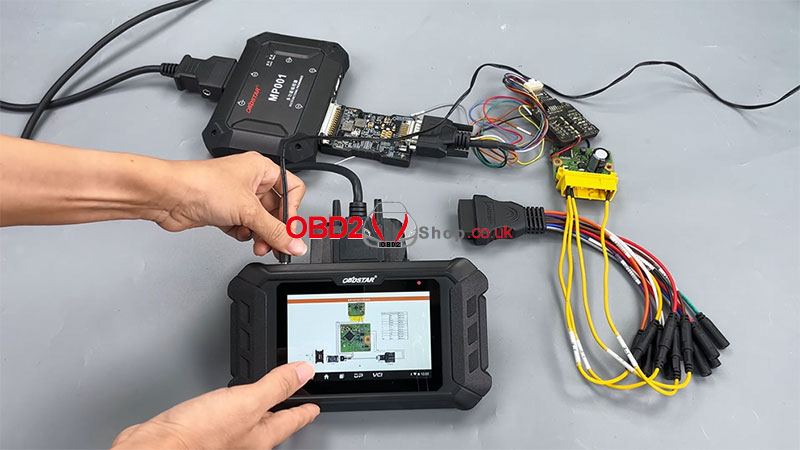
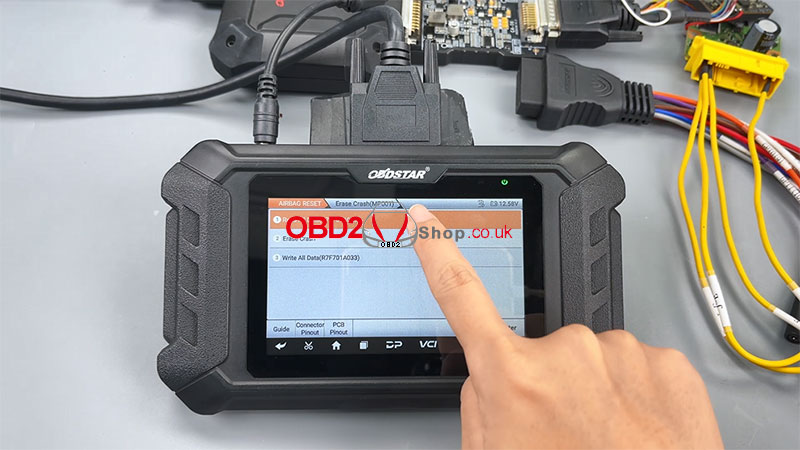
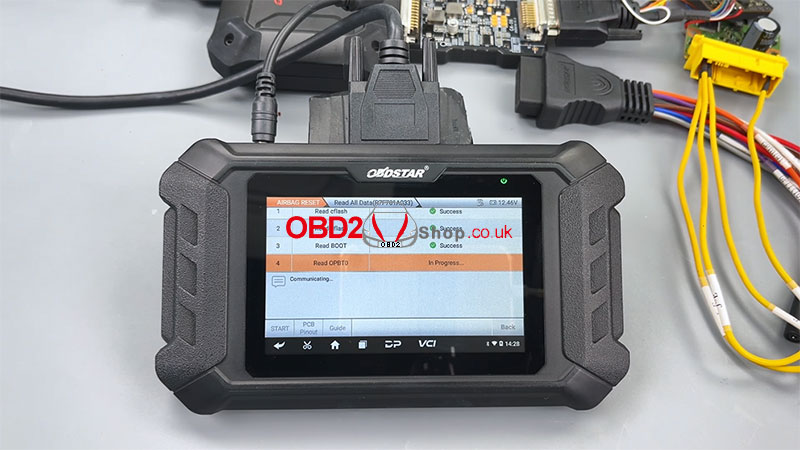
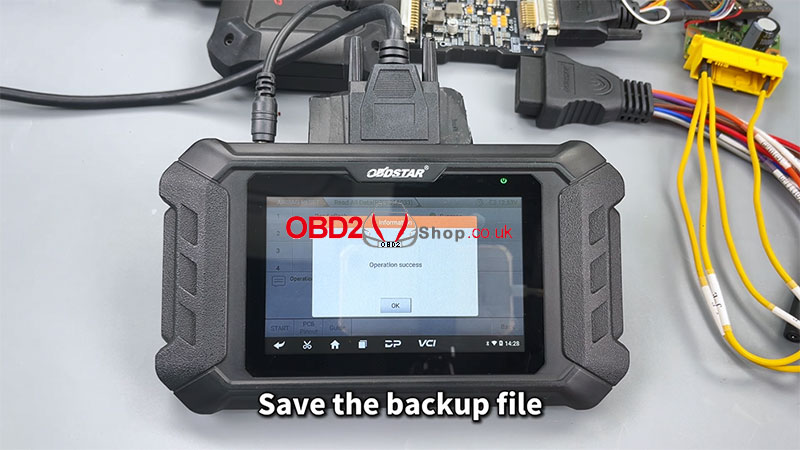
Phase 3: Erasing the Crash Record
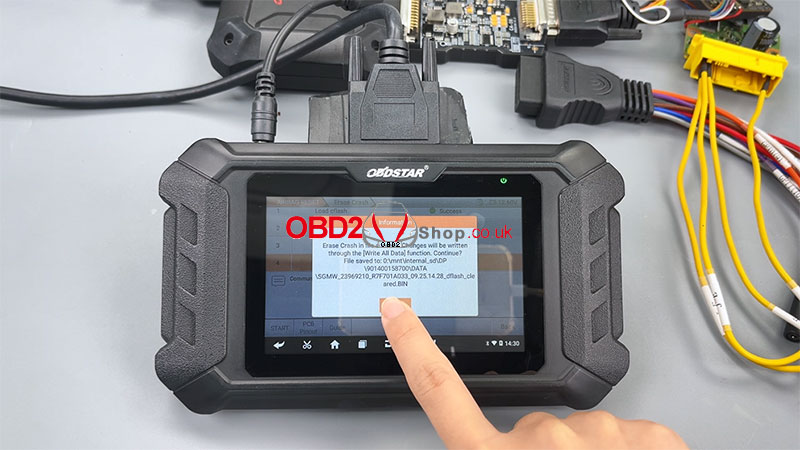
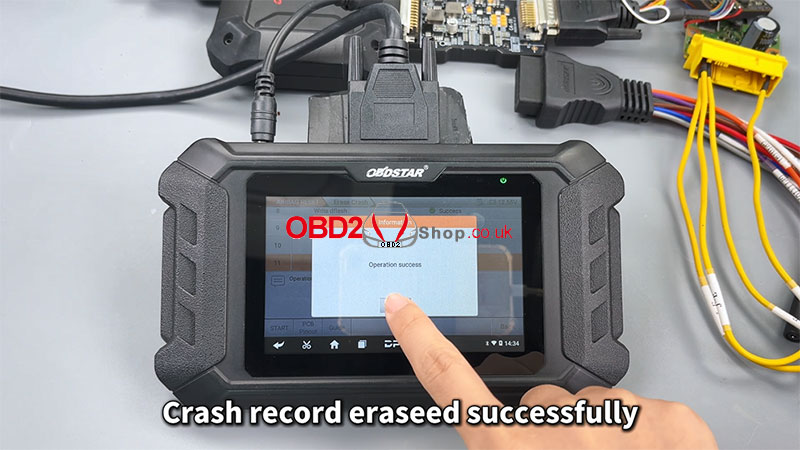
1. Execute Erase: Click the [Erase Crash] button.
2. Confirmation Prompt: The device will ask, "Has the [Read All Data] function been executed?" Since you have already done this, select OK.
3. Select Backup File: When prompted, select the data file you saved in the previous step.
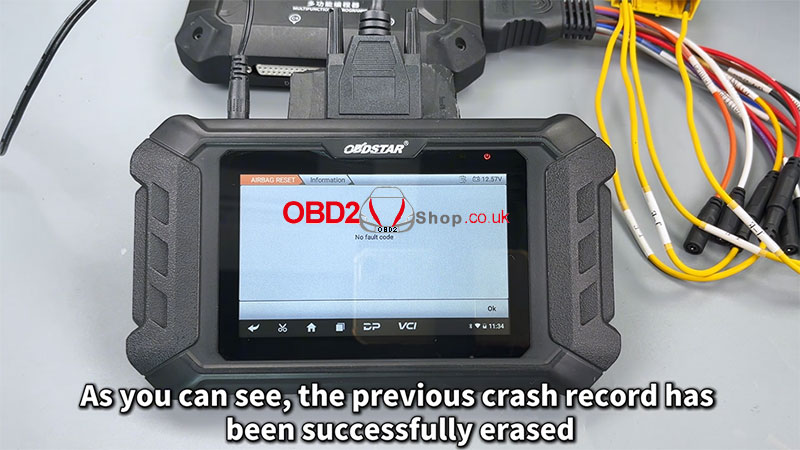
4. Completion: The process will complete with a "Crash record erased successfully" message.
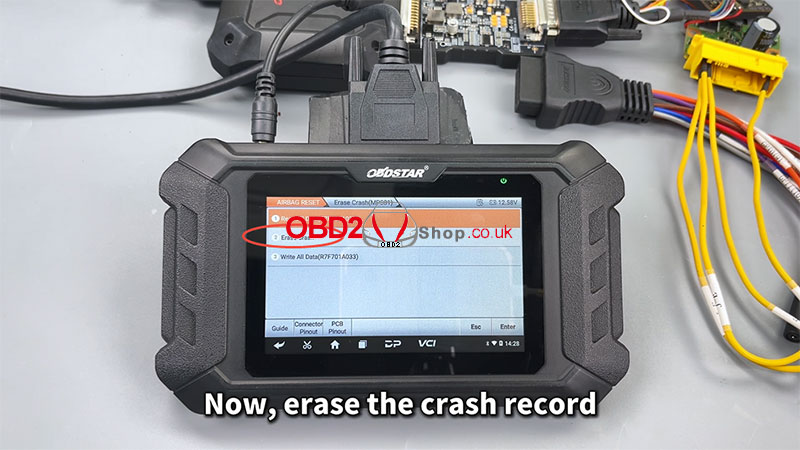
Phase 4: Final Verification
1. Reconnect: Reconnect the device to the vehicle and switch the software back to standard diagnostic mode.
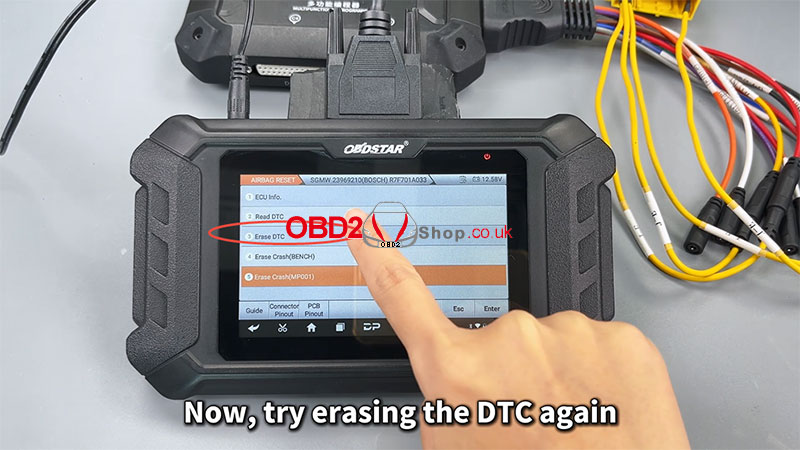
2. Clear DTCs: Select [Erase DTC] again. The DTCs will now be erased successfully.
3. Final Check: Perform a final [Read DTC] to confirm. The previous crash record and all related fault codes will be gone.
Conclusion
You have now successfully used the OBDSTAR P50 to reset the collision data for the SGMW R7F701A033 airbag ECU. Always ensure a full backup is performed before attempting any write operations to prevent permanent ECU damage.
www.obd2shop.co.uk
For more details, please refer to the video:
https://youtu.be/I8-9uOmEH9M
Oznake: obdstar p50
srijeda, 02.07.2025.
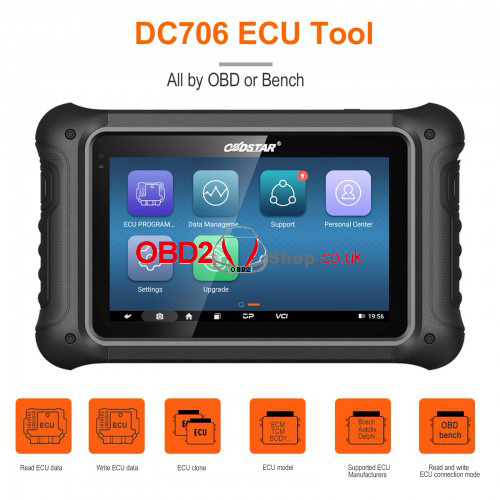
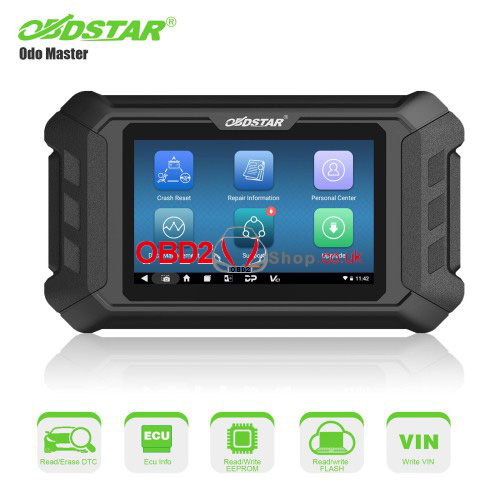
Solved: OBDSTAR P50/DC706 "Please login first!" Upgrade Issue
Issue Description: Users of OBDSTAR P50 and DC706 diagnostic tools may encounter the error "Please login first!" when attempting to perform a one-click upgrade. This prevents the device from updating its software, limiting functionality.
Probable Cause
The error typically occurs due to an inactive or expired login session. The device requires users to authenticate their account before allowing software upgrades.
Solution
Follow these steps to resolve the issue:
1. Log In Again
- Open the OBDSTAR software and navigate to the Personal Center.
- Enter your credentials to log in. Ensure your account is active and properly registered.
2. Retry the Upgrade
- After logging in, return to the One-Click Upgrade section.
- Download and install the latest software version.
3. Check Account Status
If the issue persists, verify your account status on the official OBDSTAR website or contact support.
Additional Tips
l Ensure a stable internet connection during the upgrade process.
l Clear the device cache if login attempts fail repeatedly.
For further assistance, visit www.obd2shop.co.uk.
Oznake: obdstar p50
srijeda, 28.06.2023.
OBDSTAR P50 Audi A6/A8/Q5 BMS Battery Reset Upgrade V30.06
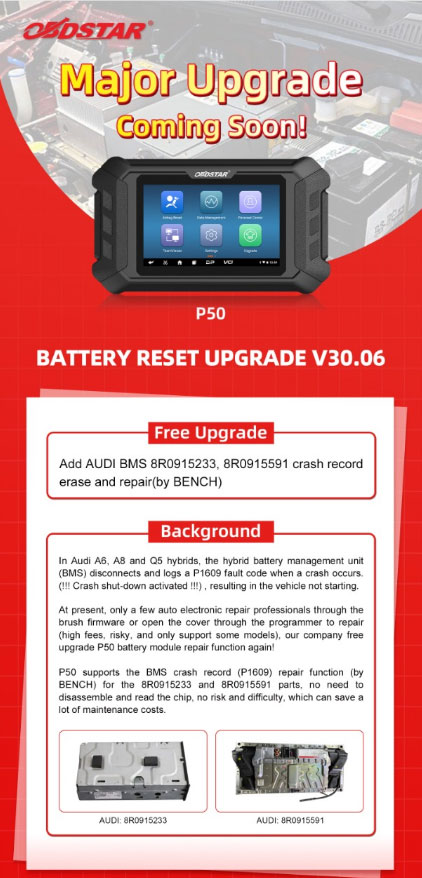
A major free upgrade on OBDSTAR P50 is coming soon - Battery Reset Upgrade V30.06. Added Audi BMS 8R0915233, and 8R0915591 crash record erase and repair by bench. No disassembly, no risk to save your time and cost!
In Audi A6, A8, and Q5 hybrids, the hybrid battery management unit(BMS) disconnects and logs a P1609 fault code when a crash occurs: (!!! Crash shut-down activated!!!), resulting in the vehicle not starting.
At present, only a few auto electronic repair professionals through the brush firmware or open the cover through the programmer to repair. This way is high fees, risky, and only supports some models. Thus, OBDSTAR releases a free upgrade P50 battery module repair function again!
OBDSTAR P50 supports the BMS crash record(P1609) repair function by bench for the 8R0915233 and 8R0915591 parts. No need to disassemble and read the chip, and no risk and difficulty, which can save a lot of maintenance costs.
www.obd2shop.co.uk
Oznake: obdstar p50
četvrtak, 02.02.2023.
Hyundai/Kia 95910 N7070 Airbag Reset by OBDSTAR P50
This article will guide you on how to use OBDSTAR P50 to reset Hyundai/Kia airbag 95910 N7070 in bench mode.
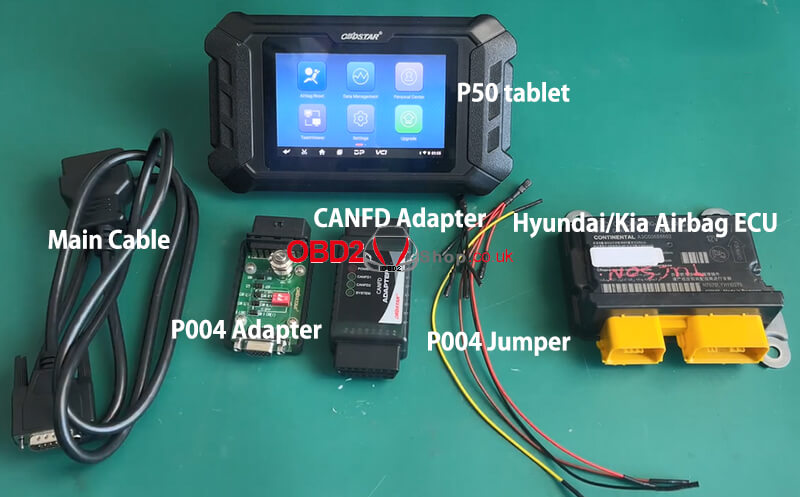
The tools we need:
Hyundai/Kia Airbag ECU
P50 tablet
Main Cable
P004 Adapter
CANFD Adapter
P004 Jumper
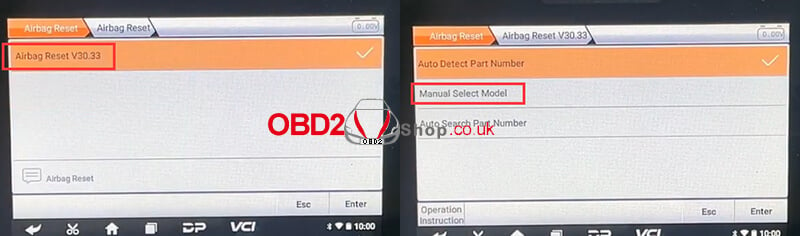
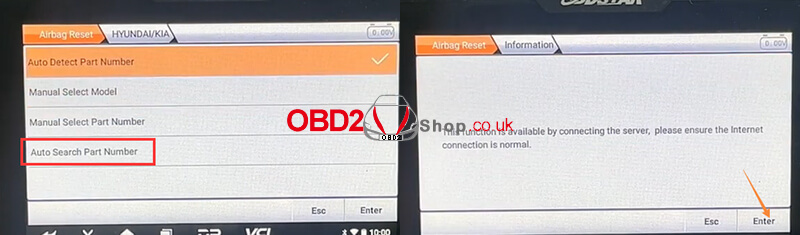
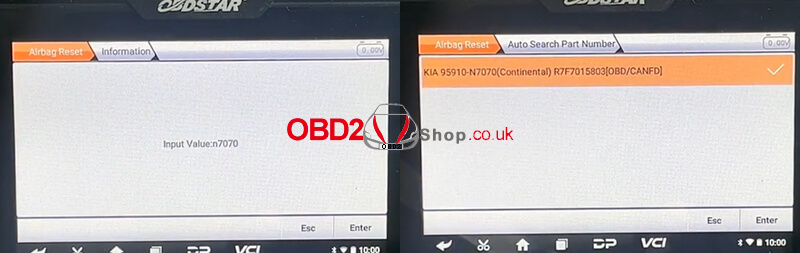
Select "Airbag Reset" >> "Airbag Reset V30.33" >> "Manual Select Model" >> "HYUNDAI/KIA" >> "Auto Search Part Number", then click "Enter" to continue.
Check the part number on the ECU label
Input the part number of ECU (case insensitive, fuzzy search supported)
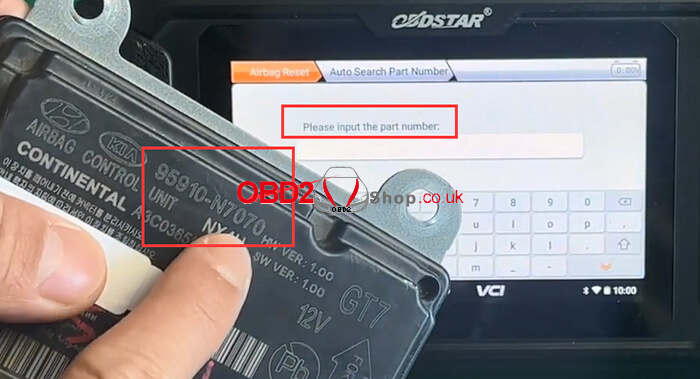
After entering the part number, select "Enter" to continue.
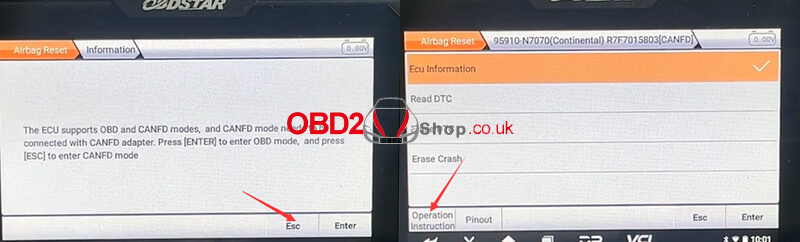
Press "ESC" to enter CONFIG mode.
Remarks: click the operation instructions at the bottom left to check the best detection method.
Then choose "Pinout", connecting according to the wiring diagram.
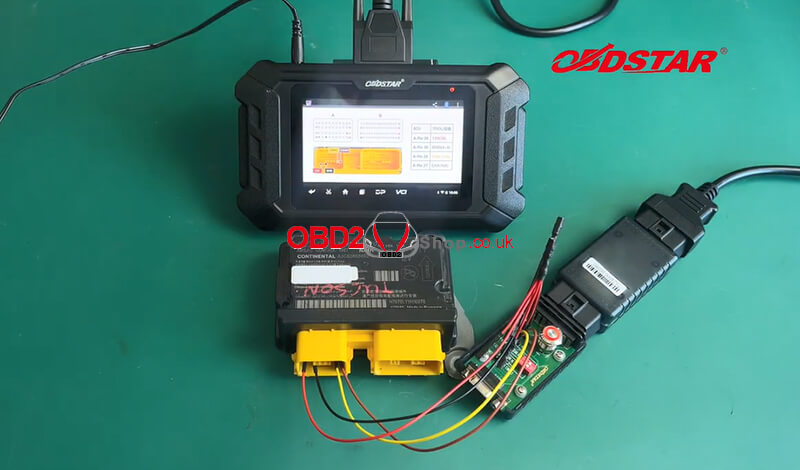
Once the device is connected, click on "ECU Information" to view the relevant information.
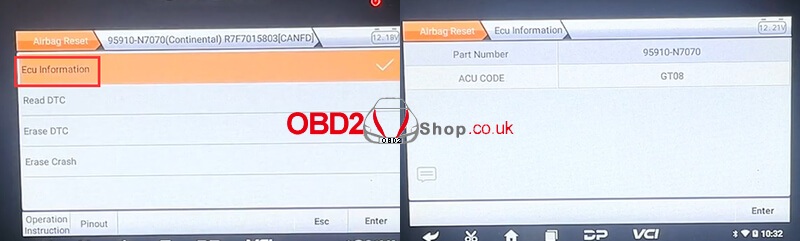
Then return to the previous interface and click "Read DTC" to check the error code, there is a crash error code.
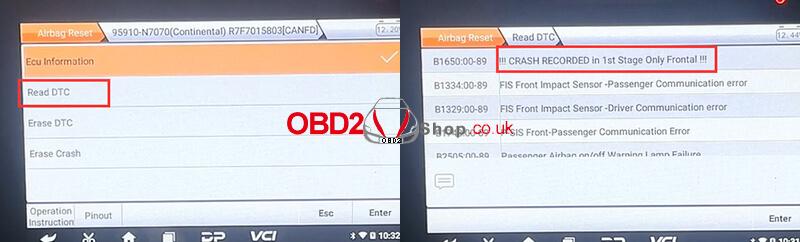
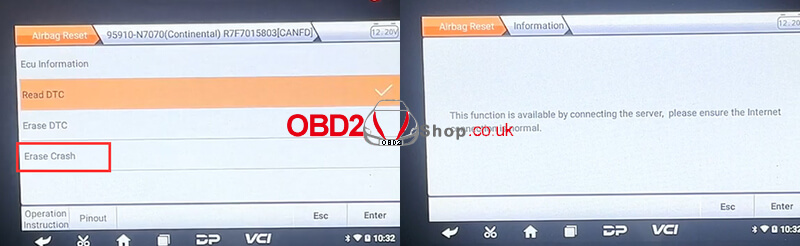
Then we choose "Erase Crash", this function is available by connecting the server, please make sure the internet connection is normal.
Erase Crash Success, please disconnect the 12v power supply and wait for 30 seconds, and then reconnect the 12v power supply.
Then return to the previous interface and click "Read DTC" again, the crash history has been erased successfully.
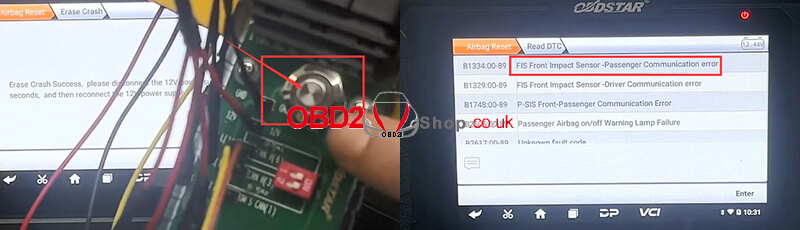
The airbag reset is done!
For more detailed steps, please refer to the video:
https://youtu.be/mO_A-QGWdXY
Oznake: obdstar p50
srijeda, 04.01.2023.
OBDSTAR P50 Reset Toyota 89170-0E080 Airbag on Bench
This is a tutorial on how to use OBDSTAR P50 Airbag Reset Tool on bench. Taking the Toyota 89170-0E080 airbag ECU as an example. Read this article to learn how it works.
Accessories Required
OBDSTAR P50
Toyota 89170-0E080 Airbag ECU
P004 Adapter
P004 Jumper
Main cable
Note: Please keep OBDSTAR P50 in charging and communication throughout the whole process.
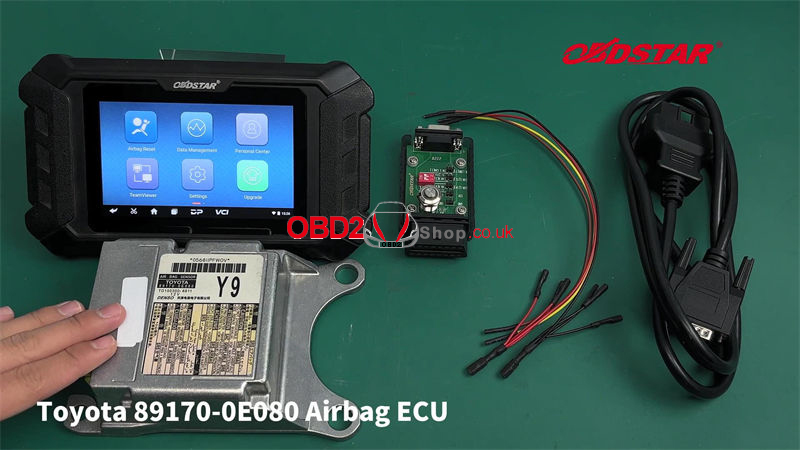
Airbag reset >> Latest version >> Auto Search part number
This function is available by connecting the server, please ensure the Internet connection is normal. Press "Enter".
Check the part number on the ECU label to search for it.
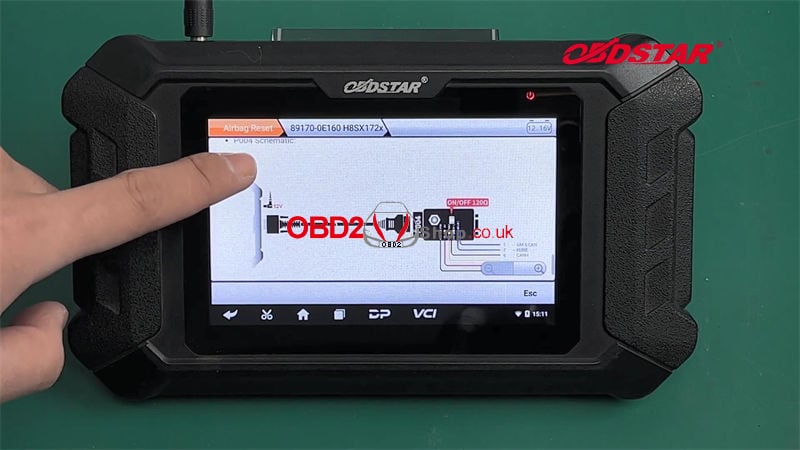
Note: before repairing the airbag computer, please carefully check "Operation Instructions" at the bottom left to check the best detection method.
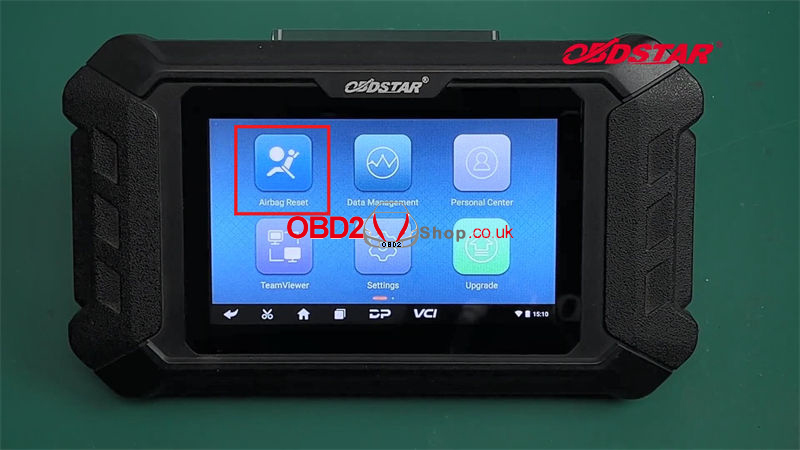
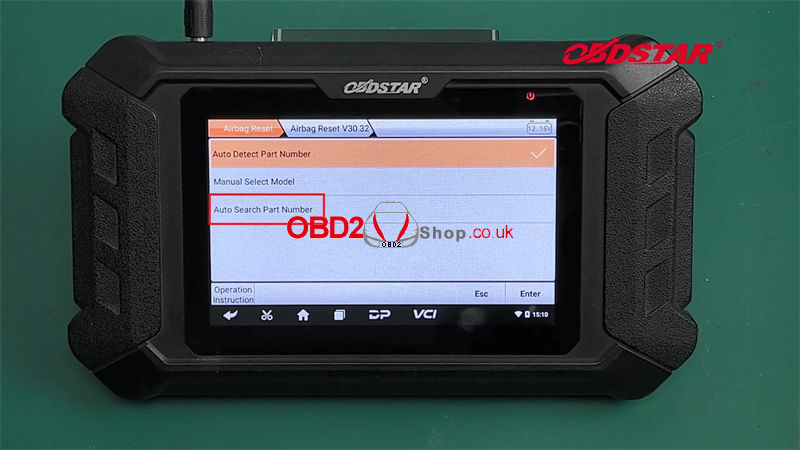
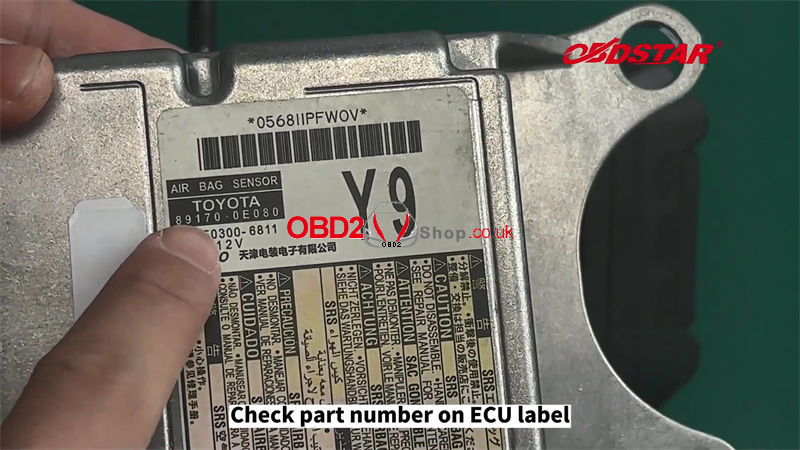
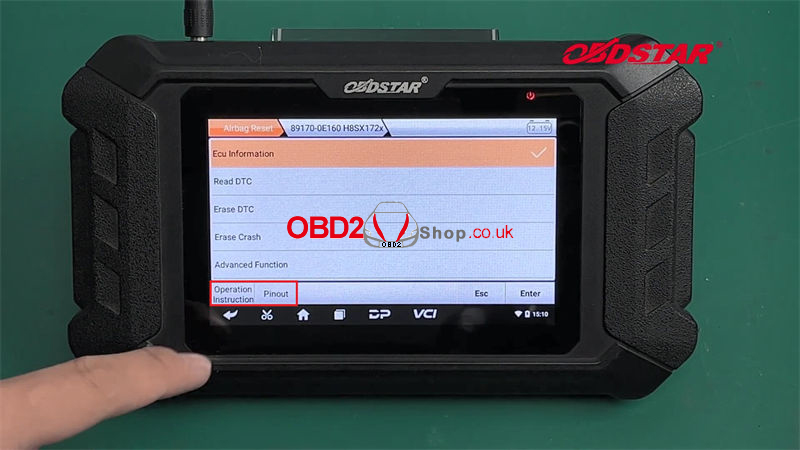
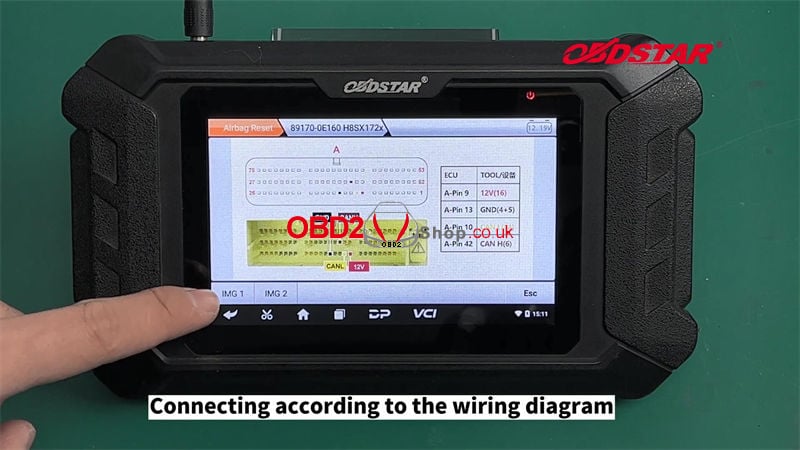
Connect according to the wiring diagram.
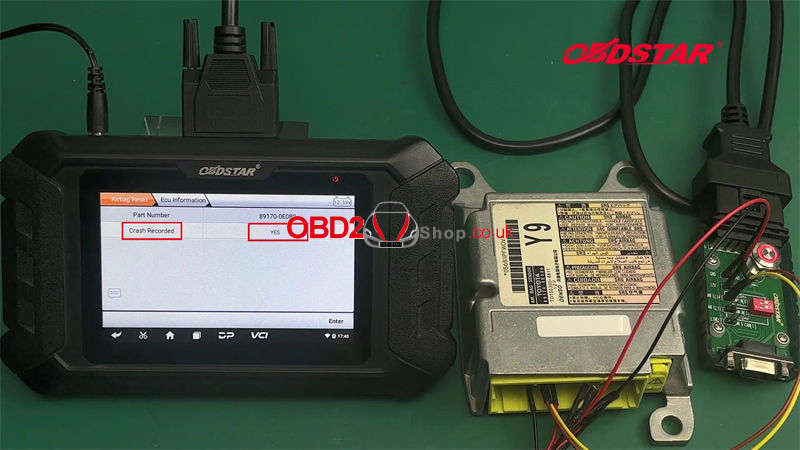
Turn on the P004 Adapter ignition switch to check ECU info.
We can see the "Crash Recorded" is YES.
Go to read DTC, there's a crash fault.
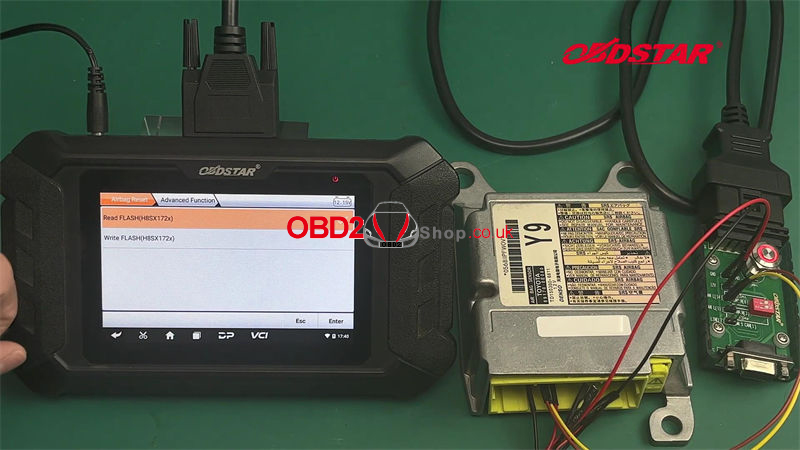
Read FLASH(H8SX172x) >> Start
Save the data file.
Click "Erase Crash".
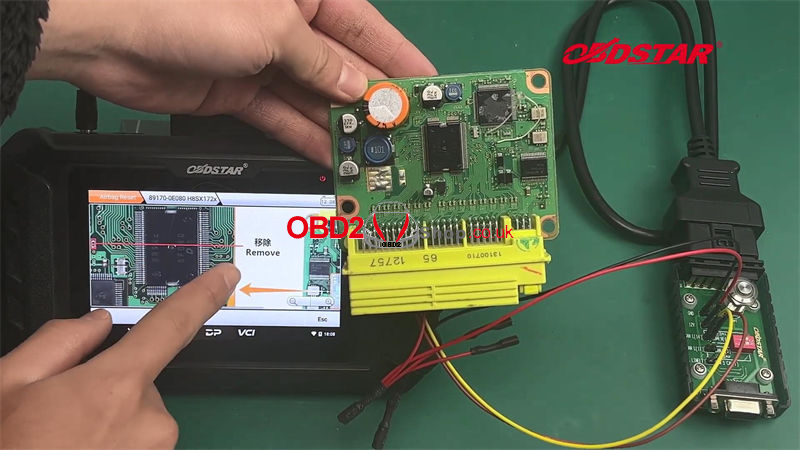
Executing the "Erase Crash" function will clear all flash data. Please ensure that the "Read FLASH" function has been executed. And open the cover to compare all write flash mode wiring diagrams in the "Operation Instructions". There is a picture that can correspond to your ECU.
Otherwise, after executing this function, flash data can only be recovered through the programmer.
Enter >> Enter
Erase crash success. Please follow the wiring diagram of write flash mode, and execute the "Write FLASH" function after removing/welding the resistance.
Turn on the P004 Adapter ignition switch again.
Advanced function >> write FLASH(H8SX172x)
Confirm that the "Write FLASH" operation has been performed after removing/welding the resistance according to the write flash mode wiring diagram.
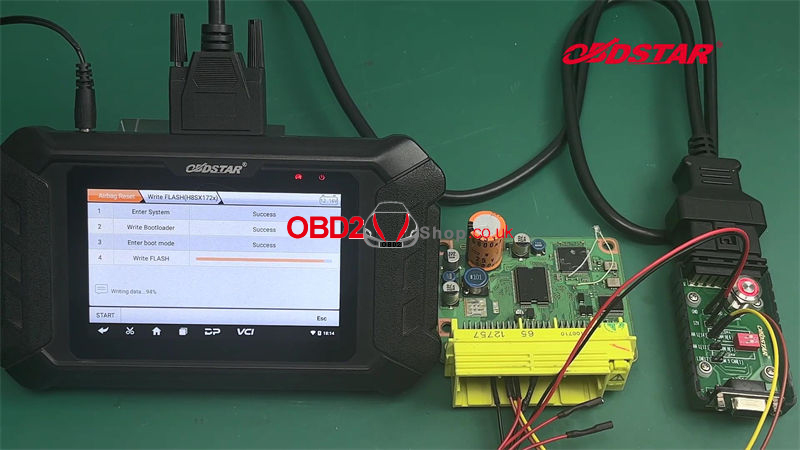
Enter >> Enter >> Selected data file >> Start
Writing data success.
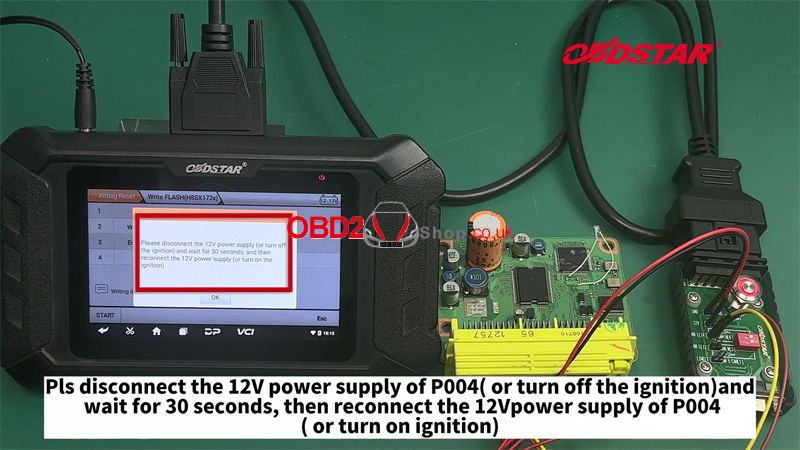
Please disconnect the 12V power supply of P004(or turn off the ignition) and wait for the 30s, then reconnect the 12V power supply of P004(or turn on the ignition).
Go to erase DTC, then check ECU info again.
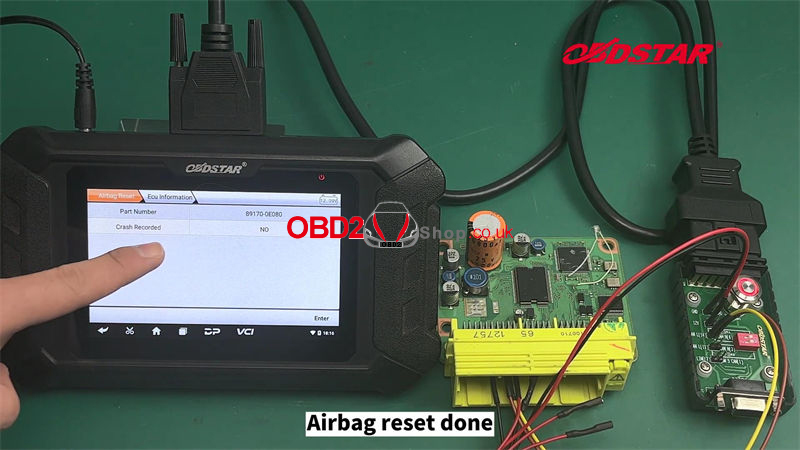
As we can see, the "Crash Recorded" has been changed to NO.
The crash fault has been cleared.
The airbag reset is done.
You can also click the video below to view the tutorial:
https://youtu.be/JJXGFLieFZE
You might be interested:
OBDSTAR P50 Reset Subaru 98221SG080 Airbag on Bench
https://youtu.be/EYhJtQ3C61M
OBDSTAR P50 Reset Toyota 89170-60460 Airbag on Bench
https://youtu.be/wHHDYPyl7gc
www.obd2shop.co.uk
Oznake: obdstar p50
srijeda, 07.09.2022.
Tesla Model 3 Airbag Reset with OBDSTAR P50 on Bench
It's a cost-effective way to do airbag reset for vehicles with OBDSTAR P50. Following I'm gonna reset Tesla Model 3 airbag on bench as an example.
Check full operations on Youtube:
https://www.youtube.com/watch?v=twB9eohT1rY
Tools Required
OBDSTAR P50
Main cable
P004 adapter
P004 jumper
Tesla Model 3 Airbag ECU
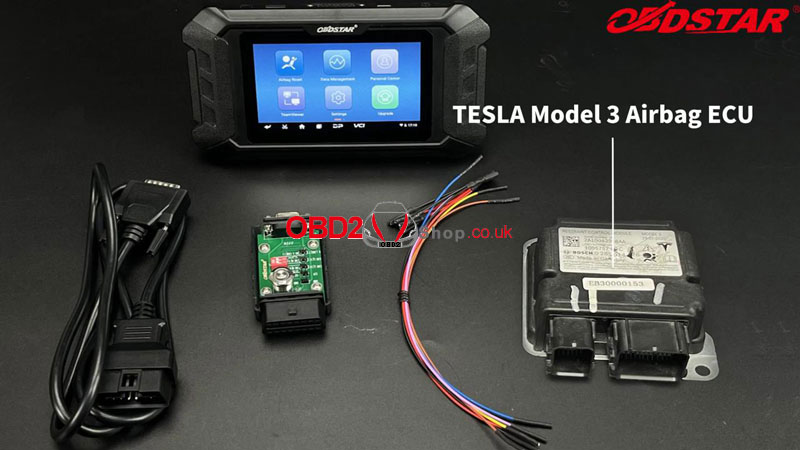
Tip: Please keep OBDSTAR P50 in charging & communication in the whole process.
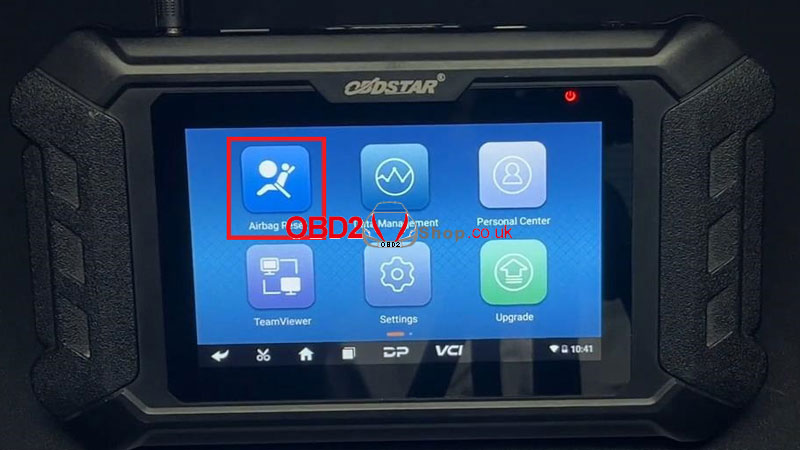
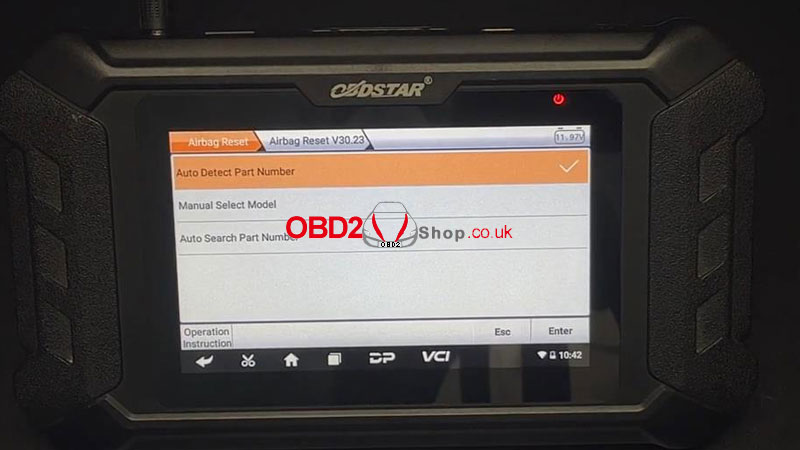
Airbag reset >> All >> Airbag reset latest version >> Auto search part number
This function is available by connecting the server, please ensure the Internet connection is normal. Press "Enter".
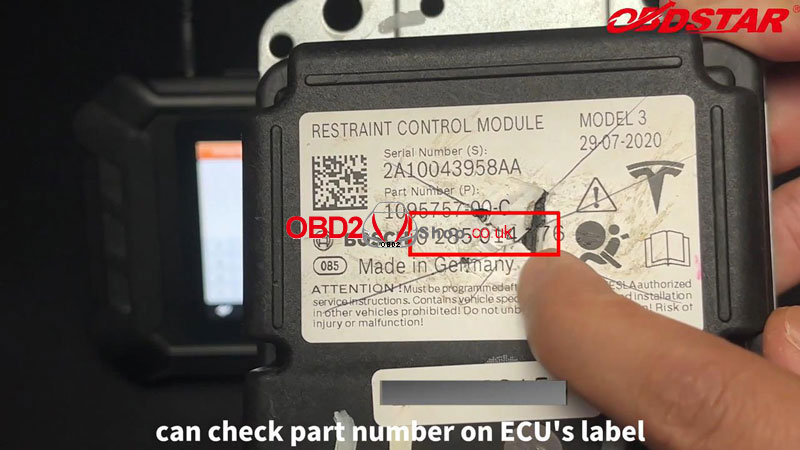
Please input the part number(Can be checked on ECU's label).
* Case insensitive, support fuzzy search.
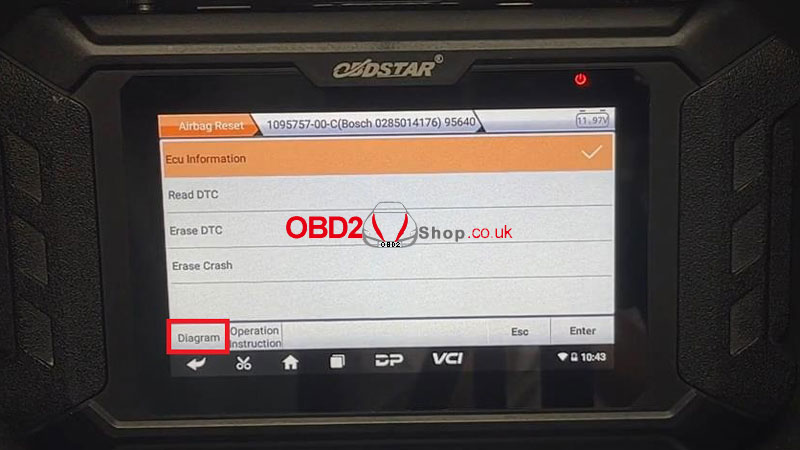
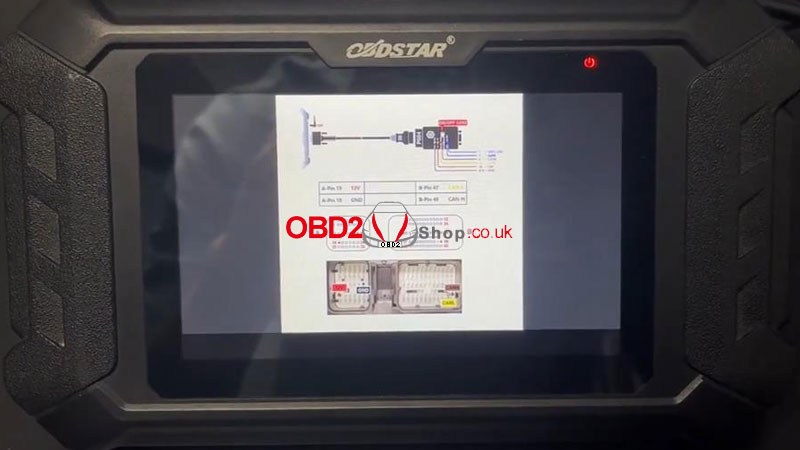
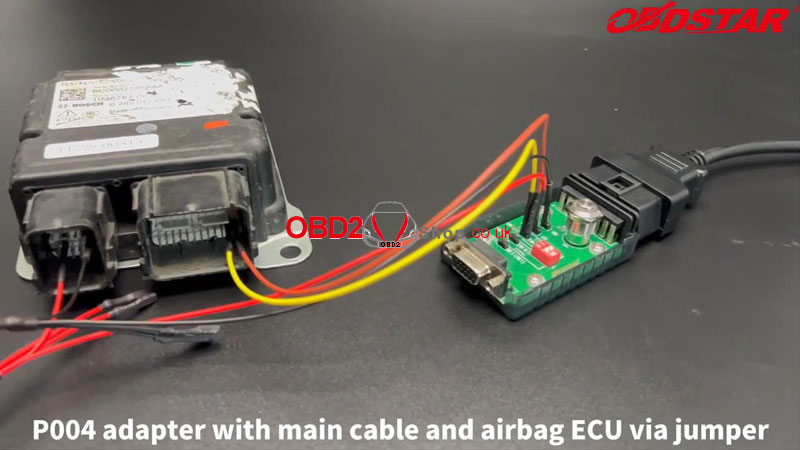
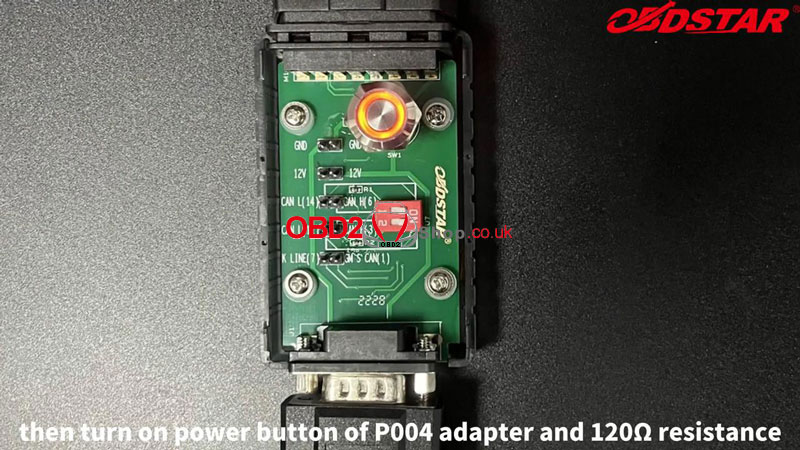
Please refer to Diagram at bottom left to connect cables:
1.Connect P50 with main cable.
2.Connect P004 adapter with main cable & airbag ECU via jumper.
3.Turn on power button of P004 adapter & 120© resistance.
Press "Read DTC".
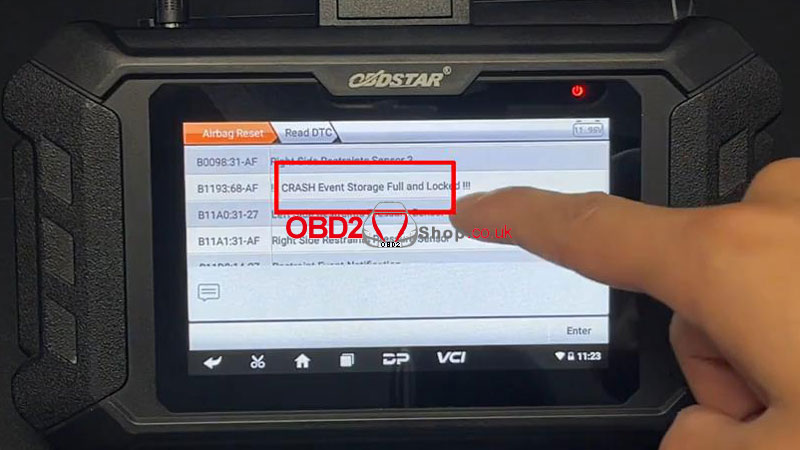
There's a crash fault code: crash event storage full and lock.
Erase Crash >> Enter
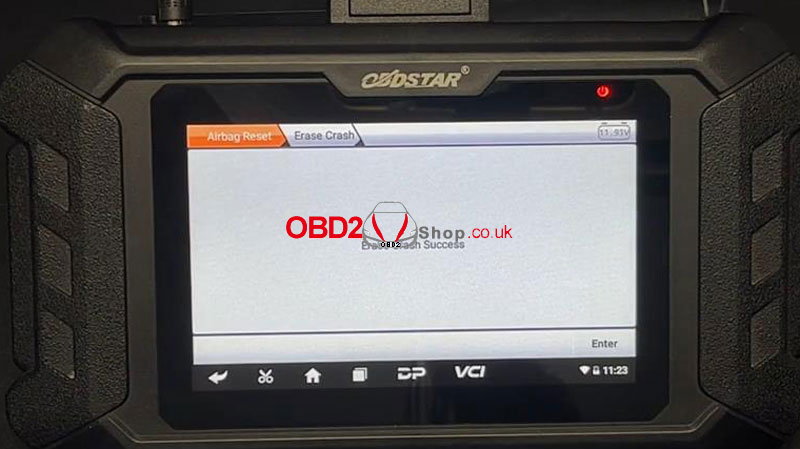
Erase crash success.
Go back to read DTC again.
Crash fault code has gone!
Airbag reset done.
More model tests with OBDSTAR P50 Airbag Reset Tool to be continued...
www.obd2shop.co.uk
Oznake: obdstar p50
srijeda, 29.06.2022.
OBDSTAR P50 vs. SMOK vs. SMARTOBD vs. GromCalc SRS Tool
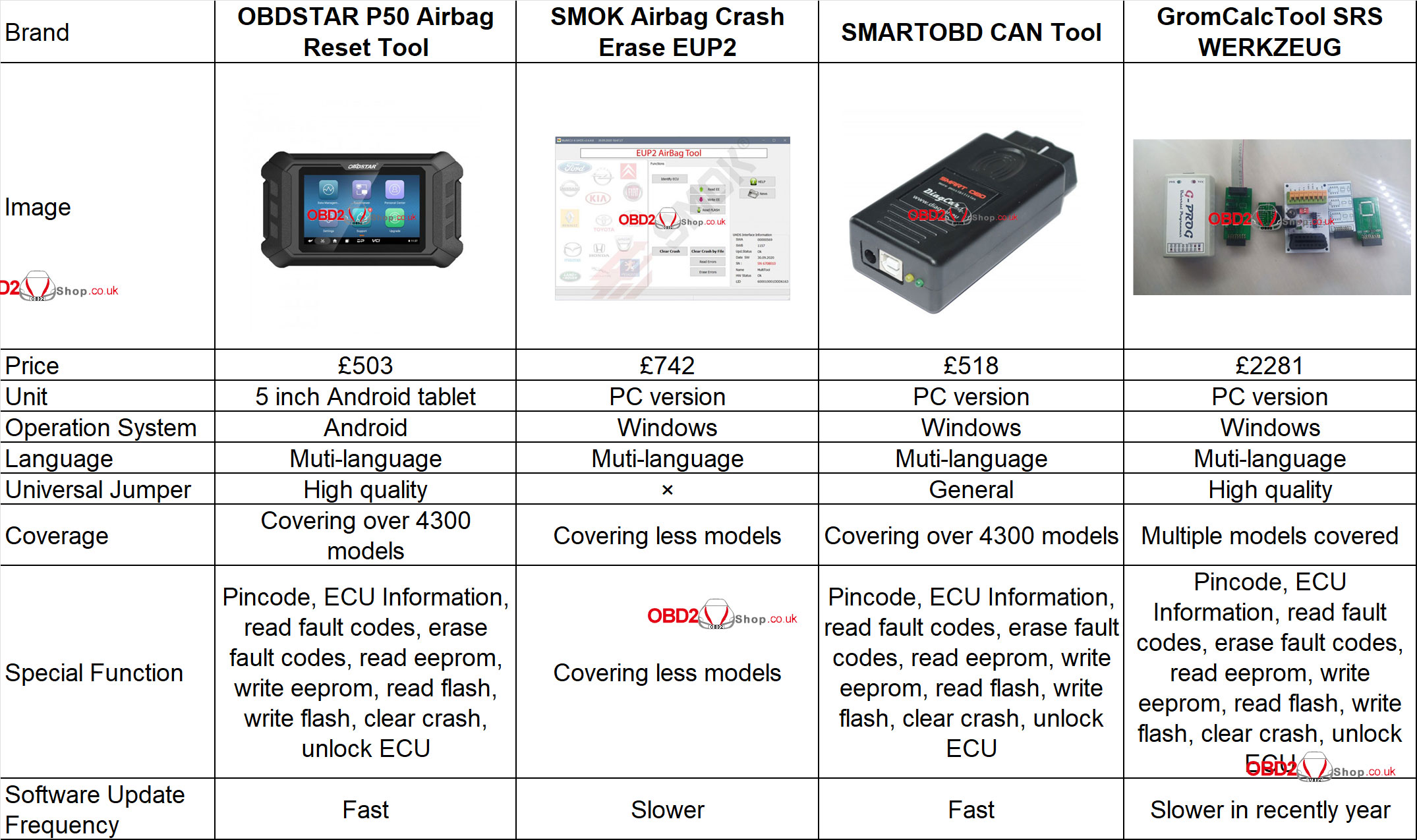
What's the most recommended airbag reset tool in 2022? Here Obd2shop.co.uk have picked out 4 brands for comparison, to help customers make a reasonable choice.
OBDSTAR vs. SMOK vs. SMARTOBD vs. GromCalc
Difference
1. Price
OBDSTAR P50 < SMARTOBD < SMOK < GromCalcTool
Among them, OBDSTAR P50 is the cheapest, SMARTOBD is little difference, SMOK is higher, GromCalcTool is the most expensive.
2. Coverage
OBDSTAR P50 = SMARTOBD > GromCalcTool > SMOK
Functionally, they're pretty much the same, but the supported vehicle coverage varies. OBDSTAR & SMARTOBD support more than 4300 models, GromCalcTool takes second place, SMOK supports the least.
3. Convenience
OBDSTAR P50 > SMOK = SMARTOBD = GromCalcTool
Only P50 airbag reset tool is a portable Android tablet while the others should connect to a PC. That means Windows system tool depends on computers, which is better to work in shop. In contrast, OBDSTAR P50 can be used anywhere, easy to take along.
4. Accessory
Only OBDSTAR P50 & GromCalcTool are equipped with a high quality universal jumper. SMARTOBD has a general jumper while SMOK does not provide.
5. Update Frequency
OBDSTAR & SMARTOBD are fast while SMOK & GromCalcTool are slower.
Conclusion
To sum up, OBDSTAR P50 is the most cost-efficient SRS tool. As P50 is newly released, it's more intelligent to have wider vehicle range in functions, supports all OBD or Bench methods to reset airbag. Plus steady updates & reasonable price, P50 wins on cost performance.
SMARTOBD CAN Tool is similar to OBDSTAR P50 in function and price, but differs in operating system. Thus, it's less convenient than P50. Also, it needs to pay for annual subscription fee for use. Otherwise, it won't work. View from this aspect, it's less good-value.
www.obd2shop.co.uk
Oznake: obdstar p50
četvrtak, 23.06.2022.
OBDSTAR P50 Airbag Reset Tool Registration and Upgrade
This post will guide you on how to register and update the OBDSTAR P50 Airbag Reset Tool.
Preparation:
1. Connect the power supply to ensure that the device is in a powered state.
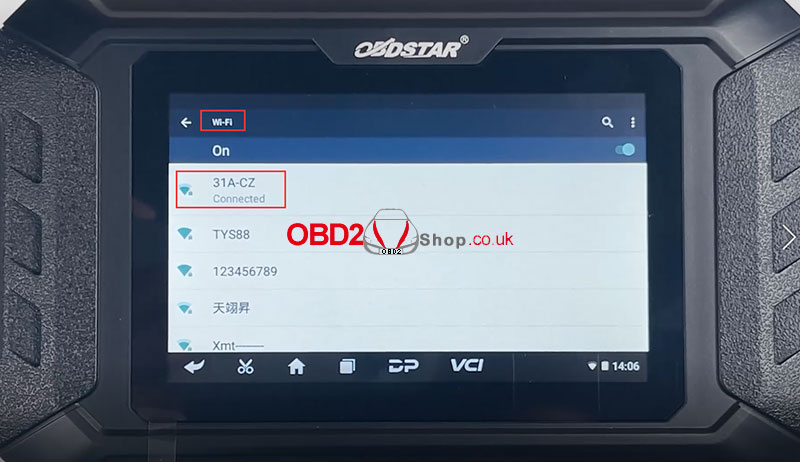
2. Connect to WiFi and make sure the network is connected.
Step 1. Click "DiagProgram" on the main interface, then select "Upgrade".
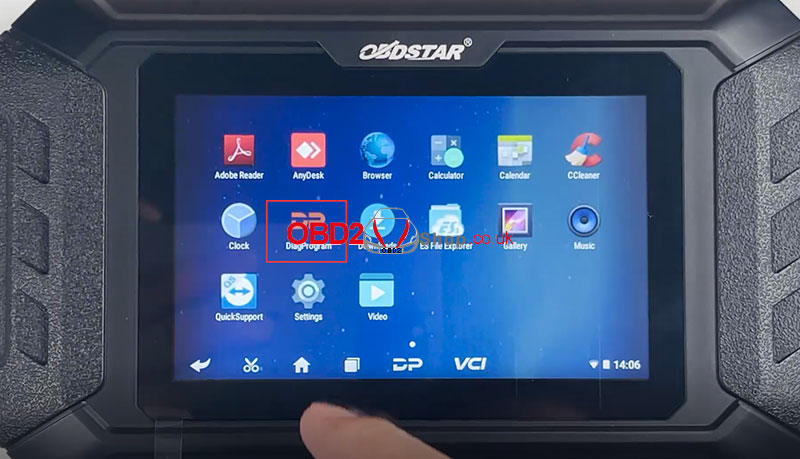
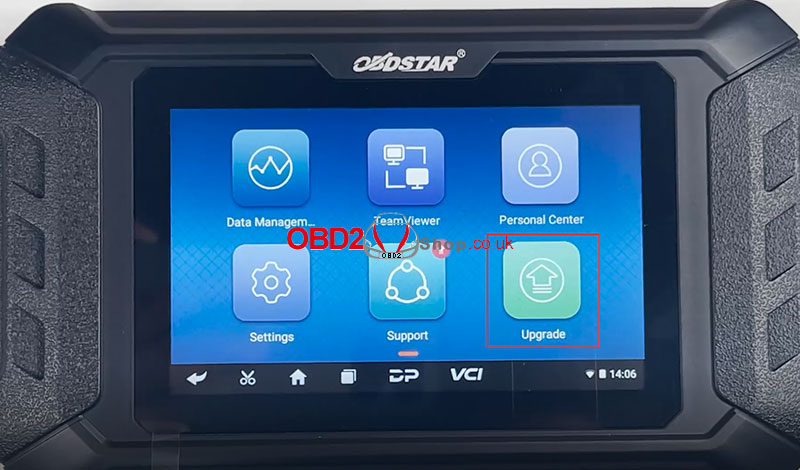
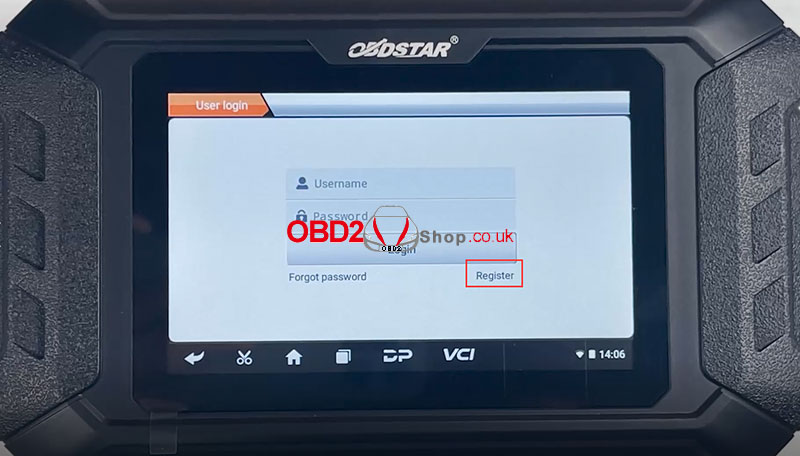
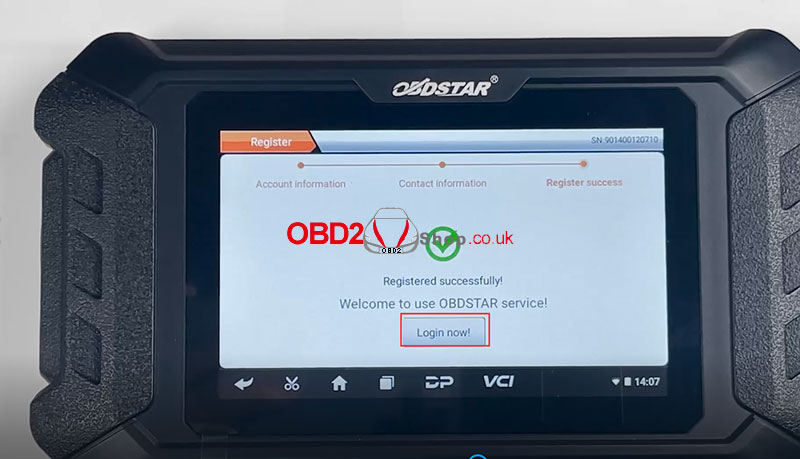
Step 2. Enter the user login page, and click on "Register" to continue.
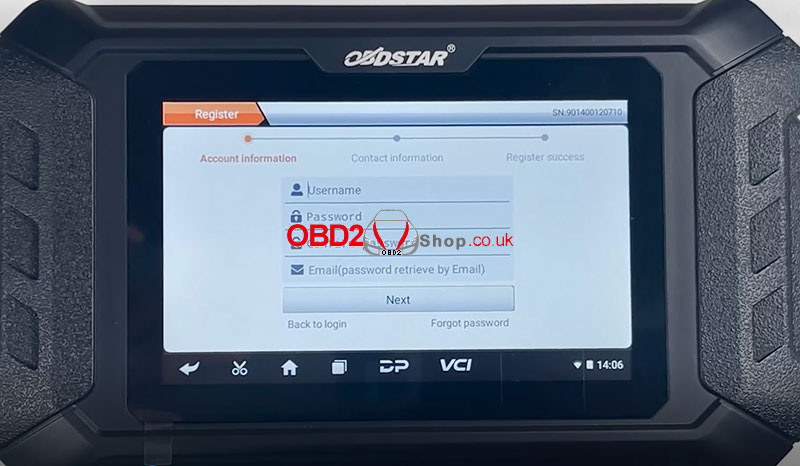
Step 3. Fill in the information as required to complete the registration.
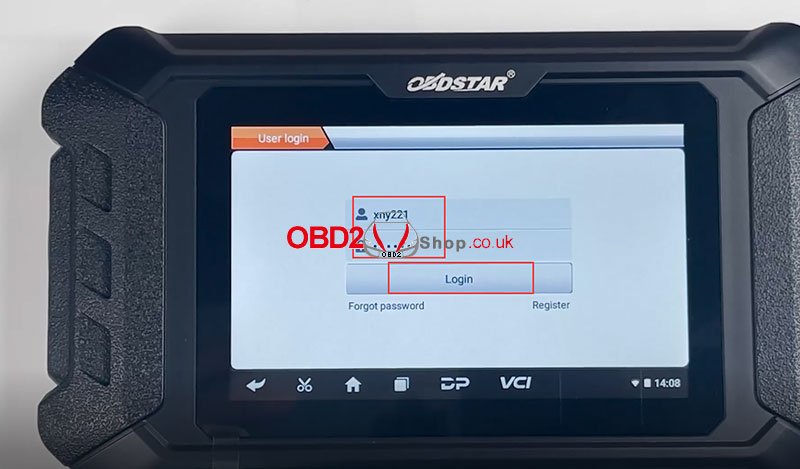
Step 4. After successful registration, click "Login Now" to enter the login page, and enter your username and password to complete the login.
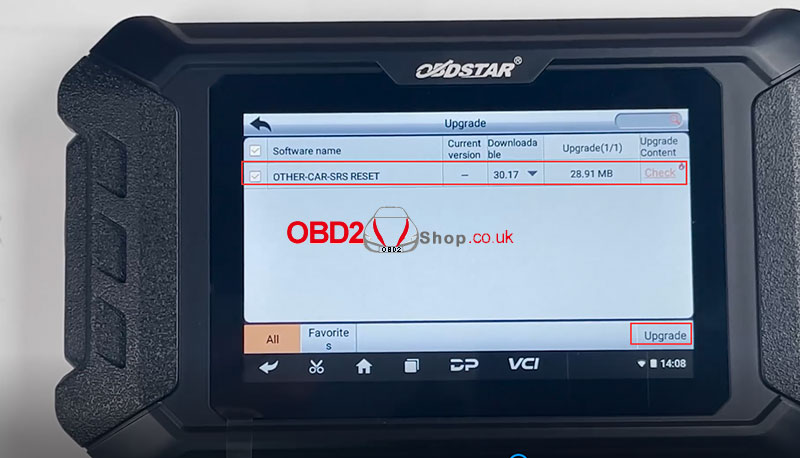
Step 5. Select the software to upgrade.
Full operation video:
https://youtu.be/LZ6mlEkvc2o
For more information about OBDSTAR P50, please check https://www.obd2shop.co.uk//obdstar-p50-airbag-rest-pin-code-tablet.html
Oznake: obdstar p50
utorak, 14.06.2022.
OBDSTAR P50 Reset Ford EcoSport Airbag ECU on Bench
OBDSTAR P50 Airbag Reset Tool supports one-click reset for 38 brands and over 3000 ECU part number. Such as Audi, Benz, Jaguar, Land Rover, Porsche, Toyota, VW,etc. This is a guide on how to reset Ford EcoSport Airbag ECU with OBDSTAR P50 on bench.
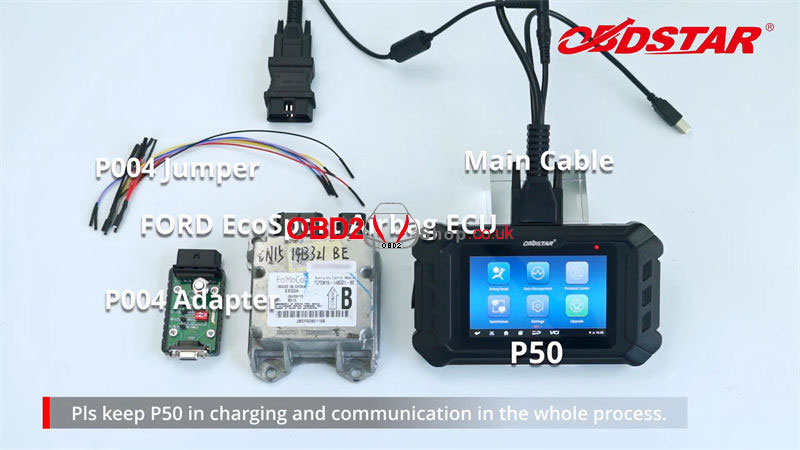
Tools:
OBDSTAR P50
P004 Jumper
P004 Adapter
Ford EcoSport Airbag ECU
Main Cable
Note: please keep P50 in charging & communication in the whole process.
Identify ECU Model
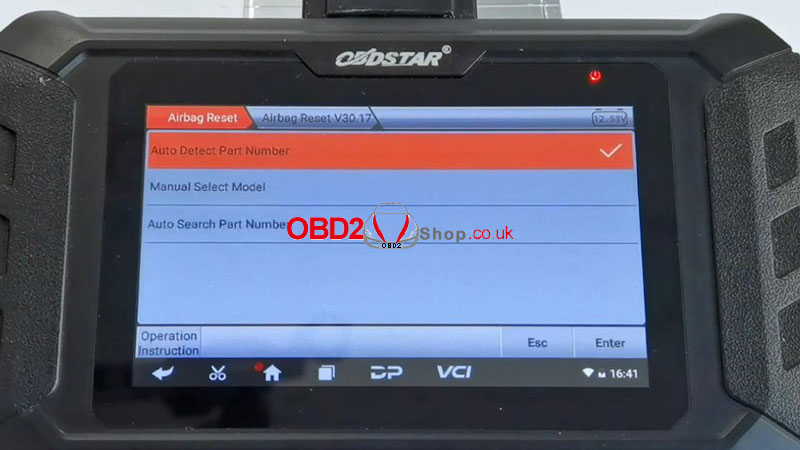
Airbag reset >> Airbag Reset Newest Version >> Auto Search Part Number
(Can click "Operation Instruction" at bottom to check the best detect way)
This function is available by connecting the server, please ensure the Internet connection is normal.
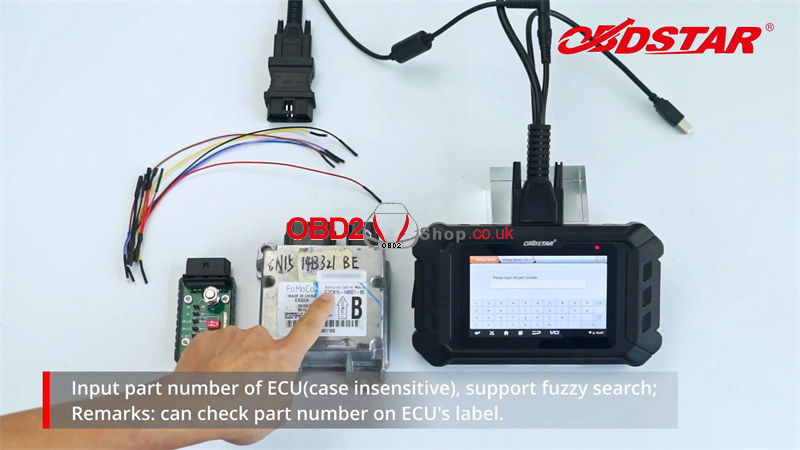
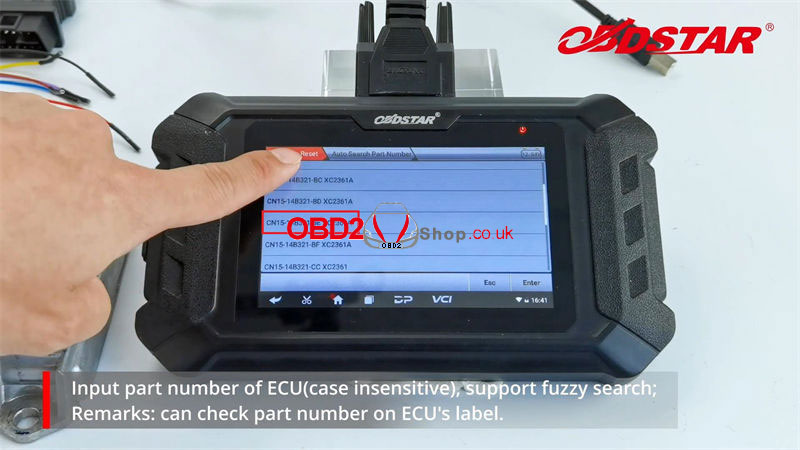
Please input the part number(case insensitive), support fuzzy search.
(Can check part number on ECU label)
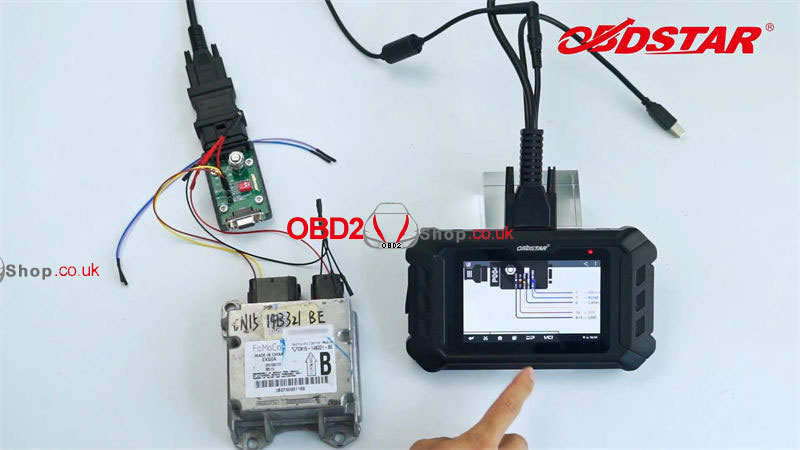
In this case, it's CN15-14B321-BE XC2361A
Connection
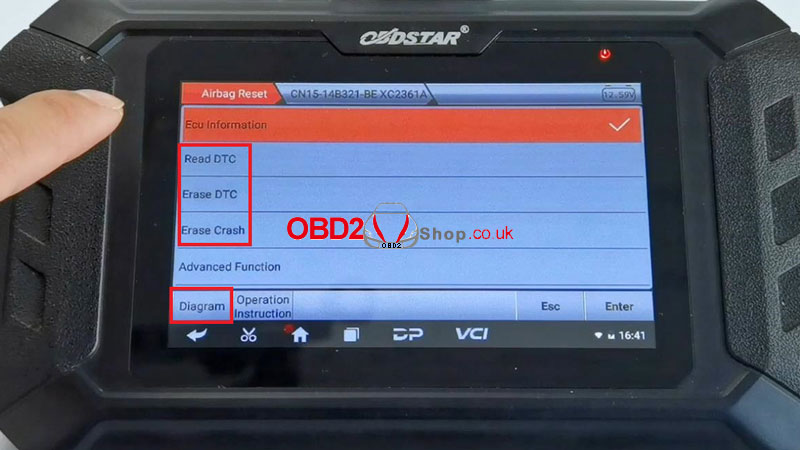
Please click "Diagram" at bottom to connect cables.
Please set the resistance switch of P004 adapter to on.
(Different cars are with different airbag ECU, please choose corresponding wiring diagrams)
Connect P004 adapter with main cable & airbag ECU via jumper.
Turn on 120© resistance.
Turn on power button of P004 adapter.
Airbag Reset Steps:
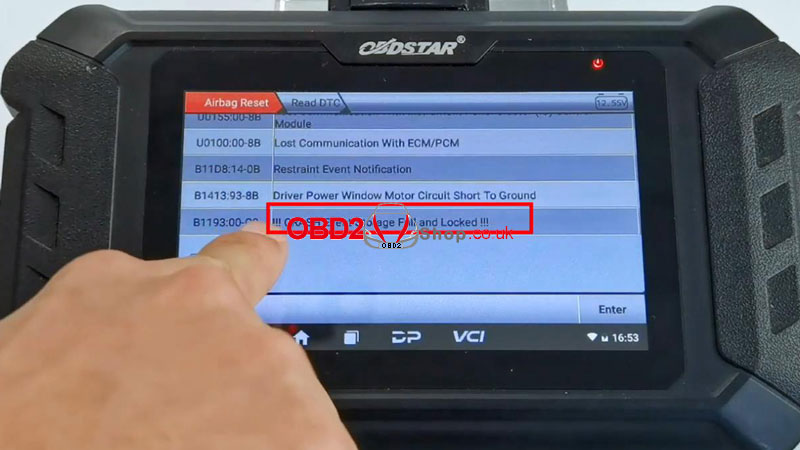
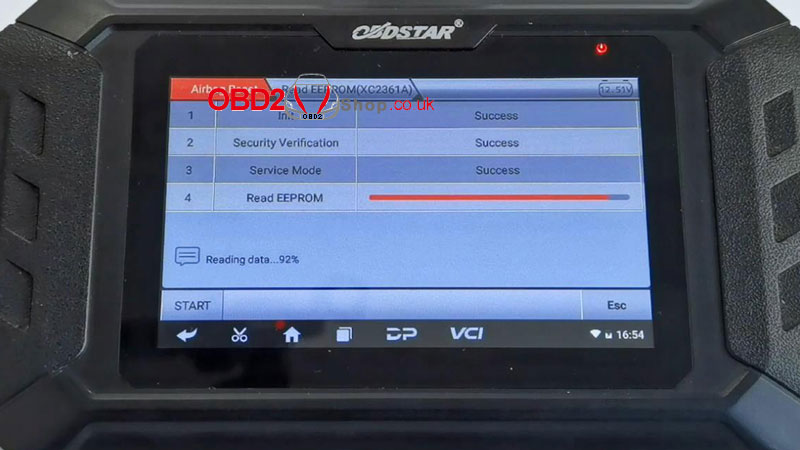
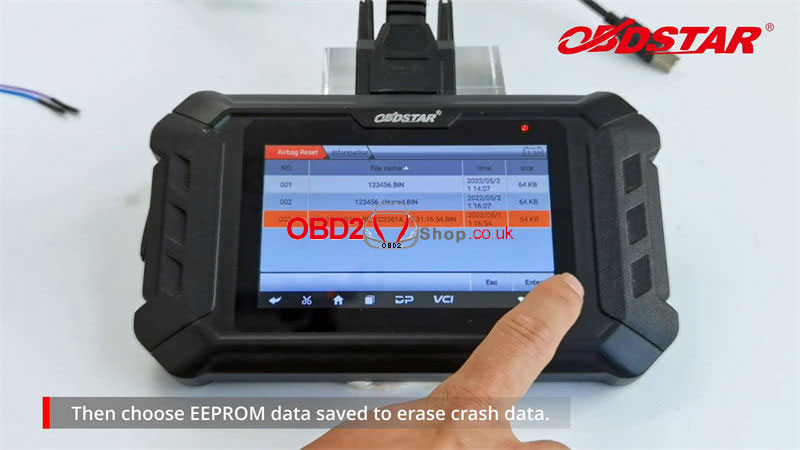
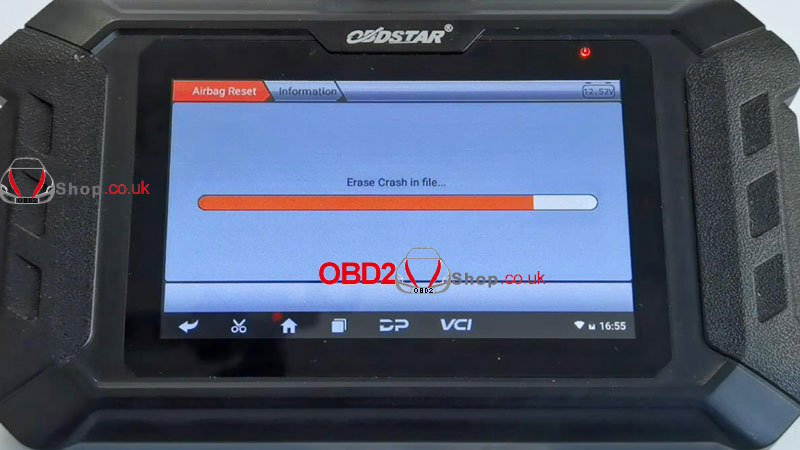
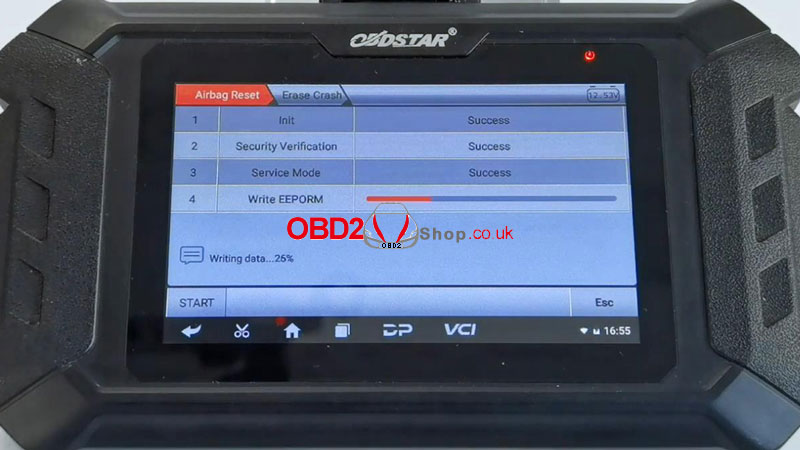
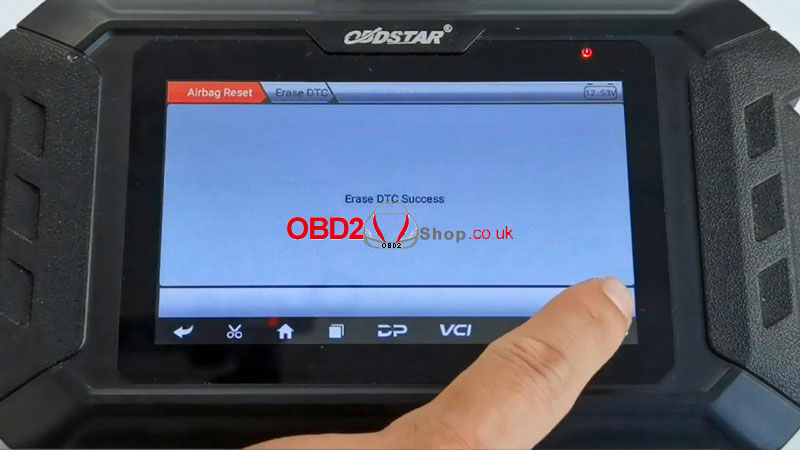
Read DTC >> Backup EEPROM data >> Erase crash >> Erase DTC >> Read DTC
1. Click "Read DTC" to check fault code, there's a crash fault code;
2. Before airbag reset, please read & save EEPROM in advance to avoid data loss by wrong operation;
3. Turn off P004 adapter power supply for 30s, and then turn it on;
4. Choose EEPROM data saved to erase crash data;
5. Click "Start" at bottom to write EEPROM;
6. Turn off P004 adapter power supply for 30s, then turn it on again;
7. Click "Erase DTC" to clear fault code, crash fault code has been erased successfully.
Completed!
www.obd2shop.co.uk
Oznake: obdstar p50

| < | siječanj, 2026 | |||||
| P | U | S | Č | P | S | N |
| 1 | 2 | 3 | 4 | |||
| 5 | 6 | 7 | 8 | 9 | 10 | 11 |
| 12 | 13 | 14 | 15 | 16 | 17 | 18 |
| 19 | 20 | 21 | 22 | 23 | 24 | 25 |
| 26 | 27 | 28 | 29 | 30 | 31 | |
Svibanj 2026 (1)
Siječanj 2026 (19)
Prosinac 2025 (22)
Studeni 2025 (21)
Listopad 2025 (20)
Rujan 2025 (21)
Kolovoz 2025 (8)
Srpanj 2025 (13)
Lipanj 2025 (9)
Svibanj 2025 (12)
Travanj 2025 (10)
Ožujak 2025 (12)
Veljača 2025 (14)
Siječanj 2025 (8)
Prosinac 2024 (6)
Studeni 2024 (6)
Listopad 2024 (4)
Rujan 2024 (7)
Kolovoz 2024 (14)
Srpanj 2024 (12)
Lipanj 2024 (10)
Svibanj 2024 (13)
Travanj 2024 (12)
Ožujak 2024 (11)
Veljača 2024 (2)
Siječanj 2024 (10)
Prosinac 2023 (8)
Studeni 2023 (6)
Listopad 2023 (7)
Rujan 2023 (9)
Kolovoz 2023 (6)
Srpanj 2023 (10)
Lipanj 2023 (4)
Veljača 2023 (8)
Siječanj 2023 (14)
Prosinac 2022 (13)
Studeni 2022 (14)
Listopad 2022 (18)
Rujan 2022 (9)
Kolovoz 2022 (16)
Srpanj 2022 (11)
Lipanj 2022 (14)
Svibanj 2022 (13)
Travanj 2022 (12)
Ožujak 2022 (12)
Veljača 2022 (13)
Siječanj 2022 (10)
Srpanj 2021 (1)
Dnevnik.hr
Gol.hr
Zadovoljna.hr
Novaplus.hr
NovaTV.hr
DomaTV.hr
Mojamini.tv