Xhorse XSBTK0EN Bluetooth Smart Key - FAQs & Troubleshooting
27.05.2025.Get the most out of your XHORSE XSBTK0EN Bluetooth Smart Key. Fix unresponsive auto-lock, set custom commands, bind multiple phones, and more. Dive into our FAQs to master your smart key's full potential!
Q: Are the Auto Lock/Unlock Features Not Responsive?
A: As shown in the picture, if the auto lock/unlock feature is not responsive, you can enable the [Auto Lock/Unlock] feature to calibrate the sensing position.
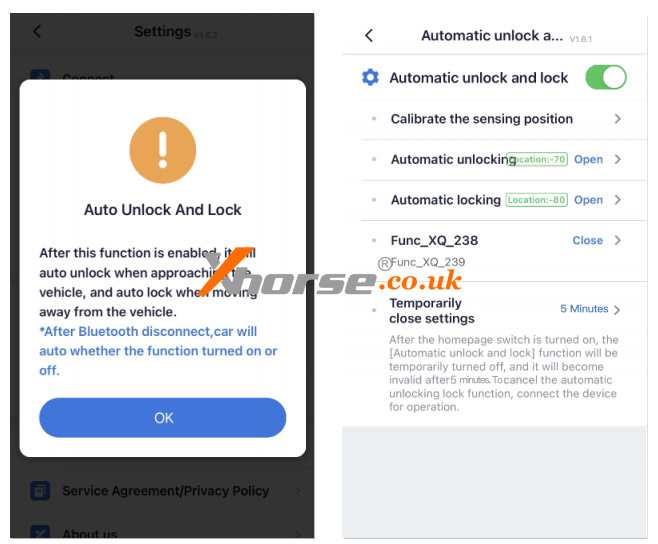
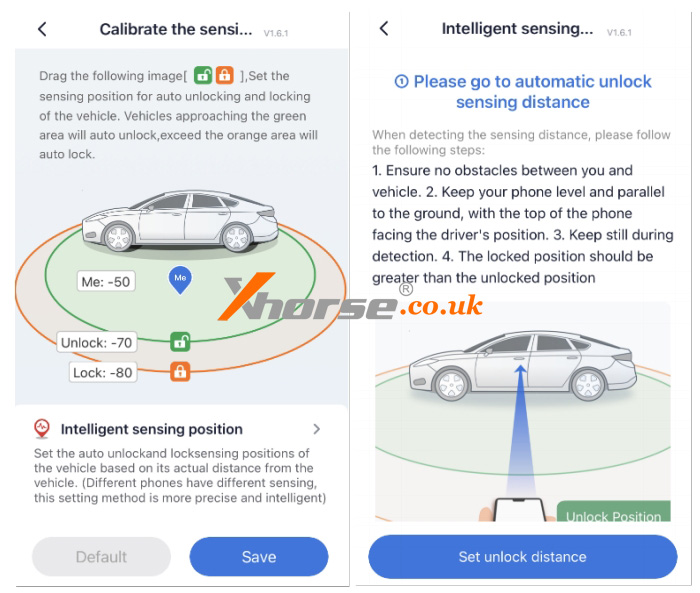
The APP provides two methods for calibrating the sensing position:
1. Manual adjustment: As shown in the picture, manually drag the lock and unlock points to set the desired positions.
2. Intelligent sensing: as shown in the picture, calibrate the parameters based on the actual device-vehicle distance.
Q: How to Set Custom Key Combinations?
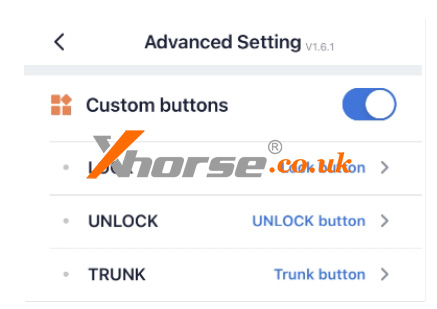
If the vehicle has special functions(e.g., hold lock to raise windows, double-click trunk to open, press and hold lock to remote start), you can set custom key combinations through [Advanced Settings - Custom buttons]. This allows the app to perform these special functions. Refer to the on-screen instructions for specific adjustment methods, as shown in the picture.
Q: How to Bind Multiple Phones?
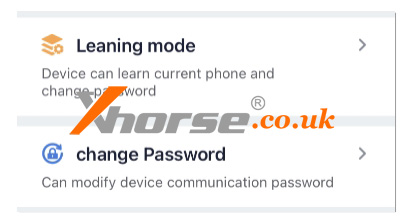
Xhorse Bluetooth Digital Smart Key supports binding up to 12 phones. Click [Advanced Setting - Learning Mode - Enter Learning Mode] to add a new phone.
Additionally, you can reset the Bluetooth connection password via [Change Password] as shown in the picture.
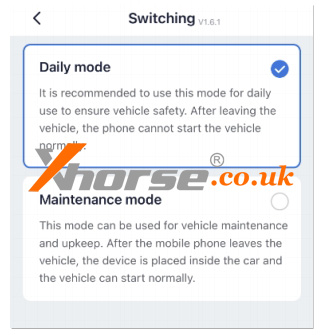
Q: Is There a Maintenance Mode?
Bluetooth digital smart key supports setting a maintenance mode, which temporarily disables phone detection. Click [Advanced Setting - Switching Mode - Maintenance Mode]. In this mode, the vehicle can unlock/lock doors and start without detecting the phone. This is typically used for scenarios such as car washing. As shown in the picture.
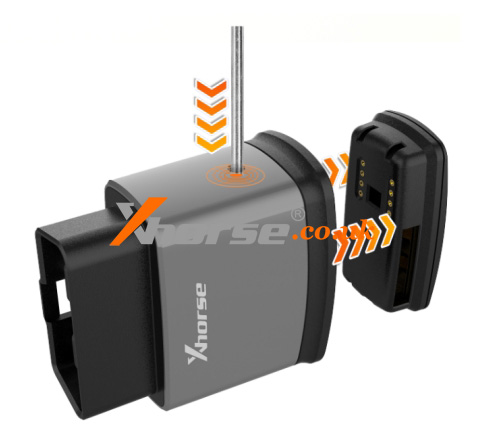
Q: Can the Smart Key Part Inside the Device Be Used for Emergency Starting?
The device includes a physical emergency key. Under normal circumstances, the functionality of this emergency key is restricted and remains in a protected state for security purposes. Even if removed, if cannot be used directly.
www.xhorse.co.uk
Oznake: xhorse remote key
komentiraj (0) * ispiši * #
How to Erase Benz W164 BE Key with Xhorse VVDI Key Tool Plus?
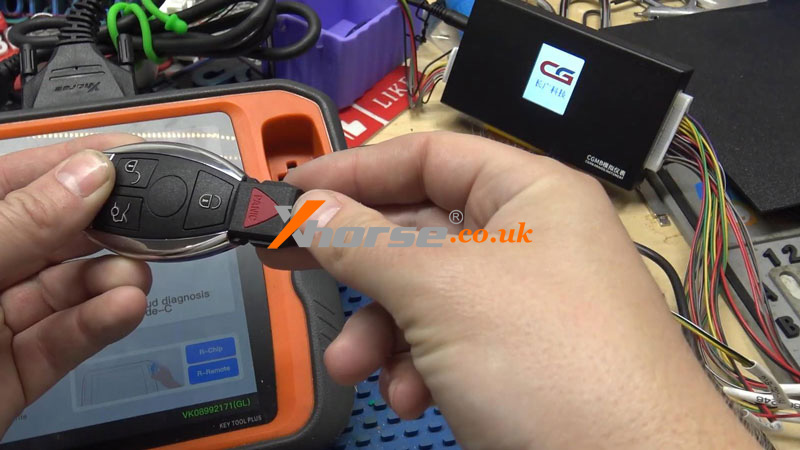
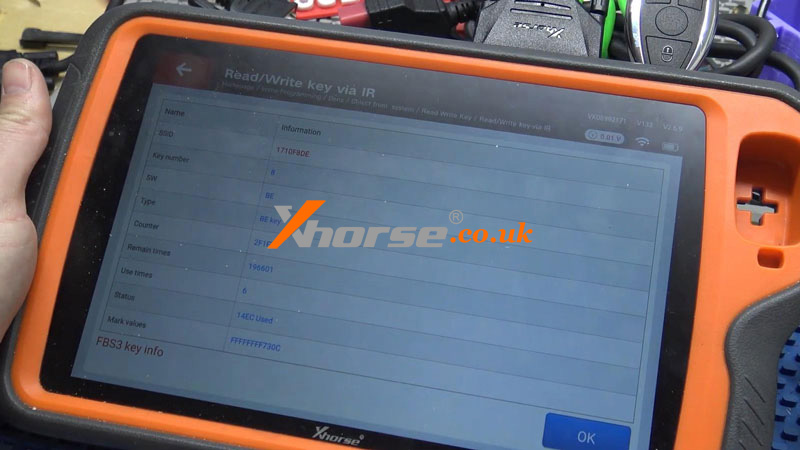
06.05.2025.This is a VVDI BE Key for Mercedes-Benz W164 EIS. I don't need the key at present. So I'm going to show how to erase the BE Key with Xhorse VVDI Key Tool Plus.
Insert the BE Key Pro into the infrared antenna of the Key Tool Plus.
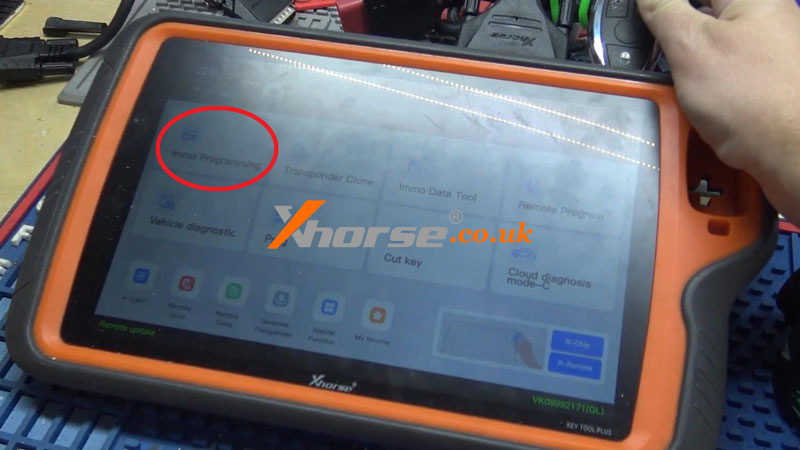
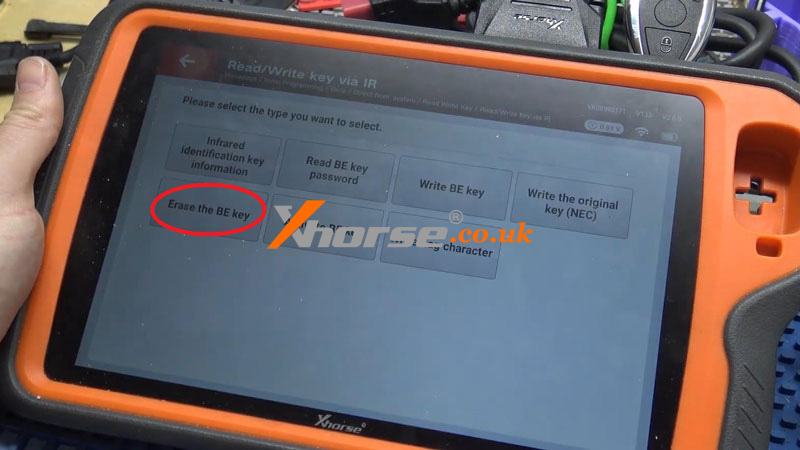
Immo programming >> Benz >> Automatically diagnose models >> Read Write Key >> Read/Write key via IR >> Start programming >> Erase the BE key >> OK
Erase success!
www.xhorse.co.uk
Oznake: vvdi key tool plus
komentiraj (0) * ispiši * #