How to Cut a Key Using the Xhorse Condor XC-TWINS
27.10.2025.In this tutorial, you will learn how to duplicate a key using the Xhorse Condor XC-TWINS machine.
1. Clamping the Key
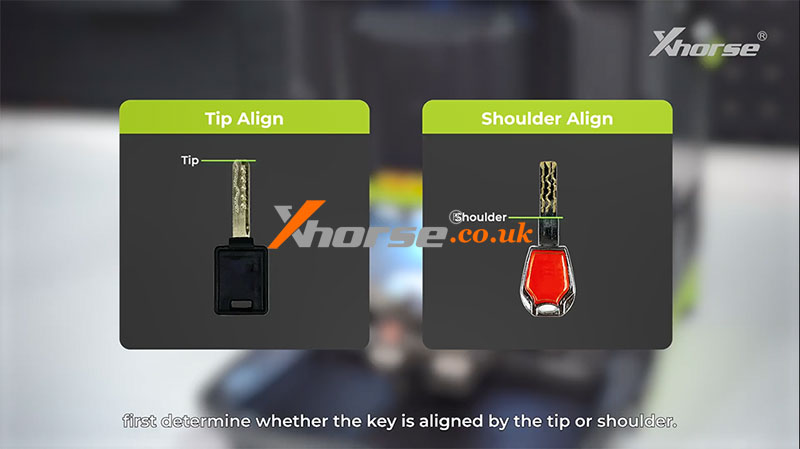
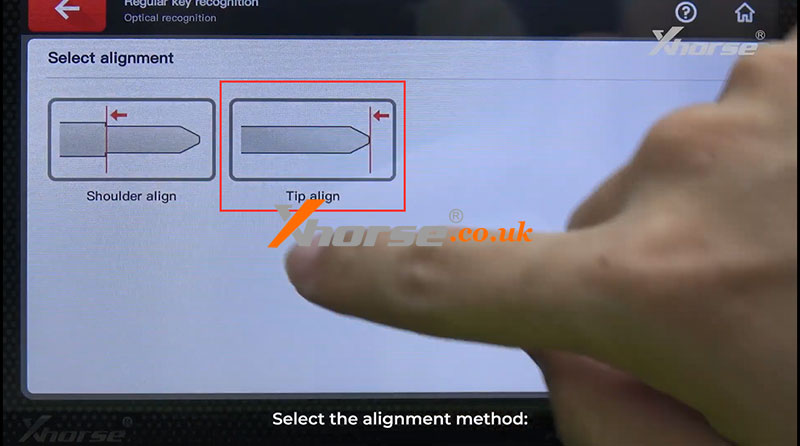
Before starting, determine whether the tip or the shoulder aligns with the key.
For Tip-Aligned Keys:
Align the key freely with any reference line on the clamp surface, ensuring it is parallel to the clamp surface according to its length, without affecting the learning or cutting process.
For Shoulder-Aligned Keys:
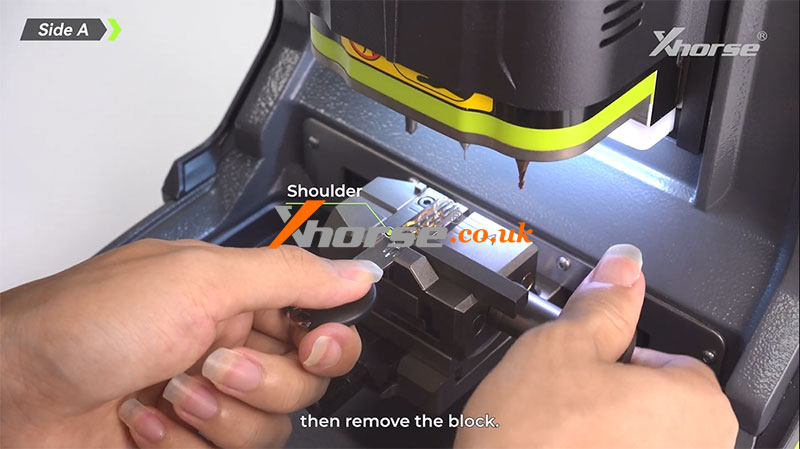
Using M5L Clamp Side A:
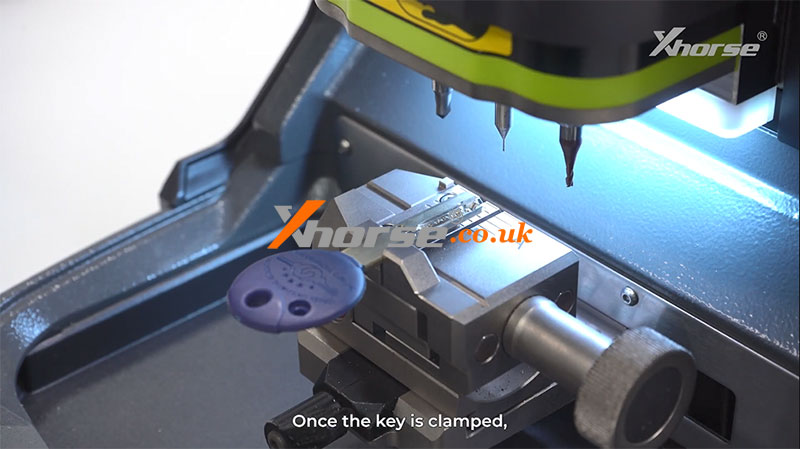
Insert the shoulder positioning block into the slot, press the key shoulder firmly against it, and secure the key. Then remove the block.
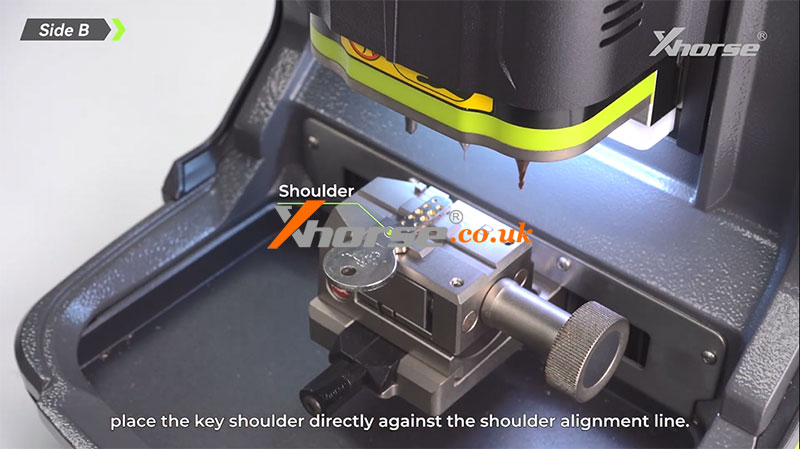
Using M5L Clamp Side B:
Place the key shoulder directly against the shoulder alignment line.
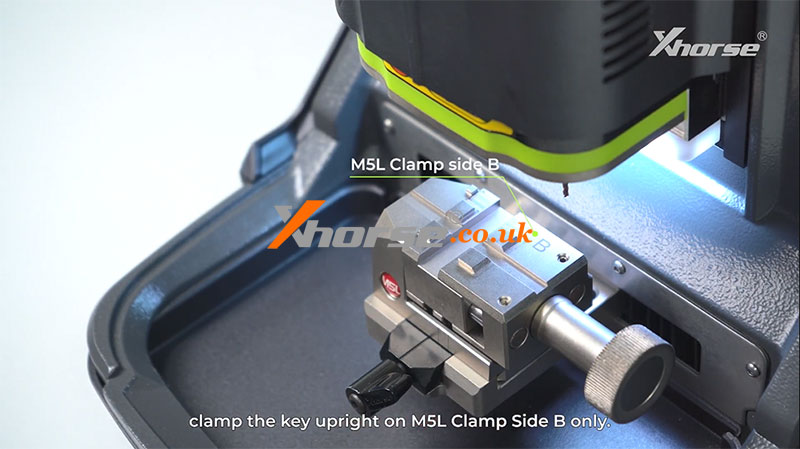
For Learning and Cutting the Key Side:
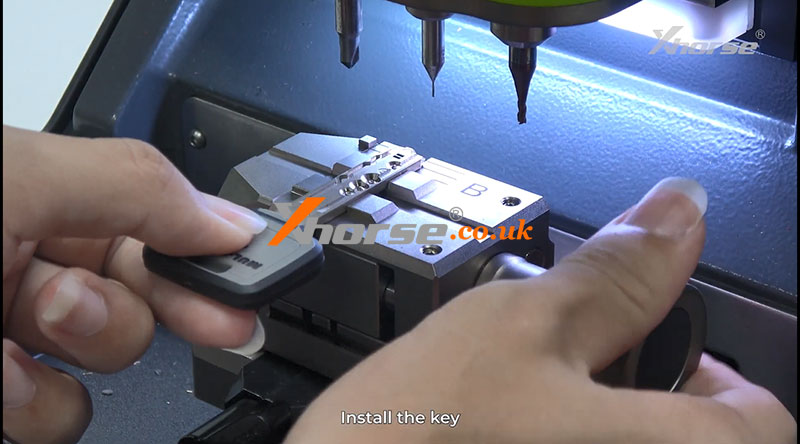
Clamp the key upright only on M5L Clamp Side B.
In this guide, we are using a tip-aligned key.

2. Optical Recognition
Once the key is properly clamped:
` Lower the protective cover.
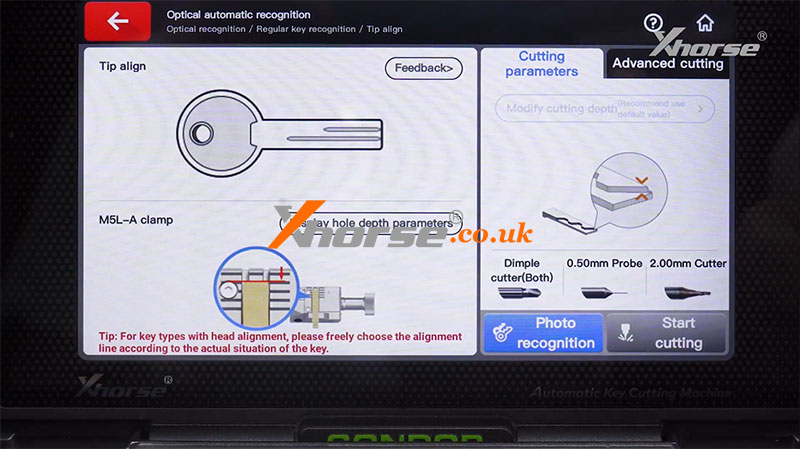
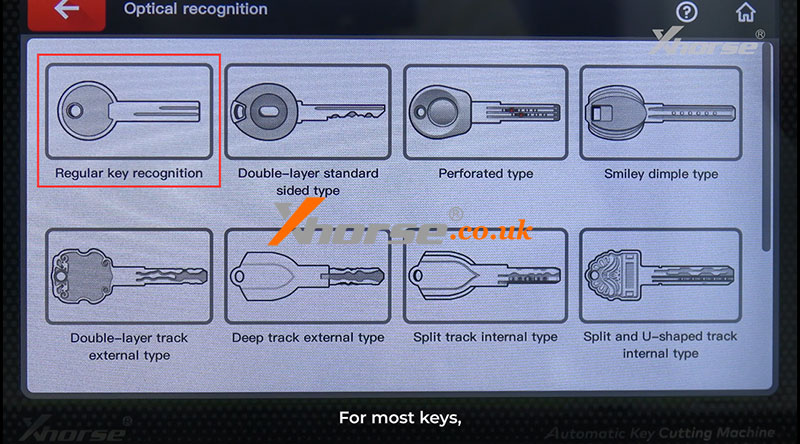
a Start the optical recognition process: [Optical recognition] >> [Regular key recognition] >> [Tip align] >> [M5L-A clamp].
b For most keys, select "Regular Key Recognition." Other options are reserved for special key types.
c Take photos to allow the machine to recognize the key.
d Once the key type is automatically identified and confirmed, click "Continue" to begin learning.
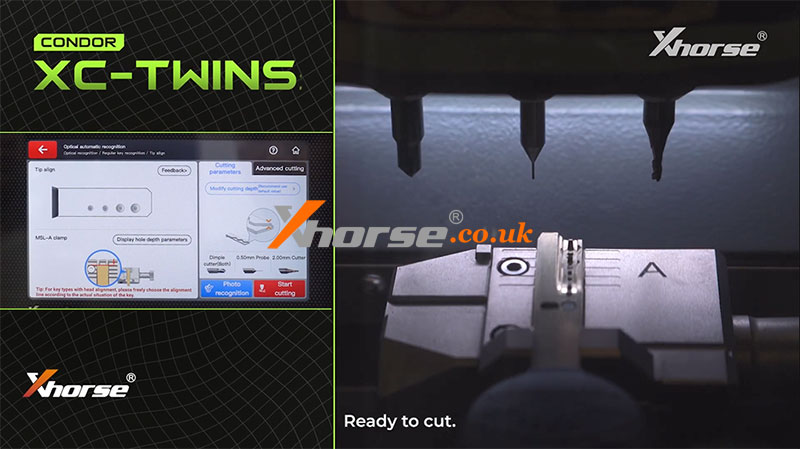
e Wait for the learning process to complete.
The system will then be ready to cut.
For a detailed demonstration of the optical recognition process, refer to our previous post.
How To Use Condor XC-TWINS Intelligent AI Optical Recognition Function
3. Cutting the Key
Proceed with cutting as follows:
` Open the cover and remove the original key.
a Place the key blank and select the appropriate milling cutter.
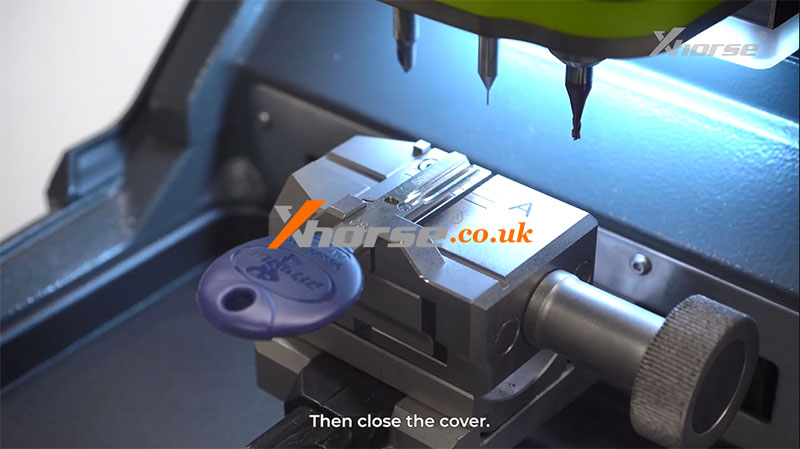
b Close the cover securely.
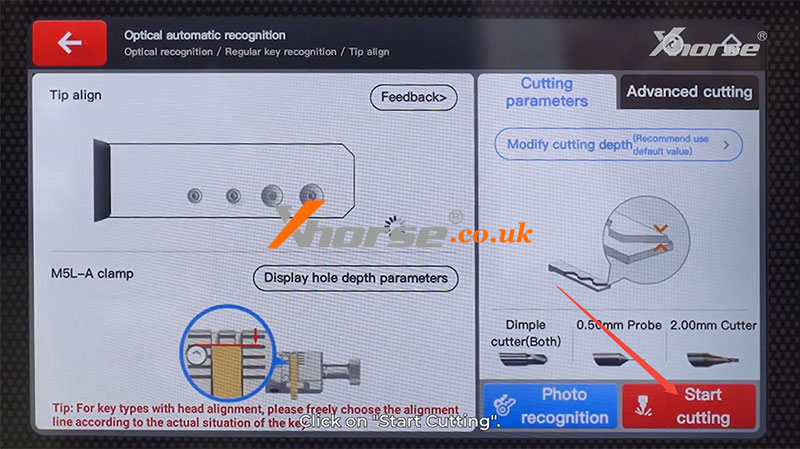
c Click "Start Cutting."
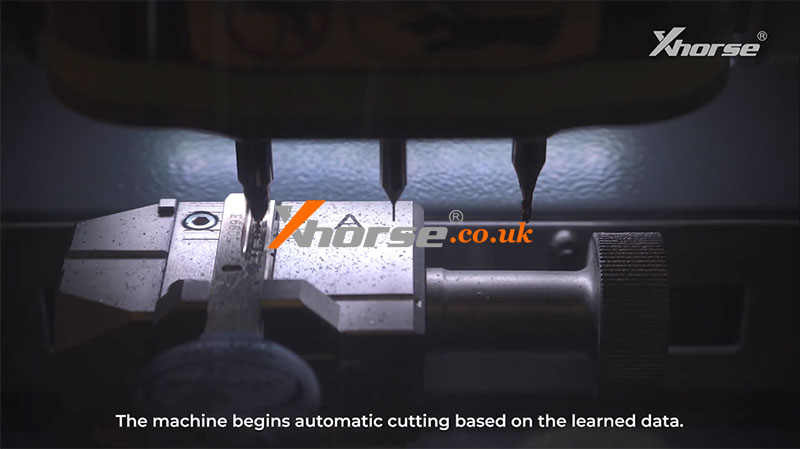
d The machine will automatically cut the key based on the learned data.
e Once one side is finished, clear away key shavings, flip the key blank, and continue cutting the other side.
4. Final Check
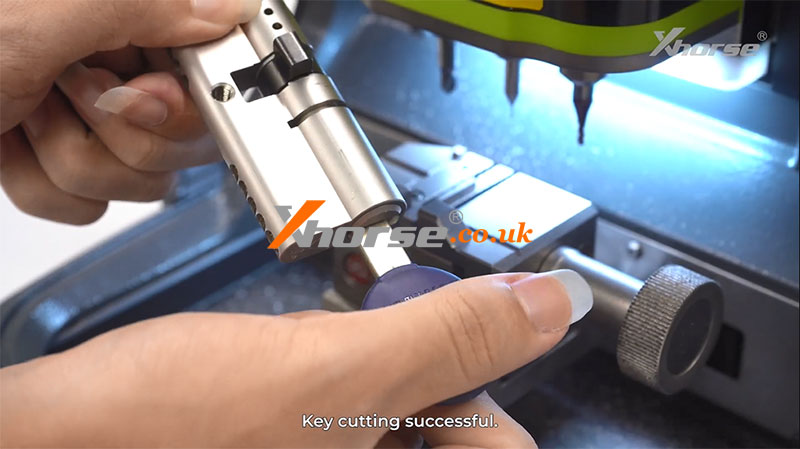
After cutting is complete, test the key in the lock.
If it turns smoothly, the key cutting process has been successful.
Summary:
With proper alignment, accurate optical recognition, and correct cutter selection, the Xhorse Condor XC-TWINS makes key duplication a fast and reliable process.
For more details, please refer to this video:
https://youtu.be/HkZXTswS-_U
www.xhorse.co.uk
Oznake: xhorse condor xc twins
komentiraj (0) * ispiši * #
How to use Condor XC-TWINS Intelligent AI optical recognition Function
09.10.2025.The Xhorse Condor XC-TWINS is equipped with a host of advantages and powerful features. In this article, we will explore one of its standout capabilities: the Intelligent AI Optical Recognition function.
Introduction to the Principle
What is the Optical Recognition Function of the XC-TWINS?
The fundamental principle involves the device's built-in camera capturing images of a key under different lighting angles. Subsequently, the integrated Artificial Intelligence (AI) automatically identifies the key type and marks the valid biting positions for decoding.
When to Use This Function
It is recommended to use the AI Optical Recognition function in the following scenarios:
If the key database already contains data for the specific key, selecting the corresponding data directly is the most efficient method for decoding and cutting.
If the key database lacks data for the key in hand, AI Optical Recognition becomes the essential tool for decoding and cutting.
This function is suitable for most car keys and household keys, proving particularly effective for complex household key profiles.

Step-by-Step Operational Guide
Here is a complete walkthrough of using the AI Optical Recognition function:
1. Initiate Optical Recognition
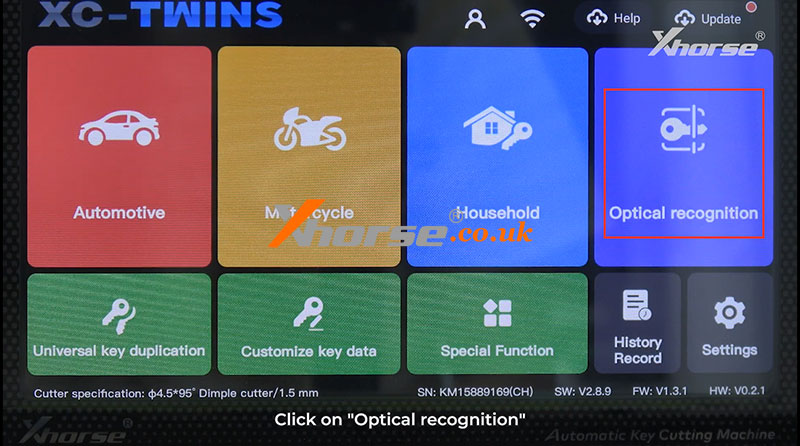
From the main interface, click on the "Optical recognition" option.
2. Select Key Type
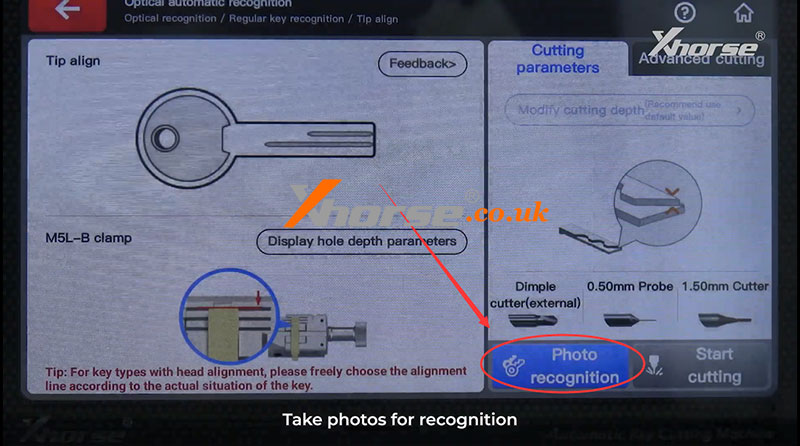
Choose the appropriate key category. For the majority of standard keys, you can select the "Regular key recognition" option.
3. Select Alignment Method & Clamp
Choose the Tip align alignment method.
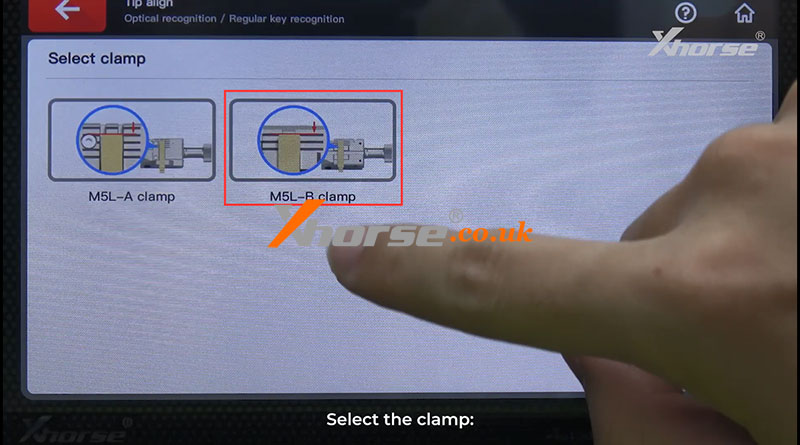
Select the appropriate clamp, such as the M5L-B Clamp.
4. Install the Key
Securely mount the key into the selected clamp.
5. Capture Images for Recognition
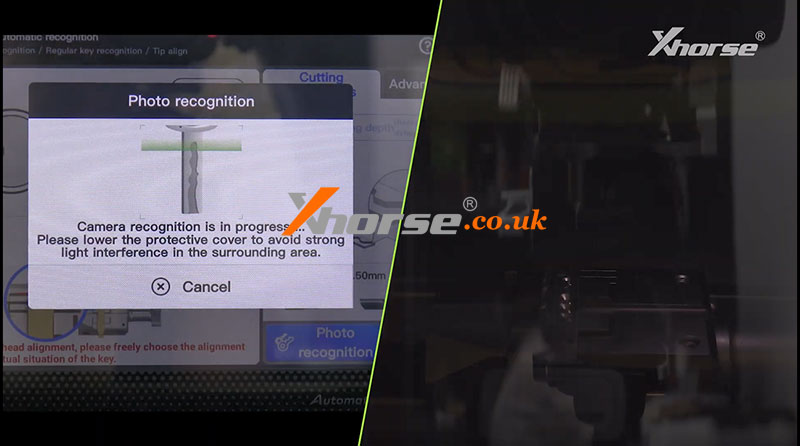
Ensure the protective cover is fully closed before starting. This is crucial to prevent interference from strong ambient light.
The device will automatically take the necessary photos for recognition.
6. Confirm Key Identification
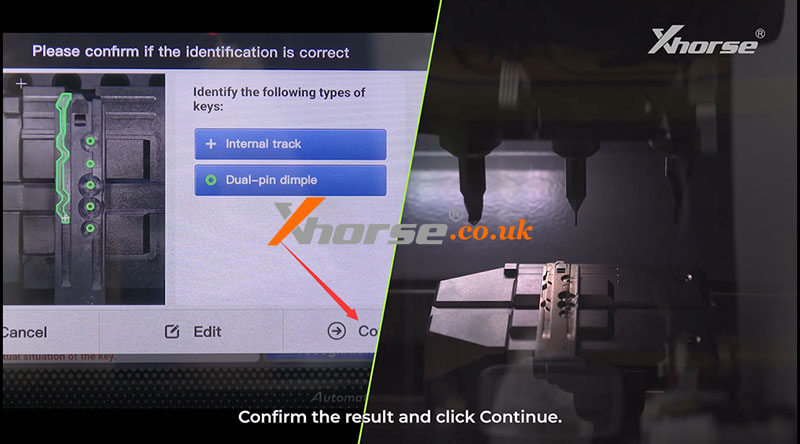
The AI will process the images and display the identified key type.
Review the result and click "Continue" to proceed.
7. Decode the Key
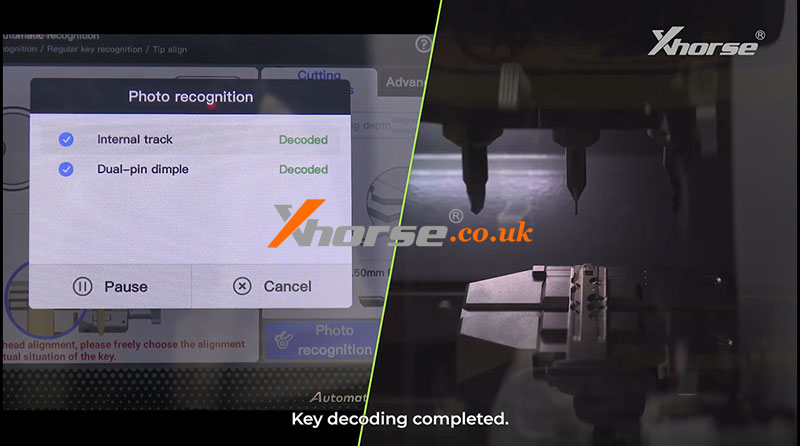
The device will now begin the automated decoding process based on the AI's analysis.
Once completed, a confirmation message will indicate that key decoding is finished.
8. Proceed to Cutting
Finally, install the corresponding cutter and proceed with the cutting operation as usual.
By following these steps, you can effectively utilize the Intelligent AI Optical Recognition to decode and cut keys, especially those not present in your pre-existing database.
Video guides:
https://youtu.be/pb3aruRUJ5o
www.xhorse.co.uk
Oznake: xhorse condor xc twins
komentiraj (0) * ispiši * #
CONDOR XC-TWINS: M5L vs M6 vs M3 vs M4 Clamp Comparison
23.09.2025.Tired of using multiple Key Cutting Machines for different key types? The Xhorse CONDOR XC-TWINS with All-Purpose Clamps is here to revolutionize key duplication. This all-in-one platform is engineered for locksmiths and automotive professionals who need precision, versatility, and efficiency.
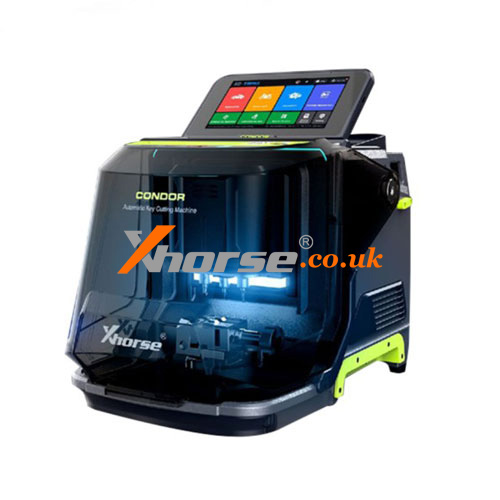
Four Specialized Clamps, One Complete Solution
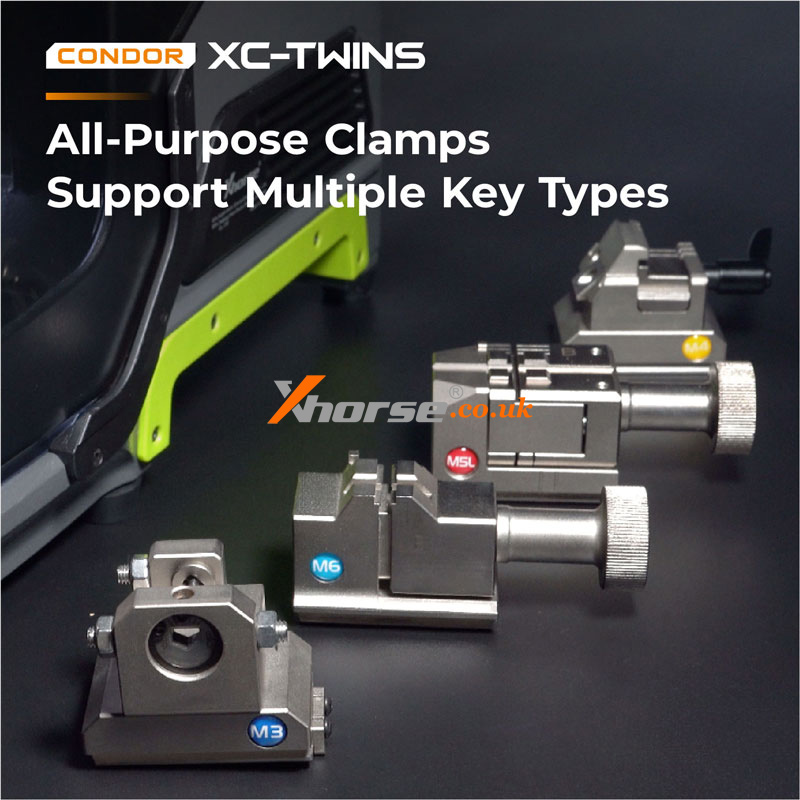
The CONDOR XC-TWINS comes equipped with four smart clamps - M5L, M6, M3, and M4 clamp (optional) - each designed to handle specific key profiles with unmatched accuracy:
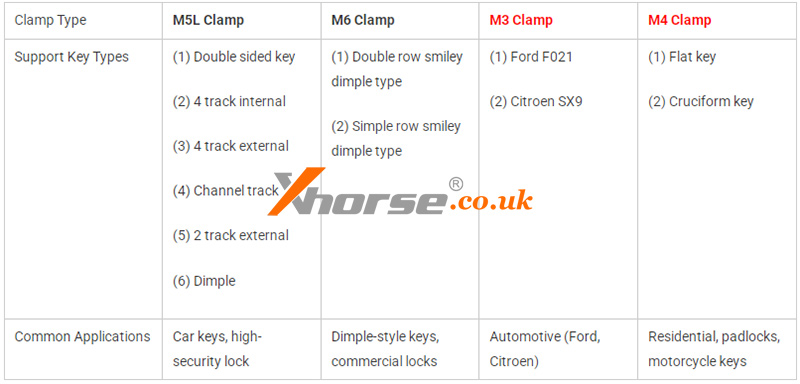
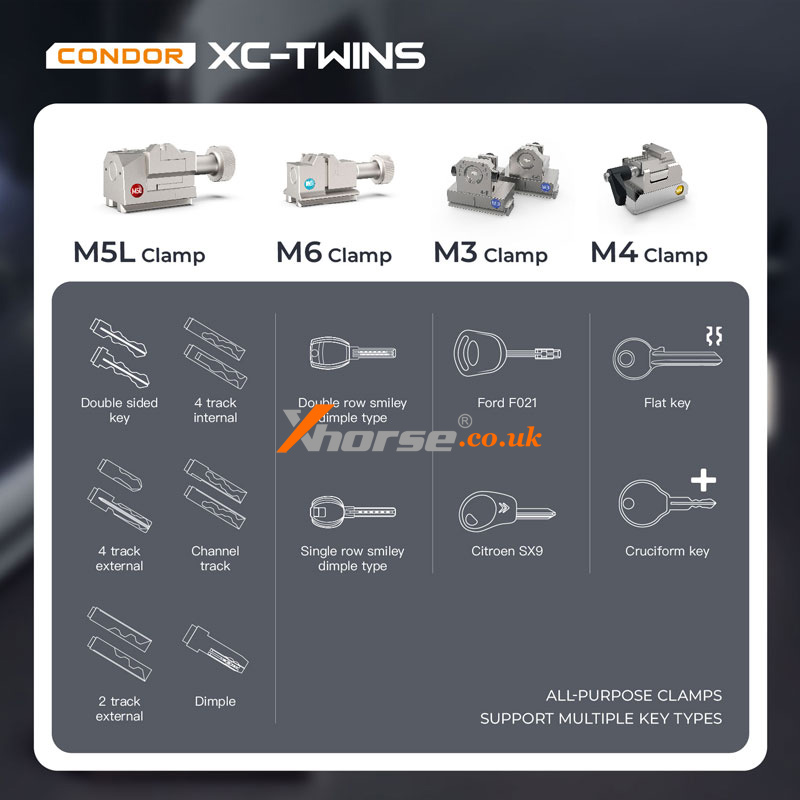
Whether you're duplicating a standard house key, a car key, or a complex dimple key, the CONDOR XC-TWINS has the right clamp for the job.
Key Features at a Glance
lAll-Purpose Clamps: Cover a wide range of keys - from automotive and residential to motorcycle and specialty locks.
lCustomizable Key Data: Supports custom bitting and key blank shapes for unique or proprietary key systems.
lUser-Friendly Operation: Intuitive design makes it easy to switch between clamps and key types without downtime.
Elevate Your Key Cutting Game
The CONDOR XC-TWINS isn’t just a key machine—it’s a smart investment for any serious locksmith or key shop. With its ability to handle virtually any key type, you can expand your service offerings and increase customer satisfaction.
Ready to Upgrade?
The new CONDOR XC-TWINS Key Cutting Machine is now available for pre-order!
Don't miss out - secure your machine today and step into the future of key duplication.
www.xhorse.co.uk
Oznake: xhorse condor xc twins
komentiraj (0) * ispiši * #