Marketing
How to Reset Your Launch X-431 Diagnostic Tool Password
If you have forgotten the password for your Launch X-431 diagnostic tool, you can easily reset it by following the steps below.
Step 1: Access Password Reset Option
Select the “Set/Reset Password” option on your device. This will take you to the password recovery screen.
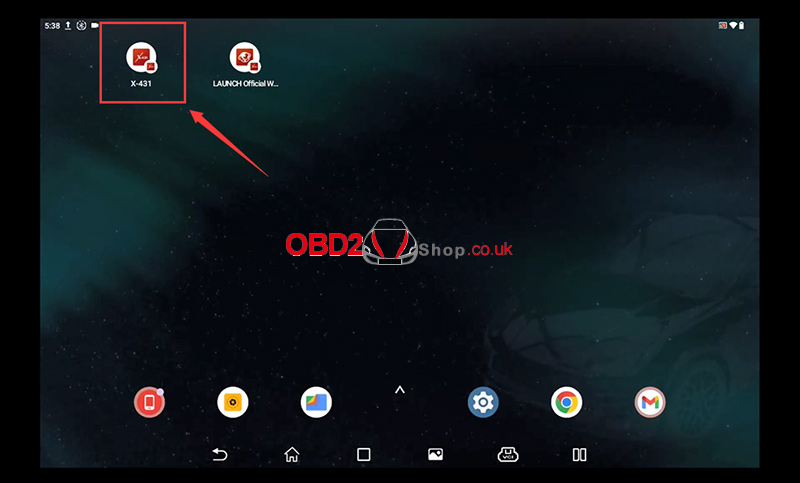
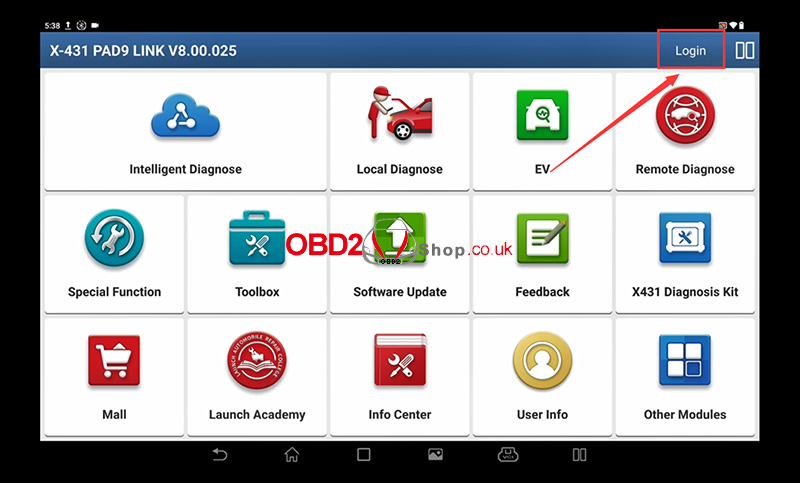
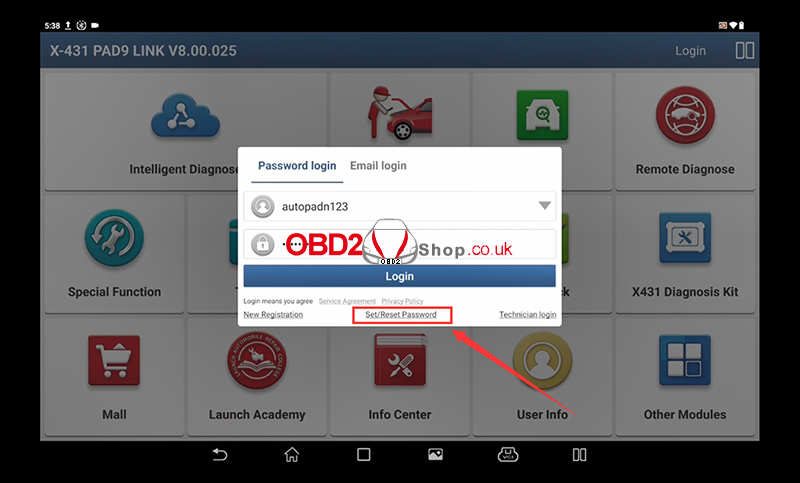
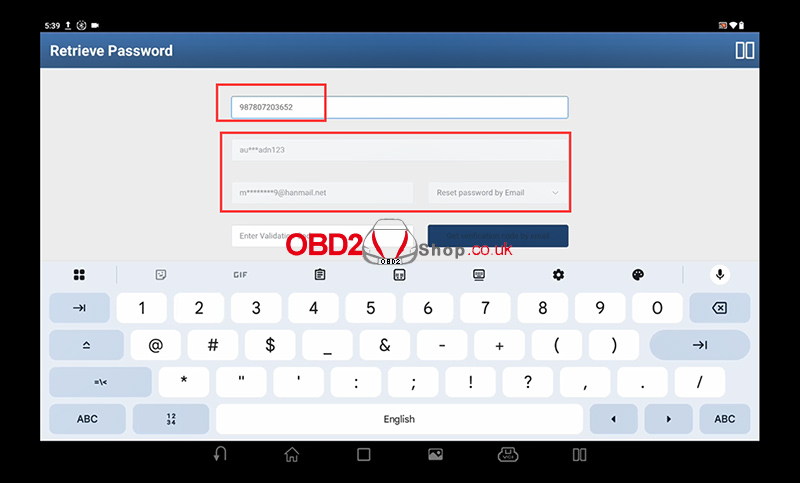
Step 2: Enter Device Serial Number
You will be prompted to enter your device serial number.
This is a 12-digit number starting with 9.
Once entered, the system will automatically display the registered username and email address associated with the device.
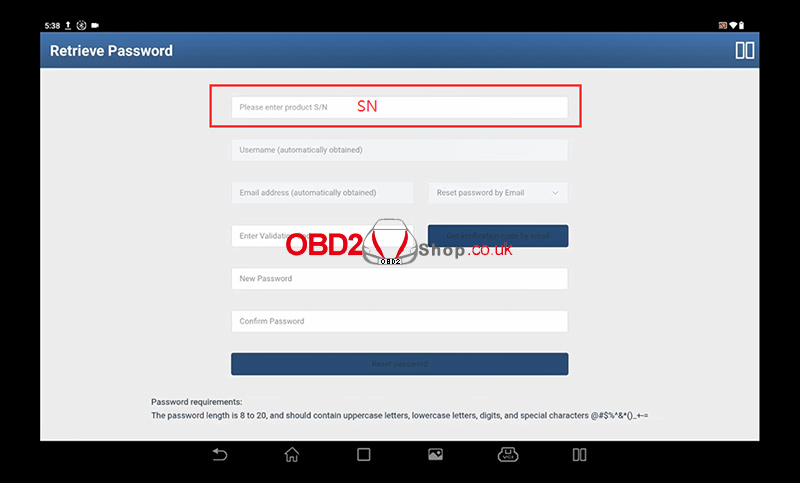
Step 3: Choose Password Reset Method
Select the option to reset your password via email.
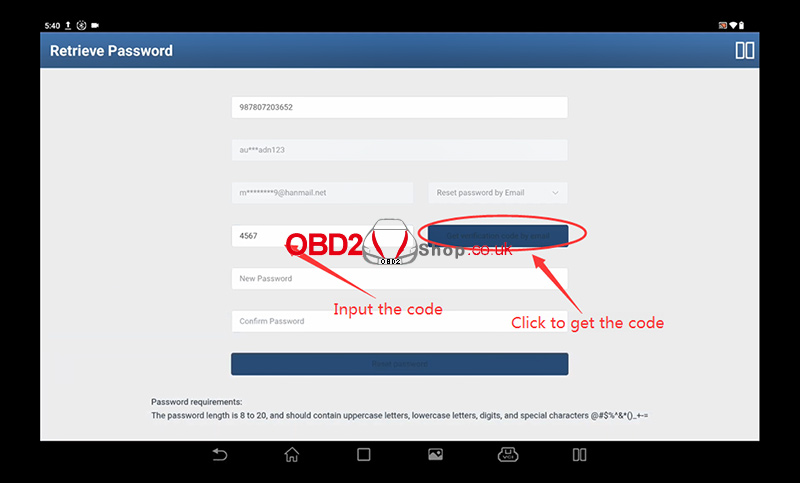
Step 4: Get Verification Code
A verification code will be sent automatically to your registered email address.
Check your inbox (and spam/junk folder, if necessary) for the email containing the code.
Step 5: Enter Verification Code and New Password
Enter the verification code you received.
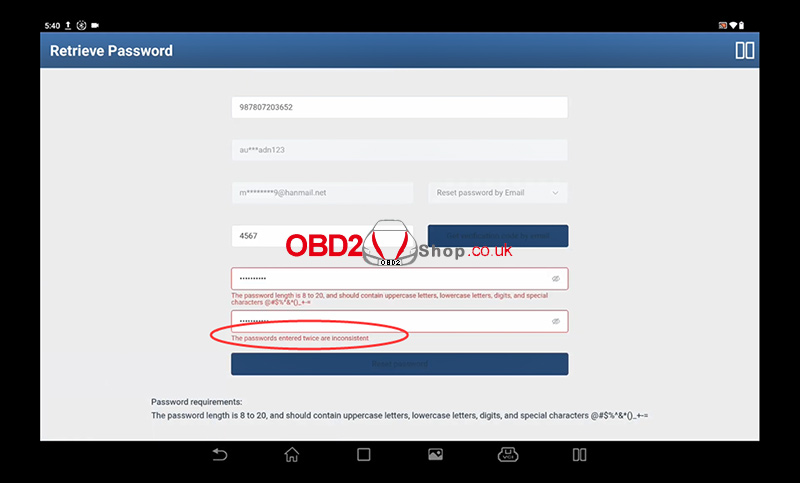
Create a new password. You will need to enter it twice for confirmation.
Your password must meet the following requirements:
Length between 8 and 20 characters
Must include:
Uppercase letters
Lowercase letters
Digits (0-9)
Special characters (e.g., @#$%^&*()_+-=)
If the two entries do not match, you will see an error message:
“The passwords entered twice are inconsistent.”
Important Note:
If you no longer have access to the registered email address or encounter any issues during the process, please contact support at www.obd2shop.co.uk.
Post je objavljen 11.09.2025. u 04:51 sati.