06
utorak
siječanj
2026
How Android Boot Process Works on Embedded SBCs
On an embedded SBC, “Android boot” is not a single step. It is a chain of handoffs: silicon ROM code finds the boot device, a bootloader prepares DRAM and loads images, the Linux kernel brings up drivers, and then Android user space starts services until the UI becomes interactive. If you are building AOSP for your own hardware, this sequence matters because most bring-up issues are simply the wrong change placed in the wrong layer.
Below is a practical walk-through of the boot flow you will see on many Rockchip/Amlogic/NXP-class Android SBC platforms. Names vary by vendor, but the responsibilities stay consistent.

1) What “Boot Complete” Really Means
Boot is considered “done” by different people at different times:
- Factory: device reaches fastboot/recovery and can be flashed repeatedly
- Kernel engineer: kernel reaches a login shell or prints “Freeing unused kernel memory” without panicking
- Android engineer: System Server runs and apps can start
- Product team: UI is responsive and the main app is ready for touch
When debugging, always decide which definition you care about. Many “slow boot” complaints are really “slow time-to-interactive” problems, not slow kernel start.
2) Stage 0: Boot ROM and Boot Media Selection
Every SoC has a small Boot ROM that runs immediately after reset. It typically:
- reads straps/fuses to decide boot order (eMMC, SD, SPI-NOR, USB, etc.)
- loads the first bootloader stage into internal SRAM
- sometimes performs basic signature checks (platform-dependent)
If the board is completely silent, you are usually stuck here or in early bootloader. At this stage, there may be no DRAM, no storage drivers beyond the minimal ROM logic, and limited logging.
3) Stage 1: Bootloader Brings Up DRAM and Loads Images
On many embedded platforms, the bootloader is multi-stage. You might see names like SPL, TF-A, U-Boot, or vendor equivalents. The bootloader typically:
- initializes DRAM and clocks so larger code can run
- sets up secure monitor components if required
- loads the Linux kernel image and device tree (DTB)
- loads an initramfs/ramdisk if the build uses one
- selects the correct slot on A/B systems
- offers fastboot/recovery for flashing and rescue
Where engineers most often touch the bootloader on Android SBCs:
- Board revision handling: choose DTB based on GPIO/EEPROM/board ID
- Recovery strategy: fallback to another slot or to recovery after repeated failures
- Bring-up conveniences: enable UART logs, allow boot delay, enable USB download modes
A common mistake is trying to “fix hardware differences” later in Android user space. If the panel timing or power rails are wrong, you generally want the DTB and kernel driver correct first, not a workaround in an app.
4) Stage 2: Linux Kernel Initialization
Once loaded, the kernel decompresses, sets up memory management, starts the scheduler, and probes hardware described by the device tree. On Android, this is still Linux, but often with vendor patches and an Android-oriented configuration.
During early kernel boot, the most important bring-up items are:
- Storage: eMMC/UFS/NVMe drivers must load so partitions can be mounted later
- Regulators and clocks: missing supplies cause silent peripheral failures
- Display pipeline: DRM/KMS, DSI/LVDS/eDP, panel init, backlight control
- Input: touch controller, keys, GPIO interrupts
If you see a kernel panic or repeated reboots before Android logs appear, focus on dmesg/UART output. At that point Android is not running yet, so changing frameworks will not help.
5) Stage 3: init Starts Android Userspace
After the kernel is up, it starts the first user-space process: init. Android init is a property-driven init system, not systemd. It reads init.rc files, starts native daemons, and mounts partitions.
Typical init responsibilities:
- mount core filesystems (proc, sysfs, tmpfs)
- create device nodes via ueventd
- set system properties used to control services
- mount Android partitions (system, vendor, product, odm, userdata)
- start key native services (logd, vold, hwservicemanager, etc.)
This is the stage where you start to see “Android-specific” failures like:
- partition mount errors due to fstab mistakes
- vendor services crashing because a device node is missing
- property triggers not firing because a value is wrong or late
6) SELinux Enforcing: The Invisible Wall
Embedded Linux habits do not always transfer well to Android because SELinux is commonly enforcing. Even if file permissions look correct, SELinux can block access to device nodes, sysfs entries, or sockets.
Practical symptoms:
- a service works on userdebug builds but fails on user builds
- hardware works when run as root via adb, but not from the app
- “permission denied” appears even though /dev nodes are readable
If your design uses a privileged daemon to talk to GPIO/I2C/SPI, define its SELinux domain early and keep the interface to apps stable (Binder/AIDL is common). This reduces “one-off policy hacks” later.
7) Framework Start: Zygote and System Server
When native services are ready, Android starts Zygote, which preloads common classes and forks app processes efficiently. Then System Server starts and brings up core framework services: Activity Manager, Package Manager, Window Manager, Input Manager, and others.
If your system reaches this point, you will usually see rich logs in logcat. Boot loops here typically come from:
- a vendor service dependency that is missing or crashing repeatedly
- a broken framework configuration or incompatible overlay
- corrupted data in userdata causing package manager issues
8) Display Comes Alive: SurfaceFlinger and Hardware Composer
On an SBC, the “first frame” depends on multiple pieces lining up:
- kernel display driver + correct panel timing
- graphics HALs load correctly
- SurfaceFlinger starts and can talk to the composer
- input devices are present so the UI can become interactive
It is common to see a splash screen or boot animation before the system is truly ready. From a product perspective, it is useful to track two different metrics:
- time-to-first-visible: something stable on screen
- time-to-interactive: touch works and the main app responds smoothly
If the display goes black only when the UI starts animating, that is often a sign of a graphics stack mismatch, a mode-setting issue, or a panel/backlight sequence problem under load.
9) A/B Slots and Recovery Behavior in Real Products
Many modern Android embedded systems use A/B partitions for safer OTA updates. The device has two slots, and the bootloader chooses the active one. If the new slot fails to boot successfully, the system can roll back.
For field devices, this is often worth implementing because it reduces the risk of bricking during updates. The trade-off is that you must maintain:
- slot metadata logic in the bootloader
- clear “boot success” signals from Android to the bootloader
- recovery paths for failed updates and partial flashes
10) A Simple Debug Map: Where to Look When Boot Fails
- No logs, no UART: power, boot straps, boot device, ROM stage
- Bootloader shows, kernel never starts: image layout, load addresses, DTB selection
- Kernel starts then reboots/panics: device tree, regulators, storage, initramfs
- Android logo then loops: init rc, fstab, vendor services, SELinux denials
- UI appears but unstable: graphics HAL, display timing, thermal/power limits
For long-term maintainability, it helps to embed build identifiers in a place you can query (firmware build ID, vendor image version, slot info). In the field, the ability to answer “what exactly is running?” saves more time than any single boot optimization.
Conclusion
Android boot on an embedded SBC is a sequence of controlled transitions: ROM code finds the boot path, the bootloader prepares hardware and loads images, the kernel initializes drivers, Android init mounts partitions and starts services, SELinux enforces access rules, and finally the framework and graphics stack make the UI interactive.
If you treat each stage as a separate engineering surface—bootloader for hardware identity and recovery, kernel/DT for real hardware modeling, init/SELinux for controlled access, framework for UI and application behavior—you can debug faster and ship systems that stay stable long after the first demo.
26
petak
prosinac
2025
Where ARM Android SBCs Fit in Industrial Products
ARM-based Android single-board computers (SBCs) are no longer limited to consumer-style devices. In many industrial projects—especially those built around a screen, touch interaction, and network connectivity—Android SBCs have become a practical platform choice. They bring a mature UI stack, stable multimedia pipelines, and a development workflow that many teams can iterate on quickly.
This article focuses on the industrial angle: what these boards are good at, where they are commonly deployed, and what engineering constraints you should evaluate before committing to Android in a long-life product.

1) Defining an “ARM Android SBC” for Industrial Use
An ARM Android SBC typically combines an ARM Cortex-A application processor (multi-core), RAM, non-volatile storage (often eMMC), and a set of display and I/O interfaces on a compact PCB. On the software side, it runs an AOSP-based image adapted by the SoC vendor or board vendor. That image includes the Android framework, graphics compositor, media services, and input subsystem.
In industrial designs, the board is rarely the end product. It becomes the compute core inside a panel PC, a kiosk terminal, a smart control panel, or a portable service device—usually paired with a TFT display, a touch sensor, and one or more field interfaces.
2) Why Android SBCs Keep Showing Up in Industrial Designs
2.1 UI and Touch Behavior Are “Native” to Android
Many industrial products now compete on usability. Operators expect familiar touch patterns, smooth transitions, readable fonts, and consistent responsiveness. Android provides a touch-first UI environment by default, which reduces the amount of custom graphics engineering required to reach a professional user experience.
2.2 Multimedia Is a Real Requirement, Not a Luxury
Instructional video, camera previews, live streaming, and dashboard animations are increasingly common in industrial terminals. Android’s media stack and hardware acceleration are mature because they were optimized for phones and tablets for years. That maturity can significantly reduce integration risk compared with building a comparable pipeline from scratch.
2.3 Faster Application Iteration for Cross-Functional Teams
A typical industrial project involves UI changes late in the cycle—after pilots, user feedback, and onsite testing. Android’s tooling, packaging model, and common app architecture patterns can make incremental updates easier, especially when multiple engineers contribute to the UI and service layers.
2.4 Efficient Compute for Fanless Enclosures
ARM Cortex-A platforms usually offer strong performance per watt. In sealed enclosures, that efficiency matters: it simplifies thermal design, reduces the need for active cooling, and improves long-term reliability when devices must run continuously.
3) Industrial Scenarios Where Android SBCs Are a Good Match
3.1 HMI Terminals and Panel PCs
Production equipment and industrial machines often need operator stations that show real-time data, guided configuration steps, and maintenance instructions. When the UI is central, Android SBCs provide a stable foundation for touch interaction and rich visualization.
3.2 Self-Service and Public-Facing Terminals
Kiosks for check-in, ticketing, queueing, or retail ordering typically run a constrained set of applications. Android supports kiosk-like deployments well when combined with proper lockdown and update controls, and it handles mixed UI needs such as web content and local media.
3.3 Logistics and Warehouse Interfaces
Forklift terminals, handheld service tools, and warehouse workstations often combine a touch UI with scanning, connectivity, and rugged operation. Android SBCs are frequently selected when teams want consistent UI behavior and straightforward integration with cameras or USB peripherals.
3.4 Smart Building Control Panels
Building automation panels are essentially UI devices: they orchestrate lighting, HVAC, security, and scene control. Android SBCs work well as the front-end layer, while protocol gateways (RS485/CAN/Ethernet) and backend logic can be handled by separate controllers or services.
3.5 Medical-Adjacent User Interfaces
In some non-diagnostic medical devices, Android SBCs are used to provide a clean touch interface and connectivity layer, while safety-critical control remains on a dedicated controller. This separation can simplify validation and reduce risk in regulated environments.
4) Typical System Pattern: Android as Front-End, Controller as Back-End
A common architecture in industrial products is to use Android for the human-facing layer and a separate controller (MCU/PLC) for deterministic behavior. The Android SBC handles UI rendering, network services, logging, and update workflows. The controller handles hard real-time I/O, safety logic, and field protocols.
Communication between the two layers is usually done over USB-serial, UART, RS485, CAN, or Ethernet. This pattern keeps each subsystem aligned with its strengths and helps avoid forcing Android into time-critical roles.
5) Engineering Checks That Decide Success or Failure
5.1 BSP and Graphics Stability
Industrial deployment depends on the board support package (BSP). You should verify display timing stability, touch behavior, GPU driver maturity, suspend/resume reliability, and long-run thermal stability using the actual production image. A strong BSP often matters more than raw CPU performance.
5.2 Peripheral Integration Complexity
Android can integrate common peripherals smoothly when they match the vendor’s expected configuration. If your product uses a non-reference touch controller, custom sensors, unusual display parameters, or specific industrial interfaces, plan time for device tree work, driver adaptation, and HAL/service integration.
5.3 Security and Lockdown Design
Most industrial Android devices should behave like single-purpose appliances. That typically requires:
- Restricted settings and controlled launcher behavior
- App signing and a defined update chain
- USB policy decisions (OTG, debug, mass storage, accessories)
- Network hardening and certificate strategy
Without these choices, “default Android” behavior can be too permissive for industrial environments.
5.4 Boot, Recovery, and Field Service
Android boot can be heavier than minimal Linux builds. If fast recovery after power loss is important, measure real boot-to-app time on your target image and define a recovery plan (watchdog strategy, fail-safe update design, factory reset behavior, and log retention policies).
5.5 Storage Wear and 24/7 Operation
Many industrial devices run continuously and write logs frequently. eMMC endurance, filesystem choice, and log design directly affect lifetime. Treat storage as a reliability component, not just a capacity number.
6) Use-Case Fit Table
| Use Case | Why Android SBC Fits | Typical Hardware Add-ons | Main Risk Areas |
|---|---|---|---|
| Industrial HMI panels | Touch-first UI, smooth graphics, easier UI iteration | TFT + touch, Ethernet/Wi-Fi, serial bridges | BSP maturity, long-term maintenance |
| Kiosks and terminals | Web + media integration, controlled app flow | USB peripherals, printers/scanners, 4G/5G modules | Lockdown, remote updates, abuse tolerance |
| Warehouse devices | Consistent UI, peripheral ecosystem, connectivity | Camera/scanner modules, rugged touch, vehicle power | EMI/noise, power conditioning, durability |
| Building control panels | Modern UI for complex interactions | RS485/CAN gateways, PoE in some designs | Protocol integration, uptime, update control |
| Medical-adjacent UI | Clean interface, connectivity, flexible UI updates | Isolated comms to controllers, secure storage | Data handling, compliance boundaries |
7) Closing Notes
ARM-based Android SBCs are strongest when the product behaves like a “screen-first appliance”: touch interaction, modern UI expectations, and network-driven functionality. They can shorten development for multimedia and web-heavy interfaces, and they generally fit well in fanless industrial enclosures due to efficient compute.
The key is to treat Android as an industrial front-end platform rather than a universal controller. With a realistic plan for BSP validation, peripheral integration, security lockdown, and lifecycle maintenance, Android SBCs can serve as a reliable foundation for modern industrial HMIs and IoT terminals.
14
nedjelja
prosinac
2025
Why Industrial TFT Displays Are Essential in Modern Embedded Systems
Thin-Film Transistor (TFT) LCDs have become the default display technology for everything from consumer gadgets to industrial equipment. On the surface, an industrial TFT panel can look similar to a consumer-grade screen. In practice, they are built for very different goals. Consumer displays are optimized for short product cycles, thin form factors, and cost. Industrial TFT displays are designed for stability, environmental tolerance, predictable performance, and long-term supply.
In many embedded products, the display is not a “nice-to-have” component. It is the primary human interface. If a display becomes unreadable under strong lighting, fails under vibration, or disappears from the supply chain after a year, the entire product can be compromised. That is why industrial TFT displays remain a critical technology in automation, transportation, medical equipment, energy systems, and rugged HMI terminals.

What Makes an Industrial TFT Display Different
Industrial TFT displays typically use the same active-matrix principle as mainstream TFT LCDs: each pixel is controlled by a thin-film transistor so brightness and color can be adjusted precisely. The difference is not the basic physics. The difference is how the panel is specified, validated, and supported. Industrial designs focus on long operating life, wide environmental capability, stable optical characteristics, and controlled lifecycle management.
A consumer display might be “good enough” for indoor use at room temperature with a short replacement cycle. Industrial environments do not offer those assumptions. Machines run for years, outdoor terminals face changing weather, and medical equipment may operate continuously. Industrial displays are chosen because they are engineered for those conditions from the beginning.
Operating Temperature and Environmental Tolerance
Temperature is one of the most practical separators between industrial and consumer displays. Many consumer panels are rated around 0°C to 40°C. Outside that range, liquid crystal behavior can change noticeably: response time slows, contrast shifts, and image quality becomes inconsistent.
Industrial TFT displays are commonly specified for wider ranges such as -20°C to 70°C, and in demanding use cases even -30°C to 85°C. This matters for equipment installed in cold storage facilities, outdoor kiosks, transportation terminals, or factory systems located near heat sources. Wider temperature support requires careful material selection, stable driving circuits, and backlight components that remain predictable under stress.
Environmental protection is also part of the equation. Industrial installations may involve dust, humidity, oil mist, cleaning chemicals, or accidental splashes. Industrial displays are often paired with sealed front designs, protective cover lenses, and mechanical structures intended to survive these realities.
Readability Under Real Lighting Conditions
A display that looks fine in an office can become unusable on a bright factory floor or in direct sunlight. Industrial TFT displays are frequently specified with higher brightness to preserve readability. Brightness levels in the 700 to 1000 nit range are common in industrial indoor applications, while outdoor systems can demand 1000 nits or more depending on sun exposure and viewing geometry.
Brightness alone is not enough. Reflections and internal light losses reduce contrast and make the display appear washed out. Industrial panels often use optical methods to preserve contrast under high ambient light. Depending on the system design, this may include anti-glare surface treatment, anti-reflection coatings, or optical bonding between the cover lens and the display stack. These measures reduce internal reflections and improve perceived black level, which is a major factor in readability.
Mechanical Robustness: Shock, Vibration, and Longevity
Industrial equipment is exposed to vibration and shock in ways consumer devices rarely experience. Vehicle systems, robotics, heavy machinery, and portable industrial terminals all introduce constant mechanical stress. Industrial TFT modules typically use reinforced frames, stable mounting points, and structures designed to keep the panel and connectors reliable under long-term vibration.
Electrical robustness is part of the same theme. Industrial installations may be noisy environments from an electromagnetic perspective, especially around motors, inverters, or high-current switching. Displays used in these systems often require stronger EMI/ESD design considerations at the system level, and the display module must behave predictably under those conditions.
Industrial products also demand long operational lifetimes. It is common to see backlight lifetimes specified in the tens of thousands of hours. In real deployments, that translates into years of continuous operation. Consistent brightness decay behavior and stable optical performance over time reduce maintenance cost and limit unexpected field failures.
Long-Term Availability and Lifecycle Control
In industrial product development, the supply chain is part of the engineering requirements. A factory control panel or a medical device is not redesigned every year. It may stay in production for years and be supported for even longer. Consumer display models, however, can change quickly due to short market cycles and frequent panel refreshes.
Industrial TFT supply is typically managed with long-term availability in mind. Manufacturers and suppliers aim for stable part numbers, controlled revisions, and clear lifecycle communication. This reduces the risk of unexpected redesigns, helps with regulatory compliance, and lowers the total cost of ownership across the product lifecycle.
Integration in Embedded Systems
Industrial TFT displays are rarely used in isolation. They are usually integrated into embedded platforms where interface compatibility and signal integrity are key. Common display interfaces include LVDS, eDP, MIPI-DSI, and RGB, with the final choice depending on resolution, cable length, EMI requirements, and the processing platform.
In practical engineering terms, industrial projects also require predictable documentation: timing parameters, electrical specifications, mechanical drawings, and stable integration guidance. A display that is optically strong but poorly documented can still increase development risk. Industrial displays are often selected because the ecosystem supports stable integration, not just because the panel itself is durable.
Where Industrial TFT Displays Are Commonly Used
Automation and Manufacturing
In factories and process plants, industrial TFT displays serve as HMI surfaces for machine control, alarm visualization, and parameter configuration. The display must remain readable under bright lighting, and it must stay stable across long operating hours. Downtime caused by a failed display can be expensive, which is why reliability is prioritized over consumer-level aesthetics.
Medical Equipment
Medical systems often operate continuously and must remain dependable. Displays used in patient monitors, diagnostic devices, and control consoles require stable brightness, consistent color behavior, and reliable touch interaction. Cleaning and hygiene requirements can also influence cover lens and sealing choices.
Transportation
Vehicles and transportation infrastructure combine vibration, temperature variation, and changing ambient light. Industrial TFT displays are widely used in dashboards, navigation systems, passenger information terminals, and control panels. Sunlight readability and mechanical robustness are especially important in this category.
Energy and Outdoor Infrastructure
Energy monitoring systems and outdoor infrastructure often require displays that operate under strong sunlight and harsh weather. High brightness, reduced reflectivity, and wide temperature support are essential. In these environments, industrial TFT displays are selected because they can stay readable and stable when conditions are unpredictable.
Industrial vs Consumer TFT: A Practical Summary
Consumer TFT panels are typically optimized for controlled indoor environments and short replacement cycles. Industrial TFT displays are built for environments where stability and predictable behavior matter more than thinness or rapid product refresh. Trying to substitute a consumer-grade panel into an industrial system often leads to problems such as poor readability, early failure under stress, or supply discontinuities that force redesign.
Conclusion
Industrial TFT displays remain essential because they solve problems that consumer displays are not designed to handle: wide temperature ranges, strong ambient light, continuous operation, mechanical stress, and long-term supply requirements. In modern embedded systems, the display is often the main interface between the machine and the operator. When that interface must remain reliable for years, the display cannot be treated as a component.
For engineers building industrial HMIs, medical devices, transportation terminals, or outdoor equipment, an industrial TFT display is not simply a screen. It is a long-life subsystem that supports usability, reliability, and lifecycle stability across the entire product.
04
četvrtak
prosinac
2025
Embedded SBC Manufacturer Overview
Embedded Single-Board Computers (SBCs) have become foundational components across industrial automation, smart devices, medical systems, and numerous other fields.
Behind these compact computing platforms are embedded SBC manufacturers—companies that design, engineer, and produce hardware capable of operating reliably in constrained and demanding environments.
As embedded applications continue to evolve, these manufacturers play a central role in advancing small-form-factor computing technologies.
The Role of an Embedded SBC Manufacturer
Manufacturers of embedded SBCs are involved in every stage of the hardware development cycle, starting with research and concept validation.
Their engineering teams assess market requirements, emerging processor architectures, interface standards, and connectivity technologies.
For instance, the increasing deployment of IoT devices has pushed manufacturers to integrate improved wireless modules, such as Wi-Fi 6, Bluetooth 5.x, and low-power wide-area network options.
During the design phase, component selection is a critical task. Engineers must balance performance, thermal behavior, long-term availability, and overall system reliability.
Decisions regarding CPU families, memory configurations, storage interfaces, and power-management solutions determine how well an SBC will perform in its target application.
Once the design is finalized, manufacturers shift to production. Modern SBC production relies on automated assembly lines, high-precision SMT processes, and strict quality-assurance procedures.
Each board typically undergoes functional tests, environmental stress screening, and compliance verification before release.
Key Characteristics of Manufacturer-Produced Embedded SBCs
One defining characteristic of embedded SBCs is their compact footprint.
Small dimensions allow these boards to be installed in limited spaces—inside medical devices, automotive dashboards, kiosks, or handheld equipment.
Power efficiency is another major design objective. Many SBCs operate within very low power envelopes, enabling deployment in battery-operated or thermally constrained systems.
Some models can maintain stable operation at only a few watts of power consumption.
Despite their size, embedded SBCs offer substantial computing capability.
With multi-core processors, integrated GPUs, and hardware accelerators, modern SBCs can support workloads such as real-time data processing, machine vision, AI inference, and advanced graphics rendering.
Manufacturers also equip these boards with diverse connectivity options—Ethernet, USB, UART, SPI, I˛C, CAN, and wireless modules—to ensure broad compatibility in embedded systems.
Applications of Embedded SBCs
In industrial automation, SBCs serve as controllers for production equipment, robotics, monitoring systems, and HMI terminals.
Their stability and long product lifecycles make them suitable for industrial deployment, where downtime and frequent redesigns are unacceptable.
The healthcare sector relies on embedded SBCs in diagnostic devices, patient monitoring systems, and imaging solutions.
These environments require hardware with high reliability, low noise levels, and predictable long-term availability.
Automotive applications include infotainment systems, digital instrument clusters, ADAS platforms, and autonomous development kits.
SBCs are valued for their ruggedness, processing power, and ability to interface with a variety of vehicle subsystems.
In consumer electronics, embedded SBCs support smart home systems, media devices, and edge AI terminals—enabling intelligent control, local data processing, and connectivity.
Challenges and Future Trends
Manufacturers face continuous pressure from rapid technological evolution.
Processor roadmaps, wireless standards, and memory technologies advance quickly, requiring design teams to adapt while maintaining product stability.
Another key challenge is the growing need for customization.
Many customers require SBCs tailored to specific interfaces, thermal profiles, or compliance requirements.
This demands flexible design workflows and strong supply-chain coordination.
Looking ahead, several trends will shape the embedded SBC industry:
- Growth of IoT applications will increase demand for secure, connected, low-power SBC platforms.
- Edge computing adoption will drive interest in SBCs capable of performing real-time AI and data processing at the device level.
- Greater emphasis on energy efficiency and sustainability will influence processor and component design choices.
- Integration of advanced display interfaces, high-speed connectivity, and heterogeneous computing elements will continue to expand SBC capabilities.
Conclusion
Embedded SBC manufacturers play a vital role in modern electronics by delivering compact, reliable, and high-performance computing platforms.
Their work supports a wide range of industries, from industrial automation to automotive and healthcare.
While technological change and increasing customization present ongoing challenges, the demand for versatile embedded computing solutions continues to rise.
Manufacturers that adapt quickly and uphold rigorous engineering standards will remain key contributors to the future of embedded systems.
01
ponedjeljak
prosinac
2025
LCD vs OLED Displays in Embedded Systems
In the world of embedded systems, choosing the right display technology is one of the most influential decisions an engineering team can make.
Displays affect not only the user experience but also the device’s mechanical design, electrical performance, durability, and long-term reliability.
Among various panel types, LCD (Liquid Crystal Display) and OLED (Organic Light Emitting Diode) are the two most widely used in embedded products such as industrial HMIs, medical diagnostic tools, smart home panels, wearable devices, and IoT terminals.
This article provides a practical, engineering-focused comparison of LCD and OLED displays, helping developers make informed decisions during product design.

1. Technology Overview: How LCD and OLED Work
LCDs and OLEDs differ fundamentally in how they produce images:
- LCD: Uses a backlight that shines through liquid crystal layers. The crystals modulate how much light reaches each pixel.
- OLED: Each pixel is a self-emitting organic diode that produces its own light when electrically driven.
This core distinction leads to differences in power behavior, mechanical structure, durability, brightness, and system integration.
LCD advantages: Mature, cost-effective, predictable power usage, long life span, sunlight-readable options.
OLED advantages: High contrast, deeper blacks, thin form factor, wide viewing angles.
For embedded designs—especially those requiring ruggedness, long-term operation, or exposure to variable lighting—these differences carry practical implications.
2. Picture Quality and Contrast Performance
OLEDs deliver exceptional picture quality because each pixel can switch off completely, achieving infinite contrast. This results in vivid colors and excellent performance in dark or mixed scenes.
LCDs, however, rely on a backlight that is always on. Even with advanced optical films, complete black cannot be achieved, and slight light leakage may occur.
For embedded devices displaying static UI, dashboards, or text-heavy interfaces, LCD quality is more than sufficient and often more stable over time.
3. Color Accuracy and Viewing Angles
OLED displays excel in color saturation and viewing angle uniformity, which is advantageous for premium consumer electronics and advanced wearables.
However, modern IPS LCDs offer:
- Wide viewing angles up to 170°
- Accurate color reproduction
- Stable performance across temperature ranges
In harsh industrial environments where operating temperatures may exceed 70°C, IPS LCDs typically maintain more consistent color and brightness than OLED panels.
4. Burn-In Risk and Long-Term Durability
A well-known challenge of OLED technology is burn-in—a permanent shadow caused by static UI elements that remain on the screen for long periods. Industrial HMIs, medical monitors, and kiosk displays often show fixed icons or menus, making them high-risk applications.
LCDs do not suffer from permanent burn-in, making them far more suitable for:
- Equipment monitoring dashboards
- Factory automation panels
- Medical instruments displaying continuous readings
- Outdoor signage and kiosks
OLED lifespan is also reduced by exposure to heat and UV, factors common in industrial and semi-outdoor usage.
5. Power Consumption Behavior
Power consumption differs greatly depending on content:
- OLED: Very efficient with dark UI, higher power draw with bright or white interfaces.
- LCD: Power is dominated by backlight brightness, making power usage stable regardless of image content.
For embedded applications with white or full-brightness dashboards (e.g., medical UIs, smart home screens), LCDs often consume less power overall than OLEDs.
6. Integration, Interfaces, and System Compatibility
LCD modules offer flexibility in sizes, formats, and interface types:
- RGB Interface
- LVDS Interface
- MIPI DSI Interface
- MCU/8080 parallel interfaces for low-power TFTs
This makes them easy to integrate with common MCUs and SoCs used in embedded systems.
OLED modules, while growing in availability, often require:
- More complex driver ICs
- Specialized voltage requirements
- Thermal considerations
For outdoor or long-duty-cycle devices, LCD integration is simpler and more predictable.
7. Cost and Supply Chain Stability
LCD technology has decades of mass production behind it, resulting in:
- Lower costs
- Stable supplier ecosystems
- Long product lifecycle availability
OLED panels—particularly larger displays—remain more expensive and often have shorter production cycles. This creates risks for applications requiring 5–7 year supply stability.
8. Recommendations by Application Type
| Application | Recommended Technology | Reason |
|---|---|---|
| Medical Devices | IPS LCD or OLED | Color accuracy required; OLED for premium visuals |
| Industrial HMIs | LCD | Long lifespan and no burn-in risk |
| Wearables | OLED | Thin form factor and high contrast |
| Automotive Displays | OLED (when budget allows) | Excellent viewing angles and contrast |
9. Final Verdict
LCD and OLED technologies both offer valuable advantages, but the correct choice depends on the application’s operating environment, UI behavior, lifespan requirements, and cost constraints.
Choose LCD if your device needs:
- Long-term reliability
- High brightness and sunlight readability
- Burn-in resistance
- Lower cost and stable supply
Choose OLED if your device prioritizes:
- Premium visual quality
- Dark UI themes
- Compact or curved form factors
- Short-duty-cycle usage
Ultimately, there is no universal winner. Instead, the right choice comes down to understanding the operational demands of your embedded system and selecting the display technology that aligns with performance, longevity, and cost requirements.
25
utorak
studeni
2025
Understanding Anti-Glare: How It Works and Where It Matters
In a world filled with screens—phones, tablets, laptops, industrial panels, kiosks, instrument displays—one issue keeps
appearing in every application: glare. Reflections from overhead lights, windows, or sunlight can make a display difficult
to read and uncomfortable to use. Anti-glare technology is designed to reduce these reflections and improve visibility,
especially in bright or complex lighting conditions.
This article explains what anti-glare is, how it works, the main types of anti-glare surfaces, and what engineers should
consider when deciding whether to use anti-glare treatments in their designs.

What Is Anti-Glare?
Anti-glare refers to surface treatments applied to glass, plastic, or display cover lenses that are intended to reduce
specular reflections—the sharp mirror-like reflections that bounce light directly into the viewer’s eyes. Instead of
allowing a clear reflection of a lamp or window to appear on the screen, an anti-glare surface diffuses incoming light,
spreading it across a wider area. The reflection becomes softer and less distracting, and the underlying content is easier
to see.
Anti-glare does not eliminate reflections entirely, but it changes their character. A properly designed anti-glare finish
can strike a balance between reduced glare and acceptable image clarity. It is one of several surface treatments commonly
used to improve display performance, along with AR, AF, and other optical technologies.
Learn more about different surface treatment options.
How Anti-Glare Surfaces Work
Anti-glare surfaces work primarily through light scattering. The goal is to break up the smooth surface that
would otherwise act like a mirror. This can be achieved in two main ways:
- Coatings with microscopic particles that create a matte effect.
- Micro-etched surfaces that introduce fine surface texture directly into the glass or plastic.
1. Matte Coating Approach
In a coated anti-glare solution, a thin layer of material containing microscopic particles is applied to the surface. These
particles introduce small variations in height and index of refraction. When ambient light hits the surface, instead of
reflecting in a single direction, it is scattered in many directions.
Because the reflected light is spread out, any single viewing angle sees a weaker reflection. The viewer perceives less
glare and can focus more easily on the content displayed behind the surface.
2. Micro-Etched Surface Approach
In an etched anti-glare solution, the glass or plastic lens is treated—chemically or mechanically—to create a controlled,
microscopic texture. This removes the need for a coating layer and produces a permanent matte finish.
The etched texture acts like a dense field of tiny lenses and irregularities, again scattering light in multiple directions.
The advantage of this method is durability: since the structure is built into the substrate, it cannot peel or wear off
like a coating might in harsh environments.
Benefits of Anti-Glare Surfaces
Improved Readability in Bright Environments
The primary benefit of anti-glare is improved legibility when the display is used under strong ambient light. In settings
with overhead fluorescent lighting, large windows, or mixed natural and artificial light, reflections can completely wash
out a screen. Anti-glare surfaces help:
- Reduce bright “hot spots” on the display.
- Maintain contrast between text/graphics and the background.
- Keep important information readable from more viewing angles.
Reduced Eye Strain
Staring at reflections for long periods is tiring. Operators, technicians, or office workers using a display for hours at
a time benefit from anti-glare surfaces because they don’t have to constantly adjust their head position to avoid bright
reflections. A softer reflection profile leads to a more comfortable viewing experience.
Better Usability Across Multiple Viewing Angles
In many industrial and public applications, users do not stand directly in front of the screen. They may view it from the
side, above, or below. A glossy, highly reflective surface can be unreadable from these angles. Anti-glare finishes help
maintain readability over a wider range of viewing positions.
Trade-Offs and Limitations of Anti-Glare
While anti-glare surfaces offer clear advantages, they also introduce trade-offs that engineers and product designers
should consider.
Perceived Sharpness and Image Clarity
Because anti-glare surfaces scatter light, they can slightly reduce the apparent sharpness of the image. Fine text and
thin lines may appear softer or less crisp, especially on displays with heavy matte finishes. The stronger the anti-glare
effect, the more noticeable this softening can be.
Contrast and Black Level
On very matte surfaces, dark areas of the display can pick up ambient light, making blacks look more like dark gray.
This can reduce perceived contrast, particularly in environments with strong lighting. Designers must balance glare
reduction against the desire for vivid, high-contrast visuals.
Matching the Anti-Glare Level to the Use Case
Anti-glare is not a one-size-fits-all feature. There are different levels of matte finish, often described with terms like
“light AG,” “medium AG,” or “heavy AG.” Choosing a finish that is too aggressive for an indoor office setting, for example,
may make the screen look dull or grainy. On the other hand, an overly mild finish may not be enough for bright industrial
environments.
Common Applications of Anti-Glare Technology
Industrial Human–Machine Interfaces (HMIs)
On factory floors, machine controls and status panels frequently sit under bright lights or near large doors and windows.
Anti-glare cover lenses help ensure operators can read alarms, process indicators, and setpoints without being blocked by
reflections from overhead fixtures or moving equipment.
Point-of-Sale and Public Terminals
Retail checkout systems, ticketing kiosks, and information terminals often operate under strong fluorescent or LED lighting.
Anti-glare helps users see the screen clearly from different angles and heights, which is especially important in public
spaces with varied user behavior.
Medical and Laboratory Equipment
In hospitals and labs, displays must remain readable under bright, uniform lighting and sometimes in rooms with reflective
surfaces. Anti-glare treatments can contribute to reliable readability while doctors or technicians perform critical tasks.
Automotive and In-Vehicle Displays
Dashboard displays, infotainment systems, and instrument clusters are exposed to complex lighting conditions. Although
automotive often involves both anti-glare and other optical treatments (such as anti-reflective coatings), controlling
glare from sun and reflections off glass is a central part of display design.
Anti-Glare vs. Anti-Reflective: What’s the Difference?
Anti-glare and anti-reflective are related but distinct concepts:
Anti-glare (AG): Uses surface texture or matte coatings to scatter light. Reflections are still present,
but they are diffused, appearing larger and less intense.
Anti-reflective (AR): Uses thin-film optical coatings to minimize reflection by controlling interference.
This approach reduces the amount of light reflected at the surface, often while keeping the surface relatively smooth
and glossy.
In some applications, AG and AR techniques are combined. For example, a display may use an AR-coated glass with a very
light matte finish to balance low reflection with good clarity.
Design Considerations for Engineers
When deciding whether to use an anti-glare surface, and which type or level to choose, engineers should consider:
- Ambient lighting conditions: Indoor vs. outdoor, fixed vs. variable, presence of direct sunlight.
- Viewing distance and angle: Close-up touch interaction or distant monitoring.
- Importance of image sharpness: Simple numeric data vs. fine graphics or detailed images.
- Durability requirements: Risk of abrasion, cleaning chemicals, or physical impact.
- System constraints: Power budget, thermal design, and enclosure design.
In many cases, the best approach is to evaluate sample surfaces under realistic lighting and viewing setups. Small changes
in surface roughness or coating chemistry can make a noticeable difference in perceived image quality and user comfort.
Conclusion
Anti-glare technology plays an important role in modern display and cover-lens design. By scattering ambient light and
softening reflections, anti-glare treatments can significantly improve readability and comfort in everyday and industrial
environments. At the same time, they introduce trade-offs in sharpness and contrast that must be carefully balanced.
Understanding how anti-glare surfaces work, where they provide the most benefit, and what compromises they involve helps
engineers choose the right approach for each application—whether it is a handheld device, a medical monitor, an industrial
control panel, or a public kiosk.
20
četvrtak
studeni
2025
Android SBC Applications in Modern Embedded Systems
Android-powered Single Board Computers (SBCs) are no longer just hobby platforms or prototypes for consumer gadgets.
They have become a serious option in industrial, medical, commercial, and home automation projects where a rich user interface,
network connectivity, and fast time-to-market are critical. By combining ARM-based SoCs, integrated graphics, and the mature
Android software ecosystem, Android SBCs bridge the gap between traditional embedded systems and modern smart devices.
This article explores how Android SBCs are used in modern embedded applications, why system designers choose Android over
traditional Linux-only platforms, and what technical aspects need to be considered when building real products.
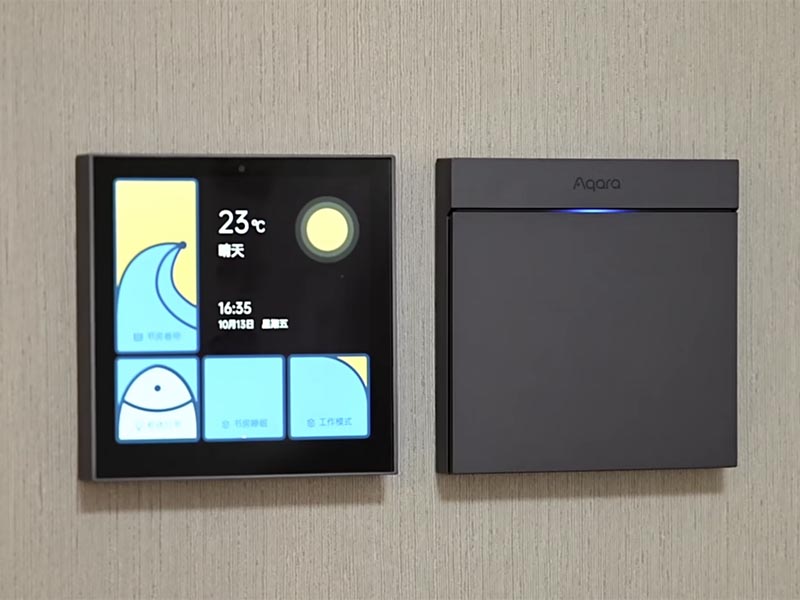
1. Why Android SBCs Are Gaining Popularity
An Android SBC integrates an ARM-based processor, GPU, memory, storage, and common interfaces such as HDMI, MIPI-DSI, LVDS,
USB, Ethernet, Wi-Fi, and GPIO onto a compact board. What makes it stand out from a Linux board is the software stack:
a familiar Android user interface, a strong app framework, and rich multimedia capabilities.
1.1 User Experience and UI Framework
Traditional embedded systems often rely on custom UI frameworks (Qt, GTK, or proprietary solutions). While they are powerful,
developing a responsive and visually attractive interface can be time-consuming. Android provides:
- A mature UI framework with layout managers, animations, and widgets.
- Touch-first design and built-in support for gestures.
- Extensive libraries for graphics, fonts, and localization.
This allows UX teams to prototype and refine interfaces faster, and reuse design patterns that users already understand from smartphones and tablets.
1.2 Connectivity and Ecosystem
Android includes ready-to-use stacks for Wi-Fi, Bluetooth, Ethernet, cellular modems, and USB accessories. For many embedded
products, this removes the need to build networking from scratch. The application framework also provides APIs for:
- HTTP and WebSocket communication.
- MQTT or cloud-based IoT services via libraries.
- Secure storage, permissions, and user management.
Together, these features shorten development time and make it easier to integrate with cloud dashboards, mobile apps, and remote monitoring systems.
1.3 Hardware Acceleration and Multimedia
Modern Android SBCs built around SoCs such as Rockchip, NXP, or Allwinner provide hardware-accelerated video decoding, OpenGL ES graphics, and GPU-accelerated compositing. This enables:
- Smooth 2D/3D animations for HMI screens.
- Video playback for digital signage and infotainment.
- Camera integration for vision-based applications.
For many product categories, a responsive and fluid interface is now a baseline expectation. Android SBCs help meet that expectation without building a multimedia stack from zero.
2. Android SBCs in Industrial and Commercial HMIs
One of the most common application areas for Android SBCs is Human–Machine Interfaces (HMIs) in industrial and commercial equipment.
Instead of simple text-based displays or segmented LCDs, manufacturers can deploy full graphical dashboards.
2.1 Machine Control Panels
In factory automation, Android SBCs drive touch panels that display:
- Machine status, alarms, and workflows.
- Production metrics, cycle times, and quality statistics.
- Diagnostic pages for maintenance engineers.
In these systems, Android interacts with PLCs or microcontrollers via Modbus, CAN, Ethernet/IP, or serial protocols. The SBC provides
the user interface and communication gateway, while the real-time control remains on dedicated controllers.
2.2 Building Automation and Smart Facility Management
In building management, Android SBCs power wall-mounted HMIs and room controllers. Typical functions include:
- HVAC setpoint adjustment and scheduling.
- Lighting and shading control.
- Energy consumption dashboards.
- Access control and presence indication.
Because Android handles graphics and networking easily, integrators can build panels that combine local KNX, BACnet, or Modbus control with cloud-based monitoring on the same device.
3. Kiosks, Digital Signage, and Retail
Kiosk systems and digital signage are natural fits for Android SBCs. They need a robust platform that can:
- Render web-based or native layouts.
- Play high-resolution video content.
- Support touch interaction and peripherals.
- Be remotely updated and managed.
3.1 Interactive Kiosks
In retail stores, museums, and public spaces, interactive kiosks can be built using Android SBCs connected to a TFT or IPS display. Typical use cases:
- Product browsers and self-service terminals.
- Ticket vending machines and check-in stations.
- Information points in transportation hubs.
Developers often lock the system into kiosk mode, using Android’s fullscreen capabilities or custom home screen to prevent users from exiting the app. Remote management tools can push new content or software updates without on-site visits.
3.2 Digital Signage Players
Android SBCs can act as media players for digital signage networks:
- Schedule-based playback of videos, images, and HTML5 content.
- Dynamic layouts showing promotions, news, and live data.
- Content synchronized across multiple displays over the network.
Compared to traditional PC-based players, an Android SBC is smaller, more power-efficient, and easier to maintain in the field.
4. Smart Home and Residential Applications
In smart homes, Android SBCs are often used as central control panels or smart hubs. Instead of a closed, minimal UI, homeowners get a tablet-like experience mounted on the wall or integrated into furniture.
4.1 Smart Control Panels
Android-based control panels can integrate:
- Lighting scenes and dimming groups.
- Climate control, floor heating, and air quality monitoring.
- Door camera feeds and intercom functions.
- Integration with voice assistants or smartphone apps.
Because Android supports multiple languages, themes, and user accounts, the same hardware platform can serve different regions and brands with customized interfaces.
4.2 Multimedia and Entertainment Integration
Smart TVs and multi-room audio systems sometimes use Android SBCs or similar SoCs for:
- Streaming media from the cloud or local NAS.
- Displaying home status dashboards on large screens.
- Acting as a central node for casting or screen mirroring.
For product designers, this reduces the need to develop proprietary multimedia frameworks and allows them to leverage existing Android media APIs.
5. Medical, Fitness, and Specialized Devices
The medical and fitness sectors increasingly demand devices with intuitive interfaces and connectivity, while still requiring stable platforms and long-term availability.
5.1 Medical Displays and Diagnostic Terminals
Android SBCs can be found in:
- Patient monitoring stations.
- Medical imaging viewers (non-diagnostic or companion displays).
- Portable diagnostic equipment with touch interfaces.
Developers can implement secure user authentication, audit logging, and network encryption using standard Android APIs, and connect to hospital systems via RESTful APIs or specialized protocols through native libraries.
5.2 Fitness and Rehabilitation Equipment
Treadmills, exercise bikes, and rehabilitation devices increasingly ship with Android-based consoles. Features include:
- Guided workout programs with video coaching.
- Integration with wearables and heart-rate sensors.
- Cloud synchronization of training data.
The Android environment makes it easier to update UI content over time, add new workout modes, or integrate with third-party fitness platforms.
6. Edge AI and Vision Applications
Modern Android SBCs often include NPUs (Neural Processing Units) or GPUs capable of accelerating machine learning workloads at the edge. This opens up new application classes:
- Smart cameras and people counting in retail.
- Object detection in logistics and warehousing.
- Quality inspection in light industrial environments.
Developers can deploy TensorFlow Lite or other inference engines on Android, combining camera input, on-device processing, and interactive visualization on the same SBC.
7. Integration Considerations for Real Products
While Android SBCs offer many advantages, there are important engineering aspects to consider when moving from prototype to production.
7.1 Long-Term Support and Supply
For industrial and commercial products, it is essential to choose SBC vendors that commit to:
- Multi-year availability of the hardware platform.
- Security patches and Android version maintenance.
- Clear lifecycle and replacement plans.
Without this, firmware maintenance and spare part availability can become problematic long after the product launch.
7.2 Customization of the Android Image
Most production systems need a customized firmware image, including:
- Lockdown of the user interface and settings.
- Pre-installed apps and services only.
- Boot animations, branding, and regional settings.
- Device drivers for specific peripherals (touch, displays, sensors).
Engineering teams usually work with Board Support Packages (BSPs) from the SoC vendor or module manufacturer, then adapt them to their own hardware and UI requirements.
7.3 Security and Remote Management
For connected devices, security cannot be an afterthought. Android SBC products often implement:
- Secure boot and signed firmware images.
- Encrypted storage for sensitive data.
- Remote update mechanisms (OTA) with rollback options.
- Network hardening, firewalls, and restricted services.
These features make it possible to deploy Android SBCs in professional environments while meeting IT and compliance requirements.
8. Conclusion
Android SBCs have become a powerful building block in modern embedded systems. They combine a rich graphical user interface, strong connectivity options,
hardware-accelerated multimedia, and a mature development ecosystem. From industrial HMIs and building automation to kiosks, smart home panels, medical equipment, and edge AI devices,
Android SBCs enable manufacturers to deliver feature-rich products with shorter development cycles.
The key to successful use of Android SBCs lies in careful hardware selection, long-term software maintenance, and disciplined system integration.
When those aspects are properly managed, Android SBC platforms offer an attractive path for creating modern embedded devices that feel as responsive and user-friendly as consumer electronics,
while still meeting the robustness and reliability requirements of industrial and commercial markets.
19
srijeda
studeni
2025
Croatian Cuisine: Flavors from the Adriatic to the Highlands
Croatian cuisine is a delicious reflection of the country’s geography and history.
Stretching from the Adriatic Sea to mountain villages and fertile plains, Croatia
brings together Mediterranean freshness, Central European comfort food, and
influences from Italy, Hungary, Austria, and the Ottoman Empire. The result is a
surprisingly diverse food culture for such a small country.

Coastal Delights of Dalmatia and Istria
Along the Adriatic coast, cooking is light, fragrant, and distinctly Mediterranean.
Fresh fish and seafood are the stars of the table. One classic dish is
grilled fish simply seasoned with sea salt, olive oil, lemon, and a
sprinkle of parsley. It is usually served with blitva—Swiss chard sautéed with
garlic and potatoes. Another favorite is crni rižot, a black risotto made
with cuttlefish or squid ink that gives the rice a deep color and a rich, briny flavor.
In Istria, near the Italian border, food often feels like a cousin of Italian
cuisine. Homemade pasta such as fuži is served with slow-cooked beef or
game stews, and the region is famous for its truffles. In autumn, restaurants offer
simple but luxurious dishes like scrambled eggs with shaved truffle or pasta tossed
in butter, cheese, and fragrant truffle slices.
Hearty Food from the Inland Regions
Moving inland toward Zagreb and Slavonia, meals become more rustic and hearty.
Slow cooking, paprika, and meat stews are common. One iconic dish is
čevapi (or ćevapčići)—small grilled minced meat sausages served with
flatbread, chopped onions, and a red pepper spread called ajvar. They are
especially popular as street food or casual restaurant meals.
Another beloved specialty is peka, more a cooking method than a single
recipe. Meat, potatoes, and vegetables are placed in a shallow dish, covered with a
heavy metal lid, and buried under hot embers. After several hours, everything becomes
incredibly tender, infused with smoke and herbs. Peka can be made with lamb, veal, or
even octopus on the coast.
Bread, Cheese, and Sweet Treats
Bread is an important part of everyday life, and many families still bake their own
loaves. Cheese lovers should look for Paški sir, a hard sheep’s cheese from
the island of Pag, known for its intense, salty flavor influenced by sea air and wild
herbs. It is delicious on its own with a glass of local wine.
Croatian desserts are simple but comforting. Kremšnita, a vanilla custard and
cream slice in flaky pastry, is especially famous in the town of Samobor. On the
coast, you will often find rožata, a creamy caramel pudding similar to crčme
caramel, delicately flavored with citrus or rose liqueur.
A Cuisine Worth Exploring
Whether you are eating grilled fish beside the sea, sharing a peka with friends,
or enjoying coffee and cake in a Zagreb café, Croatian cuisine feels both familiar
and unique. It is not about complicated techniques, but about high-quality local
ingredients, slow cooking, and a relaxed, social approach to meals. For travelers,
tasting these regional dishes is one of the best ways to understand the character
of Croatia itself.
18
utorak
studeni
2025
Why I Started Noticing Screens Everywhere (and Some Thoughts on LCD vs OLED)
Over the past few weeks, I’ve been spending more time wandering around the city — partly to clear
my head and partly to enjoy the weather before it gets too cold. During these small walks, I noticed
something amusing: I keep paying attention to screens. Not just the obvious ones like phones and
laptops, but the tiny ones on parking meters, home appliances, gym equipment, ticket machines, and
even vending machines.

It made me wonder why I suddenly became aware of them. Maybe it’s because I’ve been doing some
work related to display modules recently. Or maybe it’s just a random phase where my brain decides
to filter the world by screen type. Either way, I found myself comparing displays without even realizing it:
“Is this LCD?”, “Is that OLED?”, “Why does this one look so sharp?”, “Why is that one dim outdoors?”
During one of these walks, I came across a small smart-home kiosk inside a shop. Its display was bright,
but the colors felt slightly washed out. It reminded me of how different LCD and OLED technologies
can feel depending on the environment. At night, OLED looks unbeatable — perfect blacks, vivid colors.
But in daylight or on industrial devices, LCD still dominates because it offers better brightness,
longer lifespan, and significantly lower cost.
Later that evening, I looked for an article I read earlier that explained the comparison well. It helped
me connect my scattered observations with actual technical facts. This is the one:
LCD vs OLED Display Comparison: Practical Differences and Real-World Use Cases
While re-reading it, several points aligned with what I saw during the day. For example, OLED is
wonderful for consumer electronics — phones, watches, and premium devices. But when it comes to
long-term installations, like public kiosks or industrial machines, LCD is often still the better option.
Brightness, burn-in resistance, and cost matter more than perfect contrast in many real-world cases.
I also started noticing how many devices around me rely on LCD instead of OLED, even modern ones.
A vending machine near my apartment clearly used a high-brightness IPS LCD, and the gym treadmill
had a wide-view LCD panel designed to remain readable under strong ceiling lights. These are things I
never cared about before, yet once you start paying attention, it becomes strangely fun.
On the other hand, OLED has its own charm. A friend recently showed me a new smartwatch with a
beautiful curved AMOLED screen. Outdoors, it struggled a little, but indoors it looked almost unreal.
It made me realize that “better technology” is not always “more suitable technology.” Each use case
has its own requirements.
Reflecting on this, I think that noticing these small technical differences in everyday life makes me
enjoy the world a bit more. Instead of walking past objects without thinking, I find myself wondering
how they were designed, why the engineers chose one display over another, and what trade-offs they
made. It’s like seeing the hidden layer beneath the products we use daily.
If you are also curious about displays or simply enjoy understanding why devices work the way they
do, the article above is worth reading. It ties together both the technical explanation and real-world
examples in a clear way. And who knows — maybe you’ll also start noticing the tiny screens around
you next time you walk outside.
17
ponedjeljak
studeni
2025
Winter Days and a Slower Rhythm

There is something strangely comforting about winter. The days become shorter, the air turns sharper, and everything around us seems to slow down. Even the streets, usually full of noise and movement, look quieter—as if the whole city is taking a deep breath before the year ends.
During these days, I find myself enjoying the smaller things more than usual. A cup of warm tea in the morning feels like a small ceremony. Walking outside, even in the cold wind, becomes a reminder to look around instead of rushing from one task to another.
People often say that winter is gloomy, but I think it offers a different kind of beauty. The sky is pale, the colors are softer, and time moves differently. Maybe slower, maybe calmer. It gives us a chance to reset our pace, to think about the things we did, or the things we didn't do, and to quietly make peace with both.
In a way, winter teaches us patience. Nothing blooms overnight, nothing transforms instantly, and maybe that’s okay. Maybe we also need time to prepare for new beginnings—just like nature does.
So today, without any special plan or purpose, I simply took a walk. I looked at the empty branches, the people wrapped in scarves, the warm lights inside small cafés. And I felt a quiet joy—simple, gentle, and enough for now.
Winter doesn’t ask us to be fast. It only asks us to breathe.
