Marketing
Nissan 07A Gearbox Replacement Using Yanhua ACDP2 and Module 43
This guide explains how to replace a Nissan 07A (RE7R01A) gearbox using Yanhua Mini ACDP2 with Module 43.
The procedure is also compatible with ACDP (first generation).
Operation Steps
1. Preparation
` Open the ACDP APP
a Confirm in the top-right corner that the ACDP programmer is successfully bound
2. Connect to the Original Gearbox
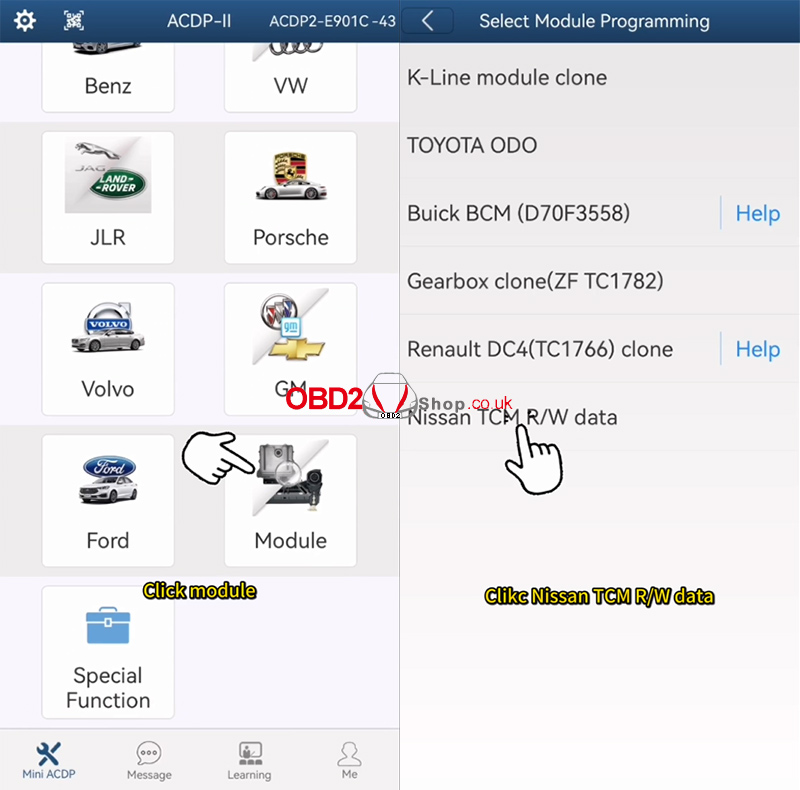
` Tap [Module] ’ [Nissan TCM R/W Data]
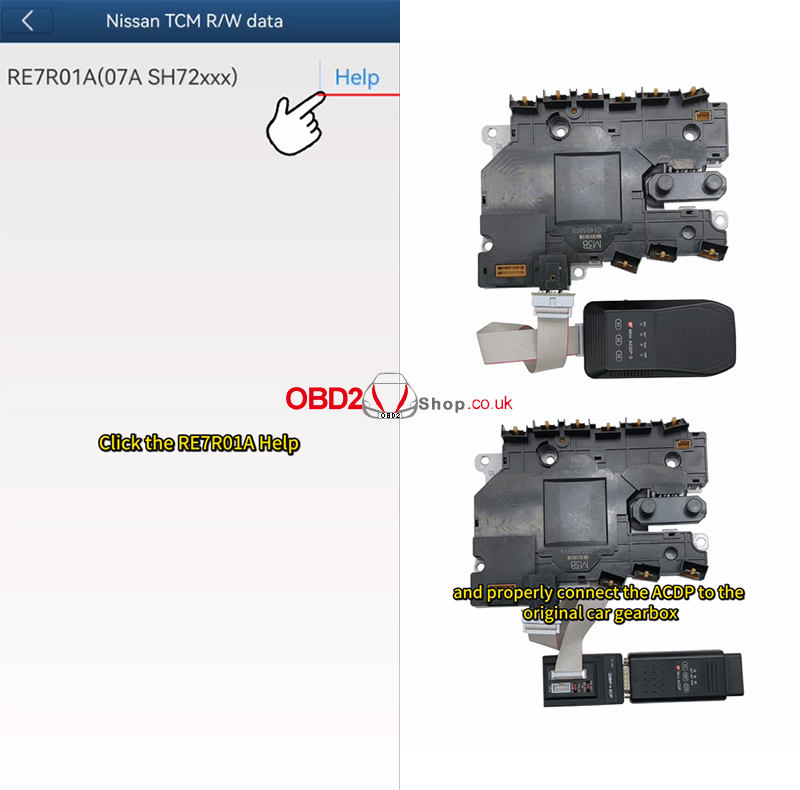
a Select RE7R01A Help
b Carefully read the help documentation
c Connect the ACDP to the original vehicle’s gearbox according to the wiring diagram
3. Identify Gearbox Information
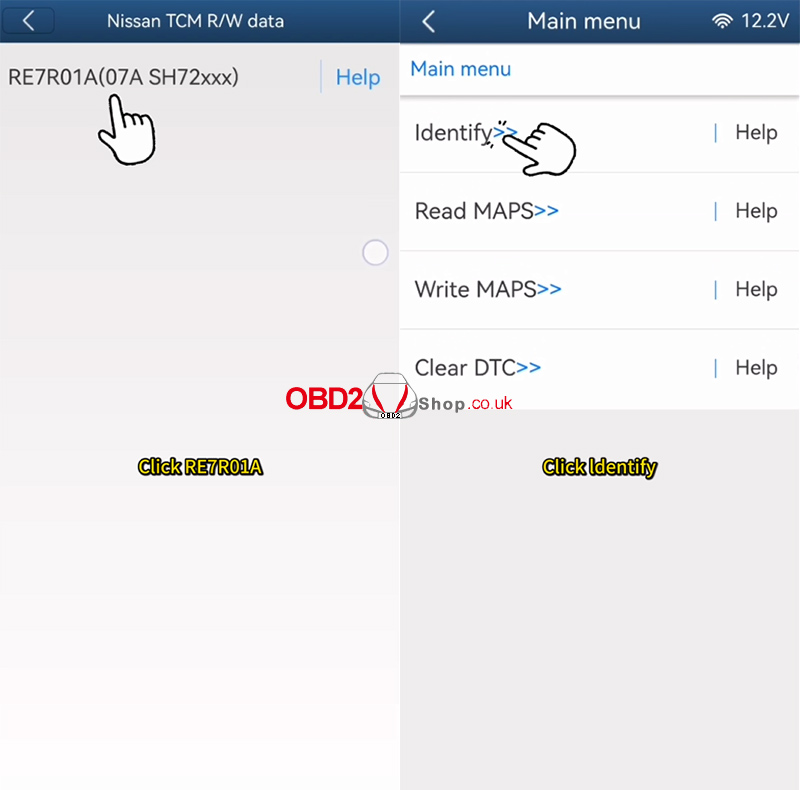
` Tap [RE7R01A] ’ [Identify]
a Use the ACDP standard power adapter
Voltage: 12V
Current: e 2.5A
b Click [Continue]
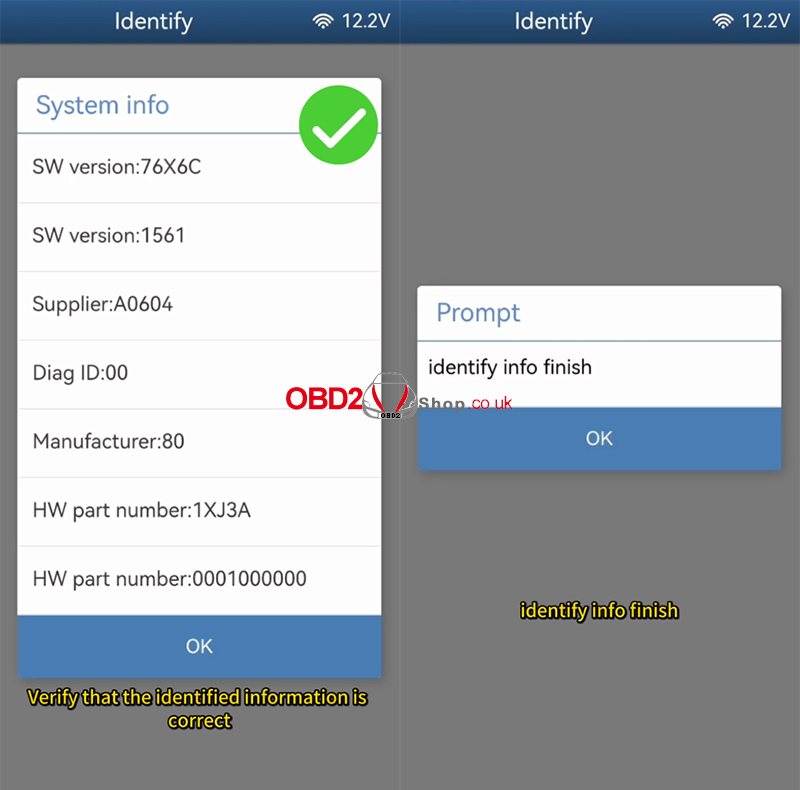
c Verify the identified information
d Take a screenshot and save it
Identification completed successfully
4. Read MAPS Data
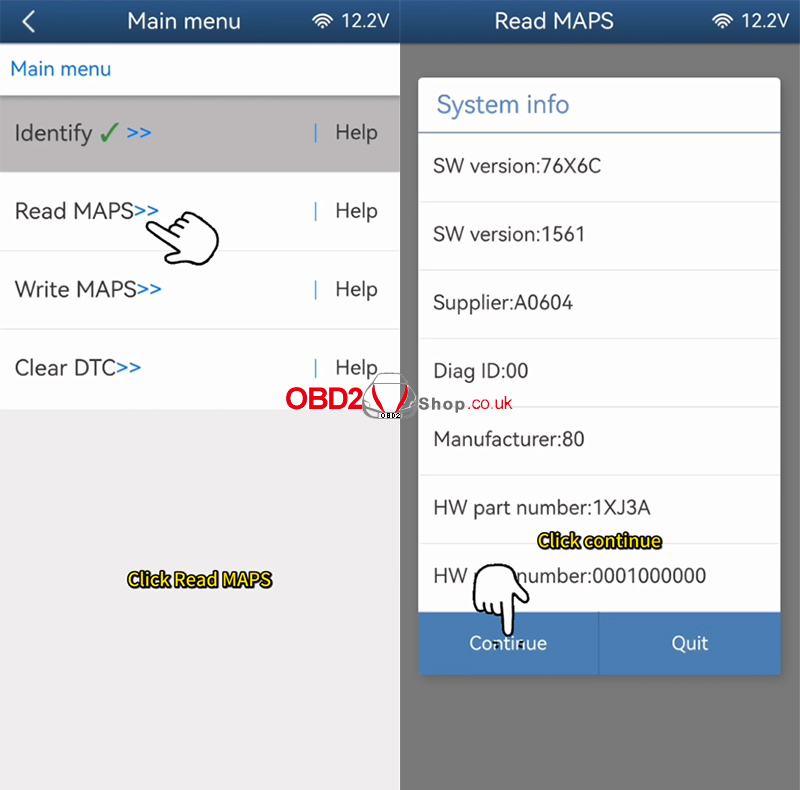
` Tap [Read MAPS]
a Ensure the standard power adapter is connected (12V / e2.5A)
b Click [Continue]
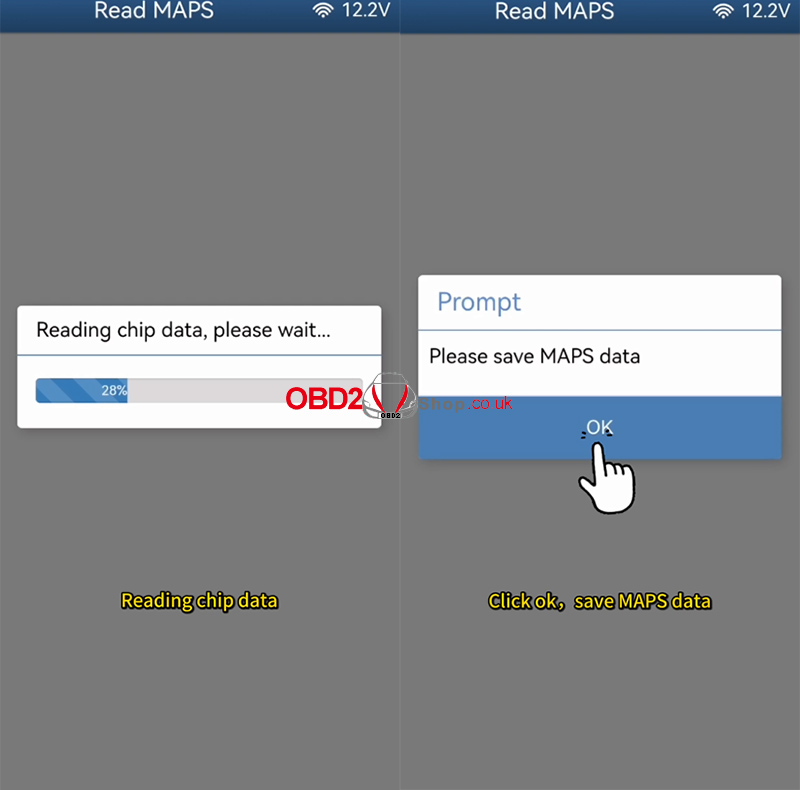
c Do NOT power off or disconnect during the process
d Wait for data reading to complete
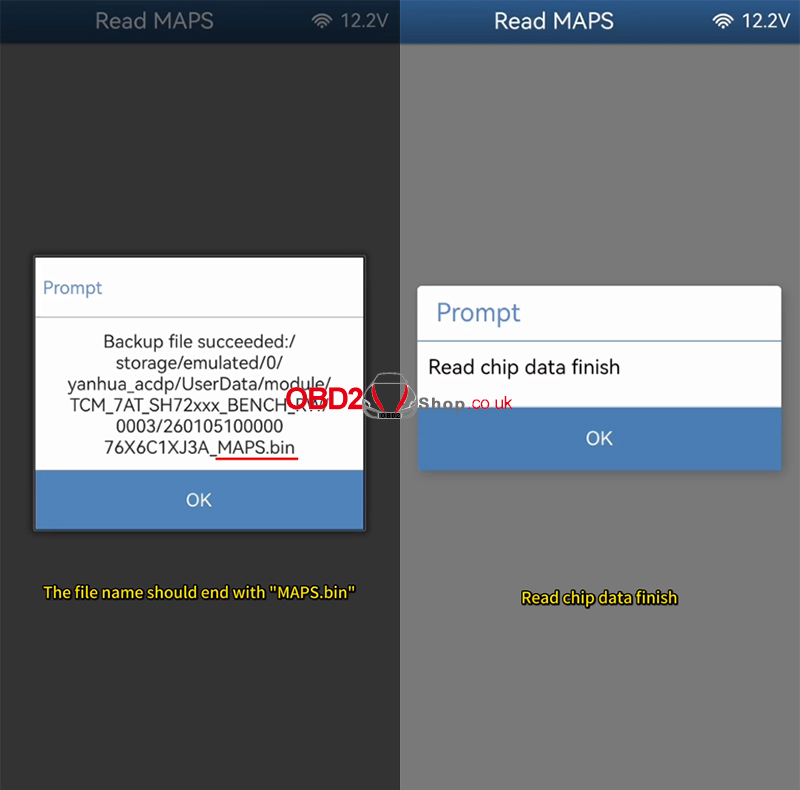
e Click OK and save the MAPS file
Important Notes:
Back up the file path, date, time, and version number
The file name must end with MAPS.bin
Reading completed successfully
5. Connect Replacement Gearbox
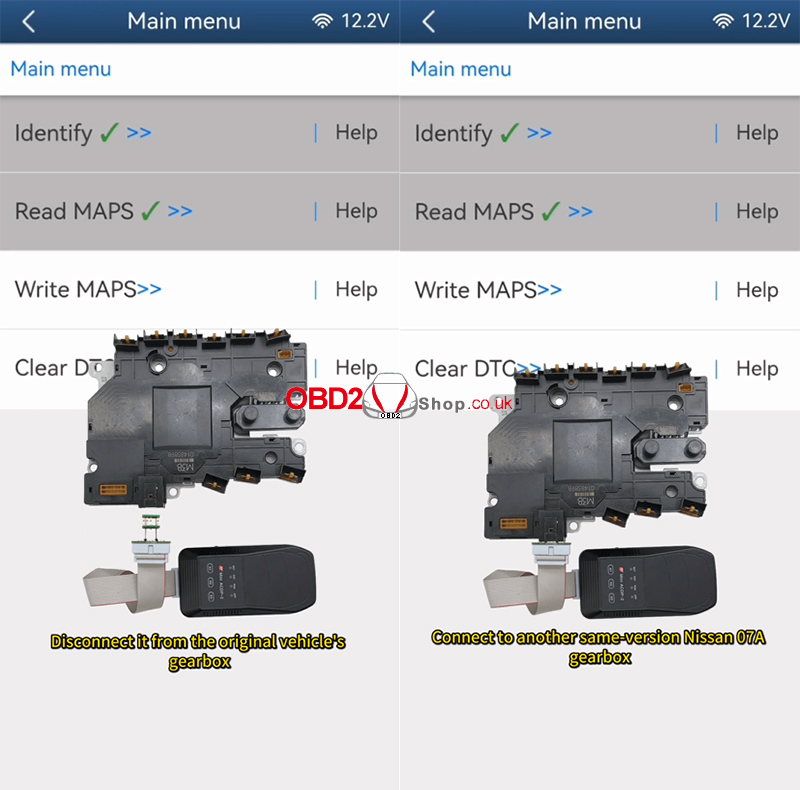
` Disconnect the ACDP from the original gearbox
a Connect it to another same-version Nissan 07A gearbox
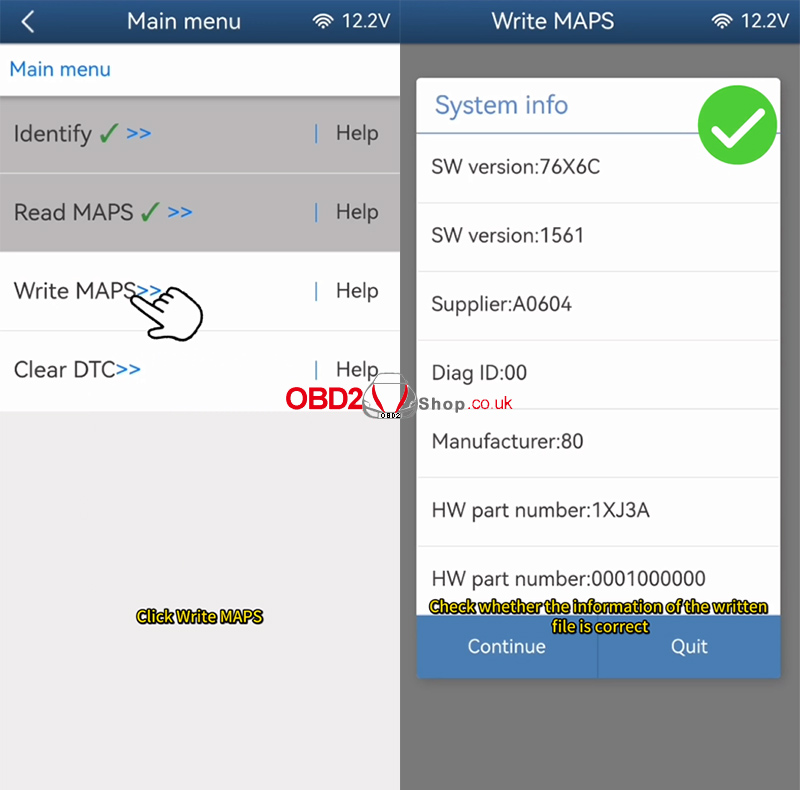
6. Write MAPS Data to Replacement Gearbox
` Tap [Write MAPS]
a Select the original vehicle’s file ending with MAPS.bin
b Verify file information (date, time, version)
c Click OK to continue
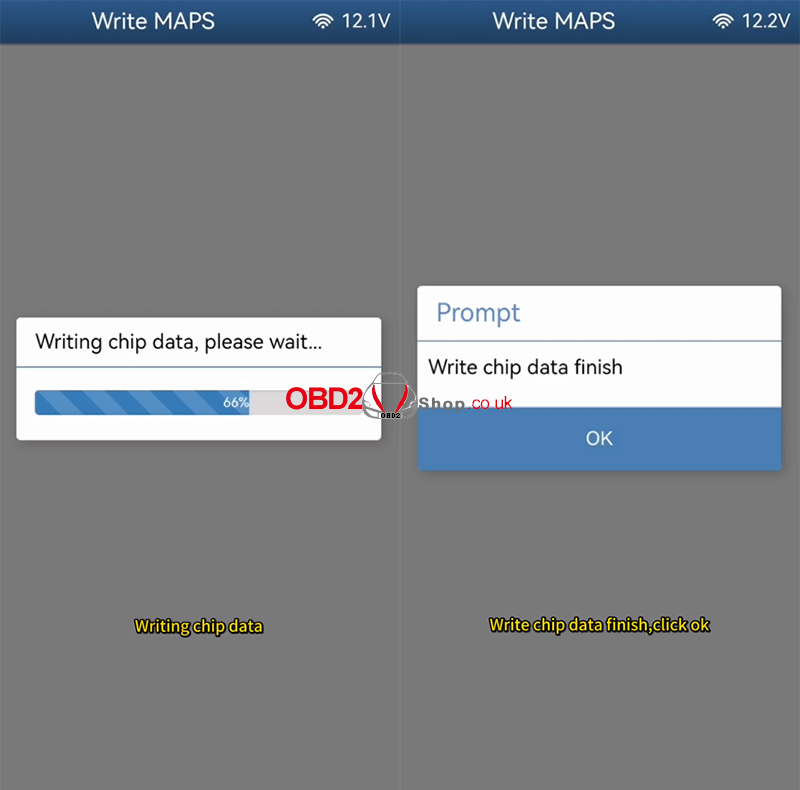
System process:
Connecting system…
Erasing chip data…
Writing chip data…
d Once completed, click OK
Writing completed successfully

Video Guide
YouTube Short:
https://www.youtube.com/shorts/y9WiLPtMe9k?feature=share
More Tools & Information: www.obd2shop.co.uk
Post je objavljen 08.01.2026. u 04:30 sati.