Marketing
Mercury Diesel Engine Maintenance Reset Using OBDSTAR MarineMaster
This article demonstrates how to perform a maintenance reset on a Mercury Diesel engine using the OBDSTAR MarineMaster. The procedure is straightforward and can be completed in just a few steps with proper preparation.
Note:
Before starting, make sure the MarineMaster device is properly connected to the boat using the dedicated diagnostic cable.
Step-by-Step Maintenance Reset Procedure
Step 1: Enter Marine Diagnosis
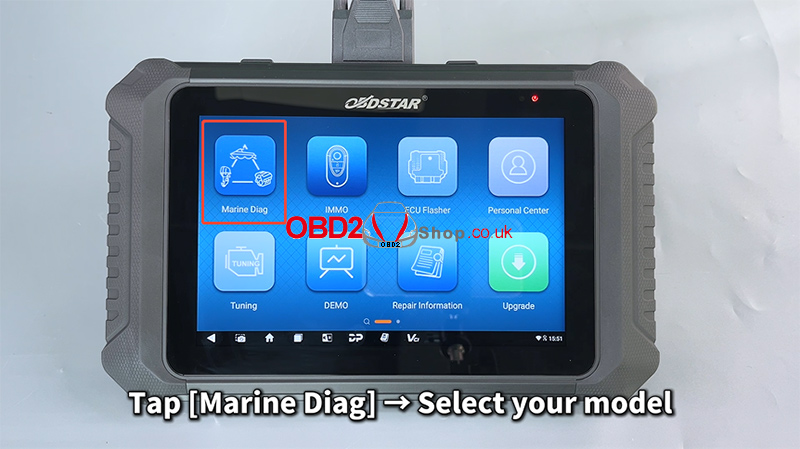
Power on the OBDSTAR MarineMaster and tap [Marine Diag].
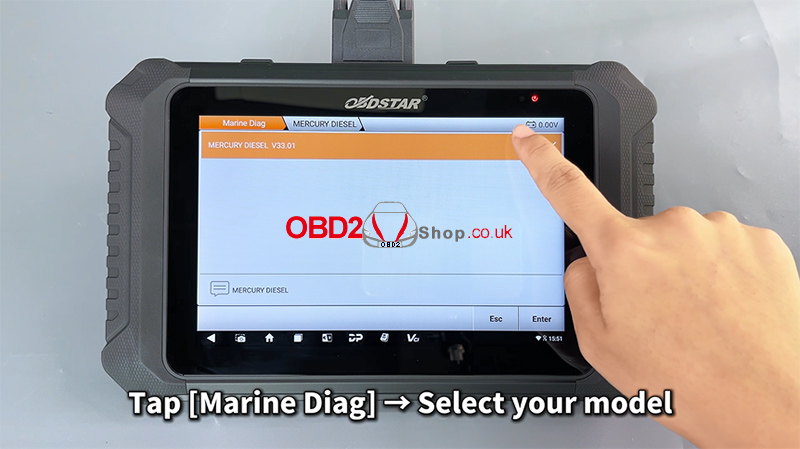
Use the search box in the upper-right corner to quickly locate the corresponding engine model.
Follow the menu path below:
[MERCURY / DIESEL] ’ [MERCURY DIESEL V33.01] ’ [Diagnosis] ’ [Injection System Integration Module] ’ [(2018–) Diagnosis on CAN Node (JUNCTION BOX)] ’ [Outboard – Avator – Tiler – GEN21B_AAQ]
Step 2: Access Maintenance Function
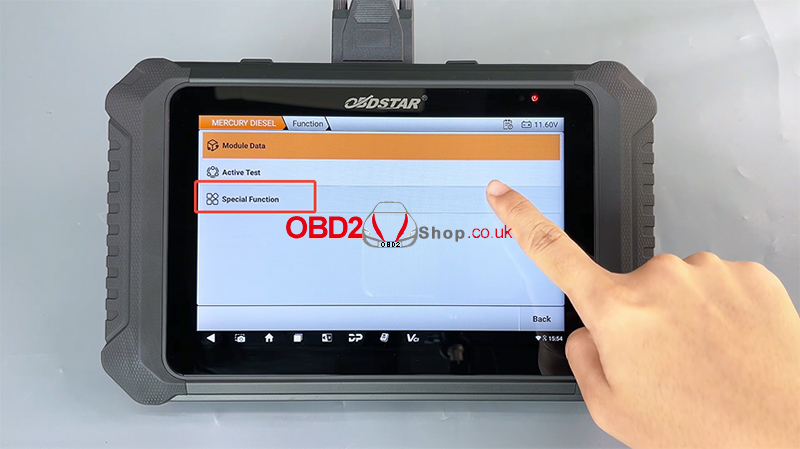
Enter the [Special Function] menu
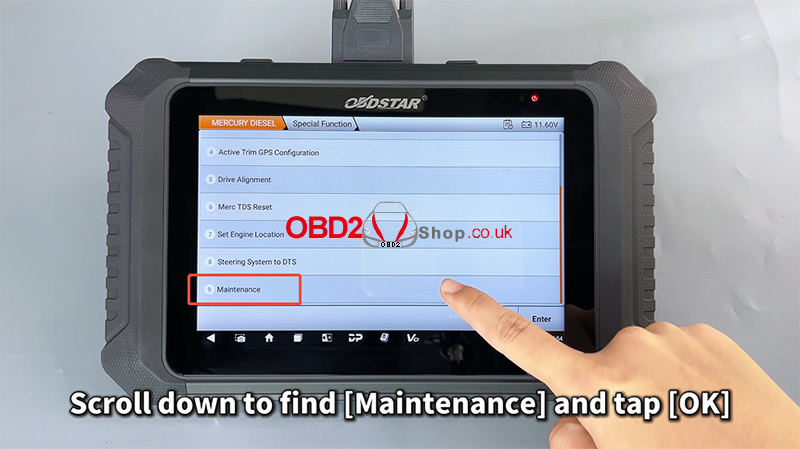
Scroll down and select [Maintenance]
Tap [OK] to continue
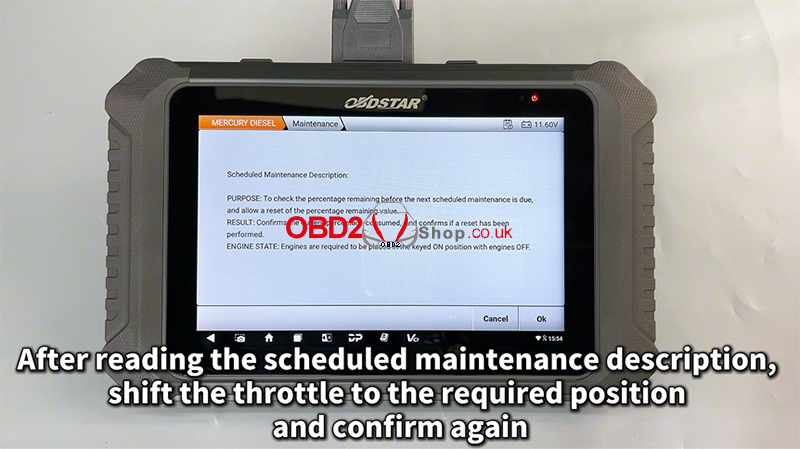
Step 3: Confirm Maintenance Conditions
Read the scheduled maintenance description carefully
Shift the throttle to the required position as instructed on the screen
Confirm again to proceed
Step 4: Check Maintenance Remaining Percentage
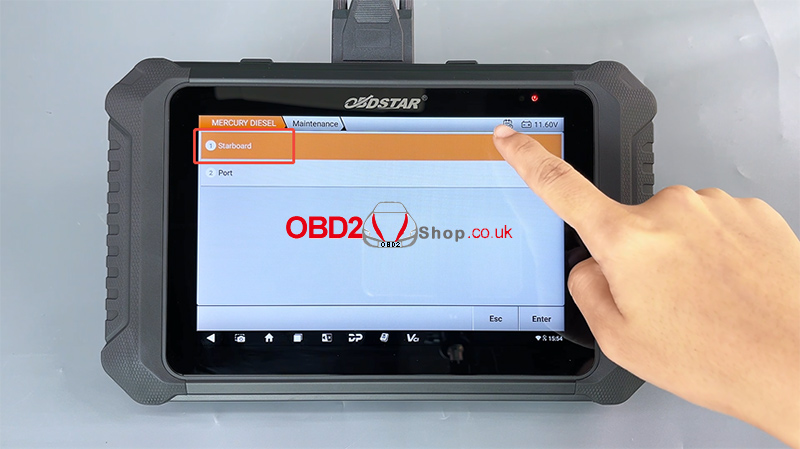
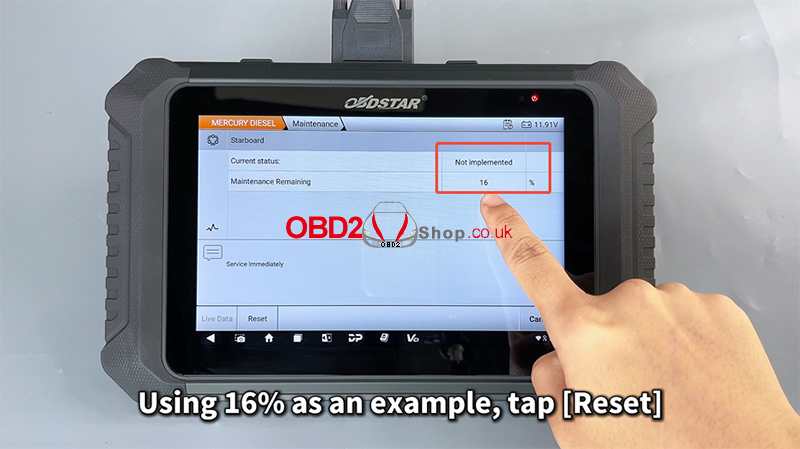
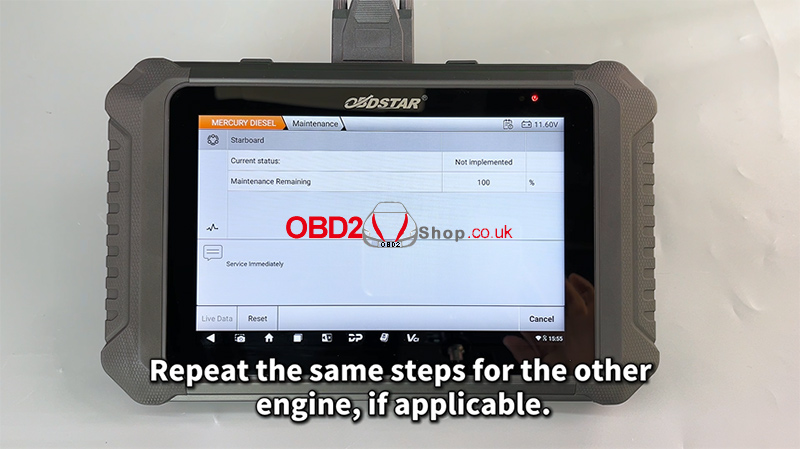
Select any engine to view its maintenance remaining percentage:
100% – 16%: Normal condition
15% or below: Oil and oil filter replacement required
0%: Maintenance overdue
Stop the engine immediately and perform maintenance
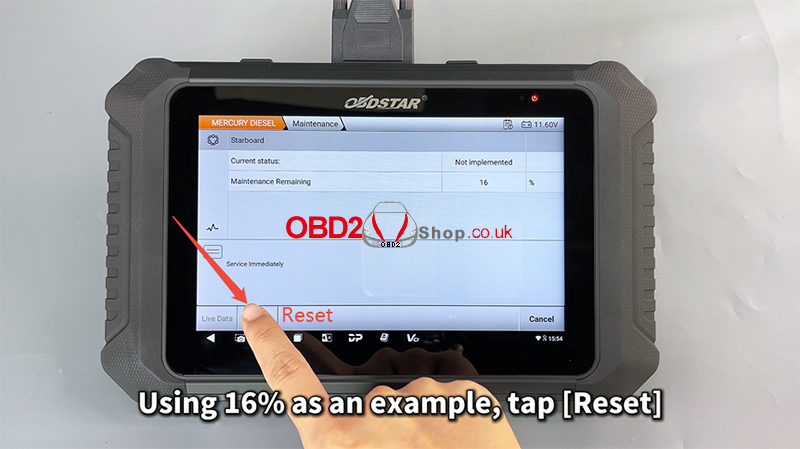
In this example, 16% is shown.
Tap [Reset] to perform the maintenance reset.
Step 5: Reset Completed
When the message “Reset Complete” appears, the maintenance reset has been completed.
If the boat has multiple engines, repeat the same steps for the other engine(s).
For a visual walkthrough, watch the video guide here:
https://youtu.be/jTk2SBYmtUg
Conclusion
With the OBDSTAR MarineMaster, resetting the maintenance reminder on a Mercury Diesel engine is quick, accurate, and user-friendly. This tool provides clear on-screen instructions and supports professional marine diagnostics and service tasks.
For more marine diagnostic tools and guides, visit: www.obd2shop.co.uk
Post je objavljen 06.01.2026. u 07:22 sati.