Marketing
How to Check Vehicle Coverage for IM508S, IM608II, and KM100
When working with Autel IMMO devices such as the IM508S, IM608II, and KM100, one of the most common questions users ask is how to check vehicle coverage. Recently, some changes have been made to the availability of coverage information. Below are the key updates and solutions:
1. Vehicle Coverage Updates
The official coverage details for KM100, IM508S (IMMO), and IM608II (IMMO) have been removed from online.
2. Alternative Coverage Check
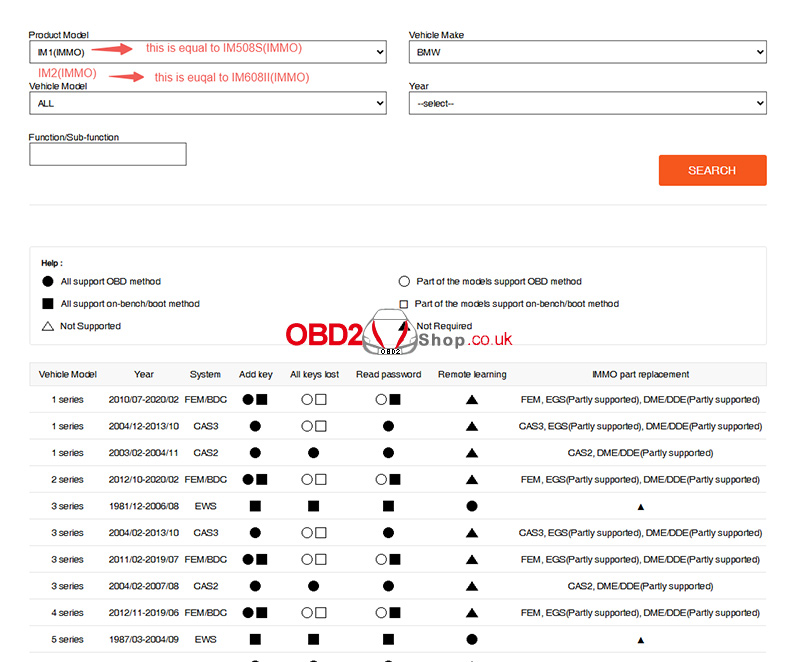
Since the IM1 (IMMO) software functions are identical to IM508S and IM608II, users can check their vehicle coverage through the OTOFIX website:
OTOFIX Vehicle Coverage Tool
Steps:
Visit the website.
Select your device (e.g., IM1 (IMMO) or IM2 (IMMO)).
Choose the vehicle brand.
Enter details such as model and year.
3. KM100 Function Reference
For KM100, coverage information is provided in the PDF document:
"KM100(IMMO)_Vehicle_coverage_final_version.pdf"
This serves as the official list of functions.
4. Tablet Function Lookup
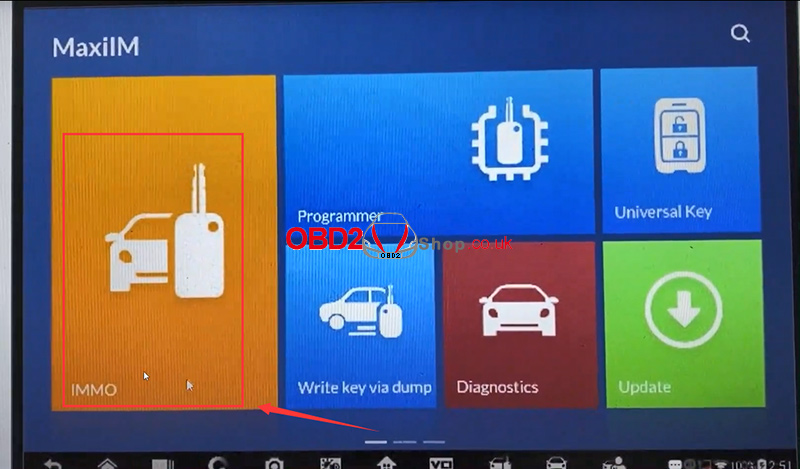
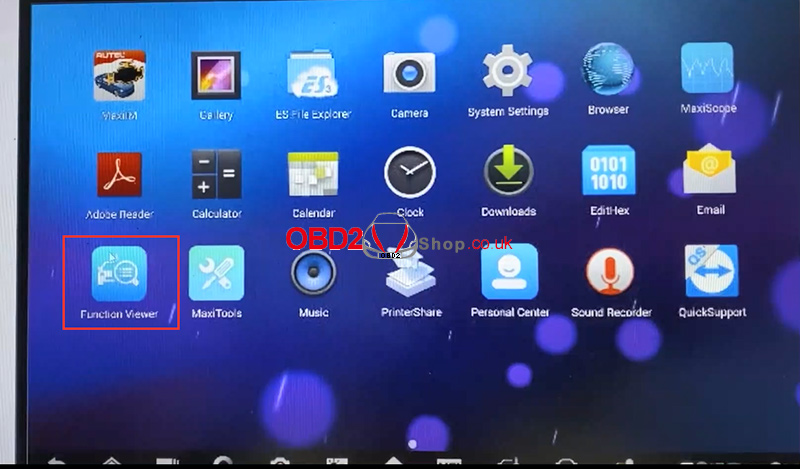
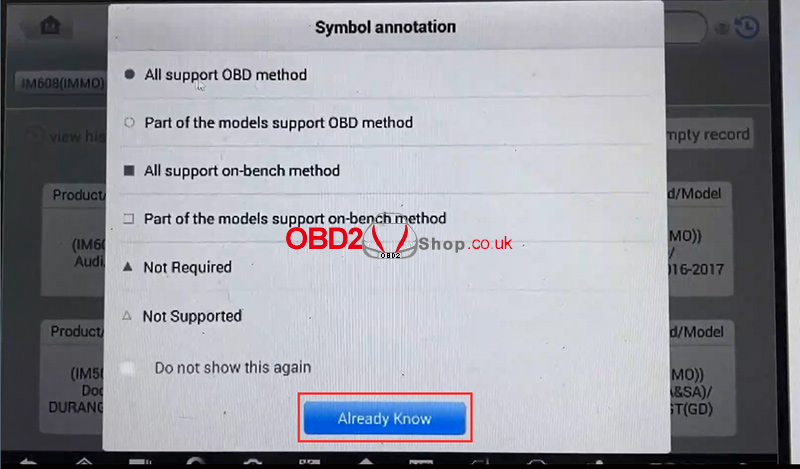
On-device users can directly check available functions via the Function Viewer or MaxiViewer app.
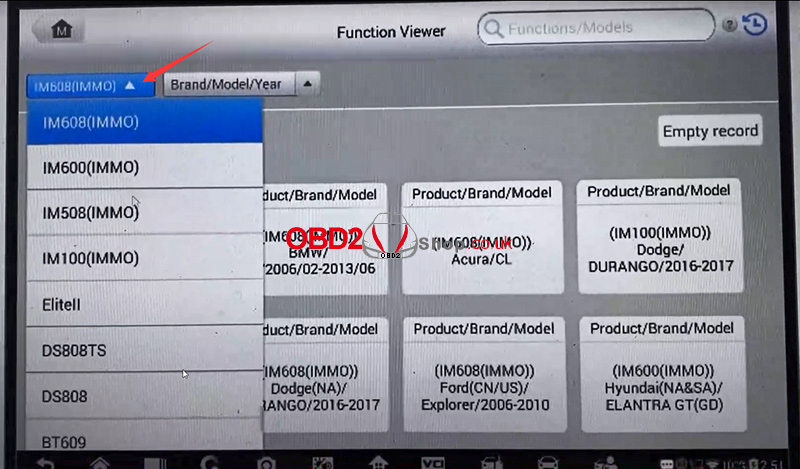
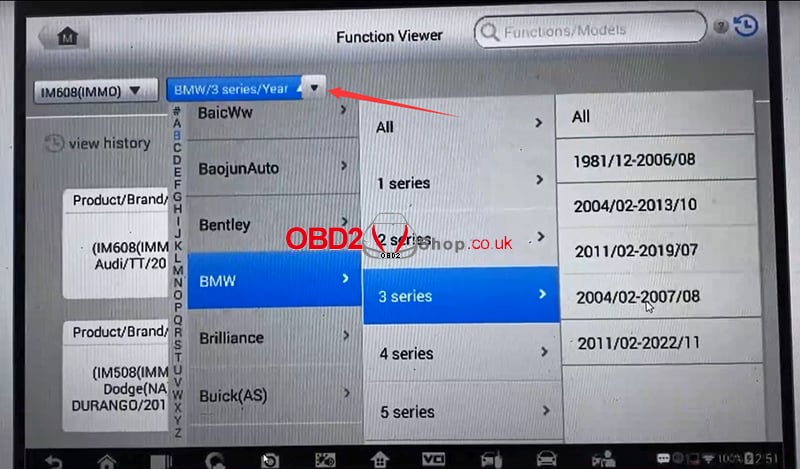
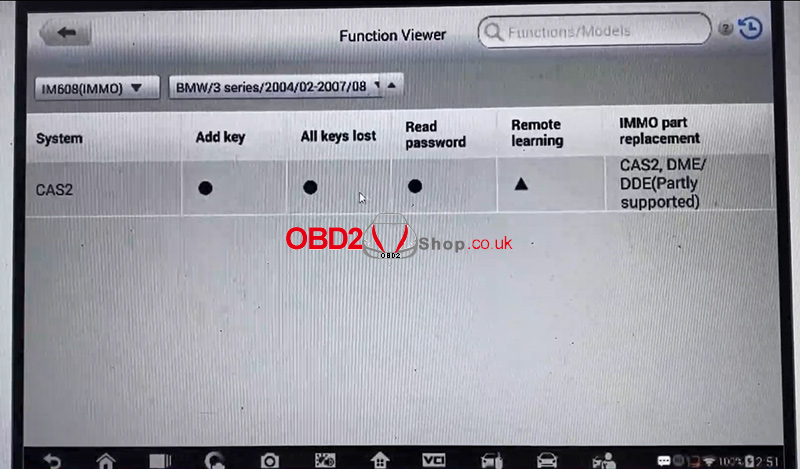
With these methods, users of IM508S, IM608II, and KM100 can still reliably access vehicle coverage and function details despite the removal of online listings.
www.obd2shop.co.uk
Post je objavljen 08.09.2025. u 09:34 sati.